


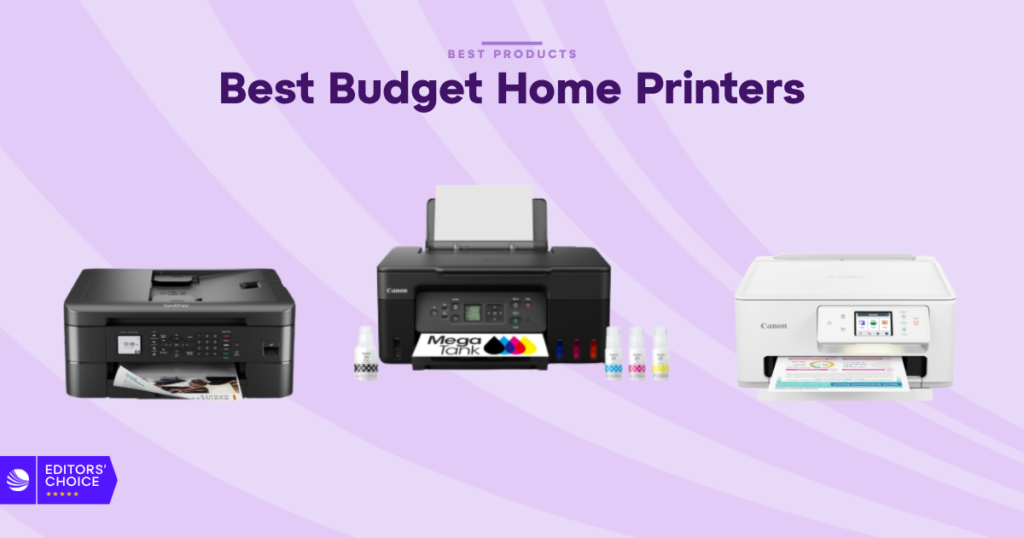
Budget printers used to mean compromise. Slow output, messy setup, and ink that ate the savings right back. That’s not the market in 2026. The best budget home printers are smarter now, with better apps, lower running costs, and wireless features that actually make sense for everyday use.
Disclosure: As an independent reviewer, we may receive an affiliate commission on qualifying purchases made through our links. This helps support our research and testing team at OASTHAR. Learn more about our testing process.
If you want a printer for school work, forms, labels, photos, or a small home office, the right pick depends on how you print, not just how much you spend up front. A cheap cartridge model can be fine for light use. A refillable tank printer can save a lot more over time. And if you only print black text, a mono laser still makes a ton of sense.
We built this guide around the budget printers that matter most right now, with a focus on value, simplicity, and honest long-term cost. If your printing leans toward photos, you’ll also want a look at our photo printer picks, because the cheapest home printer isn’t always the one that makes the best-looking prints.
RELATED: The 7 Best Budget Laptops for 2026, Tested and Reviewed
Best budget home printers at a glance
- Best Overall: Canon Pixma G3270 Wireless MegaTank
- Best Low-Cost: Canon MegaTank Pixma G3290
- Best Mono Laser: HP LaserJet M209d
- Best Entry-Level: Brother MFC-J1010DW
- Best Compact: HP Envy 6555E
- Best for Low Costs: Epson EcoTank ET-2980
- Best Cartridge: Canon Pixma TS7720
Learn More About How We Test Budget Home Printers
In our assessment, budget printers need to do more than look cheap on the box. We compare setup, print quality, daily use, and long-term value so you know which models hold up after the first few jobs.
Price and Customer Reviews
We start by comparing current pricing across major retailers and then read hundreds of customer reviews to spot repeated wins and repeated complaints. That helps separate a decent spec sheet from a printer people actually like living with. It also keeps the list grounded in what buyers can expect after the honeymoon period ends.
Setup and Everyday Use
A good budget printer should be easy to unbox, connect, and keep using without constant hand-holding. We look at app setup, Wi-Fi pairing, touchscreen clarity, paper loading, and whether the printer gets in the way or just gets out of the way. Simple matters here, because home users don’t want a side project.
Print Quality
We test text, graphics, and color pages to see how crisp the output looks in real use. For home printers, that means checking if small fonts stay sharp, if color fills look even, and if photos hold detail without ugly banding. The goal is clean pages that look right on a kitchen table or a school handout.
Print Speed and Reliability
Speed only matters if the printer stays consistent. We check first-page time, multi-page jobs, duplex printing when available, and how the printer behaves over repeated use. A cheap printer that freezes, jams, or wakes up too slowly gets old fast, even if the spec sheet looks good.
Running Costs
Budget printers live or die by ink or toner cost. We compare cartridge systems, tank systems, refill options, and page yield where the data is available. This is where tank printers usually pull ahead, since bottled ink can cost less over time and make a bigger difference than the starting price.
Features and Paper Handling
A printer doesn’t need every feature, but it should have the right ones. We look at scan and copy support, automatic document feeders when available, paper tray size, mobile app support, and duplex printing. For homes, the sweet spot is usually a machine that handles daily chores without wasting space or money.
Rating: 4.9/5
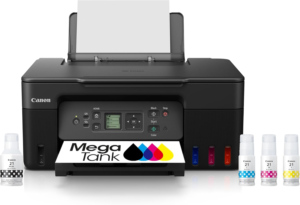
The G3270’s superpower is simple, cheap printing that doesn’t feel cheap. It gives you the basic home-office package, print, copy, and scan, but the real value comes from the MegaTank system, which keeps ink costs low enough to matter. That’s the whole point of a budget printer in 2026, and this one gets it right.
It’s the kind of printer that makes more sense the longer you own it. If your household prints school pages, forms, recipes, and the occasional photo, this Canon keeps running costs under control without asking much from you. The wireless setup and app workflow are built for normal people, not printer hobbyists.
For most buyers, this is the safest first stop. It’s friendly, practical, and better balanced than the bargain-bin inkjets that look cheap until the replacement cartridges show up. If you want a broader sense of how 2026 home printer testing is lining up, RTINGS’ home printer roundup puts the same kind of weight on real-world value and everyday use.
Type: Ink tank all-in-one | Functions: Print, copy, scan | Wireless: Yes | Color print: Yes | Best for: Low-cost everyday home printing
Reasons to Buy
- Low running cost
- Good for mixed home use
- Wireless printing support
- Easy daily maintenance
- Strong value for families
Reasons to Avoid
- Slower than some lasers
- Not the best for heavy office loads
- Features vary by model bundle
Who should buy it: This is the one for you if you want a budget printer that keeps ownership costs low without turning setup into a headache. It fits families, students, and casual home office users who print often enough to care about ink, but not enough to need a full workgroup machine.
Rating: 4.8/5
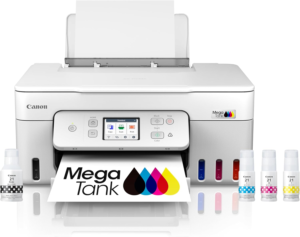
The G3290 follows the same money-saving logic as the G3270, which is why it lands so high here. You get refillable ink tank printing, solid all-in-one basics, and the kind of low-cost color output that cheap cartridge printers struggle to match. For light to moderate home use, that’s a strong mix.
What makes this model appealing is the balance between upfront cost and long-term sanity. You don’t buy a tank printer to brag about specs, you buy it because you’re tired of replacing cartridges too often. That’s where this Canon makes its point. It’s a clean fit for households that print in bursts and want to avoid surprise ink bills.
If your needs lean toward photos and graphics, tank printers like this usually make more sense than the lowest-cost cartridge models, even if the starting price is a little higher. For more photo-focused choices, you can compare that thinking against our best photo printers for home use guide.
Type: Ink tank all-in-one | Functions: Print, copy, scan | Wireless: Yes | Color print: Yes | Best for: Cheap ink over the long haul
Reasons to Buy
- Refillable ink tank design
- Better long-term value
- Good color printing
- Simple all-in-one use
- Works well for home pages
Reasons to Avoid
- Not ideal for fast output
- Features vary by model
- Bigger upfront spend than cartridge printers
Who should buy it: This is a strong fit if you print regularly and hate the idea of paying cartridge prices over and over. It works well for home users who want the low-cost ink tank route, but still want something simple enough for everyday school and household jobs.
Rating: 4.7/5
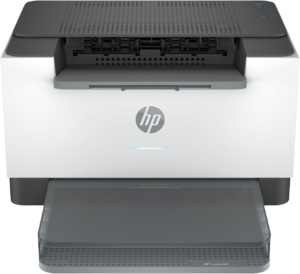
If you mostly print black text, this is where a budget printer starts to look smarter than an inkjet. The M209d and M209dw are built for fast monochrome work, and that’s exactly what many homes actually need. In 2026, black-and-white laser still gives you a sharp, efficient path for documents.
This HP is best when you want a printer that stays out of the way. It handles the basic job, prints clean text, and skips color complexity you may never use. That keeps running costs practical and makes the model a strong choice for students, remote workers, and anyone printing school forms or office pages.
You do give up color, scanning, and copying, so this isn’t the do-everything answer. But if your home printer is really a document machine, that trade-off is easy to justify. Budget testing often points the same way, and PCMag’s printer guide makes the same case for mono models when text output is the priority.
Type: Monochrome laser | Functions: Print only | Wireless: Model dependent | Color print: No | Best for: Fast text and document printing
Reasons to Buy
- Fast black-and-white output
- Good for text documents
- Simple ownership
- Lower toner waste
- Compact for home desks
Reasons to Avoid
- No color printing
- No scan or copy on print-only versions
- Not right for photo jobs
Who should buy it: This is the one for you if your print queue is mostly essays, forms, invoices, and shipping labels. It makes the most sense in a home office or student setup where speed and text clarity matter more than color or extra features.
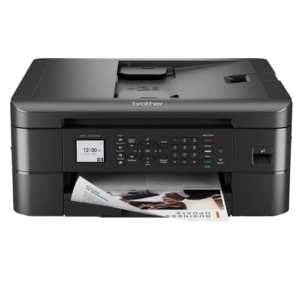
Rating: 4.6/5
The MFC-J1010DW is the kind of printer that gets the basics right without trying to impress you with fluff. It gives you print, scan, and copy in a compact package, which is exactly what a lot of budget buyers need. Brother usually does well when you want a practical home machine, and this one follows that pattern.
Its main strength is usability. It feels aimed at people who want a straightforward AIO for school forms, quick scans, and occasional color prints. It’s not trying to be a photo specialist or a full office hub. That restraint is part of the appeal, because it keeps the price and the stress level in check.
For a first home printer, this is a smart middle ground. It doesn’t ask you to commit to tank refills or live with a stripped-down print-only setup. It just gives you the core jobs. That’s enough for a lot of homes, and it’s why this model stays relevant in a crowded budget field.
Type: Inkjet all-in-one | Functions: Print, copy, scan | Wireless: Yes | Color print: Yes | Best for: Simple home and school tasks
Reasons to Buy
- Easy all-in-one setup
- Compact footprint
- Good for everyday tasks
- Wireless support
- Friendly for beginners
Reasons to Avoid
- Not built for heavy printing
- Running costs depend on cartridge use
- Less appealing for photo-heavy users
Who should buy it: This fits you if you want your first all-in-one printer to feel easy, not fussy. It’s a good match for households, students, and anyone who wants scan and copy support without stepping up to a more expensive or more complex machine.
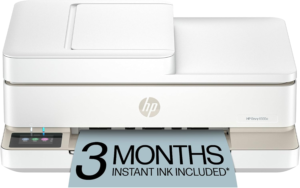
Rating: 4.5/5
This HP pair is about squeezing useful features into a smaller frame. That matters when desk space is tight and you still want print, scan, and copy in one box. The value pitch is strong here, especially if you’re printing only a few pages at a time and don’t want a bulky machine taking over the corner.
The appeal is pretty clear, cheap enough to buy, compact enough to live with, and flexible enough for normal home tasks. Features vary by model, so you’ll want to check the current spec sheet before choosing between the 6555E and the Pro 6420. But the core idea stays the same: a light-duty AIO that handles household work.
This is the printer for shoppers who want convenience more than speed. It’s especially useful in smaller apartments, dorm setups, or shared family spaces. If you want a budget AIO and don’t need tank-level ink savings, this type of HP remains a sensible lane.
Type: Inkjet all-in-one | Functions: Print, copy, scan | Wireless: Yes | Color print: Yes | Best for: Small desks and light use
Reasons to Buy
- Compact design
- Low entry price
- Good for occasional jobs
- Easy home scanning
- Works for shared spaces
Reasons to Avoid
- Slower than many lasers
- Cartridge costs can add up
- Features vary by model
Who should buy it: This is a good fit if your printer lives in a cramped spot and doesn’t need to process huge stacks of pages. It works best for casual home use, light schoolwork, and people who want all-in-one basics without paying for more printer than they’ll use.
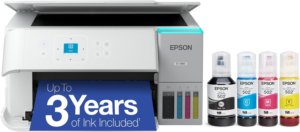
Rating: 4.4/5
This is the budget printer pick for people who can look past the sticker price and focus on the long haul. Epson’s EcoTank line is built around refillable ink, and that usually means much lower running cost than cartridge models. If you print enough, the savings add up fast.
The ET-2980 and ET-2850 are especially appealing if your home prints are spread across school, work, and family use. They’re not the fastest printers in the group, and color jobs can take patience. But if you want a printer that feels easier on your wallet over time, this is a serious contender.
That long-term value is why tank printers keep rising in 2026. Cheap ink still matters, and the market keeps proving it. It’s the same reason refillable systems are getting more attention across the category, alongside wireless printing and simple app control, which are now table stakes rather than extras.
Type: Ink tank all-in-one | Functions: Print, copy, scan | Wireless: Yes | Color print: Yes | Best for: Lowest cost per page
Reasons to Buy
- Very low running cost
- Good for frequent printing
- Better long-term value
- Refillable tank system
- Solid for mixed home use
Reasons to Avoid
- Slower color printing
- Higher upfront price
- Not the best if you print rarely
Who should buy it: This is for you if you print often enough to care about what each page costs over time. It works well for families, home offices, and students who plan to keep the same printer for years and want to spend less on ink later.
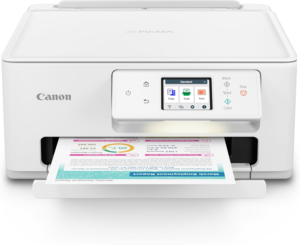
Rating: 4.0/5
The TS7720 is the safer pick for buyers who want a simple cartridge printer and don’t want to step into the tank-printer world. It’s still an all-in-one, so you can print, scan, and copy, but the pitch here is convenience and a lower upfront buy-in, not the absolute lowest cost per page.
That makes it useful for lighter households. If you print a handful of pages at a time, or you only need a home printer now and then, the TS7720 can be enough. It’s also the kind of model that can feel easier to understand if you’ve never used a tank printer before.
If photos matter at all, this kind of Canon is often more flexible than the bare-bones document machines, though it still isn’t a dedicated photo printer. For better image-focused options, compare it with the rest of our photo printer recommendations, because that’s where the category gets more specific.
Type: Cartridge inkjet all-in-one | Functions: Print, copy, scan | Wireless: Yes | Color print: Yes | Best for: Occasional home printing
Reasons to Buy
- Simple cartridge setup
- Good for light use
- All-in-one convenience
- Lower upfront cost
- Easy for beginners
Reasons to Avoid
- Ink costs can run higher
- Not ideal for heavy printing
- Fewer long-term savings than tank models
Who should buy it: This is a good fit if you print only from time to time and want a familiar cartridge setup. It works best for casual home use, quick school assignments, and buyers who care more about keeping the purchase simple than squeezing every last cent out of ink.
All Recommended Products in Comparison
| Printer | Upfront Cost | Running Cost | Speed and Output | Best For |
|---|---|---|---|---|
| Canon Pixma G3270 Wireless MegaTank | Moderate | Low | Balanced for home use | Best overall budget AIO |
| Canon MegaTank Pixma G3290 | Moderate | Low | Good for everyday printing | Best low-cost ink tank |
| HP LaserJet M209d / M209dw | Low to moderate | Low for text | Fast black-and-white pages | Best budget mono laser |
| Brother MFC-J1010DW | Low | Medium | Solid for light jobs | Best entry-level all-in-one |
| HP Envy 6555E / Pro 6420 | Low | Medium | Fine for casual printing | Best compact value AIO |
| Epson EcoTank ET-2980 / ET-2850 | Higher upfront | Very low | Better for steady use | Best low long-term cost |
| Canon Pixma TS7720 | Low | Medium to high | Good for occasional printing | Best cartridge-based budget AIO |
The pattern is clear. Tank printers win on cost over time. Mono lasers win when your pages are mostly text. Cartridge AIOs still have a place, but they make the most sense when you print lightly or want a lower starting price. That lines up with the same budget-printer logic seen in Consumer Reports’ printer testing, where cost to own matters as much as the first sale price.
What to Look for in a Budget Home Printer
Ink Cost Matters More Than You Think
The cheapest printer on the shelf is not always the cheapest printer to own. If you print often, cartridge costs can pile up fast. That’s why refillable ink tank models are such a strong fit for 2026. They usually cost more at the start, but the math gets better if you keep the printer for a while.
Choose the Right Printer Type
If you print mostly text, a mono laser is hard to beat. If you print color photos, school projects, or mixed pages, an inkjet makes more sense. If you want the easiest path to low long-term cost, tank printers are the sweet spot. The trick is matching the printer to your actual pages, not the ones you hope you’ll print.
Don’t Ignore Paper Handling
A small tray is fine for light use, but it gets old if you print every week. Duplex printing also matters more than most people think, because it saves paper and cuts down on manual reloading. If your printer will live in a busy family space, simple paper handling keeps the whole setup calmer.
Size and Noise Still Count
Budget printers often sit on desks, shelves, or kitchen counters, so footprint matters. A compact printer is easier to live with, especially in apartments or shared homes. Noise matters too. A printer that rattles through every job can be annoying, even if the print quality is solid.
Check Mobile App Support
Wireless printing is standard now, but app quality still varies a lot. A good app makes it easy to print from a phone, scan to cloud storage, and check ink levels without a lot of button pressing. For home users, that can matter just as much as raw speed.
Look at Maintenance Before You Buy
Some printers are simple to own. Others need frequent cartridge swaps, cleaning cycles, or extra attention. Tank printers reduce some of that churn, while cheaper cartridge printers can be more demanding over time. If you want less hassle, pick the model that fits your print volume instead of chasing the lowest shelf price.
Why Trust OASTHAR?
I’m Shashini Fernando, an associate editor who specializes in home printers, photo printers, and scanners. I test each product in-house and analyze hundreds of customer reviews from real users in this printer market to build this list with the best of the best products people can buy in 2026.
The goal is simple. You need a printer that works in a real home, not one that only looks good on paper. That means checking speed, setup, app support, print quality, and how the running costs stack up after the first box of ink is gone. We use that same approach across every budget pick, so you get a list that reflects actual ownership, not just spec-sheet theory.
Best Budget Home Printers FAQs
What is the best budget home printer overall?
The Canon Pixma G3270 Wireless MegaTank is the best overall pick here. It gives you low-cost color printing, basic all-in-one features, and strong value for most homes.
Which budget printer is best for black-and-white pages?
The HP LaserJet M209d / M209dw is the best fit if you mostly print text. A mono laser is usually the smarter buy for documents, schoolwork, and forms.
Which model has the lowest long-term cost?
The Epson EcoTank ET-2980 / ET-2850 is the strongest choice for low running cost over time. Refillable ink tanks usually beat cartridge printers once your page count starts climbing.
Is a cheap cartridge printer still worth it in 2026?
Yes, if you print lightly. A cartridge AIO like the Canon Pixma TS7720 can make sense when you want a lower upfront price and don’t print enough to justify a tank system.
Do budget printers still need Wi-Fi?
For most homes, yes. Wireless support makes it easier to print from laptops, tablets, and phones, and it’s become a basic feature in this price range.
Final Verdict
If you want one printer that fits most homes, start with the Canon Pixma G3270. It gives you the best mix of low running cost, everyday usefulness, and easy ownership. If your house prints mostly text, the HP LaserJet M209d / M209dw is the smarter buy. If you print a lot and want the lowest cost per page, the Epson EcoTank ET-2980 / ET-2850 is the long-term play.
If your budget is tight and your print needs are light, the HP Envy 6555E / Pro 6420 or Canon Pixma TS7720 keeps things simple. If you want a middle-ground all-in-one that’s easy to live with, the Brother MFC-J1010DW is the practical pick. The right choice comes down to one thing, how much you print, and what kind of pages fill your tray most often.
