

Should you buy the Apple Watch SE 3, or spend more for the Series 11? That’s the whole question, because this watch gets much closer to Apple’s pricier models than its lower price suggests.
If you want one watch for daily use, fitness tracking, and the usual iPhone life stuff, this is the model to inspect first. You get the S10 chip, an Always-On display, better charging, and the Apple Watch features most people use every day.
You also give up a few things that some buyers won’t want to lose. Here’s how the SE 3 handles design, display, speed, battery, software, health tools, price, and who should buy it.
RELATED: Garmin Fenix 8 Review (2026): Worth the Premium?

Quick Summary
The Apple Watch SE 3 doesn’t feel like the cheap one when you wear it. Day to day, it feels close to the Series 11 because the watch is fast, the interface is smooth, and the Always-On screen fixes one of the older SE line’s biggest annoyances.
You also get useful upgrades that don’t sound huge on paper but matter in real life. Double Tap, Wrist Flick, on-device Siri, and fast charging all make the watch easier to live with. Heart rate and GPS tracking are also strong for the price, which is a big deal if you want one watch for both notifications and workouts.
The trade-offs are easy to spot. Battery life is still a one-day affair. The design looks older, with thicker bezels and a more basic rear case, and you miss advanced sensors like ECG and blood oxygen.
If you use an iPhone and want the core Apple Watch experience without paying flagship money, this is a smart pick. If you need multi-day battery or every health sensor Apple offers, it isn’t.
Specifications
These are the specs that matter most before you buy.
| Spec | Apple Watch SE 3 |
|---|---|
| Case sizes | 40mm, 44mm |
| Colors | Midnight, Starlight |
| Case material | Aluminum |
| Display | Always-On Retina OLED |
| Brightness | Up to 1,000 nits, down to 2 nits |
| Resolution | 40mm: 324 x 394, 44mm: 368 x 448 |
| Chip | S10 SiP |
| Battery rating | Up to 18 hours, up to 32 hours in Low Power Mode |
| Charging | About 80% in 45 minutes |
| Connectivity | Wi-Fi 4, Bluetooth 5.3 |
| GPS | L1 GPS, GLONASS, Galileo, QZSS, BeiDou |
| Cellular option | GPS or GPS + Cellular with 5G |
| Key health tools | Heart rate, sleep score, sleep apnea notifications, wrist temperature, cycle tracking |
| Missing features | No ECG, no blood oxygen, no hypertension notifications |
The screen is sharp enough that you won’t think about pixels in normal use, and the 44mm model has a little more room if you like larger text or busier watch faces. If you want the official details, Apple’s technical specifications page is the best reference.
Design & Build Quality
The SE 3 keeps the old Apple Watch shape, square aluminum case, rounded corners, and clean styling. That means it doesn’t look fresh next to the Series 11, but it also means you know exactly what you’re getting.
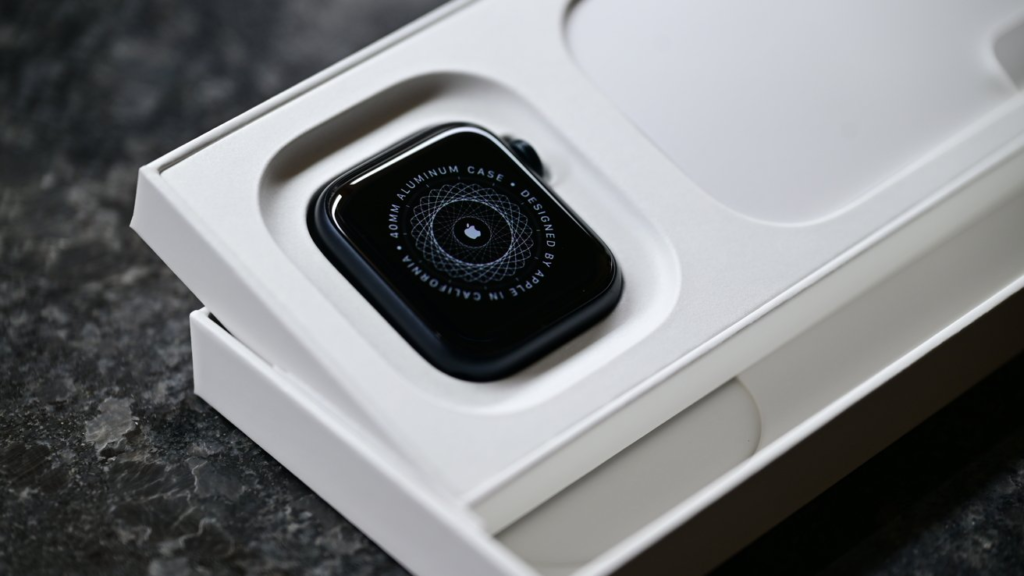
You can buy it in 40mm or 44mm, and the two-case approach still makes sense. The smaller one is easier on slim wrists. The larger one is better if you like bigger text, bigger touch targets, or a watch that looks a little less dainty.
Color choice is limited. You get Midnight or Starlight, and that’s it.
How the SE 3 Fits on Your Wrist
This is one of the SE 3’s better traits. It feels light, it doesn’t flap around during runs, and it doesn’t feel bulky when you sleep with it on.

If you wear long sleeves, the smaller case is especially easy to live with. It slips under cuffs better than larger sports watches, and that matters more than spec sheets suggest.
What the New Case and Glass Mean for Daily Use
The body is aluminum, and Apple says the front Ion-X glass has a stronger crack-resistant setup than before. That’s good news if your watch tends to meet door frames, gym equipment, or the edge of a desk.
The rear design is still less premium than the pricier models, and the case is a bit thicker too. You notice that more in side-by-side photos than on your wrist.
Display Quality
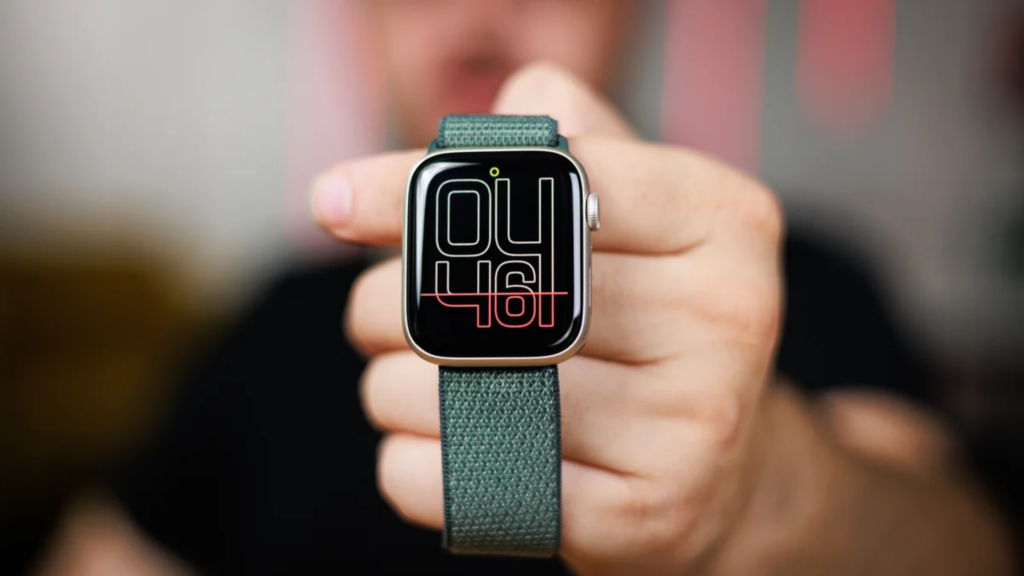
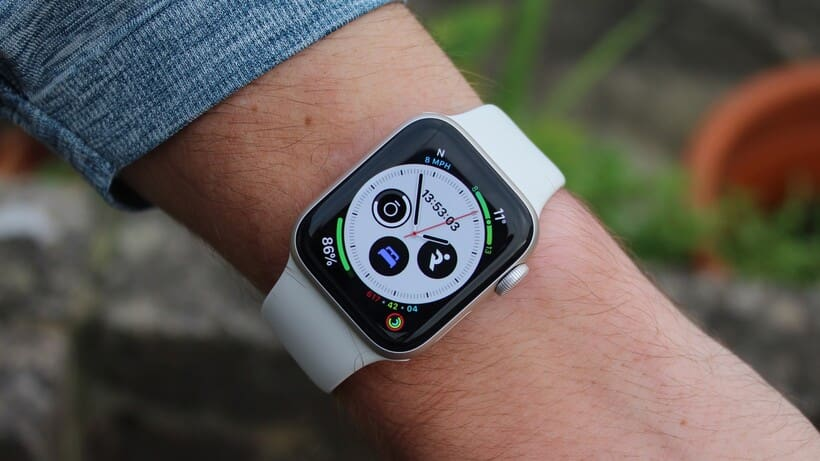
The Always-On Retina display is the feature that changes the SE 3 most. Older SE models could feel like they were always waiting for you to raise your wrist. This one doesn’t.
At up to 1,000 nits, the screen is bright enough for indoor use, outdoor walks, and most workout sessions. It’s not the brightest Apple Watch panel you can buy, but it doesn’t come off as cheap.
How the Always-On Display Changes the Experience
You can glance down and see the time, your rings, or a complication without doing the little wrist-flick routine. That sounds minor, right up until you go back to a watch without it.
For a smartwatch, that constant glanceability matters. It makes the SE 3 feel like a full Apple Watch, not a trimmed-down version.
Why the Smaller, Dimmer Panel Still Holds Up
The bezels are thicker than the Series 11, and the panel isn’t as large or as bright. You notice that if you compare them side by side.
Use the SE 3 on its own, though, and it’s a good screen. Text is clean, colors look good, and the lower 2-nit floor helps at night.
Performance
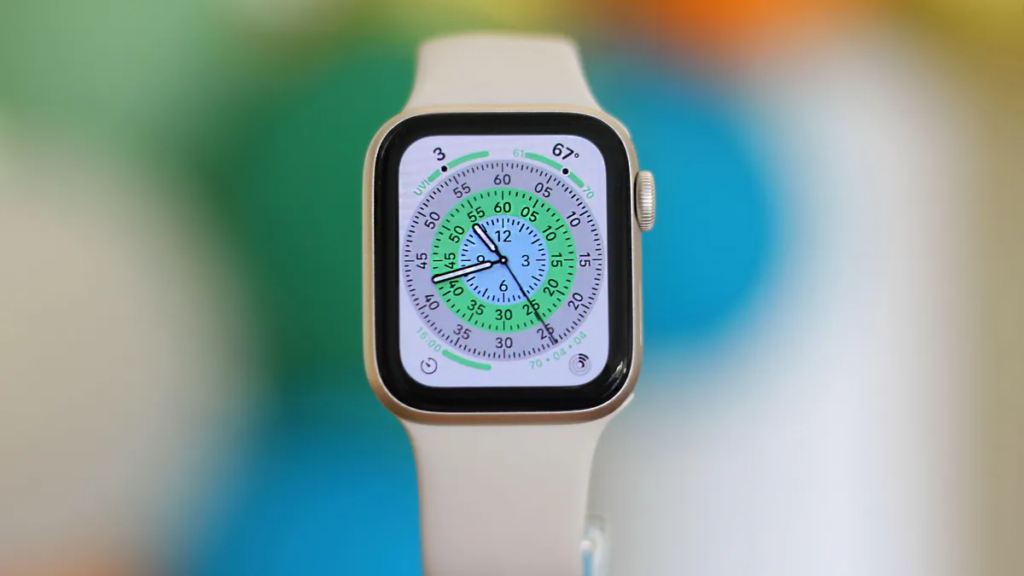
The S10 chip is the main reason this watch feels so good. Apple didn’t drop an old processor in here and call it a day. You get the same chip family used in Apple’s pricier watches, and it shows.
Menus open fast. Apps load quickly. Scrolling stays smooth, even when you bounce between messages, workouts, music, and maps.
Why the S10 Chip Matters in Daily Use
A fast watch is less frustrating in a way that’s hard to overstate. If you tap a notification, you want it to open now. If you start a workout, you don’t want lag.
That also gives the SE 3 a better shot at staying relevant for longer software support. The hardware isn’t playing catch-up on day one.
Gesture Controls and Siri Make It Easier to Use One-Handed
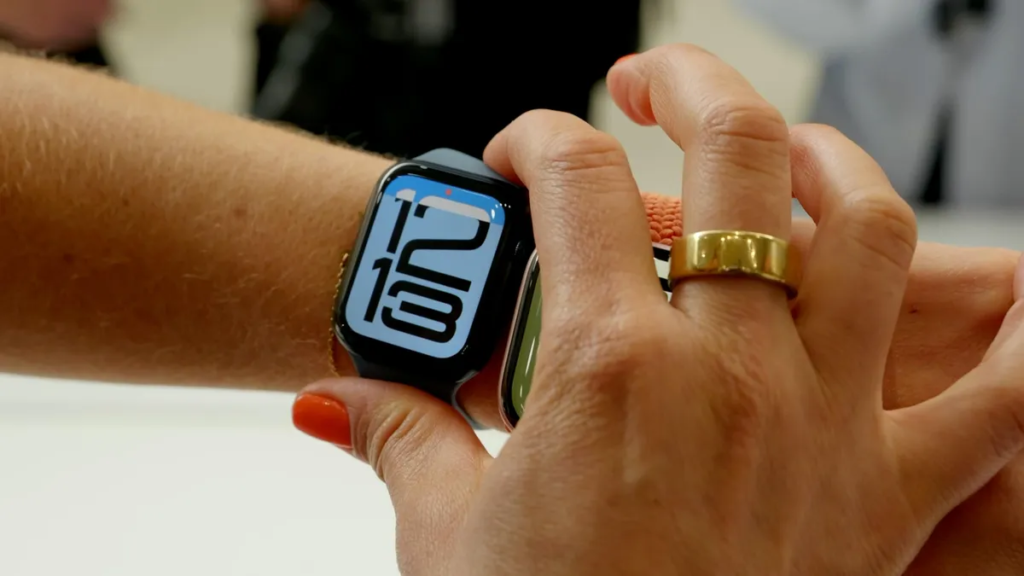
Double Tap is more useful than it first sounds. You can answer a prompt, start the main action on screen, or move through the Smart Stack without poking at the display.
Wrist Flick is handy too. If your other hand is busy with a bag, a coffee, or a dumbbell, dismissing a notification with a quick motion feels natural. Siri running on the watch helps here as well, because basic requests land faster.
Battery Life & Charging
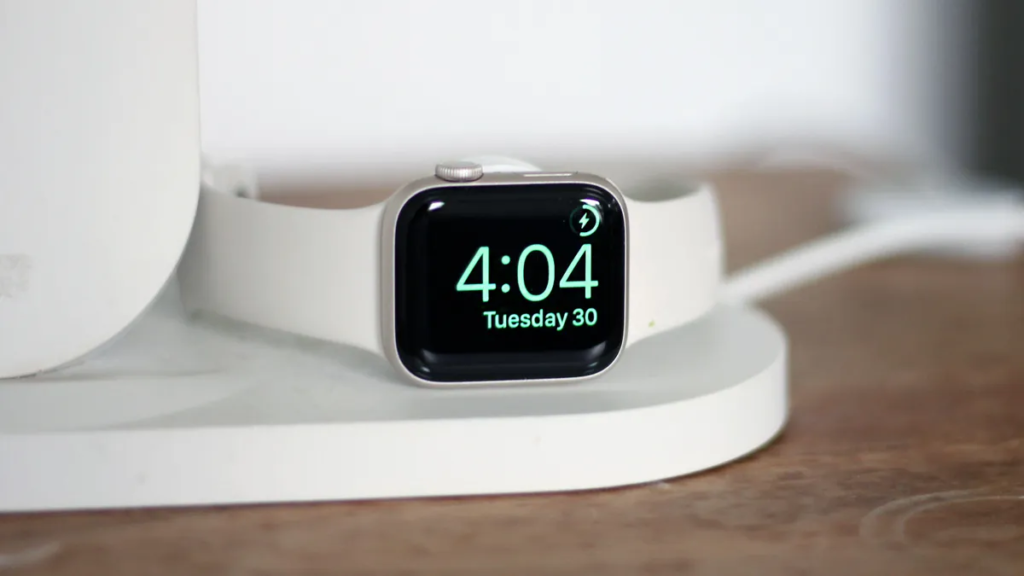
Battery life is the SE 3’s weakest point. Apple rates it for 18 hours, and in normal use that means daily charging.
If you use the Always-On display, track workouts, and get a steady stream of notifications, that routine doesn’t change. You’re topping it up every day, same as most recent Apple Watches.
What Daily Charging Looks Like in Real Life
You’ll probably charge it in the morning, at your desk, or before bed. If you also want sleep tracking, you need to build that habit on purpose.
That’s the part some people bounce off. If longer battery life matters more than app depth and iPhone features, a watch like the one in this Garmin Vivoactive 6 review makes more sense.
Fast Charging Makes the Routine Easier
The good news is charging is better now. The SE 3 can reach about 80% in 45 minutes, and even a short top-up can cover a workout or a night of sleep tracking.
That doesn’t fix the one-day limit, but it does make the routine much less annoying. If you already charge your phone daily, the watch starts to feel like part of the same rhythm.
Software & Ecosystem
This is where the SE 3 pulls away from many cheaper watches. The hardware is only half the story. The software, the iPhone integration, and the app support are what make it feel complete.
Notifications are easy to manage, calls work well enough from the wrist, and Apple Pay is the kind of feature you start using once and then miss everywhere else.
The Features You Will Use Every Day
You get the stuff that actually earns wrist time. Messages, alarms, timers, music control, maps, reminders, calendar alerts, and wallet access are all right there.
If you like leaving your phone in your pocket, or in another room, the watch makes that easier. If you like leaving your phone at home, the cellular model takes that a step further.
Why the Apple App Ecosystem Still Gives It an Edge
Apple still has the strongest watch app support around. If you want a better sleep app, a niche workout tool, a task manager, or a travel helper, there’s usually an app for it.
That’s a big reason the SE 3 feels more useful than many fitness-first watches at similar money. It isn’t only a tracker. It’s part of your phone life.
Connectivity
The basics are simple. You get Wi-Fi 4, Bluetooth 5.3, solid GPS support, and an optional cellular version with 5G.
That means good pairing with your iPhone, reliable accessory support, and the option to stay connected when your phone isn’t next to you.
When the Cellular Model Is Worth It
The cellular model makes sense if you run, walk, commute, or do errands without wanting your phone every time. Calls, messages, streaming, and navigation are much more useful when the watch can stand on its own.
If your iPhone is always nearby, save the money and buy the GPS model.
Bluetooth and Wi-Fi in Everyday Use
In normal use, pairing is the easy part. Once you’re in the Apple system, the watch behaves the way you’d expect.
That familiarity matters. You don’t spend time fighting the connection. You use the watch.
Extra Features
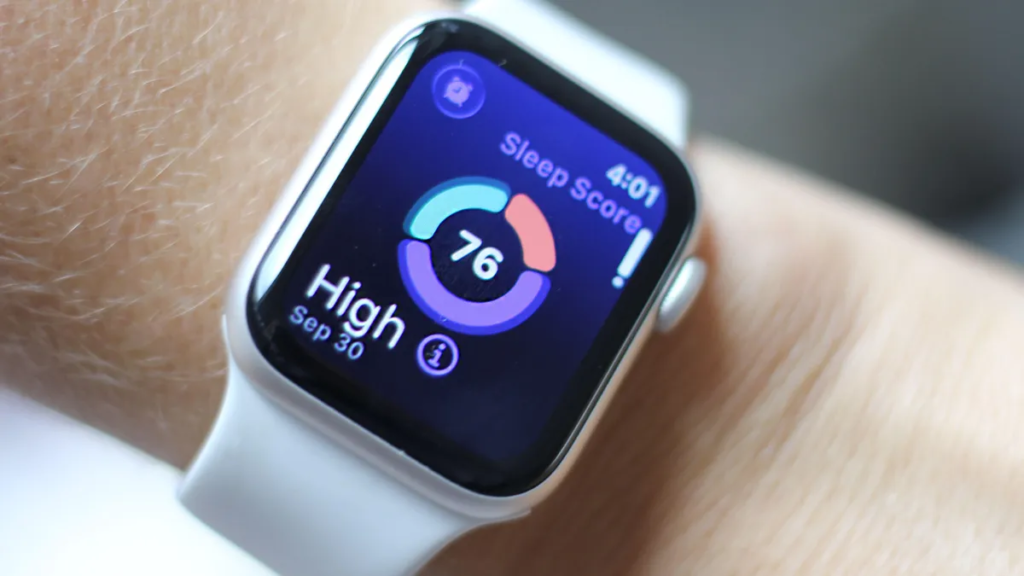
For the price, the health and safety package is strong. You get heart rate tracking, high and low heart rate alerts, irregular rhythm notifications, sleep score, sleep apnea notifications, wrist temperature sensing, and cycle tracking with retrospective ovulation estimates.
Safety is a real selling point too. Fall Detection, Crash Detection, Emergency SOS, and international emergency calling are the kinds of features you hope to never use, but you want there anyway.
Health Features That Add Real Value
If you’re getting into fitness, the SE 3 gives you more than basic step counting. Sleep tracking is solid, heart rate data is dependable for most people, and Apple’s workout tools are good enough for running, gym sessions, walks, and general training.
That lines up with the broader take from the AppleInsider review, which found the SE 3 far closer to the flagship experience than the price suggests.
What You Do Not Get Compared with Pricier Apple Watches
You don’t get ECG. You don’t get the blood oxygen app. You also miss hypertension notifications and some of the more advanced swim and depth-related extras from higher-end models.
For some buyers, that’s fine. For others, that’s the whole reason to spend more.
Price & Value
The SE 3 starts at $249, and that’s the heart of its appeal. It gives you most of the Apple Watch experience for much less than the Series 11.
You’re not paying for titanium, slimmer bezels, or Apple’s full health sensor stack. You’re paying for the parts most people actually use, fast performance, strong safety features, good workout tracking, and tight iPhone integration.
How It Compares with the Series 11 and Ultra 3
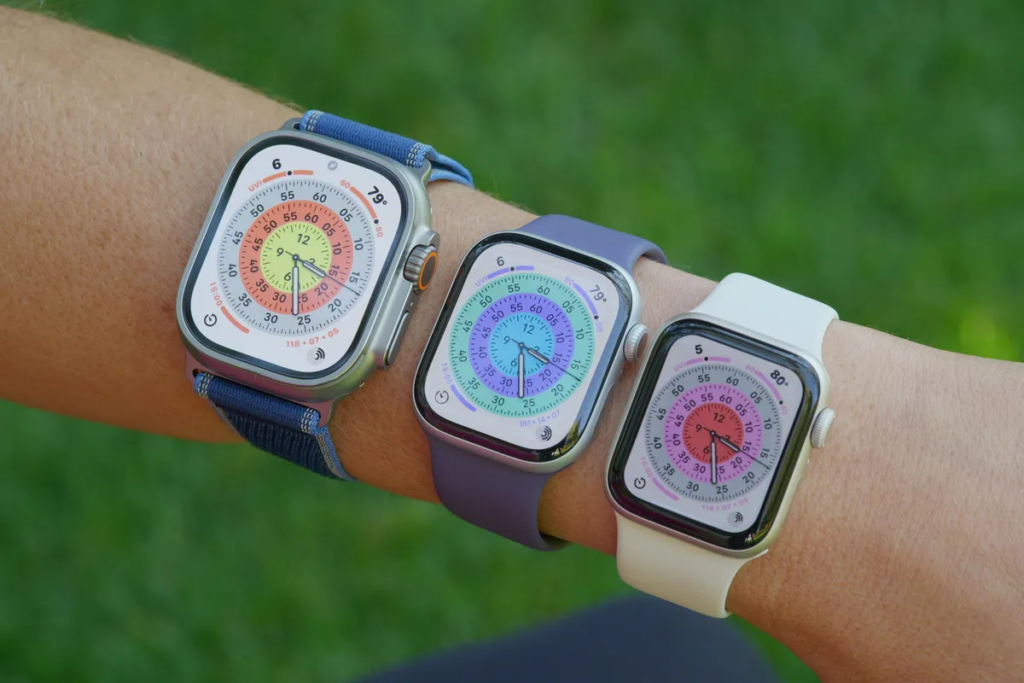
Spend more on the Series 11 and you get a nicer design, a bigger-feeling display, faster charging, and more health hardware. Spend much more on the Ultra 3 and you get better battery life, tougher build, and stronger appeal for serious training.
If that’s your lane, these best running watches for 2026 are also worth a look.
Why the SE 3 Still Feels Like the Smart Budget Choice
The SE 3 is the smarter buy if you want the Apple basics without overspending. You save a lot, but you don’t feel like you’re settling in the areas that matter most every day.
That’s a rare balance. Apple got the cuts mostly right.
Who Is the Apple Watch SE 3 Best For?
Buy it if:
- You want your first Apple Watch and don’t want to overspend.
- You care more about Apple Pay, notifications, calls, and fitness tracking than premium materials.
- You want a light, comfortable watch with strong safety tools.
- You use an iPhone and want the smoothest watch experience for it.
Don’t buy it if:
- You need ECG, blood oxygen, or the most advanced health tracking.
- You want multi-day battery life.
- You care a lot about edge-to-edge screens and the most polished design.
- You do serious endurance training and want deeper sports tools.
FAQs
Is the Apple Watch SE 3 worth buying in 2026?
If you want an iPhone watch without paying Series 11 money, yes. The S10 chip, always-on display, Double Tap, and strong tracking make it the easy buy for most people.
How much battery life does the SE 3 actually get?
Expect about 18 hours, so daily charging is part of the deal. Fast charging helps, since 15 minutes can add roughly eight hours of use.
What health features are missing on the SE 3?
You miss ECG, blood oxygen, precision finding, and the more advanced health sensors. Sleep apnea alerts and wrist temperature tracking are still included, which covers most everyday users.
Does the SE 3 feel fast like pricier models?
It does. The S10 chip keeps menus snappy, apps quick, and gestures reliable, so day-to-day use feels much closer to a Series watch than a budget one.
Should you upgrade from the Apple Watch SE 2?
If you’re on the SE 2, the upgrade is worth a look. You get the always-on display, faster charging, the S10 chip, and newer gesture controls.
Who should skip the Apple Watch SE 3?
You should look elsewhere if battery life matters most, or if you want ECG, blood oxygen, or more advanced training tools. Serious athletes will get more from pricier Apple Watches or dedicated sports watches.
Final Verdict
The Apple Watch SE 3 is the Apple Watch most people should start with. You get a fast chip, a much better display experience, strong safety tools, and the Apple features that make a watch useful every day. The catch is simple, battery life is short and the advanced health sensors aren’t here. If you want a lower-cost Apple Watch that doesn’t feel stripped down, this is the one to buy. If battery life or the full health suite sits at the top of your list, keep looking.