

You’re shopping Xreal 1S vs Viture Beast because you want a big-screen XR setup that fits in a case, not a headset. Here’s the quick answer: Viture Beast usually wins if you care most about the biggest, brightest image and built-in 3DoF stability, while Xreal 1S often makes more sense if you want a lower price and a light, easy daily carry.
You’ll see exactly how they stack up in specs, design and comfort, image quality (color, contrast, sharpness), and brightness performance. Then you’ll get a clear read on motion handling, upscaling tricks like 2D-to-3D, and whether audio is good enough or you should pair earbuds.
After that, you’ll compare smart features and app support, gaming performance, ports and compatibility, and total value. By the end, you’ll know which one fits your use, travel, gaming, or getting work done on the go.
RELATED: ASUS ROG XREAL R1 vs Viture Beast XR: Which is Better?
Quick Summary
Here’s what you’ll feel within the first hour of use:
- Text comfort vs. cinematic punch: Xreal 1S generally looks cleaner for UI and documents, while Beast tends to look richer for games and movies.
- Price gap is real: Xreal 1S is $449, while Beast is about $549 to $550.
- Weight and long sessions: Xreal 1S is often cited around the low-80-gram range, so it fades away faster on your face.
- Edge clarity: Beast can show more chromatic aberration at the edges, which matters when you read or work near side panels.
- 3D modes behave differently: Xreal’s Real 3D runs on the glasses and can drop to about 30 fps, while Beast’s “Immersive 3D” tends to depend more on your source and setup.
- Brightness vs. perceived contrast: Beast hits about 1250 nits, but Xreal’s darker electrochromic tint can make bright-room viewing surprisingly competitive in some situations.
- Stability quirks: Beast’s built-in 3DoF anchoring is strong, but some testers report less drift if you give it a short “settle” moment before you start.
For another hands-on perspective, cross-check with Android Central’s head-to-head comparison.
Winner: Tie, because your top use (work-first vs entertainment-first) decides the “better” pick.
Specifications
This table sticks to specs that show up consistently in the provided sources.
| Spec | Xreal 1S | Viture Beast |
|---|---|---|
| US price (Feb 2026) | $449 | $549 to $550 |
| Availability | Available now | Ships March 2026 (per early review info) |
| Weight | About 82 to 85 g | About 88 g |
| Resolution | 1920 × 1200 | Not stated |
| Aspect ratio | 16:10 | Not stated |
| Refresh rate | Up to 120 Hz (device dependent) | Up to 120 Hz (device dependent) |
| Peak brightness | 700 nits | 1250 nits |
| Field of view (FoV) | 52 degrees | 58 degrees |
| Tracking | Built-in 3DoF, 6DoF via optional Eye camera | Built-in 3DoF, 6DoF not active yet (camera suggests future roadmap) |
| 2D-to-3D mode | Real 3D (native), can run around 30 fps | Immersive 3D (implementation varies by setup) |
| Lens tint | Electrochromic dimming | Electrochromic dimming |
| Audio | Bose-tuned speakers (open-ear) | Harman speakers (open-ear), mic |
In real life, three specs steer most decisions. Brightness decides comfort near windows, FoV decides immersion, and edge clarity decides whether you can work without squinting.
Winner: Xreal 1S, because the spec story is clearer and more work-friendly (resolution and aspect ratio are well-documented).
Design & Build Quality
Xreal 1S leans hard into “wear it longer.” Multiple reviews call it light and ergonomic, and that matters more than it sounds. When glasses press your nose or ears, your brain stops caring about specs.
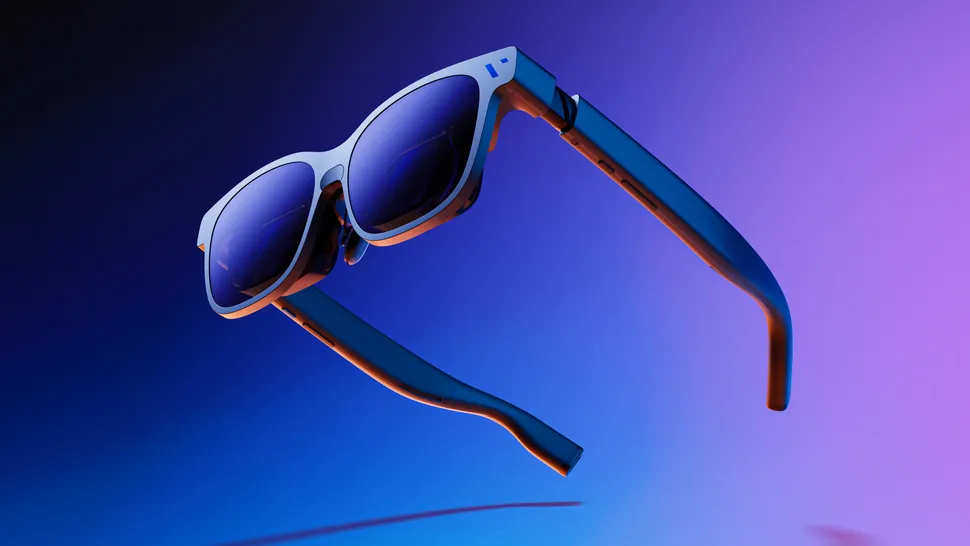
Viture Beast goes the other way. It’s still glasses-sized, but it’s built like a premium gadget, with a magnesium-aluminum alloy frame and a more classic sunglasses look. That helps if you hate loud gamer styling.
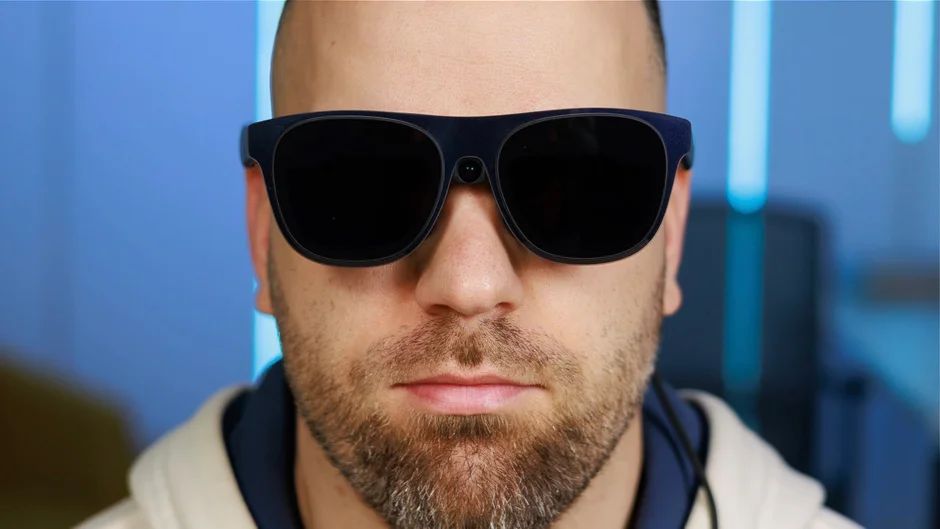
Fit still rules both. You’ll use nose pads, adjust temple angles, and likely consider prescription inserts if you normally wear glasses. Beast also has practical annoyances, like a USB-C port fixed to one side, which can feel awkward if your laptop ports sit on the “wrong” side.
If you’re also looking at other gaming-focused display glasses, this related internal review can help you calibrate expectations: ASUS ROG XREAL R1 review.
Winner: Xreal 1S, because lower weight tends to win for comfort and daily carry.
Image Quality
This is where the split gets obvious.
Beast is tuned to look exciting. With Sony micro-OLED panels, very high brightness, and a wider feel (58-degree FoV), games and movies can look more “IMAX-on-your-face” than “monitor-on-your-face.” It also markets a huge 174-inch-class view, and while that’s a virtual sizing claim, the wider FoV does make it feel bigger.
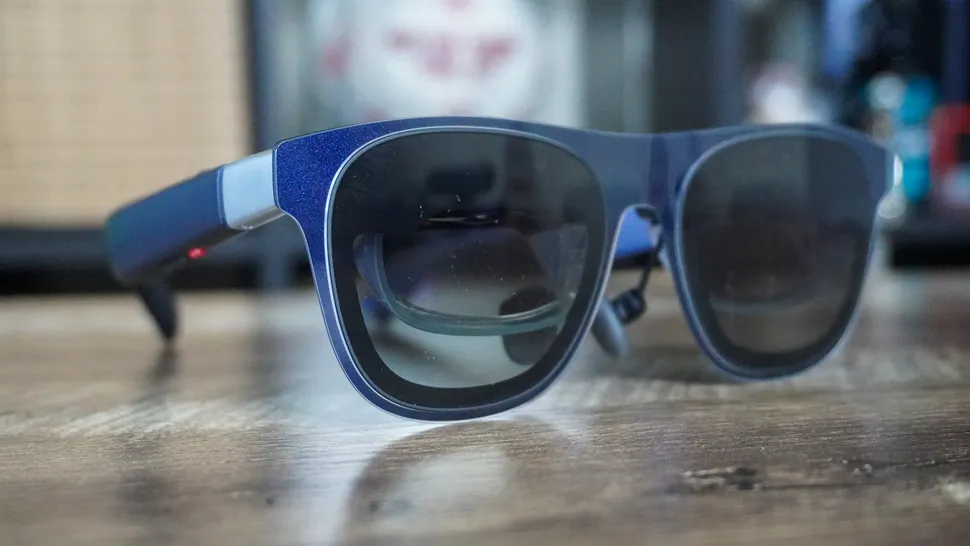
Xreal 1S plays a cleaner game. The move to 16:10 at 1920 × 1200 gives you more vertical room for toolbars and docs. That doesn’t magically boost pixel density, but it often improves how productivity layouts fit. More importantly, multiple comparisons describe less edge fringing and a more readable image across the frame.
If you work in side panels (Slack, docs, timelines), edge clarity matters as much as center sharpness.
Winner: Xreal 1S, because overall readability and edge behavior usually matter more often than peak punch.
Brightness & HDR Performance
On raw output, Beast wins. 1250 nits gives you more headroom in bright rooms, airports, and daytime hotel lighting. You can keep the image vivid without cranking settings into uncomfortable territory.

Xreal 1S sits closer to 700 nits, yet brightness numbers don’t tell the whole story. Per hands-on comparisons, Xreal’s electrochromic dimming can get darker in some situations, which boosts perceived contrast. In other words, a dimmer screen can still look more usable if the lenses block more ambient light.
HDR support is not clearly confirmed in the provided sources for either model, so it’s smarter to judge them as SDR displays with OLED contrast and adjustable tint.
Winner: Viture Beast, because peak brightness gives you more consistent comfort in bright environments.
Motion & Upscaling
Both glasses list up to 120 Hz, and both can feel excellent when your source device cooperates. That’s the catch. XR glasses live and die by what your handheld, phone, or laptop actually outputs.
In one comparison, Beast hit 120 Hz after toggling it in the on-screen display, while Xreal 1S sometimes topped out at 90 Hz on a Steam Deck setup. Your results can vary by firmware and device, but the takeaway is practical: Beast may give you more direct control when you want to force a mode.
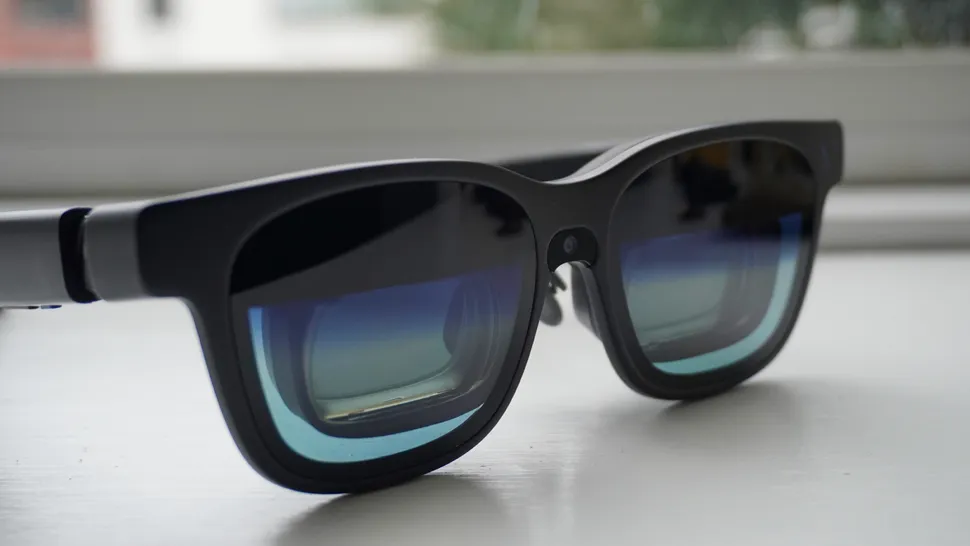
Spatial modes add another layer. Testers note black frame insertion running at 120 Hz when spatial tracking is enabled. That can improve motion clarity, but flicker-sensitive users should be cautious with either model.
Winner: Viture Beast, because the on-device controls make it easier to force the behavior you want.
Audio Quality
You’re dealing with open-ear speakers either way, so think “good convenience,” not “late-night home theater.” In quiet places, both can work fine for YouTube, casual gaming, and dialog-heavy shows.
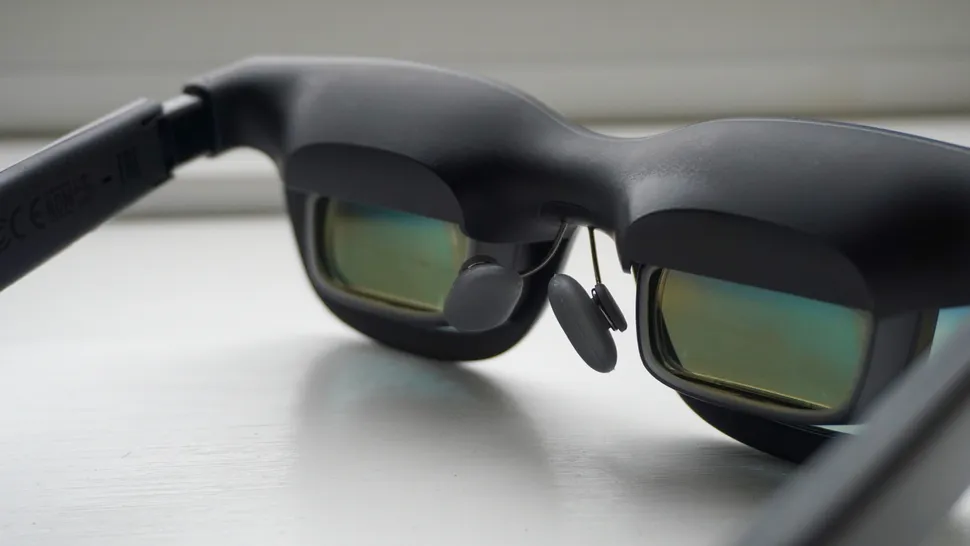
Xreal 1S highlights Bose-tuned audio, while Beast uses Harman speakers and includes a mic. The practical difference is how often you’ll rely on them. If you take calls or jump into voice chat, the mic support on Beast is a real quality-of-life win.
Still, in a noisy plane cabin or a busy room, you’ll want earbuds. Open-ear audio leaks sound and lets noise in, by design.
Winner: Viture Beast, because the feature set (including mic support) fits more real scenarios.
Smart Features & App Support
Xreal 1S is built around its onboard X1 chip approach. You get native spatial tracking features and an anchored screen experience without needing extra gear. Its Real 3D mode is also native, meaning you can toggle it without hunting for a specific app, although the tradeoff is that it can run around 30 fps.
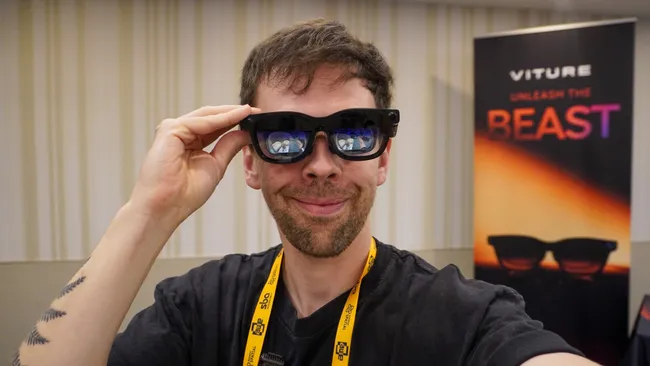
Beast’s story is slightly different. Its 3DoF anchoring is a major upgrade over older “screen stuck to your face” glasses. The stability focus (often described as very solid) is the point. It also pairs with Viture’s SpaceWalker app on Mac and Windows, which can unlock ultrawide and multi-monitor-style workflows. Some early users also mention a brief calibration pause can help reduce drift before longer sessions.
For broader context on how these stacks compare in the wider category, see ZDNET’s XR display glasses comparison.
Winner: Tie, because Xreal wins for no-fuss native features, while Beast wins for deeper productivity tools through SpaceWalker.
Gaming Features
For gaming, Beast is the “big screen first” pick. A 58-degree FoV, very high brightness, and punchy contrast make handheld gaming feel less like a compromise. If you mainly play action games, racers, or anything with bold color, that presentation can keep you glued.
Xreal 1S is often the calmer, cleaner gaming choice. Its readability helps in menus, inventory screens, and PC-style UI. It also offers Real 3D as a quick toggle, but you should treat it as a fun extra for video and slower content, since the frame rate hit (around 30 fps) can be a deal breaker for fast games.
Beast also offers its own “Immersive 3D” approach, yet like most 2D-to-3D tricks, results can vary by content. Either way, don’t buy these glasses only for 3D conversion. Buy them because you want a huge 2D screen that you’ll use daily.
Input lag and VRR aren’t stated in the provided sources, so they’re not part of this verdict.
Winner: Viture Beast, because the brighter, wider presentation usually matters most for games.
Connectivity & Ports
Both models target the same simple promise: USB-C with DisplayPort output from your device, then the glasses act like an external display. That covers a lot of phones, laptops, and handhelds, but you still need to verify your device supports DP Alt Mode.
Nintendo Switch is the classic tripwire. Xreal 1S can work with Switch setups using an optional hub (commonly referenced as the Neo power hub). On the Viture side, the ecosystem leans on docks (including mention of Switch 2 support through a dock solution in early Beast coverage).
Cable ergonomics matter more than you’d think. Beast’s USB-C port placement being fixed to one side can be annoying with certain thin laptops. If your ports sit on the opposite side, you’ll feel it every session.
For a deeper compatibility-focused breakdown, Next Reality’s comparison is a useful second opinion.
Winner: Xreal 1S, because its day-to-day compatibility story is simpler, especially when you plan for the hub you need.
Price & Value
Price is the easiest difference to understand, and the hardest to ignore. Xreal 1S at $449 is positioned as a value win, especially since it still covers core spatial features and gives you a cleaner productivity image.
Viture Beast sits around $549 to $550, with a March 2026 shipping window cited in early review coverage. What you’re paying for is the premium presentation: very high brightness, wider FoV, a more cinematic feel, and strong on-device controls.
Don’t forget accessory math. Switch hubs, docks, and prescription inserts can move your total cost quickly on either side.
Winner: Xreal 1S, because it delivers the core experience for less money.
Who is it For?
Your best pick depends on what you do most, and what device you plug in most.
Choose Xreal 1S if:
- You want clearer text for docs, spreadsheets, and UI-heavy apps.
- You care about lower price and strong all-around value.
- You like native features that work without extra apps, including Real 3D as a simple toggle.
Choose Viture Beast if:
- You want the brightest image and the most “big screen” feel.
- You care more about movies and gaming punch than perfect edge text.
- You want better on-glasses controls and you plan to use SpaceWalker for ultrawide or multi-display workflows.
If you’re torn, pick based on your top two uses and your main device. A Steam Deck-first buyer often lands differently than a MacBook-first buyer.
Winner: Tie, because it’s a pure “fit your habits” decision, not a spec crown.
FAQs
Which is better for gaming, Xreal 1S or Viture Beast?
If gaming is the priority, you’ll usually prefer Viture Beast, it pushes a huge 174-inch feel, very high brightness (1250 nits), and strong built-in 3DoF stability.
Which XR glasses are better for work and reading text?
For docs, sheets, and small UI text, you’ll likely like Xreal 1S more, its 16:10 1920×1200 layout and tuning tend to feel cleaner and easier.
How do price and value compare between these two?
Xreal 1S typically costs about $449, while Viture Beast sits around $549. If you want a lower buy-in, you’ll get better value from Xreal.
Which one feels more comfortable for long sessions?
Xreal 1S is lighter (about 82 to 85 g) than Beast (about 88 g). If you’re sensitive to weight and bulk, you’ll usually tolerate Xreal longer.
Do both support stable screen pinning, or only one?
You get screen anchoring on both, but the behavior differs. Xreal 1S is often steadier immediately, while Beast may need a short calibration moment after plugging in.
Which one is better for movies and punchy HDR-style impact?
Viture Beast tends to win for pure wow factor, thanks to Sony micro-OLED panels, strong contrast, and high brightness. If you watch a lot, you’ll notice it.
Can either convert 2D videos into 3D reliably?
Both offer 2D-to-3D style modes, but Xreal 1S Real 3D is known for a fun effect with a trade-off, frame-rate can drop near 30 fps.
Will they work with your phone, laptop, and handheld consoles?
Both generally work over USB-C with DisplayPort output. For Nintendo Switch, you’ll need extra hardware, Xreal needs a hub, Beast often pairs well with Viture’s dock.
Do you need prescription support, or can you adjust focus?
Beast doesn’t include myopia dials, so if you wear glasses you’ll usually plan on prescription inserts. Some Viture models add dials, but Beast skips them.
What’s the biggest day-to-day usability difference?
Beast puts more controls on the frames, including quick mode switching and a “Side Mode” to move the screen aside. If you hate apps, you’ll appreciate that.
Final Verdict
If you want the simplest answer, Xreal 1S is cheaper, lighter, and usually clearer for reading and work. Viture Beast is much brighter and feels bigger, so it tends to shine for movies and gaming.
The key tradeoffs are real: Beast can show edge fringing and may benefit from a short calibration pause, while Xreal’s lower peak brightness and Real 3D frame rate drop can be limiting. If you travel for work and live in docs, pick Xreal 1S. If you mostly want a private theater that still games well in bright rooms, pick Viture Beast.
