

You’re looking at the TCL X11L TV, and your big question is simple: is it actually better than other Mini LED and OLED options for movies, sports, and gaming? The specs sound unreal, but your living room isn’t a CES demo booth.
In this review, you’ll get a practical breakdown of real-world picture performance, HDR brightness, local dimming and blooming control, gaming readiness (4K/144Hz and VRR), audio, Google TV features (including Gemini), ports, and whether the high launch price makes sense.
You’ll also see where the early impressions raise eyebrows, like off-axis blooming and the reality that most content won’t hit the TV’s full limits.
RELATED: LG C6 OLED vs Panasonic Z85A OLED: Which is Better?
Quick Review
The TCL X11L TV is built for one job: make HDR look punchy in a bright room on a massive screen, without turning blacks into gray soup. Based on early hands-on reporting and TCL’s own published claims, it’s one of the most extreme Mini LED TVs announced for 2026, with a headline brightness claim of up to 10,000 nits and up to 20,736 dimming zones (size-dependent).
It comes in 75-inch, 85-inch, and 98-inch sizes, and it’s positioned as TCL’s flagship SQD-Mini LED set. You also get a gaming-ready feature set, Google TV, and audio tuned with Bang & Olufsen. The catch is price, because it launches like a luxury product.
For a grounded early perspective, see the What Hi-Fi? hands-on impressions.
Key wins
- SQD-Mini LED with claims of up to 10,000 nits peak brightness and up to 20,736 dimming zones
- 4K/144Hz, plus HD/288Hz via Game Accelerator
- Dolby Vision IQ, HDR10+, IMAX Enhanced, Google TV (with Gemini)
Key trade-offs
- Launch pricing is extremely high ($6,999.99 to $9,999.99)
- Early demos note mild off-axis blooming and some color shift
- Pure reds, greens, and blues can look richer on TCL’s RGB Mini LED models in some scenes
Specifications
Here’s the spec snapshot that actually matters when you compare sets in this class. For TCL’s current listing and preorder details, you can also cross-check the official TCL X11L product page.
| Spec | TCL X11L TV |
|---|---|
| Screen sizes | 75-inch, 85-inch, 98-inch |
| Resolution | 4K UHD |
| Panel refresh rate | Native 144Hz |
| High refresh gaming mode | Game Accelerator: HD/288Hz |
| Local dimming zones | Up to 20,736 (claimed, size-dependent) |
| Peak brightness | Up to 10,000 nits (claimed) |
| HDR formats | Dolby Vision IQ, HDR10+, HDR10, HLG (Dolby Vision 2 via OTA later) |
| HDMI | 4x HDMI 2.1 |
| Gaming support | VRR, AMD FreeSync Premium Pro |
| Smart OS | Google TV with Gemini |
| Audio | Bang & Olufsen-tuned, Dolby Atmos, FlexConnect support |
| Availability (US) | 85-inch and 98-inch preorder/available now, 75-inch later |
| UK pricing | Not confirmed |
Takeaway: this is a “no small sizes, no half-measures” flagship, built around extreme brightness and very dense dimming control.
Design & Build Quality
Day to day, the X11L looks more like a glossy wall panel than a typical “big Mini LED brick.” Early hands-on impressions describe a monolithic shape that’s roughly 2 cm deep in places, which is genuinely thin for a TV pushing this much backlight power. From straight on, the near-borderless presentation and slim bezel help immersion, especially at 85 inches and 98 inches where thick borders can feel like a picture frame you can’t ignore.
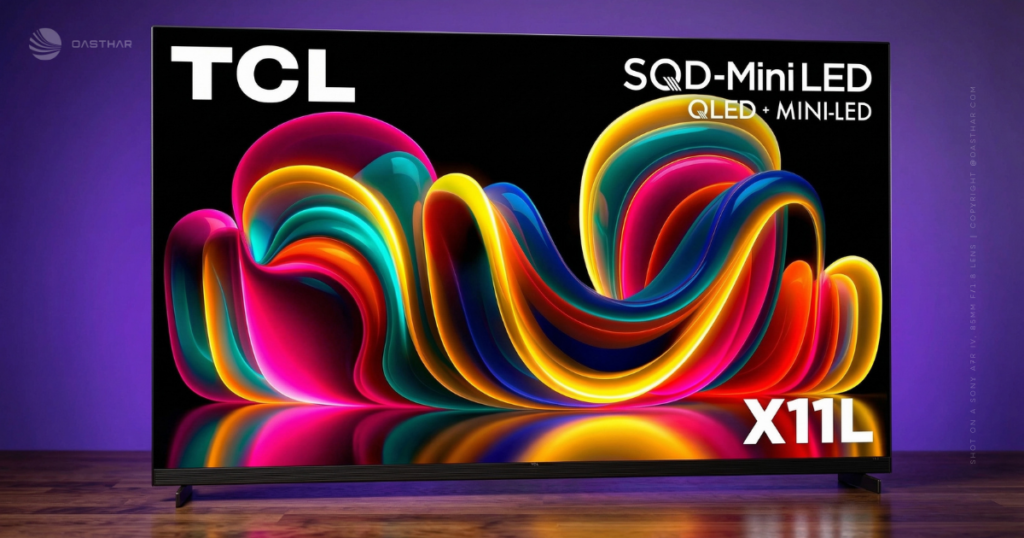
The finish also reads premium in photos and show-floor coverage, with a darker metallic look and a tight, clean front profile. That said, the bottom edge isn’t minimal, because TCL integrates a full-width speaker bar. It adds visual height, so you’ll want to measure if you’re placing it on furniture, or if your center channel (or existing soundbar) normally sits right under the screen.
Off-axis seating is the design “gotcha.” Early impressions suggest contrast holds up better than you might expect, but mild blooming and color shift can become easier to spot when you move to the side. If your couch wraps around the room, that matters more than a spec sheet.
Slim profile and why TCL chose SQD-Mini LED over RGB Mini LED
TCL’s core idea here is straightforward: instead of using red, green, and blue LEDs per dimming zone (RGB Mini LED), the X11L uses a single-color backlight (blue/white) and relies on upgraded quantum dots plus a high-end color filter to create the final colors you see.
Why should you care? Because RGB systems can run into color crosstalk, where light from different colored LEDs bleeds into each other. In real scenes, that can look like faint color clouding or weaker saturation where you wanted clean, solid color. TCL’s SQD approach is designed to avoid that specific failure mode, and it also helps explain how the TV can stay thinner.
Fit, finish and the built-in Bang & Olufsen speaker design
The speaker hardware isn’t a tiny afterthought. Early reporting describes a built-in system with a front LCR layout in the bar, additional side-firing drivers, and rear woofers for low end. In plain terms, you’re not forced into buying a soundbar on day one just to get decent body and scale.
Still, the physical design affects placement. A wall mount will look sharp, but you’ll want to plan cable routing carefully, because thick HDMI cables can fight with ultra-slim panels if the ports sit tight to the wall.
Image Quality
This is where the TCL X11L TV tries to justify its flagship status. The SQD-Mini LED design pairs a blue LED backlight with new quantum dots and TCL’s UltraColor Filter. TCL also claims extremely wide color coverage, including 100 percent of BT.2020, plus full coverage claims for DCI-P3 and Adobe RGB (as reported in early coverage). In practice, you shouldn’t buy it expecting every movie to suddenly look like a neon poster. Most real content doesn’t use the full BT.2020 container.
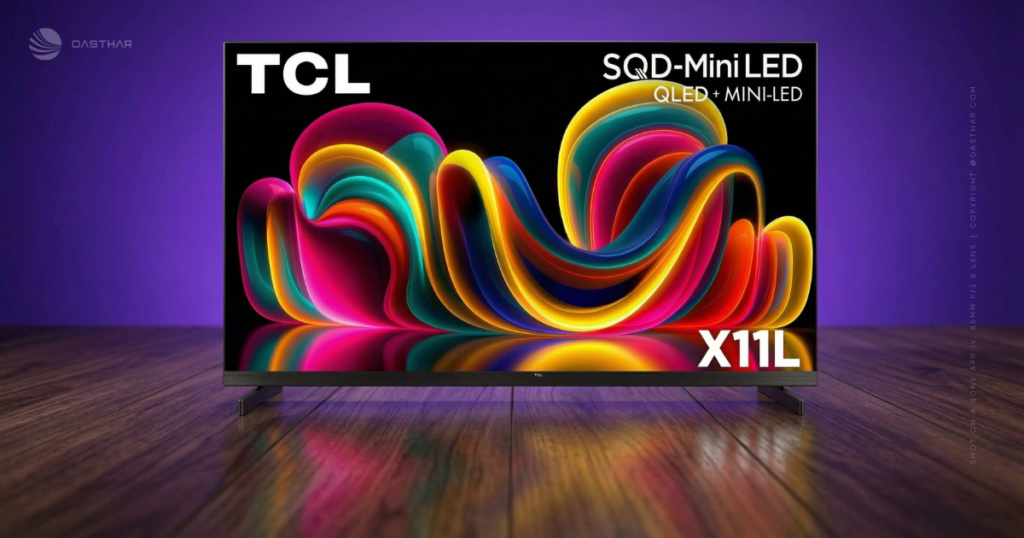
Instead, the more believable benefit is cleaner, steadier color at very high brightness, where many bright TVs start to wash out. Early hands-on impressions back that up, describing a huge color range and strong contrast, with surprisingly restrained blooming for the amount of light being thrown around.
Sharpness also tends to improve when a TV can control light more precisely. With very high zone counts, small highlights and edge detail can look more defined, because the backlight isn’t smearing light across large chunks of the screen.
If you want the simple version, the X11L’s big promise is “bright highlights without wrecking dark scenes.”
The main caveat is also important: early comparisons suggest that very pure single colors (think rich reds and greens) can sometimes look richer on TCL’s RGB Mini LED sets, even if those sets can’t match the X11L’s brute brightness.
Color
A wider color gamut matters most in scenes with saturated color, like sunsets, city neon, animated films, and sports uniforms. On paper, the X11L’s quantum dots and new color filter aim to keep those colors strong while the backlight stays extremely bright.
Because real movies rarely push full BT.2020, the win you’ll notice more often is stability. Colors can look less “wobbly” when bright objects move across dark backgrounds, because the TV isn’t juggling separate RGB LEDs per zone in the same way.
Contrast and local dimming
Think of local dimming like a stadium at night. If you can turn on tiny clusters of lights only where the players are, the rest of the stadium stays dark. If you can only control a few huge light banks, that darkness gets washed out.
TCL claims up to 20,736 dimming zones, and early demos described inky blacks next to intense highlights with less haloing and flicker than you’d expect at this brightness. Wide-angle viewing still looks strong, but blooming can become easier to spot from the side, so seating layout still matters.
Brightness & HDR Performance
If your room gets daylight, or you hate watching dim HDR at noon, this is the X11L’s whole argument. TCL claims up to 10,000 nits peak brightness, and early hands-on descriptions suggest it can keep highlights intense even when they sit against near-black backgrounds. That’s the hard test for LED TVs, because aggressive dimming can crush detail, and weak dimming can turn blacks gray.
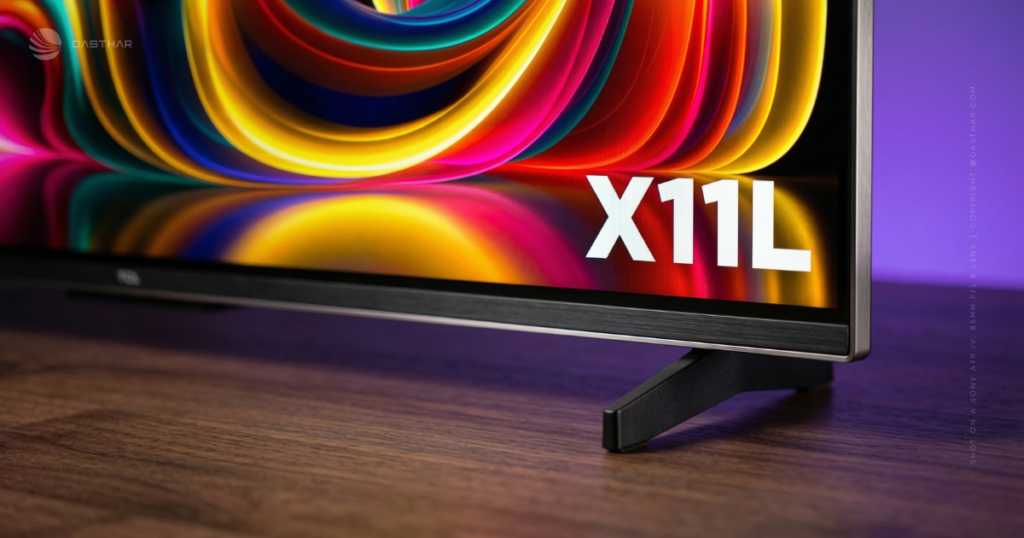
You also get broad HDR support: Dolby Vision IQ, HDR10+, HDR10, and HLG, plus Dolby Vision 2 support planned later via an OTA update. Dolby Vision IQ is the practical one today, because it can adapt HDR presentation to your room lighting so the image doesn’t look too dark when the sun’s out.
If you want another take on the “this is unbelievably bright” angle, Dom’s TV Mounting has a separate perspective in their TCL X11L brightness-focused review.
How the TCL X11L handles tough HDR scenes in real life
You’ll see the difference most in high-contrast moments: fireworks against a black sky, reflections on water, starfields, and bright subtitles over dark scenes. The combo of extreme brightness plus lots of zones can keep the highlights looking hot, without lifting the whole background into a hazy gray (based on early impressions, not lab testing).
If you’re an “always lights on” viewer, this matters more than perfect black uniformity.
Dolby Vision 2
Dolby Vision 2 is the long-term bet. TCL’s plan is to add it later in 2026 via update, but you’ll still need Dolby Vision 2 mastered content to benefit. In other words, it’s nice if you keep TVs for many years, but it shouldn’t be your only reason to buy.
Motion & Upscaling
Most of what you watch still isn’t pristine 4K HDR. That’s why processing matters. Early coverage points to TCL’s latest processing (described as AiPQ Pro or TSR AI in different reports) handling real-time contrast mapping, motion control, and upscaling. In normal viewing, you’ll care about two things: how clean sports look during fast pans, and whether older HD streams look sharp without turning faces into plastic.
The 144Hz panel gives you headroom for smoother motion and gaming. Still, settings matter. If you crank motion smoothing too high, films can take on that “too real” look that makes expensive sets feel oddly cheap.
Sports and fast action
Refresh rate is just how often the TV can draw a new frame each second. Moving from 60Hz to 144Hz won’t magically fix a bad stream, but it can reduce blur and help with puck tracking, ball travel, and quick camera pans when the source supports higher frame rates.
It also pairs well with VRR for gaming, because frame rate swings look less choppy.
Upscaling
Good upscaling adds detail without inventing weird edges. The goal is cleaner textures in hair and fabric, less noise in dark scenes, and fewer jagged lines on graphics.
You’ll still want to test a few presets. If skin starts to look waxy, back off sharpness and noise reduction first, then reduce motion smoothing.
Audio Quality
TCL’s partnership with Bang & Olufsen is more than a logo stamp here. Early hands-on reporting describes a built-in system that pushes sound forward with the integrated bar, adds width with side-firing drivers, and brings extra weight with rear woofers. Dolby Atmos support is also onboard, and early impressions describe unusually full sound for a TV.
If you’re in a small to mid-size room, you may be able to skip a soundbar at first. On the other hand, a big open space, high ceilings, or a “dialog has to be perfect” household will still benefit from external speakers.
FlexConnect and add-ons
FlexConnect support gives you a path to add compatible wireless speakers and a sub later. TCL also demoed an optional wireless sub in early coverage. Treat it as an upgrade path, not a requirement, because the built-in system is designed to be usable on its own.
Smart Features & OS/App Support
You’re getting Google TV, which is usually the least painful smart TV interface for app coverage in the US. TCL also highlights Gemini integration on its Google TV experience. In everyday use, that means you can ask for show recommendations, get on-screen answers, and use more guided discovery tools without hopping between apps as much.
There’s also support mentioned for the Xbox Game Pass app for playing without a console, with some functionality expected via updates later. If you like the idea of cloud gaming, it’s worth watching how those updates roll out.
For more TCL context across price tiers, you can compare positioning in Oasthar’s best TCL TVs guide.
Gemini on the TV
It’s useful when it saves time, like suggesting what to watch after a series ends, pulling up cast info, or answering quick questions without grabbing your phone. Some demos also show kid-friendly story and visual features.
Before you get cozy, check your mic permissions and personalization settings. Google TV can feel a little pushy if you leave everything on by default.
Gaming Features
If you game on PS5, Xbox Series X, or PC, the TCL X11L TV comes in loaded: 4K at 144Hz, VRR, and AMD FreeSync Premium Pro, plus four HDMI 2.1 ports so you’re not constantly swapping cables. There’s also a higher refresh option, with HD/288Hz supported via Game Accelerator.
The practical upside is smoother gameplay with fewer tears and stutters when frame rates fluctuate. The other upside is flexibility. You can run high refresh competitive play, then switch back to 4K HDR for slower, cinematic games.
Just don’t expect every console game to run at 144fps in 4K. The TV can accept it, but the game has to deliver it.
Choosing the right mode
If you play competitive shooters, the 288Hz mode can be attractive, assuming your setup can output the required frame rates at supported resolutions. For most people, 4K at 144Hz is the sweeter spot, because you keep sharp detail and still get smooth motion.
Connectivity & Ports
Four HDMI 2.1 ports is a real quality-of-life perk. It lets you connect multiple high-bandwidth devices at once, like a console, gaming PC, and streaming box, without treating your TV like a switchboard.
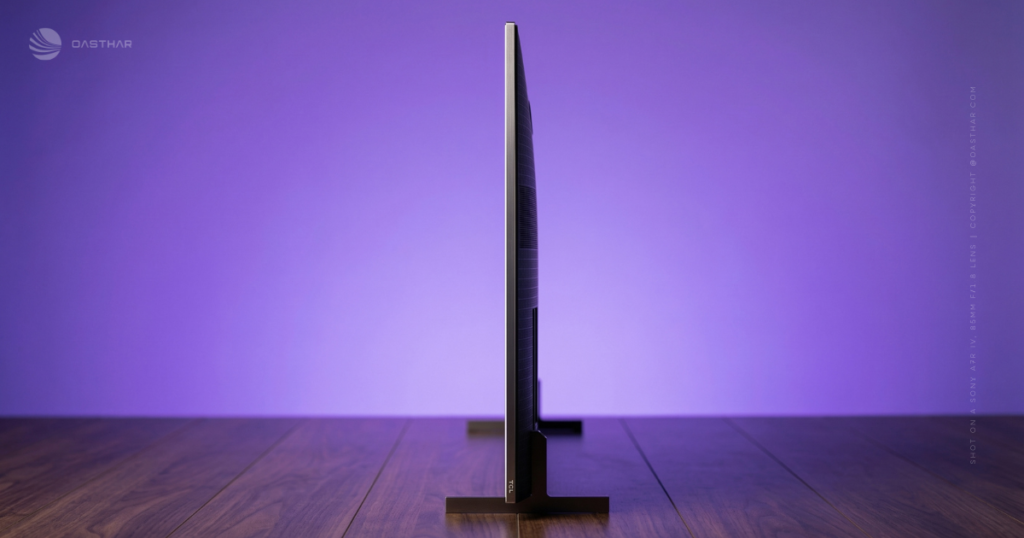
Because the set is so thin, also think about cable clearance. Stiff HDMI cables can put strain on ports if the TV sits very close to the wall.
If you use a soundbar or receiver, check TCL’s official spec sheet for ARC or eARC support on your exact model and region before you buy.
Price & Value
US launch pricing is blunt: $6,999.99 (75-inch), $7,999.99 (85-inch), and $9,999.99 (98-inch). UK pricing still hasn’t been confirmed in early reporting.
That pricing sounds un-TCL-like, until you remember how TCL flagships tend to behave over time. Early coverage pointed to a prior X11K launch price of $9,999.99 that later dropped dramatically (down to $3,499.99 in one reported example). That doesn’t guarantee the same outcome here, but it does suggest patience can pay.
If you want a deeper run-through of the X11L positioning and features in one place, you can also reference Oasthar’s TCL X11L TV review.
What you can reasonably expect at this price point
You’re paying for extreme HDR punch, very dense dimming control, and big-screen presence, plus surprisingly serious built-in audio and high-end gaming support. The counterpoint is simple: if you mainly watch SDR cable news or older sitcom streams, you won’t see the “10,000-nit” magic very often.
Who is it for?
Buy it if…
- Your room is bright, and you want HDR that still looks like HDR at noon.
- You watch lots of HDR movies and prestige TV, where highlights and contrast matter.
- You want a huge screen (85-inch or 98-inch) without moving to a projector.
- You game on console or PC and want 4K/144Hz, VRR, and multiple HDMI 2.1 ports.
- You want better-than-normal TV audio without adding a soundbar immediately.
Do not buy it if…
- You’re price-sensitive and would rather wait for discount cycles later in the year.
- Most of your viewing is SDR, like basic cable channels and daytime TV.
- Your seating is far off-center, because off-axis blooming and color shift can be more visible.
- You care most about the purest single-color saturation, where RGB Mini LED can sometimes look richer.
- You watch in a pitch-dark room and want OLED-style perfect black uniformity above everything else.
FAQs
Is TCL X11L really a 10,000-nit TV?
TCL claims 10,000 nits peak brightness, and early hands-on impressions back up the idea that it gets wildly bright in HDR. In real viewing, content rarely uses that full ceiling.
How many local dimming zones does the TCL X11L have?
You’re looking at a claimed 20,736 local dimming zones, which is an eye-popping number for a consumer TV. That density is a big reason contrast looks so controlled.
Does the X11L control blooming around subtitles and stars?
Mostly, yes. With so many zones, bright objects on dark backgrounds show less haloing than you’d expect, although mild blooming can still show up from wide seating angles.
Is TCL’s Super QLED better than its RGB Mini LED?
It depends on what you value. Super QLED can stay brighter and fit more dimming zones in a slim body, while RGB Mini LED can make purer reds, greens, blues.
Is the TCL X11L a good choice for bright rooms?
Yes, it’s built for that. High peak brightness and strong full-screen brightness help HDR keep its punch in daylight, where even top OLEDs can look more muted.
Should you buy X11L over OLED for movie nights?
If you watch in a dark room, OLED still wins on true black and shadow precision. If you watch with lamps on, X11L’s brightness and contrast can look more exciting.
Final Verdict
The TCL X11L TV is an unapologetic flagship built around two ideas: extreme brightness and extremely fine backlight control. SQD-Mini LED plus the UltraColor Filter is a smart approach if you care about color stability at high brightness, even if RGB Mini LED can still win on the purest reds and greens in some scenes. For gaming, 4K/144Hz, VRR, and four HDMI 2.1 ports make it feel ready for a serious setup. Add the Bang & Olufsen-tuned speaker system and Atmos support, and you’ve got a rare “big TV” that doesn’t demand instant audio upgrades.
Value hunters should wait for price drops, while bright-room HDR lovers and high-end gamers will get the most right now.
