

If you’ve been waiting for a big-screen TV that can stand up to daylight without turning HDR into a washed-out mess, the TCL X11L TV is built for that exact problem. As of February 2026, it sits at the top of TCL’s lineup as its flagship SQD Mini LED, sold in 75-inch, 85-inch, and 98-inch sizes, and tuned for brute-force brightness, tight local dimming, and high refresh rate gaming.
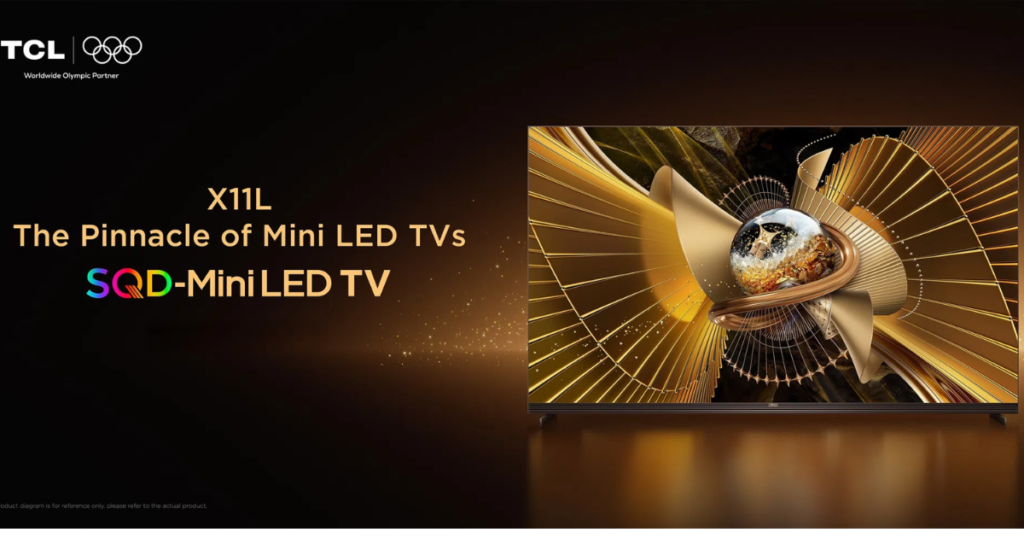
TCL’s headline claims are hard to ignore: up to 10,000 nits peak brightness, up to about 20,000 dimming zones (size-dependent), 4K at 144Hz, and a higher refresh gaming mode that can reach 288Hz at supported resolutions. The real questions are the ones that matter in your living room: can it control blooming, keep color accurate, hold up off-axis, and justify flagship pricing?
RELATED: Best Smart TVs 2025
This review is for you if you want a large, premium LED TV for movies, sports, and next-gen gaming, and you’re willing to tune settings to get the best results.
TCL X11L TV specs at a glance
Here’s the practical spec snapshot you should care about when comparing the X11L to other premium TVs (based on published specs and early hands-on reporting).
| Spec | TCL X11L (75-inch) | TCL X11L (85-inch) | TCL X11L (98-inch) |
|---|---|---|---|
| Panel type | SQD Mini LED, LCD | SQD Mini LED, LCD | SQD Mini LED, LCD |
| Resolution | 4K (3840 x 2160) | 4K (3840 x 2160) | 4K (3840 x 2160) |
| Refresh rate | Native 144Hz, up to 288Hz mode (supported gaming) | Native 144Hz, up to 288Hz mode (supported gaming) | Native 144Hz, up to 288Hz mode (supported gaming) |
| HDR formats | Dolby Vision IQ, HDR10+, HDR10, HLG (Dolby Vision 2 via OTA later in 2026) | Same | Same |
| Peak brightness (claimed) | Up to 10,000 nits | Up to 10,000 nits | Up to 10,000 nits |
| Local dimming zones (claimed) | Up to about 20,736 (varies by size) | Up to about 20,736 (varies by size) | Up to about 20,736 (varies by size) |
| HDMI | 4x HDMI 2.1 (eARC supported) | 4x HDMI 2.1 (eARC supported) | 4x HDMI 2.1 (eARC supported) |
| Smart platform | Google TV with Gemini | Google TV with Gemini | Google TV with Gemini |
| Audio | Bang & Olufsen-tuned integrated speakers, Dolby Atmos, FlexConnect support | Same | Same |
| Gaming | VRR, AMD FreeSync Premium Pro, low input lag | Same | Same |
What those numbers mean in real use:
- Bright rooms: the X11L is designed to keep HDR punchy even with lights on.
- HDR highlights: spec-wise, it’s built to hold intense highlights without flattening the rest of the scene.
- Sports: 144Hz and strong processing can help with motion clarity (if you don’t overdo smoothing).
- Gaming: HDMI 2.1 on all ports matters when you’ve got multiple high-end devices.
For more context on TCL’s official positioning and feature set, you can cross-check the TCL X11L product page.
Design and build
The first surprise is how thin it looks for a TV that’s pushing this much light. Early hands-on impressions put the chassis at about 2 cm deep in places, which helps it look more like a “panel” than a traditional bulky Mini LED.
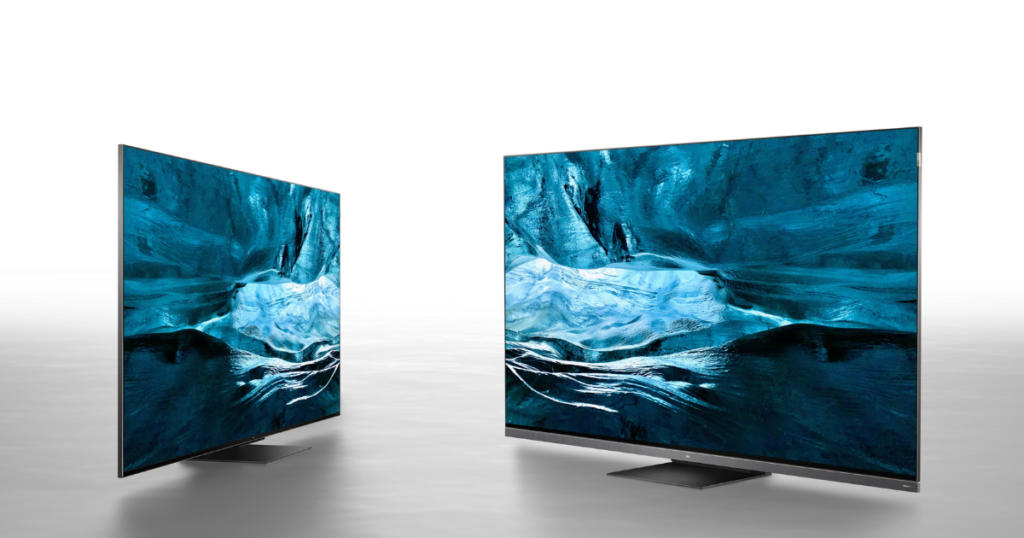
From the front, the near borderless presentation is the point. From the bottom, the integrated full-width speaker bar changes the silhouette, adding visible height and making the TV feel more architectural than minimal. You should plan for that if you’re placing a center speaker or trying to fit the TV in a tight cabinet opening.
Practical placement tips:
- 75-inch: easier to place on furniture, still benefits from wall-mounting if you want a cleaner look.
- 85-inch: starts to feel “dominant,” measure stand width and furniture depth.
- 98-inch: treat it like an install project, check doorways, turning radius, and wall strength.
Reflections are usually less of a problem here than on dimmer TVs because you’ve got brightness headroom, but a glossy, high-contrast look can still mirror lamps at night if you aim the screen toward a light source.
Display tech and picture quality
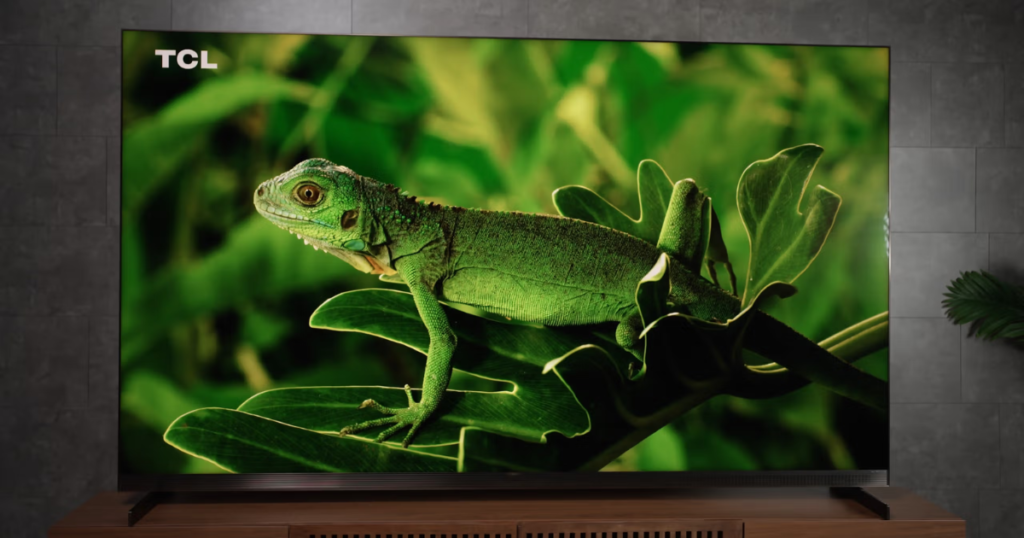
SQD Mini LED is easiest to understand as “Mini LED with a different color strategy.” Instead of using red, green, and blue LEDs per dimming zone (RGB Mini LED), the X11L uses a blue LED backlight and relies on upgraded quantum dots plus an UltraColor Filter to create color at the pixel level.
Why that matters to you:
- Less risk of RGB crosstalk: with RGB systems, light from different colored LEDs can bleed into each other, which can soften saturation in some real scenes. With the X11L’s approach, the backlight isn’t mixing three LED colors per zone in the same way, so it’s designed to avoid that specific failure mode.
- More room for dimming zones: using a simpler backlight structure can make it easier to pack in more zones (on paper, that’s a big reason TCL talks about extremely high zone counts).
- Slimmer chassis: RGB Mini LED sets can need more depth to manage color bleed, while SQD aims to stay thinner.
TCL also claims extremely wide gamut coverage (including BT.2020). In practice, most films and shows still don’t fully use BT.2020, so the bigger win is that color can stay rich at very high brightness, where many TVs start to look washed out.
Contrast is where the X11L tries to flex. The combination of extreme brightness and a very high number of zones is meant to keep blacks deep while highlights stay intense, even when a bright object sits on a dark background. Early show-floor impressions from outlets like What Hi-Fi highlight spectacular contrast and surprisingly restrained blooming for the class, while still noting that off-axis viewing can reveal mild blooming and color shift on challenging content. You can read their hands-on perspective in this TCL X11L hands-on review.
A simple way to frame it:
- If you watch in a dark room and sit centered, OLED still wins on perfect black.
- If you watch with daylight, lamps, or a big open-plan room, the X11L’s strength is punch and visibility at giant sizes.
Best settings goals (keep it simple):
- Accuracy first: start with a cinema or filmmaker-style preset before you chase brightness.
- Local dimming: set it high enough for contrast, but not so aggressive that shadows get crushed.
- Motion smoothing: use the lowest setting that cleans up sports, avoid “soap opera” motion in movies.
Performance in real viewing
A flagship TV lives or dies by processing, because you don’t watch pristine demo clips all day. TCL’s latest processing (often discussed as AiPQ Pro or TSR AI in early coverage) focuses on three things you’ll actually notice: upscaling, tone mapping, and gradient control (reducing banding in skies and shadows).
How to tune it by content type:
For fast sports, you want clarity without weird artifacts. Turn on motion enhancement lightly, then watch for halos around players or the ball. If you see jitter or a “video” look, back it off.
For dark movies, your goal is shadow detail without gray blacks. Keep local dimming strong, then adjust black level and gamma so you can still see texture in dark jackets and night scenes.
For low-bitrate streaming, noise reduction can help, but don’t overdo it. Heavy noise reduction can smear faces and remove film grain that’s meant to be there.
One caution: extreme brightness can make mediocre sources look harsher if you run vivid presets. If the content looks “crispy” in a bad way, it usually means sharpness and contrast are too high for your room.
Gaming on the TCL X11L TV
If you’re building a premium console and PC setup, the X11L checks the key boxes: 4K at 144Hz, VRR, AMD FreeSync Premium Pro, and low input lag in Game Mode. It also supports a 288Hz gaming mode at supported resolutions, which is mainly for competitive play where refresh rate matters more than 4K detail.
A quick setup checklist that avoids common mistakes:
- Enable Game Mode: it cuts latency by disabling heavier processing.
- Turn on VRR: both on the TV and on your console or GPU control panel.
- Use the right HDMI setting: set the input to enhanced or 2.1 mode so you actually get high bandwidth.
- Confirm refresh rate output: verify in console video info, or PC display settings.
Trade-offs are normal. In game mode, you’ll lose some picture “polish” features, and you may need to choose between maximum HDR punch and better black detail in dark games. If you play horror or stealth titles, lowering peak brightness a bit can help preserve shadow texture.
Audio and sound
TCL’s partnership with Bang & Olufsen is more than a badge here. The X11L integrates a full-width speaker system that aims to push sound forward for clearer dialog, while also widening the stage with additional drivers. Early impressions describe stronger bass than typical ultra-thin TVs, helped by rear-mounted woofers.
You also get Dolby Atmos support, and TCL continues backing Dolby Atmos FlexConnect, which is meant to pair compatible wireless speakers and subs for a more scalable setup.
Still, keep expectations realistic. Built-in sound can be “good for a TV,” but it won’t replace a proper surround system. The upside is that you can start with the built-in system and upgrade later without feeling forced into a soundbar on day one.
Connectivity and smart features
The port situation is one of the X11L’s practical wins. With four HDMI 2.1 ports, you’re not forced into a constant cable shuffle if you own a PS5, Xbox Series X, and a gaming PC. You also have eARC for high-quality audio passthrough to a soundbar or AVR, plus the usual mix of USB, Ethernet, Wi-Fi, and Bluetooth (availability can vary by region and model year updates).
On the software side, it runs Google TV with Gemini integration. In daily use, that tends to mean better on-screen search, smarter recommendations, and quick answers without jumping apps. It’s helpful when it stays in the background and annoying if it gets pushy, so you’ll want to adjust privacy and suggestion settings during setup.
Support for Dolby Vision 2 is expected via an over-the-air update later in 2026, so keep firmware updates on. For a broader launch overview and what TCL is promising, see CNET’s reporting in TCL’s X11L announcement coverage.
Price and value
The early U.S. pricing is premium by any standard: about $7,000 (75-inch), $8,000 (85-inch), and $10,000 (98-inch), with UK pricing not confirmed in early reporting. At those numbers, you’re paying for three things: extreme brightness, extreme zone counts (size-dependent), and massive screen sizes paired with unusually strong built-in audio.
You should also think like a value buyer. TCL’s top models have a history of meaningful price drops later in the year, so if you’re not chasing day-one bragging rights, waiting for seasonal sales can be the smartest move.
Hidden costs to budget for:
- Wall mount and hardware rated for the TV’s size and weight
- Certified HDMI 2.1 cables for 4K 120Hz and 4K 144Hz
- Optional sound upgrade (soundbar or sub) based on your room
- Delivery and install, especially for the 98-inch
TCL X11L vs the main alternatives
Against premium Mini LED sets from major brands (think high-end Samsung-style Neo QLED competitors), the X11L’s pitch is simple: push brightness higher, pack in more dimming control, and keep gaming specs maxed out. The trade-off is that some rivals can feel more polished in menus, motion presets, and long-term support cadence, depending on region.
Against premium OLED sets (like LG’s gallery-tier models), the choice is more about room conditions. OLED still owns black-level purity and off-axis consistency, while the X11L is built for brightness headroom and big-screen impact that doesn’t fade in daylight.
Within TCL’s own lineup, it’s also worth understanding the SQD vs RGB debate. TCL’s RGB Mini LED models can show purer single colors in certain scenes, while SQD is designed to stay brighter, slimmer, and avoid RGB-style color bleed. If you want a quick reference point on TCL’s older big-bright approach, compare it to the TCL X955 Mini LED series overview.
Pick the X11L if:
- You watch a lot during the day and hate glare.
- You want 85-inch to 98-inch impact without going projector.
- You care about 4K 144Hz gaming and VRR stability.
Who should buy the TCL X11L TV
You should buy the TCL X11L TV if your room is bright, you want HDR that still looks like HDR, and you’re shopping at 75 inches or larger because you want cinema scale without projector hassles. It’s also a strong match if you watch sports and you’re willing to tune motion settings instead of accepting default smoothing.
You should skip it if you’ve got a small room, you sit far off to the side, or most of your viewing is low-quality cable where extreme brightness can expose every flaw. You should also pass if your budget is tight, because the performance gains over cheaper Mini LED sets can shrink fast for casual viewing.
Basic viewing distance guidance (varies by eyesight and preference):
- 75-inch: roughly 6 to 9 feet
- 85-inch: roughly 7 to 10 feet
- 98-inch: roughly 8 to 12 feet
For a solid mid-range Mini LED alternative perspective, see this Sony Bravia 5 Mini-LED review.
Quick pros, cons, and buying checklist
Pros
- Huge brightness headroom for daytime and HDR highlights
- Massive local dimming potential (size-dependent) for strong contrast
- Wide color capability that holds up at high brightness
- 144Hz native gaming with VRR and FreeSync Premium Pro
- Four HDMI 2.1 ports for multi-device setups
- Better-than-average built-in audio with Bang & Olufsen tuning
Cons
- Flagship pricing that won’t fit most budgets
- Off-axis limits can show mild blooming and color shift
- Very pure colors may look richer on some RGB Mini LED sets
- 98-inch logistics (delivery, mounting, space) can be a headache
- Bad sources look worse if you crank brightness and sharpness
Before you check out, verify: stand width and furniture depth, wall mount pattern and weight rating, doorway clearance, HDMI 2.1 readiness (console and cables), and whether your sound plan is built-in, soundbar, or full AVR.
TCL X11L TV FAQ
What screen sizes does the TCL X11L come in?
You can buy the X11L in 75-inch, 85-inch, and 98-inch sizes. It’s built for large rooms where Mini LED brightness and big-screen immersion matter most.
How much does the TCL X11L cost in the US?
In the US, TCL has listed pricing at $7,000 (75-inch), $8,000 (85-inch), and $10,000 (98-inch). UK pricing hasn’t been confirmed in early coverage.
What makes TCL’s Super QLED (SQD) different here?
You’re getting updated Quantum Dots plus an Ultra color filter. TCL claims this improves brightness, expands color coverage (up to 100% BT.2020), and helps keep the TV slimmer.
How bright is the TCL X11L for HDR movies?
TCL claims a 10,000-nit peak brightness, which is extreme for a consumer TV. That helps HDR highlights stay intense, even in bright rooms or full-screen HDR scenes.
How many local dimming zones does the X11L really have?
TCL says the X11L uses 20,736 local dimming zones, a standout number in this category. More zones usually means tighter light control and less obvious blooming.
Does the X11L handle blooming and off-axis viewing well?
Straight on, you should see very strong contrast with limited halos for the brightness level. From wide angles, you can notice mild blooming and some color shift.
Conclusion
The TCL X11L TV is a flagship Mini LED built for one job: making a giant screen look bold in real rooms, not just in dark demo theaters. You’re getting extreme brightness for daytime viewing, serious local dimming ambition for contrast, and gaming specs that fit high-end consoles and PCs.
The caveats are real: it’s expensive, physically massive, and off-axis viewing can still reveal blooming and color shift on tough scenes. If you mostly watch casual streaming in the background, you’ll often be happier with a cheaper Mini LED and a better sound setup.
If your priority is bright-room HDR impact at 75 inches and up, and you’re willing to tune it properly, the X11L is one of the most interesting TVs of 2026. If you want the best value, waiting for later-year price drops is the smarter play.