

How to Get the Best Sound From the Sony WF-1000XM6 (EQ and App Settings)
LDAC is off out of the box and a loose foam tip kills the bass. Here are the WF-1000XM6 best settings, with Sony's menu paths, defaults and trade-offs.
By Shashini Fernando Reviewed by Michael KirindageUpdated
Affiliate disclosure: As an Amazon Associate, OASTHAR earns from qualifying purchases.
Key takeaways
- Get the seal right before anything else. Start with the L foam tips, work down, and run the app's fit test after each swap.
- LDAC is off at purchase. On Android, switch Bluetooth Connection Quality to Prioritize Sound Quality to turn it on.
- iPhones play AAC only, so there's no LDAC or LE Audio to chase, but every other app setting works the same.
- Leave the EQ flat at first. Try DSEE Extreme, then Find Your Equalizer, then the 10-band custom curve.
- LDAC with noise cancelling on cuts Sony's battery claim to 5 hours, against 8 hours on AAC.
- Sony doesn't confirm a menu for the Adaptive NC Optimizer or whether LDAC works in multipoint, so I don't guess either.
What should you do first in the Sound Connect app?
Update the software before you touch a single sound setting, so everything below starts from Sony's current version. Sony runs the earbuds through one app, Sound Connect, on iPhone and Android alike, and it splits everything across four tabs: [My Device], [Scene], [Discover] and [Menu].
- Install Sony Sound Connect from Google Play or the App Store.
- Add the earbuds in the app and follow its on-screen prompts.
- Open [My Device] and find Update Software.
- Update now by following the app, or switch on automatic updates.
Here's the fine print on automatic updates. They run at night, with both buds in the closed case, the buds above 20 percent and the case above 10 percent. Don't open the lid mid-update. If one fails, Sony's WF-1000XM6 Help Guide says to disconnect other Bluetooth devices and smartwatches and turn off your phone's power saving.
And one honest caveat about every path on this page. Sony's guide names the tabs and the functions, but not the order of the menus inside [My Device], so your screen may nest things differently. Some linked services also vary by country.
Say you unbox them on a Sunday afternoon at your desk. Start the update, put them back in the case, and come back to the rest after dinner.
How do you find the ear tip size that seals?
A bad seal costs you bass and noise cancelling, and no EQ curve can win them back. That's the main catch with this pair: the foam tips seal well for some ears and not for others, and there's no XL tip and no wings. The box holds four sizes, XS, S, M and L, with M already fitted.
- Fit the L tips in both ears, since Sony suggests starting with the largest.
- Give the foam about 10 seconds to settle.
- Run the fit test in Sound Connect. The Help Guide describes it but doesn't print its exact menu name.
- Drop one size and test again if a bud feels loose or sore.
- Keep the size that passes in each ear, even if left and right differ.
Picture a Monday bus ride where the music sounds thin and the engine drone creeps in. Go up a size. If a bud keeps working loose instead, go down one. A poor fit also breaks the tap controls and Speak-to-Chat's voice detection.
Engadget got a passing seal in one ear only over three weeks. If no size passes for you, that's a return question, and my full WF-1000XM6 review covers who fits best.
Tips are consumables: keep them away from water, wet wipes and alcohol, and replace any that crack.
Which noise cancelling and ambient settings should you use?
Noise cancelling is already on out of the box, so your job is choosing what a left-bud tap cycles through: noise cancelling, Ambient Sound, Off, or any mix of them.
| Setting | Path | Default | When to change it |
|---|---|---|---|
| Ambient Sound Control | [My Device] > Ambient Sound Control | Noise cancelling on at first use | Pick one of 20 ambient levels, or Voice focus |
| Adaptive Sound Control | [My Device] > Adaptive Sound Control | Not stated by Sony | Turn on if you want the mode to follow what you're doing |
| Adaptive NC Optimizer | Not confirmed | Not confirmed | Nothing shown to set |
| Quick Attention | Hold the left touch sensor | On, as the left hold | Keep it for quick announcements |
So read it as two automatic features and two manual ones. Adaptive Sound Control shifts noise cancelling based on the actions it detects, but its Auto Ambient Sound shortens battery, per Sony. The Adaptive NC Optimizer is separate: What Hi-Fi says it adapts to your fit and surroundings on its own, and no Sony page I read shows a switch for it.
In ambient mode, What Hi-Fi hears voices sounding slightly processed, and Sony warns wind noise may rise. In a chatty coworking space, try Voice focus.
If silence is why you shop, the best noise cancelling earbuds list ranks this pair against the rest.
What should you change first in the EQ?
Leave the EQ flat at first. Sony's stock tuning is the part outlets agree on: What Hi-Fi hears a natural warmth that makes the XM5 sound lean beside it, and Engadget found the sound best with the stock EQ and DSEE Extreme on.
| Setting | Path | Default | When to change it |
|---|---|---|---|
| DSEE Extreme | [My Device] > DSEE Extreme | Not stated; an Auto option exists | On for compressed music and podcasts |
| Equalizer | [My Device] > Equalizer | Not stated by Sony | When the stock sound misses your taste |
| Listening mode | [My Device] > Listening mode | Not stated | To try Background Music (Cafe, Living room, My room) |
| 360 Reality Audio Setup | [My Device] > 360 Reality Audio Setup | Not set | Only if your streaming app supports it |
Go in order. DSEE Extreme first, since What Hi-Fi calls its lift on compressed files subtle but audible. Then Find Your Equalizer, which builds a curve from your listening choices. Presets next; Tom's Guide used Hard and Heavy. Only then the custom curve: 10 bands, each plus or minus 6 dB, per SoundGuys.
Here's the catch. The Equalizer shortens battery, and so does DSEE Extreme on Auto. SoundGuys also found the sound changes with noise cancelling off, so tune in the mode you'll actually use.
Cooking with a podcast on? DSEE Extreme alone may do.
Should you choose LDAC or a stable connection?
LDAC is off when you buy the XM6, so it's the first thing to fix on Android. The factory setting, which Sony calls High Reliability, can't play LDAC at all.
- Open Sound Connect, then [My Device] > Bluetooth Connection Quality.
- Choose Prioritize Sound Quality to let an LDAC phone stream LDAC.
- Check your phone's Bluetooth settings too, since some phones need the better codec picked there.
- Confirm the codec in use, which the app shows.
Sony's own wording wobbles here. One Help Guide page says Prioritize Sound Quality and Prioritize Stable Connection, another says Priority on Sound Quality and High Reliability. Same switch, two names.
- Pick Prioritize Sound Quality if you're on Android, mostly listen at home and can live with shorter runs.
- Pick Prioritize Stable Connection if you hear dropouts, use two devices or need the longest battery.
- Ignore it on an iPhone, because iPhones play AAC and LDAC isn't an option.
The cost is battery. Sony claims 5 hours with noise cancelling on over LDAC, against 8 hours on AAC. On a crowded downtown street at lunchtime, the stable setting is the safer pick.
And iPhone owners lose nothing else in the app. SoundGuys and Tom's Guide both say iPhone uses AAC. The XM6 vs AirPods Pro 3 comparison weighs that choice.
How do multipoint and LE Audio change things?
Multipoint works with two devices at once, so a phone and a laptop can both stay paired. Calls come in from either, and music switches without reconnecting. A third device drops whichever one wasn't playing last.
Now the gap. Sony's guide doesn't say whether LDAC keeps working in multipoint, so I can't confirm it either way. SoundGuys saw occasional drops on firmware 1.1.0 to 1.5 unless Prioritize Stable Connection was on. That setting is the workaround, and no fix has been confirmed.
LE Audio is the other connection mode, using the LC3 codec for lower delay on Android phones that support it.
- In Sound Connect, open Bluetooth Connection Quality and pick Low latency. If it isn't shown, go to Headphone connection setting > LE Audio Priority.
- Pair the earbuds with your phone again.
- Turn on LE Audio in the phone's Bluetooth settings for the earbuds.
Sony claims 7 hours with noise cancelling on over LC3, and games using GMAP get an ultra-low-latency profile on compatible phones. Late-night mobile gaming? LE Audio makes sense. Juggling a work laptop all day? Stick with the stable setting, and if you need three devices, the XM6 vs Technics EAH-AZ100 comparison is the read.
How should you set up calls, Speak-to-Chat and wearing detection?
Calls are where the XM6 moved furthest past the XM5, thanks to eight mics and bone conduction. Sony claims 5 hours of talk time with noise cancelling on and 5.5 hours off. The settings here decide what happens when someone talks to you, or a bud comes out.
Speak-to-Chat arrives switched off. Turn it on under [My Device] > Speak-to-Chat, and when it hears you talk, it lowers the music and lets the other person's voice in. It ends about 15 seconds after you stop, and you can change both that time and the sensitivity.
- Triggers on coughing, humming or brushing your teeth: set L Sensitivity.
- Misses you when you speak: set H.
- Sony lists Speak-to-Chat among the settings that shorten battery.
Humming at the office kettle cuts your music? That's the L setting's job.
Wearing detection runs two more switches. Pause when headphones are removed stops and resumes music, though Sony doesn't state its default. Automatic Power Off is on, shutting the buds down about 15 minutes after removal outside the case. Turn that off and the touch controls work even when you aren't wearing them.
Touch controls can be swapped per side under Change the touch sensor function, and setting up Google Gemini may change them for you. Head Gesture adds nod and shake control.
What drains the battery, and how do you get more from it?
Battery runs short when the extras stack up, not because of one bad setting. Sony names five that each shorten runtime, and more so together: the Equalizer, DSEE Extreme, Speak-to-Chat, Service Link and Auto Ambient Sound.
So the codec matters most: LDAC takes Sony's claim from 8 hours to 5, and the case brings the total to 24. SoundGuys didn't state its noise cancelling mode.
- Switch to Prioritize Stable Connection for long days away from a charger.
- Turn off any extra in that list you don't miss.
- Turn on Auto Power Save, which cuts power use below a battery threshold. Sony doesn't say what it reduces.
- Turn on Battery Care to help the battery's lifespan. Sony doesn't say how, so there's no charge limit to quote.
- Keep the case lid closed while charging.
Five minutes of charging gives about an hour of music, per Sony, and a full charge takes about 1.5 hours for the buds. On a long Saturday of errands, that short top-up at lunch covers the afternoon.
If runtime decides it for you, the reasons to buy the XM6 put it next to the strengths.
Products worth a look

Sony WF-1000XM6
If the fit test passes in both ears, I'd keep the XM6 and spend ten minutes in the app. The stock sound is natural and detailed, noise cancelling measured 88% at SoundGuys, and the EQ, LDAC and LE Audio give you room to tune. Just leave LDAC off on long days.


Technics EAH-AZ100
If you'd rather not trade sound for runtime, the Technics EAH-AZ100 is the one I'd look at. SoundGuys measured 10 h 40 min with ANC on, and it stays connected to three devices at once. Its noise cancelling and calls trail the Sony, so commuters in loud places give something up.

Bose QuietComfort Ultra Earbuds (2nd Gen)
If no foam tip passes, the Bose QC Ultra Earbuds (2nd Gen) are my pick, since stability bands and nine tip combinations hold the fit. What Hi-Fi still hears a touch more low-end silence from them. The trade is battery: SoundGuys measured 5 h 34 min per charge.
Prices and availability can change. Details
Product prices and availability are accurate as of the date/time indicated and are subject to change. Any price and availability information displayed on Amazon.com at the time of purchase will apply to the purchase of this product.
Frequently asked questions
Is LDAC on by default on the WF-1000XM6?
No. The factory connection setting, which Sony calls High Reliability, can't play LDAC. On an Android phone, open Bluetooth Connection Quality in Sound Connect and choose Prioritize Sound Quality. Your phone may also need the codec picked in its own Bluetooth settings.
Can I use LDAC with an iPhone?
No, iPhones play AAC. LDAC and LE Audio are Android features. The rest of Sound Connect works the same on iPhone, including the EQ, DSEE Extreme, noise cancelling, the fit test, Speak-to-Chat and updates.
What is the best EQ setting for the WF-1000XM6?
Honestly, start with none. What Hi-Fi hears a natural warmth in the stock tuning, and Engadget liked it best with the stock EQ and DSEE Extreme on. If you want changes, try Find Your Equalizer before the 10-band custom curve. Any EQ shortens battery a little.
Why does Speak-to-Chat keep pausing my music?
It can mistake coughing, humming or brushing your teeth for talking. Set L Sensitivity under Speak-to-Chat, or turn the feature off, since Sony ships it disabled. If it misses you when you do speak, set H instead.
How long does the WF-1000XM6 battery last with LDAC?
Sony claims 5 hours with noise cancelling on over LDAC and 8 hours with it off. On AAC the claim is 8 hours with noise cancelling on, and the case takes the total to 24 hours. SoundGuys measured 9 h 41 min in its standard test.
Keep reading
More on earbuds
Reasons to Buy8.76 Reasons to Buy the Sony WF-1000XM6 (and Who Should Skip It)
Benchmark-setting sound, noise cancelling near the top, far better calls and the same app on iPhone and Android. The catch is foam tips that don't seal every ear.
Alternatives5 Best Sony WF-1000XM6 Alternatives in 2027
Love the WF-1000XM6 but one thing doesn't sit right? Each pair below fixes a single gap, and I name the trade-off that comes with it.
Best ListBest Noise Cancelling Earbuds in 2027
Any phone? Sony WF-1000XM6. iPhone? AirPods Pro 3. Engine drone? Bose. Long days? Technics. Tighter budget? WF-1000XM5. Galaxy? Buds4 Pro.
VS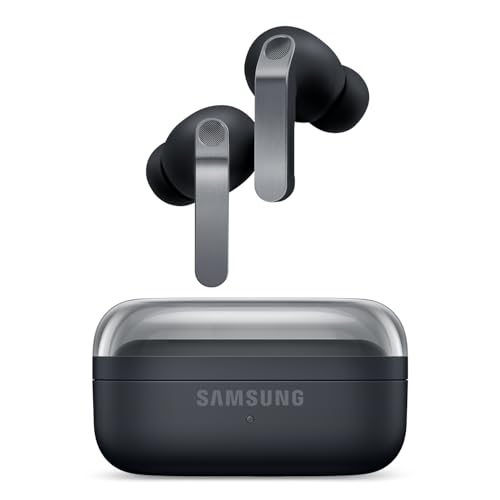 Comparison
Sony WF-1000XM6 vs Galaxy Buds4 Pro: Which Should You Buy?
On most phones I'd buy the Sony WF-1000XM6 for more quiet, longer battery and clearer calls. On a recent Galaxy, the Buds4 Pro earn their place with Samsung's extras.
VSComparisonSony WF-1000XM6 vs Technics EAH-AZ100: Which Should You Buy?
The Sony block more noise and handle calls far better. The Technics last longer and hold three devices. I'd buy the Sony unless battery or multipoint runs your day.