

Are you thinking about buying the MSI Stealth 16 AI+, but worried it’s all specs and no substance? You’re not alone, because this is the kind of laptop that promises desktop-grade power in a bag-friendly body.
In this in-depth review, you’ll get a practical breakdown of what matters once you live with it, the screen, speed, heat and fan noise, battery life, ports, camera and audio, plus the software you’ll actually touch. I’ll also flag the “thin gaming laptop” traps that catch people every year.
By the end, you should know if this machine fits your routine, especially if you want one laptop for serious work and serious play.
RELATED: LG C6 OLED vs Sony BRAVIA 8 II OLED: Which is Better?
Quick Review
The MSI Stealth 16 AI+ is built for a very specific person: you want a laptop that looks clean in a meeting, but can still push modern games and creator apps when you’re off the clock. The big win is the thin, lighter build for the class, paired with a 16-inch QHD+ OLED panel that runs at 240 Hz. It also checks the “new laptop” boxes like Wi-Fi 7, modern biometric login, and RTX 50-series graphics options that can scale all the way up.
That said, thin power has a cost. When you run heavy games or benchmarks, you should expect heat and fan noise, because there’s only so much metal and airflow to work with. Battery life is also a reality check. Even with a large battery, gaming unplugged is still a short session, not an evening plan.
If you’re tracking the CES 2026 coverage and redesign notes, you’ll see similar themes echoed in early impressions, including the focus on a sleeker, more MacBook-like profile (without pretending it’s a Mac). For a solid outside perspective on that redesign angle, Tom’s Guide has a useful hands-on write-up: hands-on redesign impressions.
The one thing to know: you’re buying portability for this performance tier, so you’ll still need the charger when it counts.
Specifications
Here’s a compact spec snapshot based only on confirmed details from the provided sources.
| Spec | MSI Stealth 16 AI+ (CES 2026 model) |
|---|---|
| CPU | Intel Core Ultra 9 386H (Panther Lake-H, 45 W class) |
| GPU options | Up to NVIDIA GeForce RTX 5090 Laptop |
| RTX 5090 power configs | 100 W + 25 W Dynamic Boost (Board 1), 100 W + 15 W Dynamic Boost (Board 2) |
| Display | 16-inch 16:10 OLED, QHD+ 2560 x 1600, up to 240 Hz |
| HDR | VESA DisplayHDR True Black 600 (QHD+ OLED option) |
| Protection | Corning Gorilla Glass (panel protection mentioned) |
| Memory | Up to 128 GB DDR5 (listed speeds include 5600/6400/7200) |
| Storage | 2x M.2 NVMe PCIe Gen 4 slots |
| Battery | Up to 90 Wh (75 Wh noted for Board 2 config) |
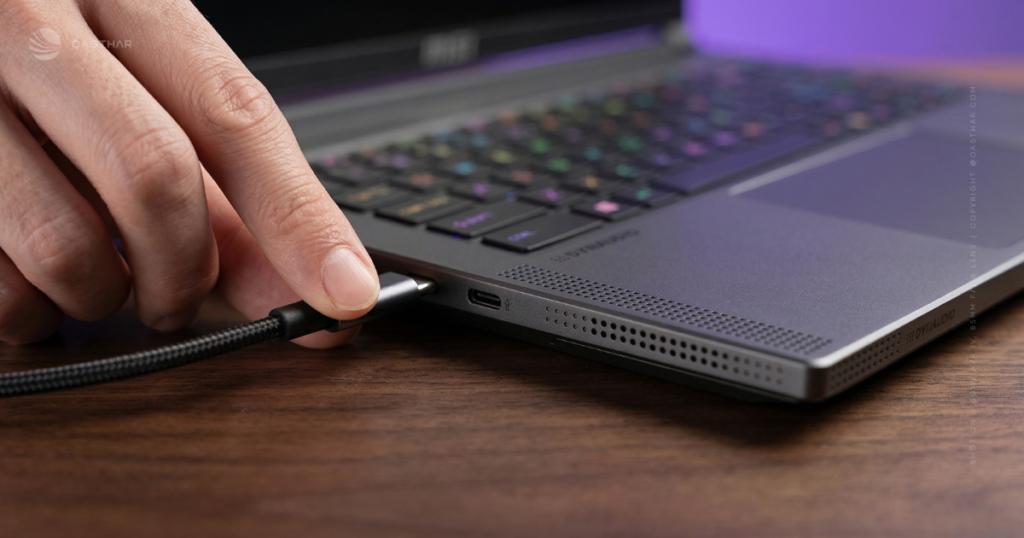
| Ports | 2x Thunderbolt 4, 2x USB-A (USB 3.2 Gen 2), HDMI 2.1, Gigabit LAN, 3.5 mm audio |
| Wireless | Wi-Fi 7, Bluetooth 6 |
| Camera | FHD IR webcam with privacy shutter |
| Weight and size | 1.9 kg, 354 x 246 x 16.65 to 19.9 mm |
The takeaway is simple: it’s a top-tier parts list squeezed into a body that’s closer to a creator laptop than a tank-like gaming rig.
Design & Build Quality
If you carry your laptop every day, the Stealth 16 AI+ is aimed right at you. At 1.9 kg, it’s not featherweight, but it’s meaningfully easier to live with than the thick 16-inch gaming bricks that punish your shoulder.
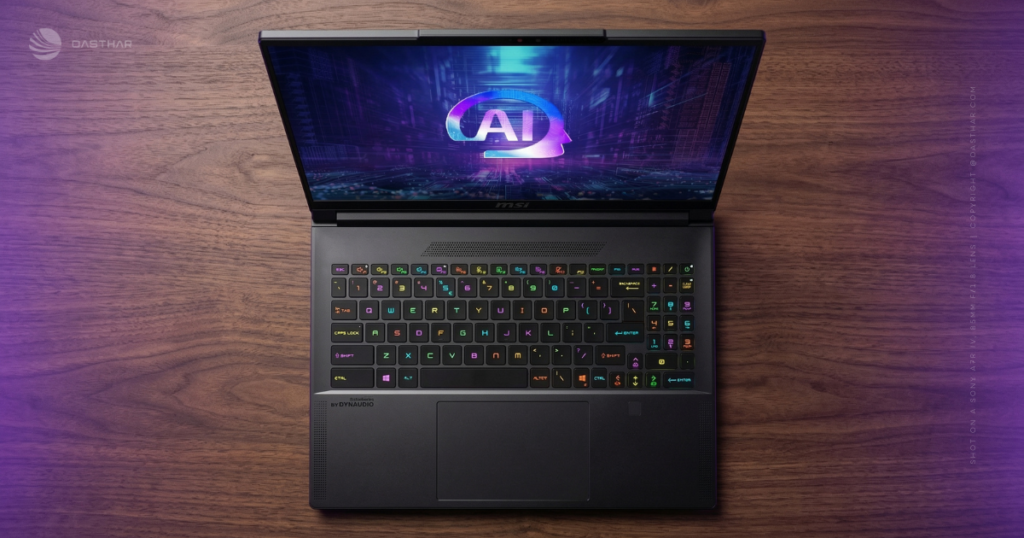
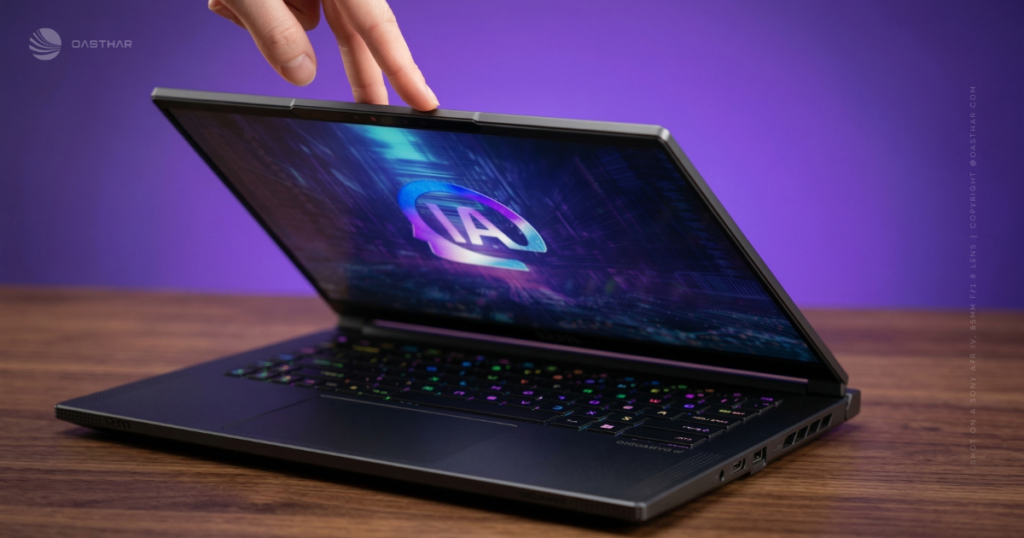
The overall look stays restrained. You can take it to class, a shared office, or a client meeting without feeling like you’re pulling out a spaceship. That matters more than people admit. The chassis is built for a slim profile, and MSI also calls out durability cues like Corning Gorilla Glass on the display side, which is a small detail that helps with day-to-day anxiety.
Ergonomics will depend on how you use it. On a desk, you’ll probably love the footprint and the large touchpad. On your lap, long gaming sessions are where the tradeoffs show up, because heat has fewer places to go.
If you want another angle on MSI’s push to make the Stealth line look more “stealthy” again, The Verge’s coverage frames the design intent well: Stealth 16 design notes.
Display Quality
This is the part you’ll notice every single minute. A 16-inch QHD+ OLED at 240 Hz is the kind of screen that makes everything else look a little washed out, even your phone, which is rude.
OLED gives you deep blacks and strong contrast, so dark scenes in games and movies have real depth instead of gray haze. The QHD+ 2560 x 1600 resolution also fits the 16:10 aspect ratio nicely, because you get extra vertical space for timelines, long documents, and side-by-side windows.
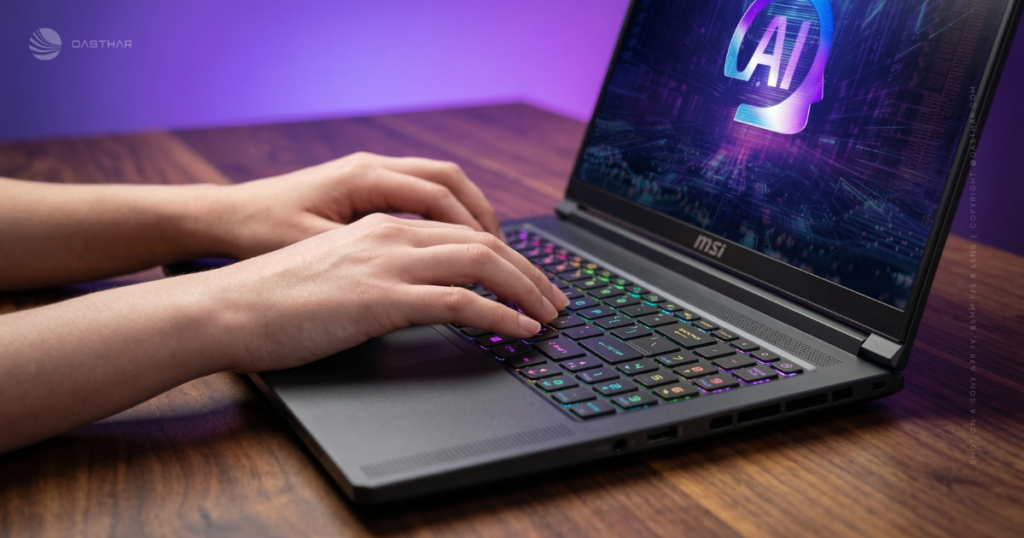
HDR support matters here too. With VESA DisplayHDR True Black 600 on the QHD+ OLED option, you can expect punchier highlights and better shadow detail in HDR content that’s mastered well.
One practical warning: glossy OLED panels can reflect bright rooms like a mirror. If you work near windows, you’ll want to adjust your seating, bump brightness, or use a darker wallpaper. It’s not a deal-breaker, but it’s a daily habit you’ll build fast.
Performance
The Stealth 16 AI+ is designed around Intel’s Core Ultra 9 386H (Panther Lake-H) and NVIDIA RTX 50-series laptop GPUs, topping out at an RTX 5090 Laptop. That combo targets two groups at once: people who want high-FPS gaming, and people who run heavier creator workloads that like strong CPU performance plus a serious GPU.
Where thin laptops get complicated is sustained power. Short bursts are easy. Long sessions are the real test. MSI’s answer this year is a new cooling approach called Cooler Boost Intra Flow, described as a multi-direction exhaust design meant for thin chassis cooling, with MSI also claiming it allows higher system power in this form factor. Vapor chamber cooling is also part of the conversation around this model, and it fits the goal: move heat fast, then get it out.
Your real-world experience will likely look like this:
- During normal work (tabs, docs, mail, light photo edits), it should stay calm.
- Under heavy loads (AAA gaming, long renders), you should plan for fan noise and a warmer chassis.
That second point is consistent with what reviewers saw on the closely related Stealth A16 AI+ class of machines, where performance impressed but heat and noise showed up once you pushed settings hard. If you want a broader “thin powerhouse” context from a mainstream lab, PCMag’s CES coverage is a helpful read: PCMag CES 2026 Stealth 16 coverage.
Battery Life & Charging
Let’s set expectations the honest way: thin gaming laptops almost always want the charger nearby if you care about max performance.
On paper, the Stealth 16 AI+ goes up to a 90 Wh battery (with a 75 Wh note on a certain board configuration). That’s a healthy size for a 16-inch machine. Still, OLED plus a high refresh rate panel plus a discrete RTX GPU can drain fast when you game.
Because this exact Intel Panther Lake-H model is newly announced, the best battery guidance comes from real-world testing on similar Stealth A16 AI+ systems. In those reviews, general use landed around the “half a workday” range depending on brightness and settings, while gaming on battery dropped to about an hour in heavy titles. Your results will vary, but the pattern is predictable.
If you buy this class of laptop, treat battery as “portable time,” not “gaming time.”
For travel, USB-C charging support is mentioned in the Stealth family discussions, and it’s a practical option for topping up on the go. Just don’t expect USB-C alone to replace the full adapter for peak gaming performance.
For another battery and mobility perspective from the Stealth A16 AI+ side of the family, Laptop Mag’s take is worth scanning: Laptop Mag Stealth A16 AI+ review.
Software & Ecosystem
This model is positioned as a Copilot+ PC, so you’re buying into Microsoft’s current AI feature set in Windows 11 (availability and behavior can vary by region and updates). In everyday use, the useful stuff tends to be simple: Windows Studio Effects for calls (background blur, eye contact, framing), quick on-device AI features when supported, and better efficiency for lighter AI tasks.
MSI’s own control software matters more than the AI branding for most people. You’ll use it to switch performance modes, tune fan behavior, and set battery-saving limits when you’re unplugged. Keyboard lighting control also lives here, and that’s either a fun extra or something you’ll set once and never open again.
If you like to tinker, you’ll appreciate having those knobs. If you don’t, you’ll still want a “quiet” mode for coffee shops.
Connectivity
Wi-Fi 7 and Bluetooth 6 are the kind of upgrades you don’t feel until you do. In a busy apartment building or a crowded campus network, newer Wi-Fi can mean steadier speeds and less latency, assuming your router is also up to date.
Bluetooth 6 is similarly practical. It can help with cleaner connections for headphones, mice, and controllers, especially if you juggle devices.
No cellular option is mentioned in the provided sources, so you should assume Wi-Fi or phone tethering when you’re away from a hotspot. On the bright side, the inclusion of Gigabit LAN is still a win. Wired internet is boring, and also the most stable way to game and take calls.
Cameras, Mic & Speakers
You get an FHD IR webcam with a privacy shutter, which is the exact combo you want on a laptop that might be used for work. The shutter is the “I don’t trust anyone” feature, and it’s great. IR support also means smoother Windows Hello face login, especially in uneven indoor light.
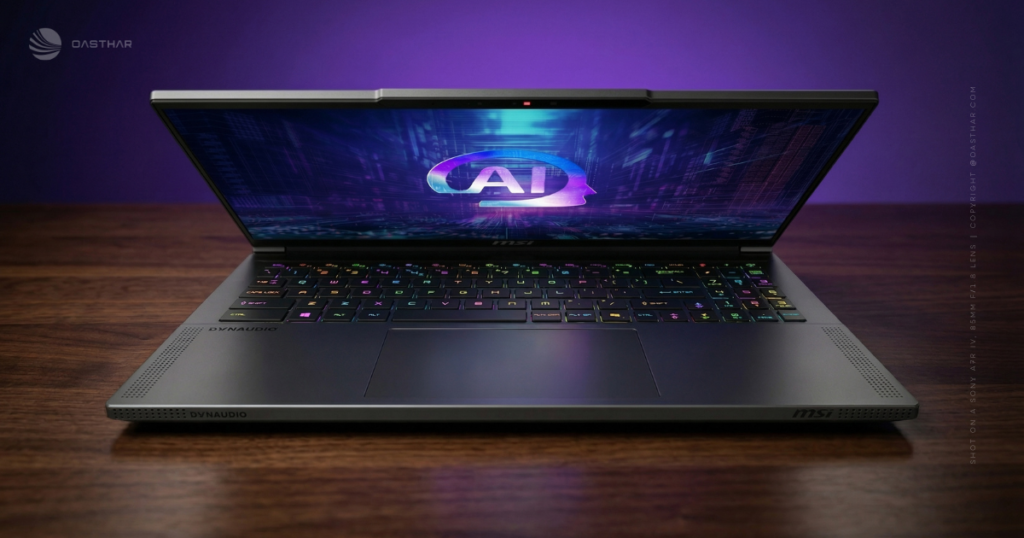
For image quality, set your expectations for video calls, not content creation. FHD is fine for Zoom and Teams. It won’t look like a mirrorless camera.
Audio is listed as a quad-speaker setup on this model. In practice, that usually translates to clear dialogue and decent loudness for YouTube or Netflix. Where many thin gaming laptops fall short is bass and positional cues in games, so if you care about directional audio, you’ll still want a headset.
Extra Features
You have two solid ways to log in fast: a fingerprint reader on the power button and IR face unlock through the webcam system. Add the privacy shutter, and you get a nice mix of convenience and control.
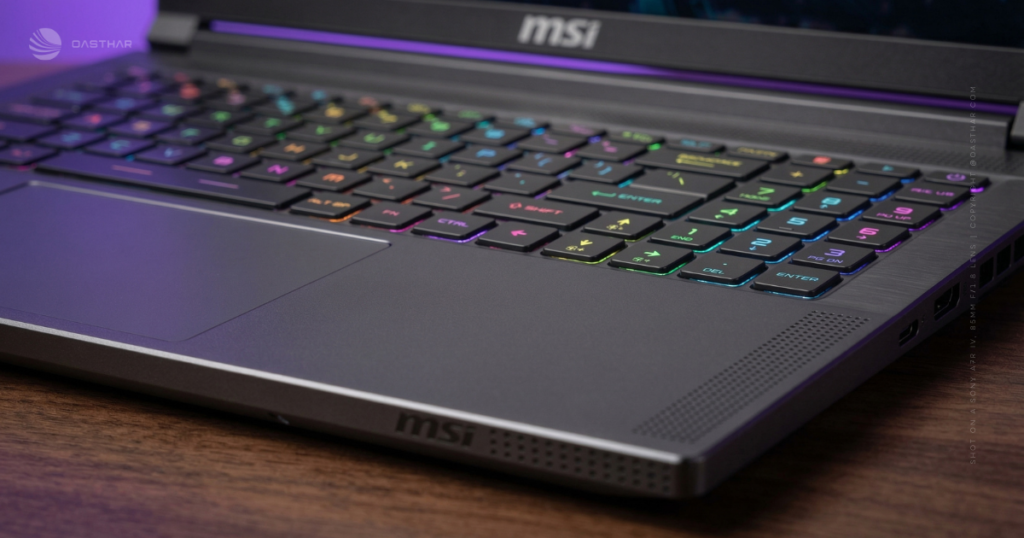
For daily typing and navigation, the extra specs actually matter. The 4-zone RGB keyboard is a reasonable middle ground, because it adds personality without screaming. The touchpad is also large at 160 x 100 mm, which helps if you travel and don’t always carry a mouse.
One buying caution: stylus support is not highlighted in the provided sources. If pen input is a must-have for you, don’t assume it’s part of the deal.
Price & Value
This is where you need to be a little cold-blooded. Thin, premium gaming laptops cost more, because you’re paying for the display, the materials, and the engineering needed to cool real parts in a slim frame.
For this Stealth 16 AI+ generation, pricing shared in the provided sources suggests configurations can start around the $2,000 mark (for lower RTX tiers) and can push past $3,000 once you move into higher-end GPUs. That tracks with what you see across the premium 16-inch category.
Because exact US retail prices can swing by configuration and launch timing, you’ll want to compare like-for-like:
- GPU tier (this is the price driver)
- RAM amount (up to 128 GB exists, but you might not need it)
- Storage (dual M.2 slots help, but base drives still vary)
If you’re still shopping the broader category, it helps to keep a shortlist open, and a buying guide can make that faster. This internal guide can help you benchmark expectations across the market: best gaming laptops 2025.
Who is it for?
The Stealth 16 AI+ makes the most sense when you need one machine that covers multiple lives: work, travel, and gaming.
Buy it if:
- You travel with power and want RTX 50-series performance without a huge chassis.
- You care about the screen, because OLED at 240 Hz changes how everything looks and feels.
- You play and work online, and you’ll actually use Wi-Fi 7 or wired Gigabit LAN.
- You want modern security, including IR login, fingerprint login, and a camera shutter.
Do not buy it if:
- You need quiet cooling, because thin high-power laptops get loud under load.
- You expect long unplugged gaming, since battery gaming time stays short in this class.
- You’re value-first, and you’d rather buy a thicker laptop with similar FPS for less.
- You want easy upgrades everywhere, because configurations and thin designs can limit what you can change later.
FAQs
Is the 240Hz QHD+ OLED actually worth paying for?
If you care about motion clarity and contrast, yes. You get 2560 x 1600 sharpness plus OLED blacks, and 240Hz makes fast games look cleaner.
Does the RTX 5090 model deliver real AAA performance gains?
You’re buying headroom for ultra settings and ray tracing. Even the RTX 5070 Ti variant tested well in games, so 5090 should push higher frames.
How hot and loud does the Stealth 16 AI+ get under load?
Expect heat and fan noise when you game hard or run benchmarks. The keyboard stays usable, but the thin chassis can feel warm, especially underneath.
What battery life should you expect in real daily use?
Plan around 5 to 6 hours for browsing and video. Under heavy gaming, it can drop close to an hour, even if marketing claims sound higher.
Is it a good pick if you travel or work in cafés often?
It’s portable for a gaming laptop (about 2.1 kg, under 2 cm thick). Still, battery life limits true unplugged use, so pack the charger.
Which CPU versions exist, AMD Ryzen AI 9 or Intel Core Ultra?
You’ll see an AMD Ryzen AI 9 HX 370 option and an Intel Core Ultra 9 option, depending on the configuration. Both pair with high-end RTX GPUs.
How much does the Stealth 16 AI+ cost in 2026?
Pricing depends on the GPU tier. In recent listings, configs have ranged roughly from $2,899 for RTX 5070 Ti up to about $3,999 for RTX 5090.
Is it good for creators, editing, and heavy multitasking?
Yes, because the CPU and GPU combo handles demanding apps well, plus the OLED panel helps for color-rich work. Just don’t expect quiet fans.
What ports and wireless do you get for peripherals and monitors?
You get a practical spread, including USB-A, USB-C, HDMI, Ethernet, and an audio jack. Wireless support includes Wi-Fi 7 and Bluetooth 5.4.
What alternatives make sense if you want better battery life?
If you want longer unplugged time, look at laptops like the ASUS ROG Zephyrus G16 (often more efficient). For non-gaming power, a MacBook Pro 16 can fit.
Final Verdict
If you want a premium, slim 16-inch laptop that can game hard and still look normal in public, the MSI Stealth 16 AI+ is aimed right at you. The OLED 240 Hz panel is the standout, and the modern connectivity mix (Wi-Fi 7, Thunderbolt 4, HDMI 2.1, Gigabit LAN) makes it easy to use as a real workstation.
Still, you’re agreeing to the usual thin-power compromises: heat and fan noise under sustained load, plus battery limits when you game. Choose your GPU tier carefully, because that decision controls both price and the kind of performance you’ll actually feel.
