

You’re shopping two heavy hitters, and LG C6 OLED vs Sony BRAVIA 8 II OLED comes down to what you watch and how you use your TV. The quick answer, Sony usually wins for movies and upscaling, while LG often fits better if you care most about gaming features and port flexibility. Either way, you’re getting deep blacks and OLED contrast, so the differences show up in the details.
Sony’s BRAVIA 8 II pairs a QD-OLED panel with standout processing that makes everyday 1080p streams look cleaner and more detailed than many rivals. It also supports Dolby Vision, HDR10, and HLG, plus you get Google TV for apps and search. LG counters with a broad size range and a feature-first approach that’s built to cover more setups.
Below, you’ll see a clear breakdown of specs, design, image quality, brightness and HDR, motion and upscaling, audio, smart platforms, gaming, ports, price, who each model fits best, and the final verdict.
RELATED: LG C6 OLED vs Samsung S90H OLED: Which is Better?
Quick Summary
- LG gives you more high-end gaming inputs: the C6 has four HDMI 2.1 ports, and it supports up to 4K at 165Hz with VRR and ALLM.
- Sony limits your HDMI 2.1 count: the BRAVIA 8 II has two HDMI 2.1 ports (plus two HDMI 2.0), and it tops out at 4K/120Hz with VRR and ALLM.
- Panel approach differs: LG uses OLED panels across many sizes, with brighter Tandem RGB OLED variants on 77-inch and 83-inch models; Sony uses QD-OLED.
- Sony’s out-of-box movie mode is a highlight: Professional mode gets praised for accuracy, and calibration can push it even closer to reference.
- Sony’s upscaling is the “why does this look so clean?” feature: 1080p content can look smoother and more detailed than you’d expect.
- Sony HDR highlights can pop hard in small areas: it can hit very high peaks in small HDR windows, but it cannot hold that brightness on full-screen whites.
Winner: Tie, because LG changes your gaming setup, while Sony changes how good everyday streaming looks.
Specifications
Here’s the side-by-side spec sheet based only on the provided sources.
| Spec | LG C6 OLED | Sony BRAVIA 8 II OLED |
|---|---|---|
| Available sizes | 42, 48, 55, 65, 77, 83-inch | 55, 65-inch |
| Panel type | OLED (Tandem RGB OLED on 77, 83) | QD-OLED |
| Max gaming signal | Up to 4K/165Hz | 4K/120Hz |
| VRR, ALLM | Yes | Yes |
| HDMI 2.1 ports | 4 | 2 |
| Total HDMI ports | Not specified in provided LG source | 4 (2x HDMI 2.0, 2x HDMI 2.1) |
| HDR formats | Dolby Vision, HDR10, HLG | Dolby Vision, HDR10, HLG |
| Smart OS | webOS 25 | Google TV |
| USB ports | 3 | Not specified in provided Sony source |
| Audio (built-in) | 40W 4.0-channel, harman/kardon tuned | Acoustic Surface Audio+ (screen sound approach) |
Specs matter most when they force compromises. If you run multiple consoles plus a soundbar, HDMI 2.1 count decides your wiring. If you watch lots of HD streams, processing can matter more than raw refresh rate. For broader OLED shopping context, this best OLED TVs 2025 guide helps you sanity-check where these models fit.
Winner: Tie, because specs are about fit, not bragging rights.
Design & Build Quality
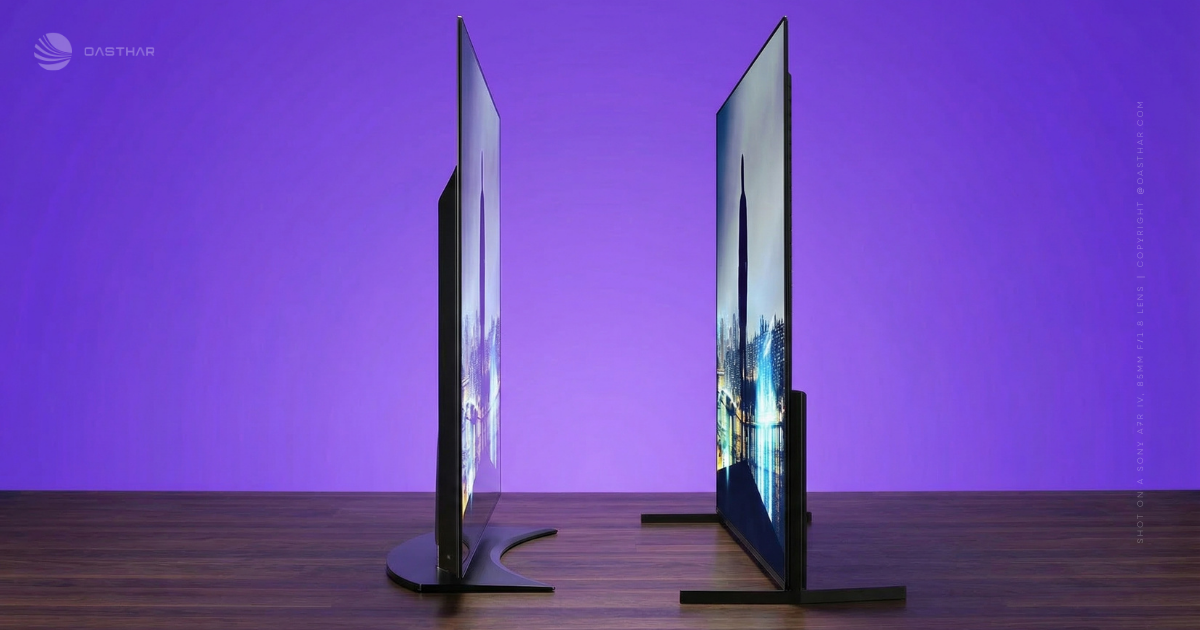
The LG C6 goes for a slim, minimalist look, and the provided C6 review describes a curved 4K OLED screen. That curve is love-it-or-hate-it. If you sit centered, it can feel more “wraparound.” If you sit far off to the side, it can feel a bit odd. The same source also claims a low-reflective surface, which helps in normal room lighting.
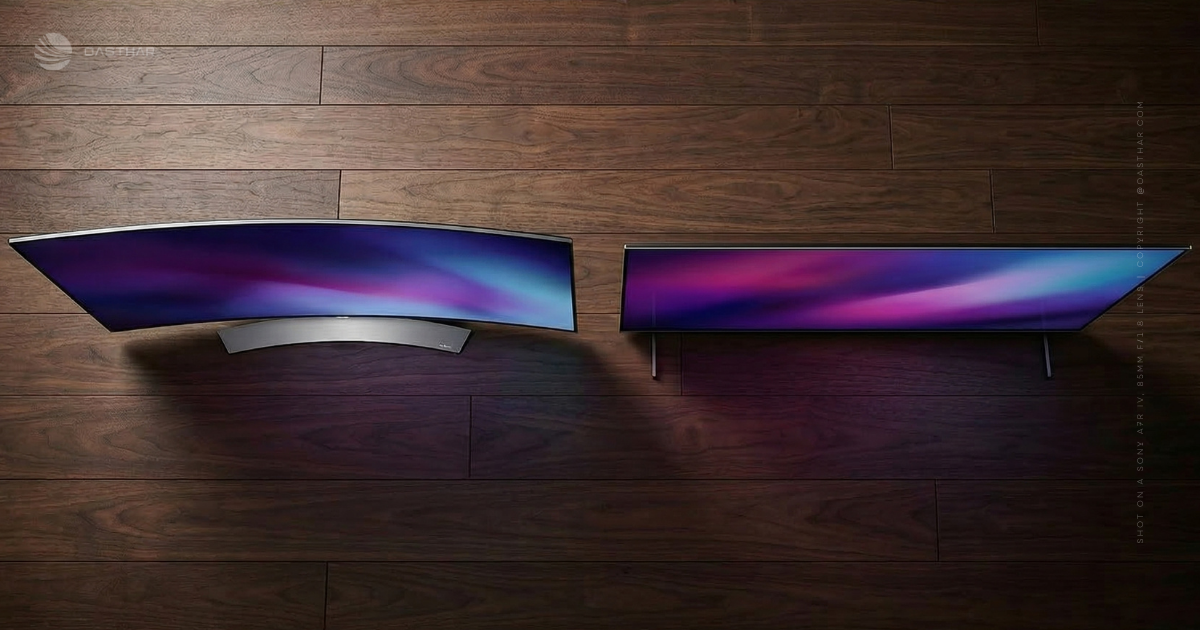
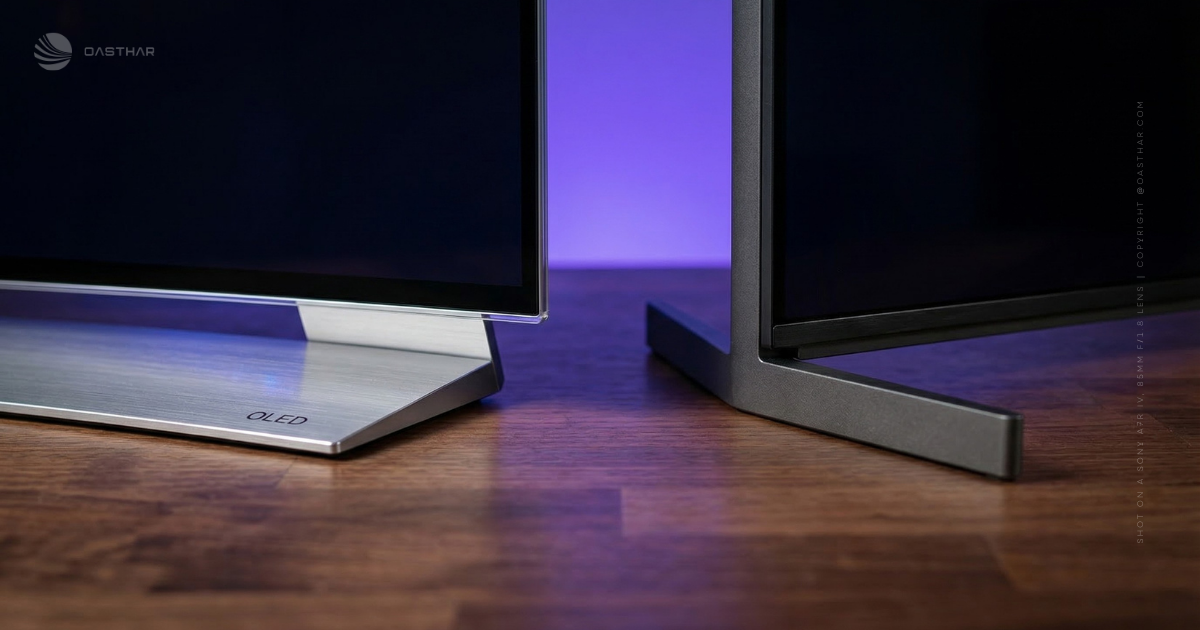
Sony’s BRAVIA 8 II is more about practical furniture fit. It uses wide-set feet near the edges, and you can mount them in two height positions. The taller position leaves room for a soundbar under the screen, but you need a wide console.
Lighting is the other daily-life detail. Like many QD-OLEDs, Sony can show slightly raised blacks with a faint purplish tint in some bright-room situations, although reviewers note it’s subtle in normal use.
Winner: Tie, because LG’s curve is personal preference, and Sony’s stand demands wider furniture.
Image Quality
Both TVs are OLED at heart, so you get the big OLED perks: inky blacks, pixel-level control, and strong contrast. That’s the baseline.
Sony’s advantage starts with QD-OLED. You tend to see richer color volume and a more “lit from within” look, especially in HDR movies. Reviews also praise Sony’s movie-first tuning, with Professional mode delivering strong accuracy without much tweaking. There is one caveat: some measurements show the grayscale can lean a bit cool (bluish) near peak white in HDR, and some colors can skew slightly toward blue. The good news is that calibration can correct most of that and make the image look near perfect.
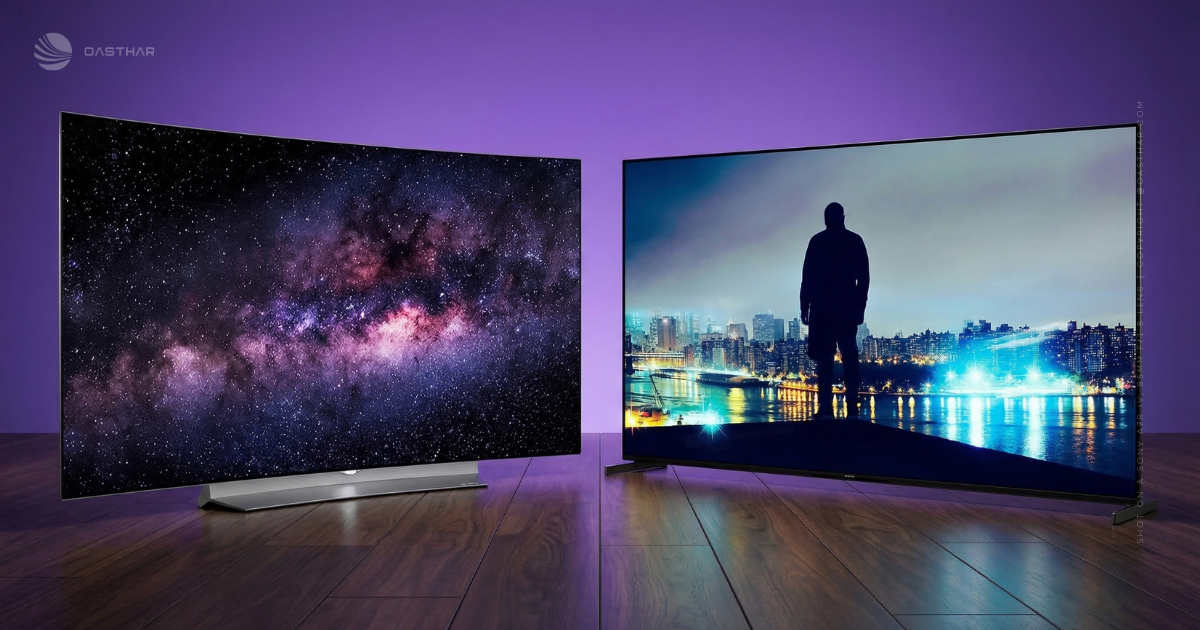
Sony also has a couple QD-OLED quirks you should know about. First, in certain lighting, blacks can lift a little because there’s no traditional polarizer. Second, the pixel structure can create mild color fringing on the edges of bright objects against dark backgrounds, although it’s usually hard to see from a normal couch distance.
LG’s C6, based on the provided review, focuses on strong color accuracy and deep contrast, backed by the Alpha 11 AI Gen 3 processor for upscaling and HDR tone mapping. You’re also buying into the idea of extremely rich color reproduction (often described as “billions” of shades) without the “too hot” look that some TVs push in vivid modes.
For a broader third-party perspective on today’s OLED pecking order, Wirecutter’s picks are a helpful cross-check: Wirecutter’s best OLED TV recommendations.
Winner: Sony BRAVIA 8 II OLED, because its QD-OLED color punch and movie-first accuracy feel more “cinema correct” for most film watching.
Brightness & HDR Performance
Brightness talk gets confusing fast, so here’s the plain-English version: HDR “wow” often comes from small highlights, not full-screen brightness.
Sony’s BRAVIA 8 II can get very bright in HDR highlights. In testing referenced in the provided material, it measured around 1,590 nits in a 10 percent HDR window, and it could spike higher with smaller highlights (up to about 1,884 nits). On the other hand, full-screen white sits far lower (around the mid-200 nits range). That’s normal OLED behavior, but Sony makes it easy to see why specs don’t tell the whole story.
LG’s C6 claims improved peak brightness, and the bigger 77-inch and 83-inch models use a brighter Tandem RGB OLED variant designed to make HDR pop more in rooms with more ambient light. The key limitation is simple: the provided sources do not give verified nit numbers for the LG C6, so you should treat “brighter” as directional, not a precise promise. If you want a measurement-driven approach to comparing OLED behavior, RTINGS’ roundups are a useful reference point: RTINGS best OLED TVs list.
Winner: Tie, because Sony clearly wins on proven highlight peaks, while LG’s brighter big-panel variants can be the better bet for sunlit rooms.
Motion & Upscaling
If you mostly watch pristine 4K HDR, both TVs can look great. Real life is messier. A lot of what you watch is still 1080p, whether it’s cable, live sports, or older streaming shows.
Sony’s BRAVIA 8 II earns its reputation here. The provided reviews call out industry-leading processing, and it shows up as cleaner edges, less visible pixel structure, and more detail pulled from HD sources. It’s the kind of difference you notice when a broadcast looks “good” instead of “good for TV.”
LG’s C6 fights back with the Alpha 11 AI Gen 3 processor, which the provided material credits with smarter upscaling and improved motion handling. Still, Sony’s strength is consistency with rough sources.
For side-by-side comparisons in a standardized scoring format, RTINGS’ comparison tool can help you frame what matters, even when the exact LG model differs: RTINGS LG vs Sony TV comparison tool.
Winner: Sony BRAVIA 8 II OLED, because its HD upscaling and processing advantage shows up in everyday content.
Audio Quality
LG’s C6 includes a 40W 4.0-channel system tuned with harman/kardon, plus dialogue help (Clear Voice III) and content-based sound modes. In practice, that’s usually enough for sitcoms, sports, and YouTube, and it can hold together at moderate volume.
Sony comes at audio differently. The BRAVIA 8 II uses Acoustic Surface Audio+, which makes sound feel like it comes from the screen area instead of below it. That “voices anchored to the actor” effect can be convincing in dialogue-heavy scenes. If you want the deeper rundown, this Sony BRAVIA 8 II review breaks down how Sony’s approach works.
Late-night watching is where both still benefit from an external option. A soundbar helps you keep voices clear without turning everything up.
Winner: Tie, because LG gives you power and clarity, while Sony wins on “sound comes from the picture” realism.
Smart Features & Apps
LG’s webOS 25 is built around quick navigation, AI-style recommendations, and voice features like speech-to-text. The Magic Remote concept also matters, because pointing and clicking can feel faster than endless D-pad tapping.
Sony uses Google TV, and reviewers like it partly because it feels familiar and tends to have broad app support. Sony also makes it easy to get great results without digging around, since Professional mode is a strong starting point for movies and shows.
If you already live in Google services, Sony feels like the natural fit. If you like LG’s UI style and remote, webOS can feel lighter.
Winner: Tie, because both are easy to live with, and your ecosystem habits decide the “better” one.
Gaming Features
This is the simplest section in the whole LG C6 OLED vs Sony BRAVIA 8 II OLED debate.
LG gives you four HDMI 2.1 ports and supports up to 4K/165Hz, along with VRR and ALLM. If you run an Xbox Series X, a PS5, and a gaming PC, that port count keeps your setup clean. You also avoid the annoying shuffle of swapping cables or sacrificing features.
Sony supports 4K/120Hz with VRR and ALLM, which is still excellent for consoles. The problem is the two HDMI 2.1 ports. On top of that, one HDMI 2.1 port is the eARC port, so a soundbar can eat up one of your best inputs. That leaves you one HDMI 2.1 slot for high-end gaming sources unless you route through a receiver.
Winner: LG C6 OLED, because its 165Hz support and four HDMI 2.1 ports make multi-device gaming way easier.
Connectivity & Ports
LG keeps it straightforward. The C6 gives you four HDMI 2.1 ports and three USB ports, plus the usual wireless connections listed in the provided material (Wi-Fi and Bluetooth). For most people, that means you can connect a soundbar, two consoles, and still have room for another HDMI 2.1 device.
Sony’s BRAVIA 8 II includes four HDMI ports total, but only two are HDMI 2.1, and two are HDMI 2.0. One HDMI 2.1 port handles eARC, so plan your layout before you start plugging things in.
A quick mental test helps: if you can name three HDMI 2.1 devices you own (or want soon), LG fits better.
Winner: LG C6 OLED, because it avoids HDMI 2.1 trade-offs for typical modern setups.
Price & Value
Sony’s pricing is clear in the provided review info: the BRAVIA 8 II launched with MSRPs of $2,599.99 (55-inch) and $3,299.99 (65-inch). Real street prices change fast, so your best move is to shop deals and be ready to buy when the drop hits.
LG C6 pricing is trickier here, because the provided sources don’t confirm official US MSRP across sizes. That makes “value” more about what you get per dollar once you see real retailer pricing.
Sony’s value case is simple: you’re paying for QD-OLED color and top-end processing in the two most common sizes. LG’s value case is also simple: you’re paying for gaming hardware, four HDMI 2.1 ports, and a size range that stretches from 42-inch up to 83-inch. For extra context on the C6’s positioning, this hands-on is worth a look: What Hi-Fi’s LG C6 first impressions.
Winner: Tie, because the better deal depends on your size and the discount you find.
Who is it for?
Choose LG C6 OLED if…
- You want 4K/165Hz gaming and you own a gaming PC (or plan to).
- You need four HDMI 2.1 ports for multiple consoles plus a soundbar.
- You want more size choice, including 42-inch for desks and 83-inch for big rooms.
- You like LG’s webOS 25 approach and Magic Remote-style navigation.
- You’re interested in the brighter Tandem RGB OLED variants on 77-inch and 83-inch.
Choose Sony BRAVIA 8 II OLED if…
- You watch lots of 1080p streaming, cable, or broadcast, and you want the cleanest upscaling.
- You want Google TV and the familiarity that comes with it.
- You care most about movie realism, including QD-OLED color volume and a strong Professional mode.
- You’re buying 55-inch or 65-inch, and you don’t need more than two HDMI 2.1 ports.
For a quick read on LG’s year-to-year changes, Tom’s Guide has useful context: Tom’s Guide on LG C6 vs C5.
Winner: Tie, because this choice depends on how many devices you connect and how much HD content you watch.
FAQs
Which TV looks better with 1080p streaming and cable?
If you watch lots of 1080p, you’ll likely prefer the BRAVIA 8 II. Sony’s processing cleans up lower-quality sources, adding detail and reducing noise better than most rivals.
Which one gets brighter for HDR movies in daylight?
For peak HDR punch, it depends on size. BRAVIA 8 II hits about 1,590 nits (10 percent window), while the LG C6H (77 and 83) is reported around 2,200 nits.
Which is better for PS5, Xbox Series X, and PC?
If you want maximum flexibility, LG C6 wins. You get four HDMI 2.1 ports and 4K at up to 165Hz. Sony caps at 4K 120Hz, with two HDMI 2.1 ports.
Which has better out-of-box accuracy for movie nights?
You’ll usually get a great starting point on the BRAVIA 8 II in its Professional mode, tuned for a cinematic look. If you calibrate, it can look close to reference.
What are the biggest “gotchas” with each model?
With Sony, you might notice mild QD-OLED color fringing in dark scenes, plus only two HDMI 2.1 ports (one is eARC). With LG, brightness varies by size, C6H is the standout.
Final Verdict
If you’re deciding between the LG C6 OLED vs Sony BRAVIA 8 II OLED, your priorities make the answer pretty clear. LG is the better pick for gaming setups, because you get four HDMI 2.1 ports and up to 4K/165Hz. Sony is the better pick for mixed viewing, because its processing can make everyday 1080p look cleaner and more detailed.
Brightness is also a split story: Sony’s HDR highlights can hit hard in small areas, while LG’s larger Tandem-panel models aim to help in brighter rooms. Finally, size choice matters a lot, since LG offers many sizes and Sony sticks to 55-inch and 65-inch. If you game and juggle devices, pick LG; if you watch lots of HD streaming and want Google TV with movie-first tuning, pick Sony.
