

You’ve probably had the same thought mid-match on a laptop: “If only this screen were bigger.” The Lenovo Legion Pro Rollable concept, shown at CES 2026, is Lenovo’s bold answer to that problem, and it’s still a concept as of February 2026. That means there’s no confirmed release date, no confirmed price, and no final retail spec sheet you can buy from.
The core idea is simple. You start with a normal-looking 16-inch Legion Pro, then press a control and the OLED display widens into an ultra-wide view, reported at 21.5 inches or up to about 24 inches. It’s aimed at traveling esports players, gamers who hate cramped laptop screens, and creators who want wide timelines without carrying a separate monitor.
RELATED: Best Budget Gaming Laptops 2025
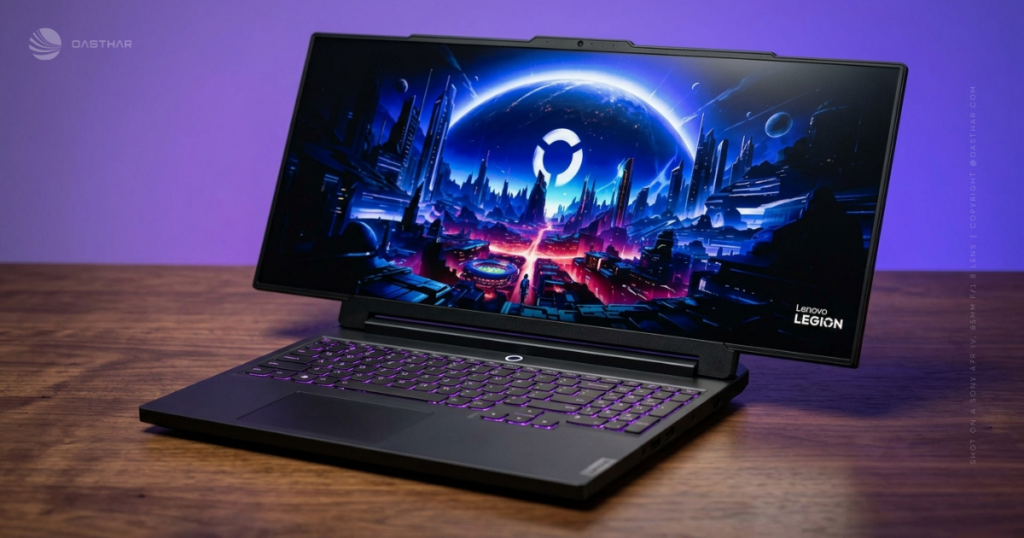
Lenovo Legion Pro Rollable key specs and what is confirmed vs. still unknown
Before you get attached to any single number, treat this device like a working prototype with strong hints, not a finished product. Most of what you “know” comes from CES hands-on coverage and Lenovo’s own messaging, including its CES announcement materials. The safest approach is to separate confirmed concept behaviors (the roll mechanism, the size modes, the OLED approach) from expected platform specs (CPU, GPU, ports) that mirror the Legion Pro 7i class DNA.
Coverage from outlets that handled the concept on the show floor agrees on the main headline: a rollable PureSight OLED display that expands outward into a wider gaming view, guided by a dual-motor, tension-based system. You can cross-check that positioning in Lenovo’s own CES communication, plus hands-on reporting like CNET’s concept write-up and early tester impressions from major laptop reviewers (for example, Lenovo’s CES press release and CNET’s concept coverage).
Specification table
| Item | What’s known (CES 2026 concept) |
|---|---|
| Status | Concept (not a retail product as of Feb 2026) |
| Display sizes | 16-inch base, expands to 21.5-inch and up to ~24-inch (reported) |
| Panel | Lenovo PureSight OLED gaming display (reported) |
| Mechanism | Dual-motor, tension-based roll system, low-friction materials to reduce wear (reported) |
| Durability | 25,000 expand/contract cycles (reported testing figure) |
| CPU/GPU | Expected high-end Intel Core Ultra HX class CPU, expected Nvidia RTX 50-series Laptop GPU, RTX 5090 Laptop GPU cited in reports (expected/reported) |
| Memory/Storage | Not confirmed, CES coverage mentions configs like 32GB RAM and 2TB SSD in related Lenovo demos (reported, not confirmed) |
| Weight | Under 3 kg (reported) |
| Battery and charging | 80Wh battery mentioned in reporting (60Wh option also cited), up to 245W slim adapter (reported) |
| Software and AI | Windows 11 (reported), Lenovo AI Engine+, Smart FPS, scenario detection, plus AI assist overlays mentioned in reporting (reported) |
What the 16 to 24 inch jump really means?
In real use, the width is the whole point. Ultra-wide space can make enemy movement easier to catch in your peripheral view, reduce minimap squinting, and give you room for Discord, chat, or a guide without covering the action.
The trade-off is performance pressure. When you push more pixels, the GPU often has to work harder, and your FPS can drop at the same settings. That doesn’t ruin the idea, it just changes your habits. You’ll likely rely more on upscaling (like DLSS) or drop a few settings from ultra to high when you run the widest mode.
Design and build quality
The concept looks like a Legion Pro at first glance, and that’s intentional. The footprint still starts as a 16-inch laptop, so it’s backpack-friendly in the way a normal gaming laptop is, not like carrying a loose 24-inch monitor. CES hands-on reports also suggest the lid and display housing feel thicker than a standard panel, which makes sense because it has to store part of the rolled OLED and the motor system.
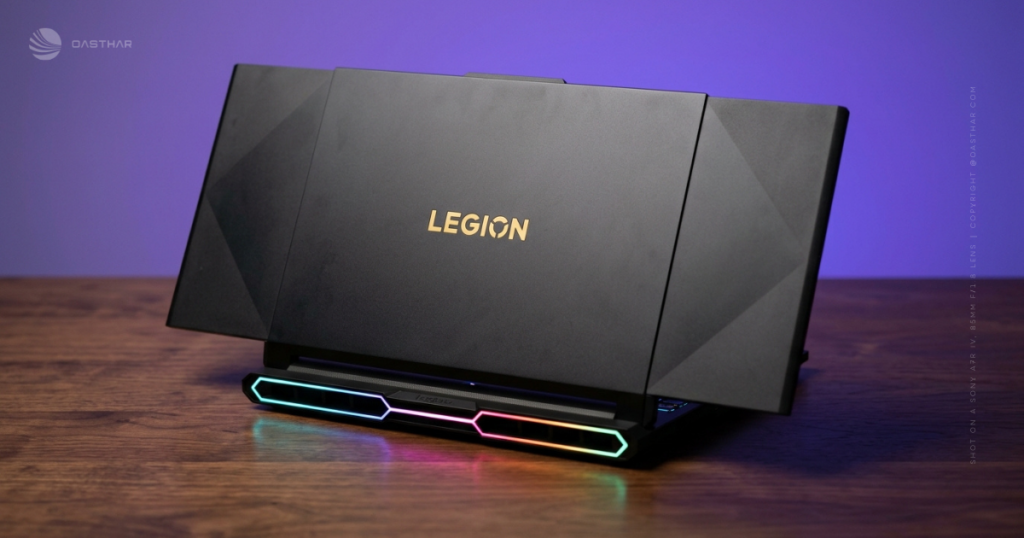
What matters is whether the expansion feels controlled. The most convincing detail coming out of CES is the emphasis on constant tension and low-friction materials. That’s a practical engineering choice, not marketing fluff. A flexible OLED can scuff or develop pressure marks if it rubs, flexes unevenly, or gets dragged against internal surfaces. A tension system is how you try to keep the panel flat, even, and repeatable.
If you want additional on-floor impressions, outlets that physically tried the mechanism offer useful perspective, including Tom’s Guide’s hands-on reaction and TechRadar’s impressed-but-skeptical take.
How the dual-motor roll system works?
The basic motion is reported to roll outward from the center area, then lock into a wider frame. Two motors help keep both sides even, which reduces the risk of one side pulling ahead and creating a wave or wrinkle.
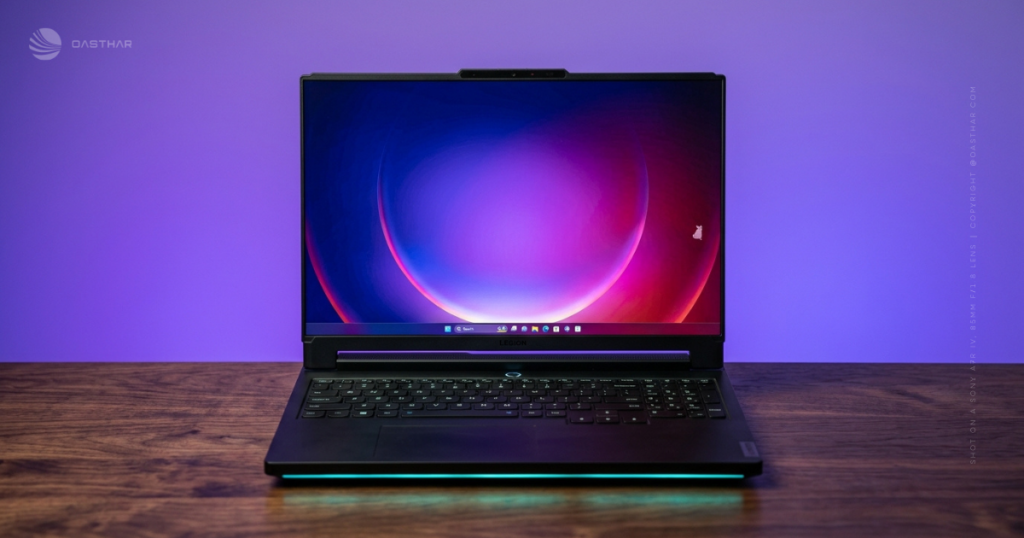
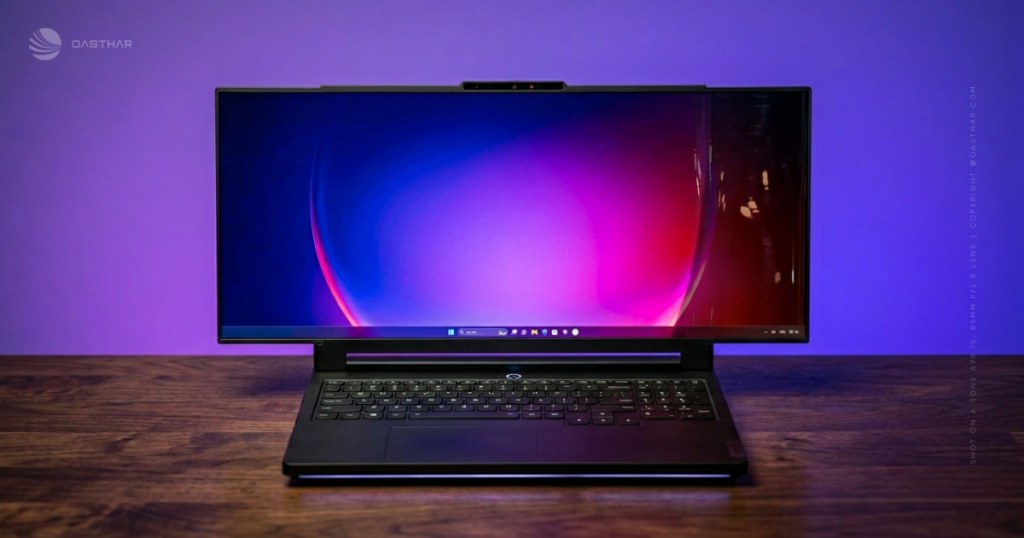
The tension piece is the part you should care about most. Constant, even tension can reduce panel wobble, limit creasing, and keep the screen feeling more like a firm display than a soft sheet. CES reports describe expansion that’s smooth and quiet, and the concept is said to be tested to around 25,000 cycles. It’s a promising number, but it’s still a lab-style claim until a retail warranty backs it.
Portability and day to day practicality
If you travel for tournaments, LAN weekends, or work trips, the pitch is clear: you carry one device that can behave like a laptop and a near 24-inch training screen. That’s easier than packing a portable monitor and a stand.
The worry is also clear: moving parts. First-gen hardware can be harder to service, and a rollable OLED panel is not the same repair story as a normal laptop screen. If this ever ships, you’ll want a sturdy sleeve, careful bag placement, and you’ll want to read the warranty terms like you’re reading a contract. The reported under 3 kg weight is encouraging for something this ambitious, but durability will decide whether it’s practical.
Performance expectations
There were no meaningful public benchmarks from the CES concept units, so performance has to be framed as expectation. Multiple reports tie it to the Legion Pro 7i class, with high-end Intel Core Ultra HX CPUs and Nvidia RTX 50-series Laptop GPUs (with an RTX 5090 Laptop GPU mentioned in coverage). That combination should crush 16-inch gaming at high settings, but the wider you go, the more you test the GPU.
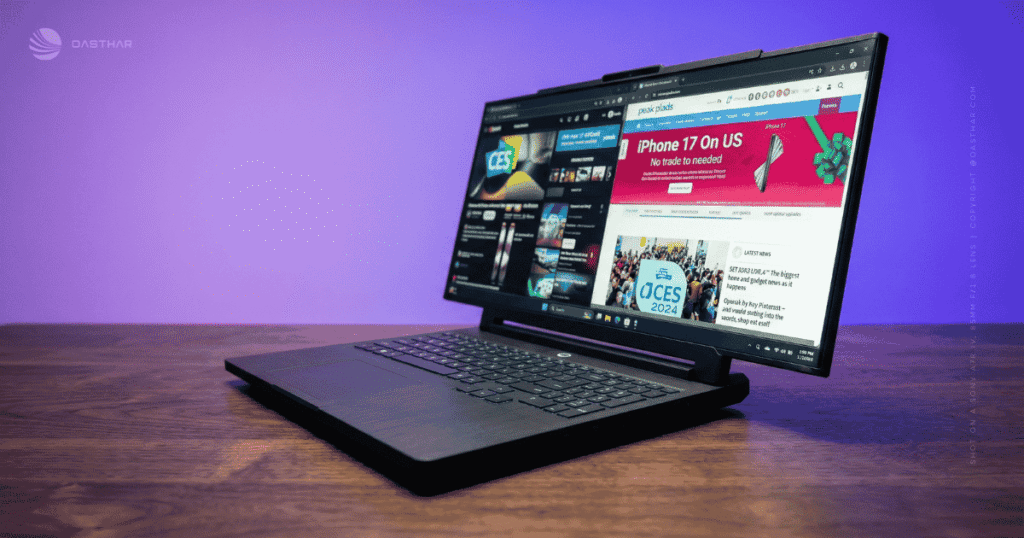
Think of wide mode like upgrading from a 16-inch monitor to an ultra-wide. It’s still the same laptop, but the graphics workload climbs. Your most practical plan is to treat 16-inch mode as your “max settings” mode, and treat the widest mode as your “tuned settings” mode. You lower a couple of heavy hitters (ray tracing, ultra shadows), turn on DLSS, and keep your frame pacing stable.
If you want a technical summary of what was shown and how Lenovo positioned it, Notebookcheck’s concept coverage is a useful reference point.
Esports use cases where the wider view is a real advantage
For esports practice, ultra-wide space can help you track more of the playfield without constant camera whipping. You can also keep comms and timers visible without blocking the center of the screen.
Lenovo’s messaging around the concept points directly at esports players who travel, practice between matches, and want consistent screen real estate. If you’ve ever gone from a 24-inch practice setup at home to a 16-inch laptop at an event, you already understand the appeal.
Heat, fan noise, and stability
If the chassis really inherits the Legion Pro 7i approach, you can expect strong cooling and high sustained power, with the usual cost: fan noise under full load. No one should promise quiet performance on a top-end gaming laptop.
Also remember the wide mode effect. More GPU load can raise heat and fan speed. If you’re streaming or recording, you’ll want to test whether fan noise overlaps with your mic and whether the system holds stable clocks over long sessions.
Battery life and charging
Battery life is still a question mark because Lenovo hasn’t published a final battery life target for this concept. Reporting mentions an 80Wh battery (and a 60Wh option) and up to a 245W slim adapter, which already hints at the reality: this is built to run plugged in.
If you game on battery, expect short sessions. High-end CPUs and RTX 50-series GPUs pull serious power, and a larger OLED mode likely draws more display power too. Your best travel habits will be boring but effective: use 16-inch mode on battery, cap FPS, lower brightness, and stay in hybrid graphics when you’re not gaming. Wide mode is the treat you save for the desk, not the airplane tray table.
Audio and sound
Most CES coverage focused on the screen, not the speakers, so you shouldn’t assume anything magical about audio. On premium Legion laptops, speakers are usually serviceable for videos and casual play, but a headset still wins for positioning and clarity.
The thicker lid and roll hardware can also influence speaker placement choices, which can change how “open” the sound feels. If this becomes a retail product, you should test a few basics early in your return window:
- Max volume without rattle
- Dialogue clarity at 30 to 50 percent volume
- Mic quality in Discord or OBS
- Fan noise overlap when the GPU is under load
Connectivity and ports
Ports weren’t clearly listed for the concept in the CES write-ups, so treat connectivity as an “ask before you buy” item. Still, you can set your expectations based on what a Legion Pro class machine should support.
For competitive play, you’ll want Ethernet for stable ping. For desk setups, you’ll want HDMI 2.1 for external displays, and USB-C with Thunderbolt or USB4 support for docks and fast storage. You’ll also want multiple USB-A ports because mice, headsets, capture devices, and controllers still live there. Related CES Lenovo coverage has also mentioned Wi-Fi 7 on newer designs, and that’s worth prioritizing if your home router supports it.
If Lenovo ever sells the Legion Pro Rollable, ports will be one of the least exciting specs, and one of the most important.
Price and value
There’s no official price because there’s no retail model yet. Even so, you can predict the direction: this should cost more than a normal Legion Pro 7i. A custom rollable OLED and dual-motor mechanism adds parts, testing, and repair complexity.
The smarter way to think about value is comparison shopping against a two-piece setup: a standard high-end gaming laptop plus a portable monitor. The rollable only makes sense if you’ll actually use wide mode often, and if the warranty makes the mechanism feel like a supported feature, not a liability.
Here’s a simple value test you can apply the moment Lenovo shares real ordering details:
- Warranty terms for the roll system and OLED panel
- Repair pricing and service turnaround
- Replacement panel cost if damage happens out of warranty
- Your weekly usage of wide mode (be honest)
Lenovo Legion Pro Rollable vs gaming laptops
Against fixed-screen rivals, the Legion Pro Rollable has one advantage you can’t copy with specs: it turns into an ultra-wide without extra gear. That’s something even excellent machines like the Razer Blade 16, ASUS ROG Zephyrus G16, or MSI Titan-class laptops don’t offer by themselves. They can be faster, thinner, or more established, but they don’t change shape to fit the moment.
The downside is maturity. A normal gaming laptop display is a known repair category. A rollable OLED gaming display is newer, and your risk is higher until Lenovo proves long-term reliability and supports it with strong warranty coverage.
If you love new hardware ideas and you accept early-adopter risk, this concept is exciting. If you want the safest path to stable performance for years, a traditional high-end laptop is still the safer bet.
Where the Rollable wins
The Rollable wins when you travel, practice on the road, multitask next to your game, or want ultra-wide immersion without packing a monitor. It’s also a strong fit if you hate “two-screen life” and want one device to do the job.
A standard laptop is safer when you care most about proven durability, predictable repairs, and lower cost. It’s also the better choice if you always dock to an external monitor anyway, because you’re paying for a feature you won’t use.
Who should buy it if Lenovo releases it
If Lenovo turns this into a real product, you should buy it for a clear reason, not because it looked cool at CES.
You’re a strong match if you’re a traveling esports competitor or serious ranked grinder who practices away from home. You’ll feel the difference because you’re used to 24-inch setups, and you hate shrinking your field of view on the road. You’re also a good match if you live in a small space and want one device that acts like a laptop and a wider desk display. Creators who edit video, manage wide timelines, or monitor chat while streaming can also benefit, as long as the final panel specs meet your brightness and refresh expectations.
You should skip it if you’re shopping on a strict budget, if you rarely game away from your main setup, or if first-gen hardware makes you uneasy. You should also skip it if you already live on an external monitor, because a normal Legion Pro plus a good screen at home will likely feel simpler and more dependable.
Lenovo Legion Pro Rollable FAQ
What makes the Legion Pro Rollable different from normal laptops?
You get a motor-driven, side-expanding OLED screen that starts at 16 inches, then widens to 21.5 or 24 inches, giving you more view without packing a monitor.
How does the rollable screen expand and retract safely?
Lenovo uses a dual-motor, tension-based chassis to move the panel, plus low-friction materials intended to reduce rubbing and wear during repeated rolling cycles.
What are the three screen sizes, and when would you use them?
You can stay at 16 inches for travel and tight desks, then expand to 21.5 or 24 inches when you want wider vision for maps, HUDs, and targets.
Is this a real product you can buy in 2026?
Not yet. Lenovo showed it at CES 2026 as a concept, and there’s no confirmed release date, retail version, or pricing announced so far.
What display tech is Lenovo using in this concept?
It’s built around Lenovo’s PureSight OLED display tech, which is positioned to deliver strong contrast and color, a good fit for AAA games and esports.
What kind of performance should you expect from the concept?
Lenovo’s current concept is based on the Legion Pro 7i platform, described with high-end Intel Core Ultra processors and Nvidia GeForce RTX 50-series graphics as a baseline.
Conclusion
The Lenovo Legion Pro Rollable concept solves a real pain point: laptop gaming screens often feel too small, and portable monitors are one more thing to carry. The expanding ultra-wide approach is smart because it changes your view when you need it, and it stays compact when you don’t.
Still, you shouldn’t treat this like a sure thing until Lenovo confirms retail specs, price, and long-term support. When a real model is announced, check the final resolution and refresh rate in each mode, brightness behavior, warranty coverage for the roll system, repair pricing, weight, battery life, and the full port list. If those boxes get checked, you’ll have something rare in gaming laptops: a screen that finally fits how you actually play.
