

You’re staring at Galaxy Z TriFold vs Galaxy Z Fold 7 and wondering if the jump is worth it. The quick answer, it depends on whether you want a real phone-tablet feel or a pocket tablet that still feels like a compromise. With a 10-inch inner screen on the TriFold and an 8-inch inner screen on the Fold 7, the upgrade is mostly about space and how you work on a smartphone.
In this guide, you’ll see the specs side by side, then the real differences in design, display, speed, and battery. You’ll also get a clear read on software features like multi-window and DeX, because that’s where these foldables start to act like mini computers.
Finally, you’ll weigh cameras, extras, and price, then land on who each one fits best. If you multitask a lot or type on the go, the TriFold’s bigger canvas makes the strongest case.
RELATED: RedMagic 11 Air vs RedMagic 10 Air: Is it worth Upgrading?
Quick Summary
If you only read one section, read this. The day-to-day differences are less about “which is better,” and more about what kind of device you want to live with.
- Inner display size: TriFold opens to a 10-inch screen; Fold 7 opens to 8 inches. Both use a 6.5-inch cover display.
- Carry comfort: TriFold is 309g and 12.9mm thick when closed; Fold 7 is 215g and 8.9mm thick when folded.
- Thin when open: TriFold gets down to 3.9mm at its thinnest when unfolded; Fold 7 is about 4.2mm when open.
- Brightness: Fold 7’s inner screen is listed up to 2,600 nits; TriFold’s inner screen is listed at 1,600 nits, which matters outside.
- Memory tiers: TriFold ships with 16GB RAM; Fold 7 commonly starts at 12GB, with 16GB reserved for the top storage tier.
- Battery and charging: TriFold is 5,600mAh with 45W wired charging; Fold 7 is 4,400mAh with 25W wired charging.
- DeX focus: TriFold highlights standalone Samsung DeX on-device; Fold 7 is capable, but the screen shape limits how “desktop-like” it feels.
- Starting price (US): TriFold starts at $2,899; Fold 7 is commonly listed around $1,999.
Winner: Tie, because the “big difference” winner depends on your goal, TriFold for maximum workspace, Fold 7 for maximum carry comfort.
Specifications
Here’s a tight spec snapshot so you can compare without bouncing between tabs (for deeper spec lists, you can also reference a side-by-side page like Android Headlines’ comparison).
| Spec | Galaxy Z TriFold | Galaxy Z Fold 7 |
|---|---|---|
| US release timing | US launch stated for Q1 2026 | Already on sale in the US (current model) |
| Starting price (US) | $2,899 (512GB) | About $1,999 (commonly listed) |
| Weight | 309g | 215g |
| Thickness (open) | 3.9mm thinnest (varies by panel) | About 4.2mm |
| Thickness (closed) | 12.9mm | 8.9mm |
| Inner display | 10-inch AMOLED, up to 120Hz | 8-inch AMOLED, 120Hz |
| Cover display | 6.5-inch AMOLED, up to 120Hz | 6.5-inch, 120Hz |
| Peak inner brightness | 1,600 nits (listed) | Up to 2,600 nits (listed) |
| Chipset | Snapdragon 8 Elite for Galaxy | Snapdragon 8 Elite for Galaxy |
| RAM | 16GB | 12GB (common), 16GB on top tier |
| Rear cameras | 200MP wide, 12MP ultrawide, 10MP 3x tele | 200MP wide, 12MP ultrawide, 10MP 3x tele |
| Selfie cameras | 10MP (cover) + 10MP (inner) | 10MP (cover) + 10MP (inner) |
| Battery and charging | 5,600mAh, 45W wired | 4,400mAh, 25W wired |
| Durability rating (IP) | IP48 | IPX8 (water resistance) |
The specs that tend to matter most in real use:
- Weight and folded thickness decide whether you carry it happily or resent it.
- Inner brightness decides how usable the big screen feels outdoors.
- Charging speed changes how annoying top-ups are on a heavy-use day.
- RAM tiers matter if you keep lots of apps open, or use DeX-style workflows.
Winner: Tie, because the TriFold wins size and charging, while the Fold 7 wins brightness and carry comfort.
Design & Build Quality
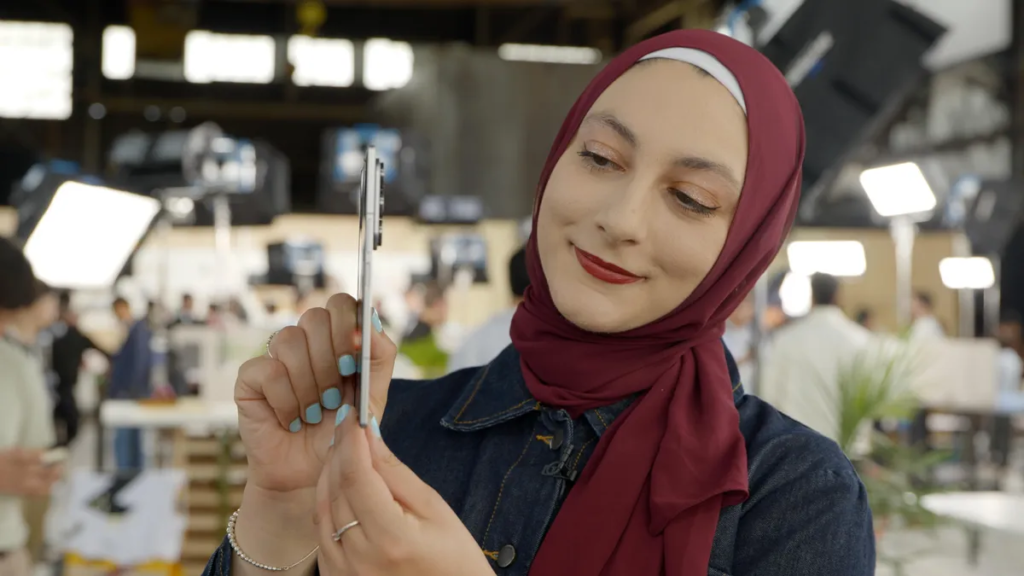
The Fold 7 feels like the mature version of the book-style foldable. It’s lighter at 215g, and the thinner folded profile helps in a pocket. If you commute, travel, or just hate bulky tech, that difference hits you fast.
The TriFold goes the other direction. Closed, it’s thicker at 12.9mm and heavier at 309g, so you feel it. Open, it’s a flex of engineering, dropping to about 3.9mm at its thinnest, even while expanding into a 10-inch canvas. That thin-open trick matters because it keeps the tablet mode from feeling like a brick.
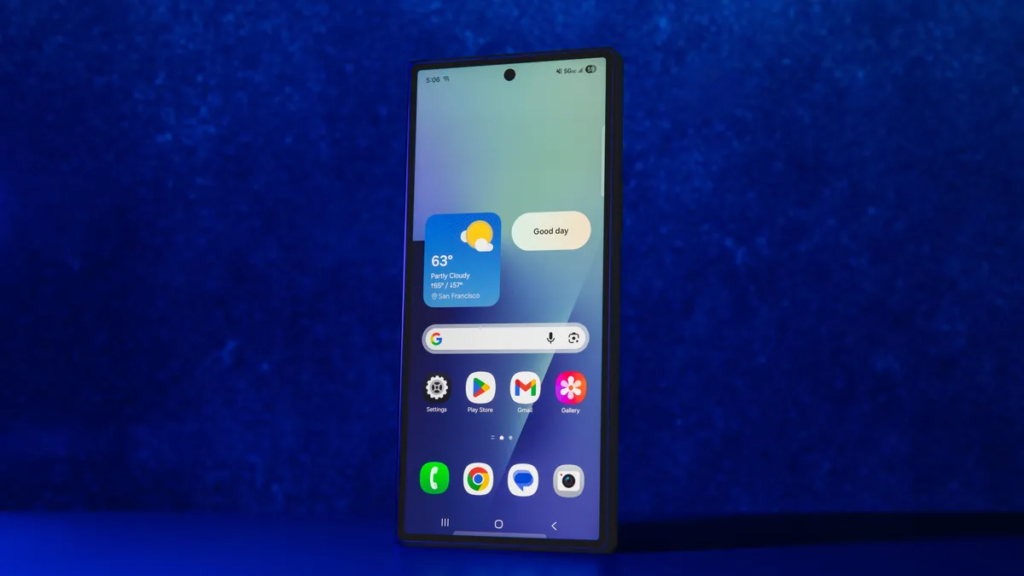
Materials also tell you what Samsung is aiming for. TriFold is described with a titanium hinge, an armor aluminum frame, and a reinforced back panel. Fold 7 gets premium protection too, including Gorilla Glass Armor and a strengthened hinge design, plus an IPX8 water resistance rating.
TriFold has a quirk you won’t see on the Fold 7: two hinges means two creases, and a small learning curve when closing. Reports describe haptic feedback and an on-screen alert if you fold the panels in the wrong order. That’s helpful, but it also hints at how new the design is.
If you want a foldable that disappears in your routine, weight and thickness matter more than bragging rights.
Color choice is another tell. TriFold is offered in Crafted Black only, while the Fold 7 comes in more options.
For a broader design rundown from a mainstream reviewer perspective, see CNET’s hands-on style coverage of the TriFold concept and positioning around hybrid use, via CNET’s foldable and DeX reporting.
Winner: Galaxy Z Fold 7, because it’s lighter, thinner when folded, and easier to treat like a daily phone.
Display Quality
Start with the outside screens, because that’s what you’ll use for quick replies. Both phones give you a 6.5-inch cover display with a 120Hz refresh rate. That means scrolling feels equally smooth, and neither forces you into the narrow, awkward “remote control” cover screen problem older foldables had.
The real split happens inside. Fold 7 opens to 8 inches, which is great for reading, video, and light multitasking. It’s also bright. Listings put the Fold 7 inner panel up to 2,600 nits, which is the difference between “fine” and “frustrating” when you’re outside, or sitting near a sunny window.
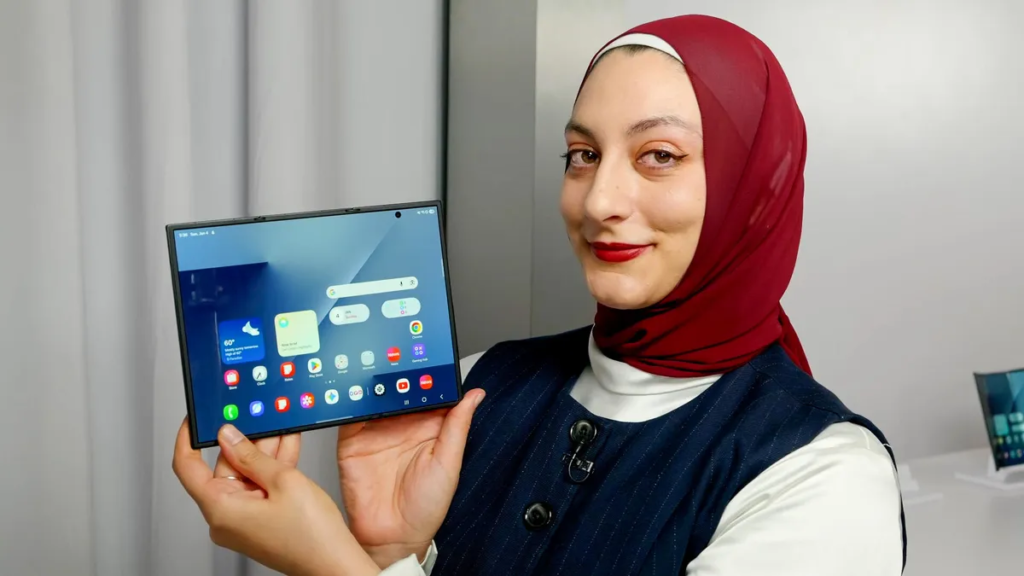
TriFold opens to 10 inches, and that size jump changes your habits. A two-column doc view looks more natural. A three-app layout feels less cramped. Even typing feels closer to a small tablet than a stretched phone.
Brightness is where TriFold gives back some ground. The inner display is listed at 1,600 nits, which should look good indoors, but harsh sunlight is where the Fold 7 pulls ahead.
If you like cross-checking display specs from a database view, GSMArena’s comparison tools are a useful reference point, even if you still want real reviews for the “feel” part, for example GSMArena’s compare page.
Winner: Tie, because the Fold 7 is the safer outdoor screen, while the TriFold is the better big-canvas screen.
Performance
Raw speed should feel close, because both devices run the Snapdragon 8 Elite for Galaxy. App launches, camera processing, and heavy web pages won’t pick a clear winner here. In other words, you’re not paying extra for the TriFold to get a faster chip.
RAM is where the gap becomes practical. TriFold ships with 16GB RAM across its configurations (at least on the 512GB and 1TB models listed). Fold 7 commonly starts at 12GB, and only steps up to 16GB at the highest storage tier.
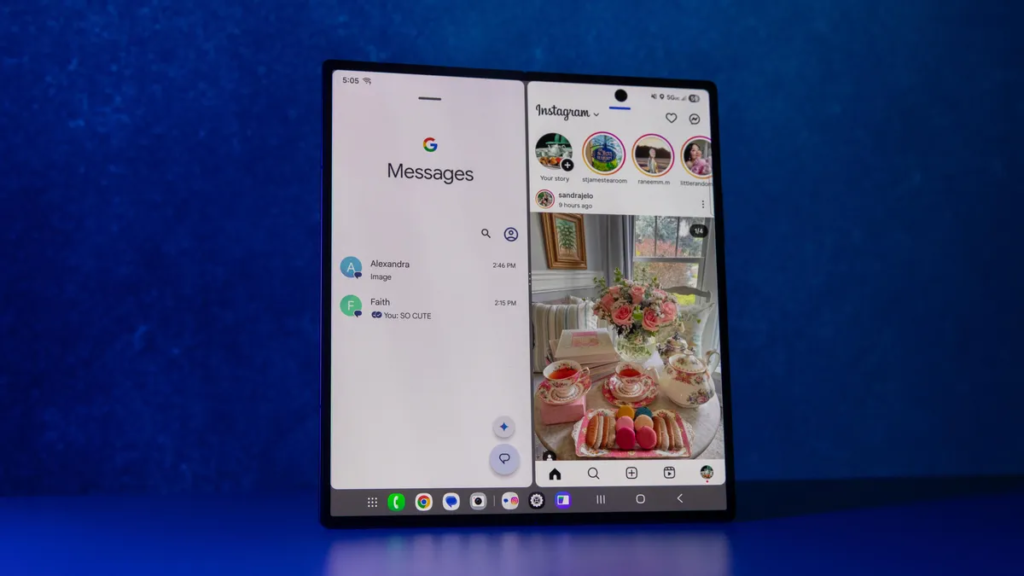
If you keep 20 browser tabs open, bounce between three apps, and leave games suspended in the background, extra RAM can reduce reloads. You’ll feel it more on a foldable, because the whole point is doing more at once.
Still, for most people, the chip is the main story, and here it’s a draw.
For another take on how these two are positioned as “mainstream foldable” versus “ultra-premium new form factor,” you can compare editorial breakdowns like Trusted Reviews’ TriFold vs Fold 7 explainer.
Winner: Tie, because the chip is the same, and the RAM advantage only matters if you actually multitask hard.
Battery Life & Charging
On paper, TriFold has the battery you want in a device this large: 5,600mAh. Fold 7 sits at 4,400mAh. In controlled testing cited for the Fold 7, it has been reported around 10 hours and 55 minutes, which is solid for a big-screen foldable.
However, a bigger battery doesn’t automatically mean longer life. TriFold’s 10-inch display can burn through power faster if you live on the inner screen. If you mostly use the cover screen and open it only when needed, the TriFold battery can feel like a cushion. If you treat it like a mini tablet all day, you’re feeding a larger panel.
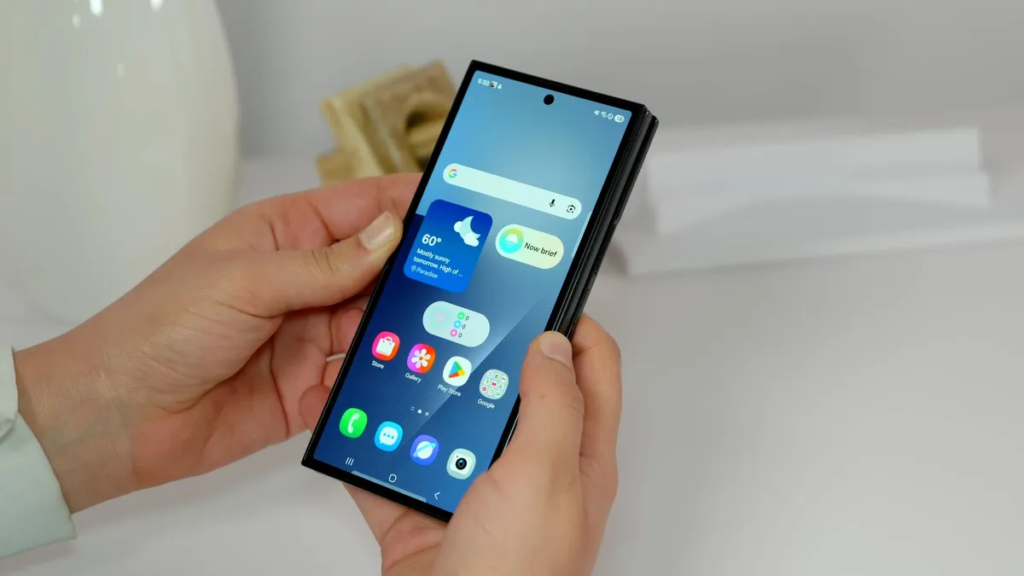
Charging is a cleaner win for TriFold. It supports 45W wired charging, while Fold 7 supports 25W wired charging. That changes the rhythm of ownership. A faster top-up is the difference between plugging in for 20 minutes and getting on with your day, or waiting longer and planning around it.
There’s also a practical perk mentioned for TriFold packaging: reports say it includes a charging brick in the box, along with the cable. That’s not a spec sheet win, but it’s a real-world convenience.
Winner: Galaxy Z TriFold, because 5,600mAh plus 45W charging gives you better odds on long days and faster recovery.
Software & Ecosystem
TriFold is listed with Android 16 and One UI 8, and Fold 7 also runs One UI 8 in current coverage. The shared Samsung ecosystem stuff stays the same: Galaxy AI features, Samsung services, and the usual Android app support.
The difference is how the hardware changes the way One UI multitasking feels.
TriFold’s 10-inch canvas is built for spread-out work. Reports say it can run three full-sized apps side by side, and its newer standalone DeX mode can put a desktop-style interface directly on the device without needing an external monitor. It’s also described as supporting up to four workspaces and up to five apps at once. That’s closer to “portable computer” behavior than what you usually get from a phone.
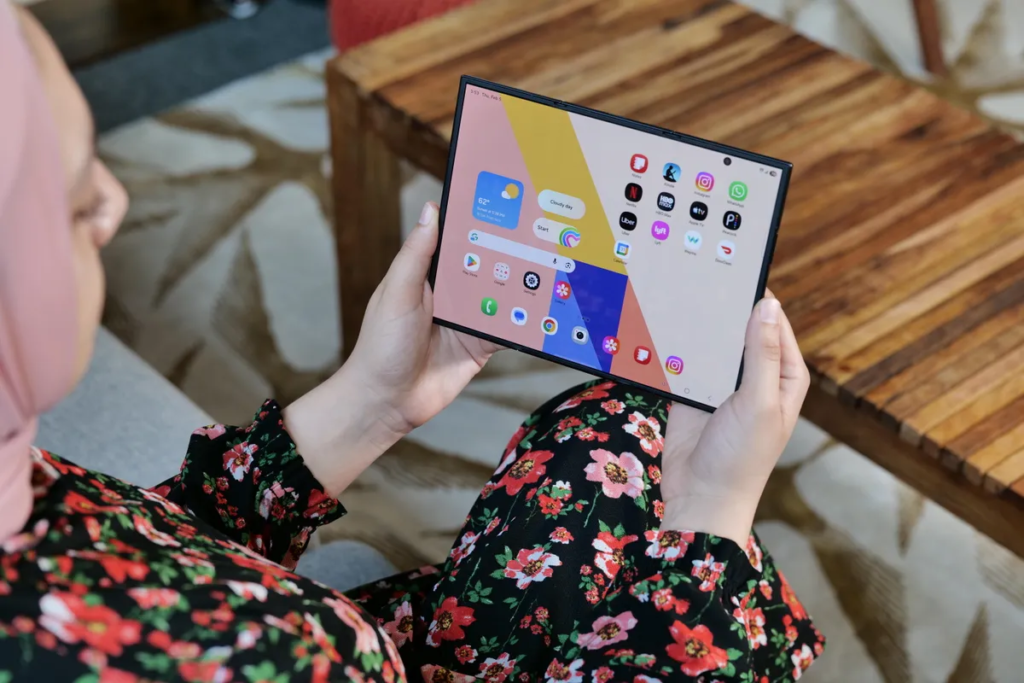
Fold 7 can multitask too, including up to three apps, but the aspect ratio makes it feel tighter. One review also highlights a helpful “90:10” split option for reference mode, which is great when you want one main app and a slim secondary window.
If you’ve never used DeX, think of it like a desktop layout that makes file work, email, spreadsheets, and dragging windows around feel more natural. It’s not magic, but on a 10-inch screen it makes a lot more sense.
Winner: Galaxy Z TriFold, because standalone DeX and the bigger canvas push it closer to real productivity.
Connectivity
TriFold’s listed connectivity set is modern and complete: Wi-Fi 7, Bluetooth 5.4, NFC, and USB-C. That covers the stuff you actually feel day to day, including fast network performance on compatible routers and stable accessory support.
Fold 7 is also a current flagship foldable, so you should expect a similarly modern baseline, but the confirmed items in the available source details are thinner. Because of that, there’s no clean, provable advantage to call here based on the provided info.
If you want the most official feature list for Fold 7 configurations, Samsung’s own compare pages are the right place to verify what’s included on current US models, for example Samsung’s Z Fold compare tool.
Winner: Tie, because TriFold’s connectivity is clearly listed, and nothing confirmed shows Fold 7 falling behind.
Cameras
Samsung didn’t use cameras as the main separator here. Both TriFold and Fold 7 share the same confirmed rear camera hardware: a 200MP main, a 12MP ultrawide, and a 10MP 3x telephoto. Both also have two 10MP selfie cameras, one for the cover screen and one for the inner screen.
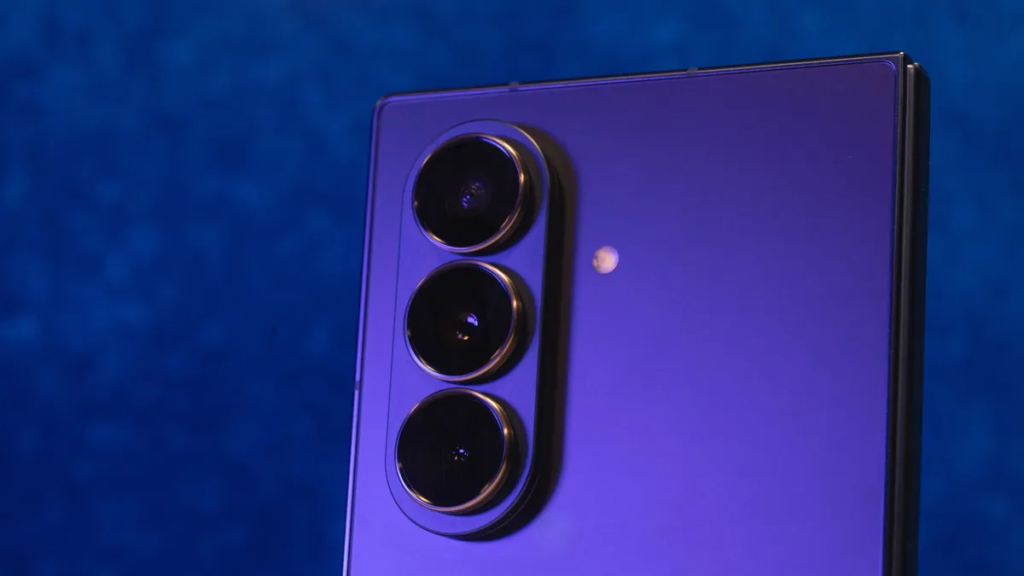
So if you’re hoping the pricier TriFold also shoots way better photos, that’s not the deal. Image quality should land in the same neighborhood, because sensors and optics match.
What changes is how you shoot. Foldables can act like their own mini tripod. You can prop them up on a table, frame a shot, and step back. That’s great for group photos, cooking videos, and hands-free clips. It’s also nice for long recordings, because you can set the hinge angle and keep it stable.
TriFold also lists 8K video capture in the provided spec set. If you’re a creator who crops and reframes footage, that’s useful, but it also eats storage fast.
Winner: Tie, because the camera hardware is the same, and the real difference is the form factor for hands-free shooting.
Extra Features
TriFold lists a fingerprint sensor, plus IP48 protection. Fold 7 is described with IPX8 water resistance. These ratings aren’t directly comparable in a simple way, but you can treat them as two different approaches to protection, with Fold 7 clearly positioned as water-resistant, and TriFold listing a broader IP code.
Fold 7 also has a clear limitation called out in provided details: no S Pen support. If you were hoping to turn your foldable into a notebook replacement with a stylus, that matters.
Both models also sit in Samsung’s Galaxy AI era. On a big foldable screen, features like text summaries, translation, and photo edits are more comfortable to use. Still, you shouldn’t buy either phone only for AI tools, because those features change over time.
The simplest way to think about extras: durability ratings and input options matter more than novelty features once the honeymoon phase ends.
Winner: Galaxy Z Fold 7, because IPX8 water resistance and the more proven design reduce risk for everyday carry.
Price & Value
In the US, the TriFold starts at $2,899 for the 512GB model. That’s laptop money, and it’s priced like Samsung knows it’s selling a new category, not a normal upgrade.
Fold 7 is still expensive, but it’s in a more familiar flagship foldable bracket, often listed around $1,999. Deals and trade-ins can shift that number a lot, so it’s smarter to think in terms of “about a $900 gap” rather than obsessing over a single checkout price.
What are you paying extra for with TriFold? You’re paying for the 10-inch display and the stronger productivity pitch, including standalone DeX. You are not paying for better cameras, and you’re not paying for a faster chipset.
Availability also matters for value. TriFold launched earlier in several regions, and reports say it sold out quickly in at least one market. In the US, it’s tied to a Q1 2026 release window, so timing could affect how easy it is to find at retail.
If you want another pricing and positioning summary, this kind of high-level breakdown can help frame the gap, for example Digit’s TriFold vs Fold 7 overview.
Winner: Galaxy Z Fold 7, because you get most of the flagship experience for a lot less money.
Who is it for?
- Choose Galaxy Z Fold 7 if…
- You want a foldable that’s easier to carry, because it’s 215g and thinner when folded.
- You spend time outside and care about inner-screen readability, because it’s listed up to 2,600 nits.
- You want the more established book-style form factor, with less “learning curve” day to day.
- Your budget tops out closer to $2,000 than $2,900.
- Choose Galaxy Z TriFold if…
- You want the biggest screen Samsung offers in a foldable, because 10 inches changes how you work and watch.
- You care about faster top-ups, because 45W charging is easier to live with than 25W.
- You want a stronger “phone that can act like a computer” setup, thanks to standalone DeX and multi-workspace support.
- You’re okay with extra weight and thickness in exchange for a tablet-like experience.
FAQs
Is the Galaxy Z TriFold a real upgrade from Fold 7?
If you want a bigger canvas, yes. The TriFold opens to a 10-inch inner display, while the Fold 7 tops out at 8 inches, so work and video feel less cramped.
Which is better for multitasking, TriFold or Fold 7?
Both can run up to three apps at once, but the TriFold’s larger 10-inch screen makes split windows more usable, with fewer compromises in text size.
Will you notice a big difference in battery life?
Probably. The TriFold packs 5,600 mAh and 45W wired charging, while the Fold 7 has 4,400 mAh and 25W wired charging, so heavy days favor TriFold.
Do TriFold and Fold 7 have the same cameras?
Yes, in core hardware. Both list a 200MP wide, 12MP ultrawide, 10MP telephoto, plus two 10MP selfie cameras, so upgrading isn’t about camera gains.
Is the TriFold too bulky for daily carry?
It depends on your tolerance. The TriFold is 309g and 12.9mm folded, while the Fold 7 is much lighter at about 215g and slimmer folded.
Which one works better with Samsung DeX?
DeX feels more practical on TriFold because you get more screen space for a desktop-like layout. Fold 7 still works, it just feels tighter for real tasks.
Final Verdict
The Galaxy Z TriFold vs Galaxy Z Fold 7 decision comes down to two priorities: portability and brightness versus workspace and multitasking. Fold 7 is the smarter daily carry, since it’s lighter, thinner when folded, and brighter on the inner screen.
TriFold is the better tool when you want a real 10-inch canvas and DeX that feels less like a party trick. The price gap is real, and the cameras don’t justify it on their own. Pick Fold 7 if you want the practical foldable you’ll carry everywhere, pick TriFold if you want the foldable that can replace more of your laptop time.
