

You’re staring at Samsung’s newest premium Windows laptop and thinking the same thing everyone is: is the jump worth it? In Galaxy Book6 Pro vs Galaxy Book5 Pro, the short answer is yes, if you care about the upgraded screen experience, the newer Core Ultra Series 3 platform, and the little quality-of-life fixes you’ll use every day. If your Book5 Pro already feels fast and you don’t need the extras, you can comfortably wait.
First, you’ll see where the spec bumps actually land, including the display jump on the Book6 Pro (a 16-inch Dynamic AMOLED 2X touch panel with anti-reflective coating and up to 1000 nits peak HDR), the updated Intel Core Ultra Series 3 options, and the move to a haptic touchpad. Then you’ll weigh battery claims against what similar Galaxy Books tend to deliver in real use, plus ports and practical perks like card readers and HDMI.
Finally, you’ll get a clear buy or skip based on your use, whether that’s travel work, school, photo imports, or light creative tasks. You’ll also see why Samsung’s cross-device tools matter more than you’d expect when you compare it to a MacBook-style workflow.
RELATED: Alienware 16 Area-51 Review (2026) : Best OLED, RTX 50 for You?
Quick Summary
- Performance stays steadier on Book6 Pro: It moves to Intel Core Ultra Series 3 (Panther Lake) and pairs it with an updated cooling approach (including a vapor chamber in the new design). In plain terms, it’s better at staying fast during longer work sessions.
- The display feels smoother, and can save power: Book6 Pro uses a variable refresh setup that can drop to 30Hz and scale up to 120Hz, so scrolling looks fluid when it matters, and it can ease off when it doesn’t.
- Battery life is meaningfully better in testing: One widely-cited web browsing battery test shows about 15:17 on Book6 Pro vs about 12:25 on Book5 Pro, which is the difference between “bring the charger” and “forget it at home.”
- Tradeoffs to keep in mind: Book6 Pro pricing and US availability can still vary by configuration and timing (early spring 2026 timing has been discussed in reviews), Samsung’s preinstalled apps are still a thing, and microSD support can depend on the model (some Book6 Pro port lists omit it, while Book5 Pro commonly includes it).
- If you want a second opinion from hands-on testing, start with the Galaxy Book 6 Pro review testing and battery results.
Winner: Galaxy Book6 Pro because you’ll feel the battery and sustained performance gains every day.
Specifications
Here’s a quick spec snapshot using details that show up consistently in reviews and published listings.
| Spec | Galaxy Book6 Pro | Galaxy Book5 Pro |
|---|---|---|
| Sizes | 14-inch, 16-inch | 14-inch, 16-inch |
| Display | Touch Dynamic AMOLED 2X | AMOLED / Dynamic AMOLED 2X (touch) |
| Resolution | 2880 × 1800 | 2880 × 1800 |
| Refresh behavior | 30Hz to 120Hz (variable) | 120Hz (commonly listed) |
| CPU family | Intel Core Ultra Series 3 (Panther Lake, examples include Ultra X7 358H) | Intel Core Ultra Series 2 (examples include Ultra 7 256V/258V) |
| RAM | 16GB or 32GB LPDDR5X | Up to 32GB LPDDR5X (varies by config) |
| Storage (noted configs) | 256GB to 1TB SSD (some listings go higher by region) | 512GB to 1TB SSD (varies by config) |
| Ports (commonly listed) | 2x Thunderbolt 4, USB-A, HDMI 2.1, 3.5mm | 2x Thunderbolt 4, USB-A, HDMI, 3.5mm (microSD common on many configs) |
| Wireless (commonly listed) | Wi-Fi 7, Bluetooth 5.4 | Wi-Fi 7, Bluetooth 5.4 |
| Battery test (web browsing) | 15:17 (reported in lab test) | 12:25 (reported in lab test) |
If you like to compare lots of regional configs at once, the Gadgets360 side-by-side comparison page can help you spot listing differences faster.
Winner: Tie because core specs overlap heavily, and the biggest gaps show up in performance tuning and endurance.
Design & Build Quality
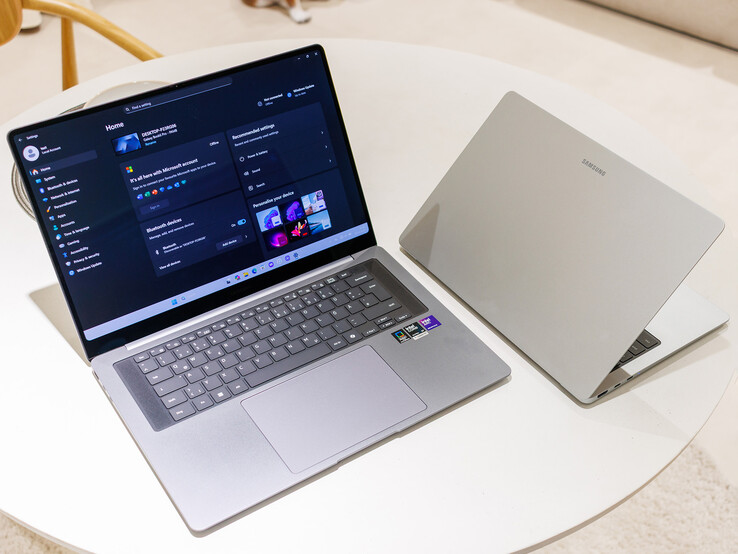
Both feel like premium machines, because Samsung sticks with a clean aluminum build and thin bezels. The difference is refinement.
On size, Book6 Pro has been measured around 0.47 inches thick and 3.5 pounds for at least one 16-inch review unit. Book5 Pro is also slim (often described around the 0.5-inch range), and lighter configs exist depending on screen size, but the Book6 Pro clearly pushes harder on thinness.
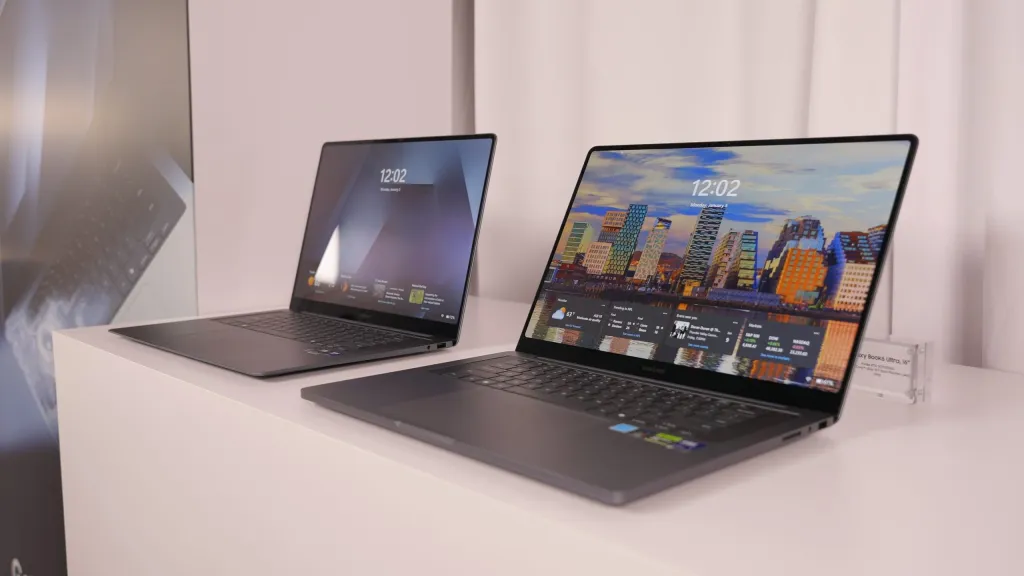
The more important design change is comfort under load. Book6 Pro adds a redesigned cooling setup (including a vapor chamber in the updated design), which matters when you’re exporting a video, batch-editing photos, or just running too many Chrome tabs. Less heat buildup usually means less fan ramping and fewer slowdowns.
Typing feel also shifts. Some Book6 Pro layouts move to a centered keyboard by removing the number pad on certain 16-inch builds, and reviews mention a larger touchpad. Book5 Pro can include a numpad on 16-inch models, which some people love for spreadsheets, but it can also make the touchpad feel off-center.
For another perspective on Book5 Pro ergonomics, see the Laptop Mag Galaxy Book 5 Pro review.
Winner: Galaxy Book6 Pro because the cooling and keyboard deck changes are aimed at long-session comfort.
Display Quality
You’re getting Samsung AMOLED either way, so black levels look inky, colors pop, and movies look great even before you touch any settings. Both lines commonly land on the same sharp 2880 × 1800 resolution with touch support.
Where Book6 Pro pulls ahead is how the screen behaves minute to minute. Its refresh can scale from 30Hz up to 120Hz, so it feels smooth when you scroll, and it can back off when you’re reading a static page. That’s good for both “feel” and battery.
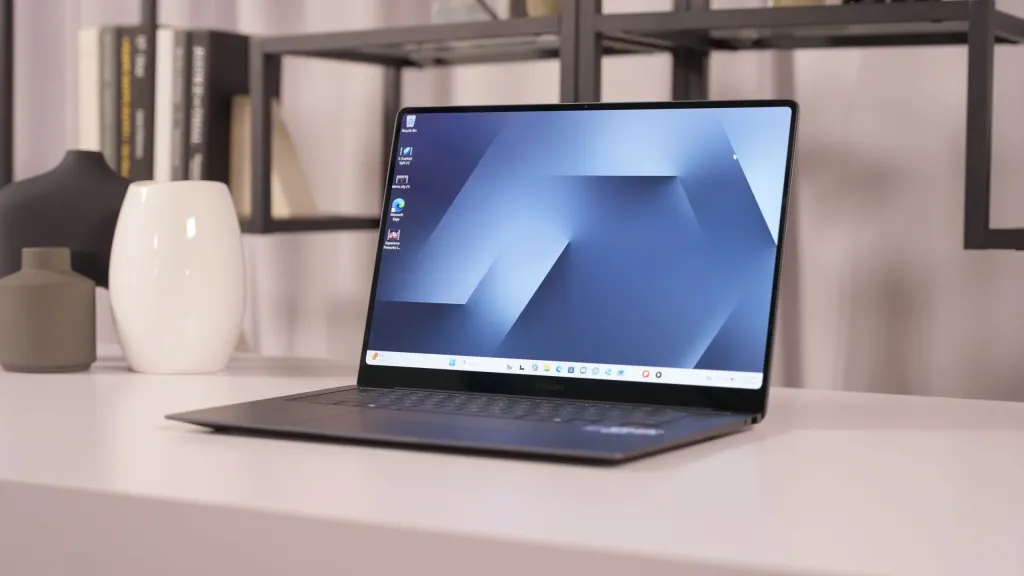
Brightness is another practical point. In at least one set of lab measurements reported in reviews, Book6 Pro hits higher SDR brightness than Book5 Pro (Book6 Pro around the mid-400 nits range vs Book5 Pro around the high-300s in that reporting). That translates to less squinting near windows and fewer reflections stealing contrast. Samsung also talks up visibility helpers like “vision booster” on Book6 Pro in coverage, but your day-to-day win is simple: it’s easier to use in brighter rooms.
Winner: Galaxy Book6 Pro because variable refresh plus higher measured brightness improves both comfort and efficiency.
Performance
The cleanest way to think about this is generation and cooling. Book5 Pro uses Intel Core Ultra Series 2 chips, while Book6 Pro moves to Core Ultra Series 3 (Panther Lake). Even if you never run a benchmark, you’ll feel the change when your workload lasts longer than a short burst.
“Sustained performance” just means the laptop can keep its speed without cooking itself. Book6 Pro’s updated thermal design (including the vapor chamber approach mentioned in coverage) helps it hold stronger performance in heavier sessions, like a long Zoom call while you juggle tabs, or an export that takes several minutes.

In benchmark reporting shown in reviews, Book6 Pro posts higher CPU results than Book5 Pro, and it completes a Handbrake transcode faster (reported as 3:31 on Book6 Pro vs 4:04 on Book5 Pro in one comparison). That’s not a night-and-day gap for occasional edits, but it adds up if you export often.
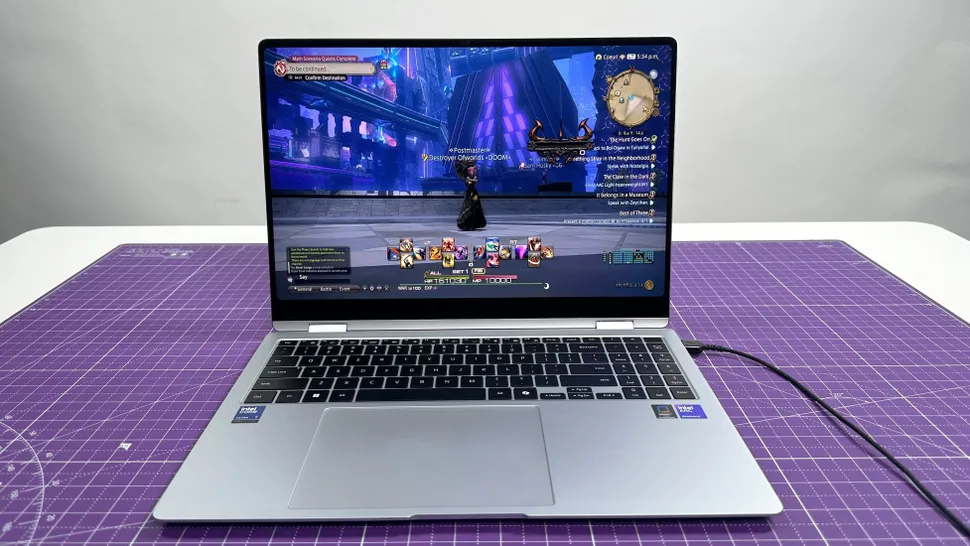
Graphics are also more interesting on Book6 Pro than you might expect. With the newer integrated Intel Arc graphics, reviewers have shown it can run demanding games at surprisingly playable frame rates for a thin laptop, while Book5 Pro tends to be better described as “casual gaming plus lighter titles.”
If you want a deeper Book5 Pro performance take, the XDA Galaxy Book 5 Pro review is a useful counterpoint.
Winner: Galaxy Book6 Pro because the newer chip generation and better thermals pay off in longer, heavier sessions.
Battery Life & Charging
If you travel, study on campus, or work in coffee shops, battery is the section that matters. It’s also where the gap is easiest to explain.
In a standardized web browsing style battery test reported in reviews, Galaxy Book6 Pro lasts about 15 hours and 17 minutes, while Galaxy Book5 Pro lasts about 12 hours and 25 minutes. That’s roughly a three-hour swing. In real life, that can cover a full evening of streaming and browsing after a full workday, or it can mean you stop hunting for outlets mid-afternoon.
Samsung also makes big video playback claims for Book6 Pro (figures like “up to 30 hours” have been mentioned). Treat those as best-case scenarios, because video loop tests and your own mixed use are different things. Still, the tested web result is already strong for an OLED laptop.
Charging is more about expectations than drama. 65W charging has been noted for these models in coverage, which means you can top up during breaks, but you shouldn’t expect the fastest charge times in the premium class.
Winner: Galaxy Book6 Pro because the tested battery advantage is large enough to change how you carry your charger.
Software & Ecosystem
You’ll run Windows 11 on both, but Samsung layers on ecosystem features. If you already use a Galaxy phone or tablet, the “why” is simple: you get tighter cross-device control and easier handoffs.
Features like Multi Control (using one keyboard and mouse across devices) and sync tools for messages, photos, and notifications can feel natural if you’re already living in Samsung hardware. If you aren’t, you may never open those apps after the first week.
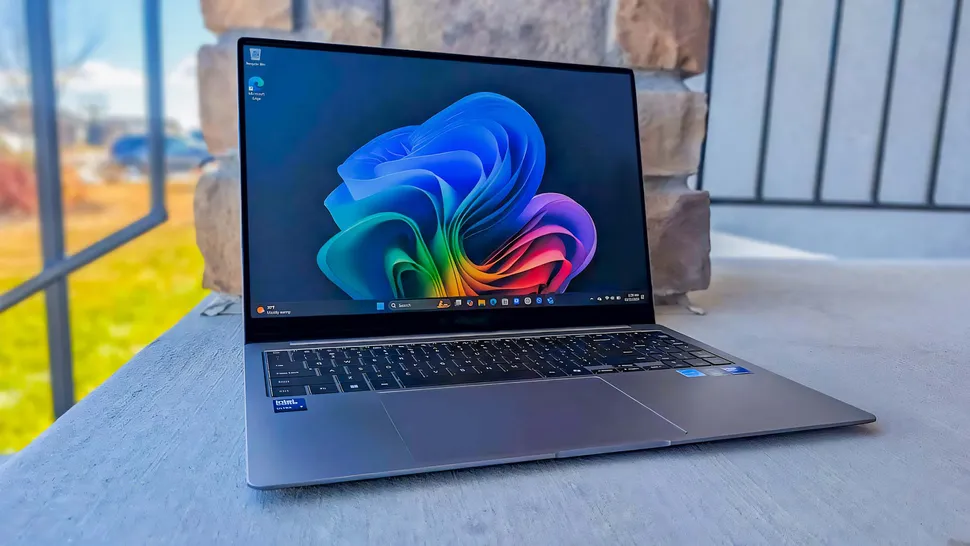
Book6 Pro also pushes Samsung’s “Galaxy AI” style features harder in reviews. Callouts include tools like AI Select and AI Cutout, plus natural-language file search. The vibe from reviewers is consistent: handy in specific moments, but not essential to doing your work.
The downside is also consistent. Both machines can ship with extra Samsung apps that some people will call bloat. The good news is most of it can be uninstalled, so you can keep what you actually use.
Winner: Tie because it’s great if you own Samsung devices, and easy to ignore if you don’t.
Connectivity
On wireless, you’re in good shape either way. Wi-Fi 7 and Bluetooth 5.4 show up commonly in listings for both generations, which helps if your router and accessories are modern.
Ports are close, but the details can change your setup. Many Book6 Pro port lists include two Thunderbolt 4 ports, USB-A, HDMI 2.1, and a 3.5mm jack. That’s a solid spread for docks, monitors, and older USB gear.
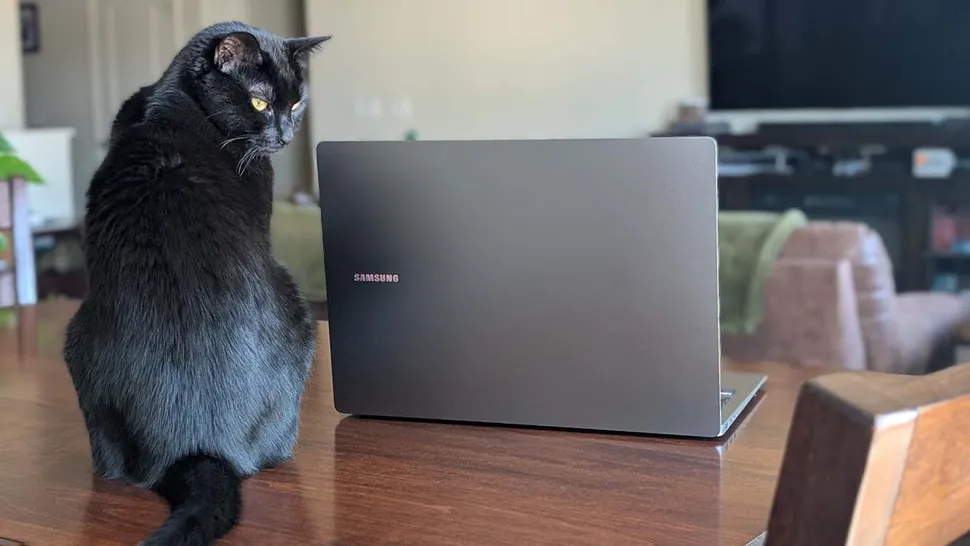
HDMI 2.1 is the quiet hero here, because it’s built for higher bandwidth displays, and some listings call out support like 8K at 60Hz. You may never plug into an 8K panel, but HDMI 2.1 often means fewer compatibility headaches with high-refresh monitors and modern TVs.
The big “check your exact model” item is microSD. Book5 Pro is commonly listed with a microSD slot in many configurations, while at least one Book6 Pro review unit omits it. If you shoot with cameras, GoPros, or drones, confirm the slot before you buy.
Winner: Galaxy Book5 Pro because microSD is more commonly available, which saves you one more adapter.
Cameras, Mics & Speakers
Video calls aren’t fun, but they’re part of life, so the audio and camera details matter.
On Galaxy Book6 Pro, reviews describe a 2MP 1080p webcam, and at least one hands-on review mentions an upgraded quad speaker system compared with prior designs. That combo aims at clearer calls and fuller sound in a thin chassis.
Galaxy Book5 Pro also gets respectable multimedia attention in review coverage. One detailed review describes a 2MP Full HD camera and mentions software effects like background blur and auto-framing. On audio, Book5 Pro has been described with a quad speaker setup (including AKG tuning) and Dolby Atmos support, which matches the “thin laptop, bigger sound than expected” goal.
Neither of these is a studio rig. Still, if calls and movies are a daily thing, Book6 Pro’s speaker redesign is a real quality-of-life change.
Winner: Galaxy Book6 Pro because the updated speaker hardware is a tangible upgrade you’ll notice without changing settings.
Extra Features
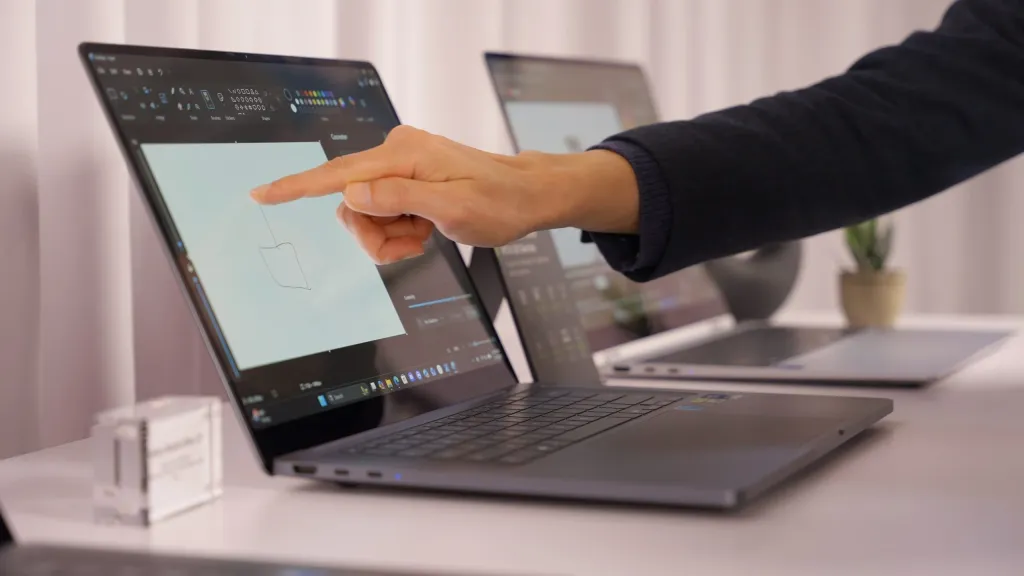
Both Pro models focus on practical features, not gimmicks. Touchscreen support is one of the best examples. Even if you never use it like a tablet, it’s useful for quick taps, selecting text, or dragging a cutout into a slide.
For login, a fingerprint reader integrated into the power button is part of the story on Book5 Pro in review coverage, and it’s the kind of feature you start relying on fast. Security positioning also matters for some buyers. Samsung Knox has been described as storing biometric data on a dedicated chip in Book5 Pro coverage, which is a reassuring detail if you care about device-level security.
Book6 Pro’s “extra” features lean more toward AI convenience tools and ecosystem add-ons, while Book5 Pro leans on the classic premium laptop checklist.
Winner: Tie because both nail the basics, and the rest depends on what features you’ll actually use.
Price & Value
Value is where timing matters. As of February 2026, Book5 Pro is widely available, while Book6 Pro availability is tied to the early spring 2026 window mentioned in reviews and coverage.
Pricing can vary by configuration and region, so don’t treat any single number as universal. Still, recent reporting has described Book6 Pro with a US starting price around the mid-$1,500 range, while Book5 Pro has been discussed around the mid-$1,600 range in some coverage, with price pressure tied to memory costs in the broader market. In other words, street prices can move, and upgrades like 32GB RAM can swing totals fast.
So how do you judge value without getting lost? Think cost per year. If you keep laptops for four to five years, Book6 Pro’s extra battery headroom and stronger sustained performance can age better. On the other hand, if you can get a Book5 Pro at a meaningful discount today, it may be the smarter buy because the screen and build still feel premium.
For a quick way to sanity-check current configs, use the Gadgets360 Galaxy Book 6 Pro vs 5 Pro comparison listings alongside retailer pricing.
Winner: Galaxy Book5 Pro because it’s easier to buy now, and discounts can outweigh Book6 Pro’s upgrades for a lot of people.
Who is it for?
Choose Galaxy Book6 Pro if…
- You want longer tested battery life, because the reported 15:17 result changes how often you carry a charger.
- You care about staying fast under load, since Panther Lake plus updated cooling helps performance hold up in longer sessions.
- You like a smoother-feeling screen for scrolling and motion, and you also want the efficiency of a refresh rate that can drop when you’re reading.
- You play games on the side and want the stronger integrated graphics story that shows up in early hands-on testing.
Choose Galaxy Book5 Pro if…
- You want a premium AMOLED laptop but you’re trying to spend less, especially if you find a sale.
- You prefer a 16-inch layout with a number pad, which can matter for spreadsheets and data entry.
- You rely on microSD in your workflow, since it’s commonly listed on many Book5 Pro configurations.
- Your work is mostly office tasks, browsing, and moderate creative projects, where Book5 Pro performance still feels strong.
Winner: Tie because both fit different days, and your ports plus battery needs should decide it.
FAQs
What’s the single biggest reason to upgrade to Book6 Pro?
You upgrade for better sustained performance and cooler running. The Book6 Pro’s vapor chamber and efficiency tweaks help you keep speed up longer during heavy multitasking.
How much better is Galaxy Book6 Pro battery life?
Expect more time unplugged, especially for travel days. Samsung also advertises very high video playback numbers, while real-world mixed use still depends on brightness, apps, and size.
Does Book6 Pro actually run cooler and quieter?
Yes, in longer workloads it should. The Book6 Pro adds a redesigned vapor chamber and improved heat spread, so fans can stay calmer and performance dips happen less often.
Is the display upgrade noticeable for everyday use?
Mostly, yes. Book6 Pro adds variable refresh (down to 30 Hz, up to 120 Hz), so scrolling and animations look smoother, and visibility can improve outdoors.
Will your Galaxy Book5 Pro still feel fast in 2026?
For office work, browsing, and streaming, it still holds up. Where you’ll notice age is long sessions under load, where thermals and efficiency matter more.
Final Verdict
If you want the safer long-term pick, Galaxy Book6 Pro is the better machine because it lasts longer on battery, stays faster under load, and adds a more adaptive display. If you want the better buy this week, Galaxy Book5 Pro is still a great premium Windows laptop, and it often makes more sense when discounts hit. Your main caveats are easy to state: Book6 Pro availability can be timing-dependent, Samsung’s extra apps may annoy you, and port layouts (especially microSD) can vary by model.
You’ll be happiest when you match the laptop to how you actually work. Prioritize battery if you move around, prioritize ports if you hate dongles, and prioritize the ecosystem features only if you already live in Galaxy devices. If you’re stuck, pick the one that removes the biggest daily annoyance, then enjoy the OLED screen either way.
Winner: Galaxy Book6 Pro because the battery and sustained performance gains are the upgrades you’ll feel every single day.
