

You’re shopping at the top end, so Galaxy Book6 Pro vs Apple MacBook Pro M4 comes down to what you value more: Windows flexibility and hardware slimness, or Apple’s app polish and Mac-first workflow. If you want the simplest answer, the MacBook Pro M4 is usually “better” for Mac users and creators who live in Apple apps, while the Galaxy Book6 Pro is the smarter pick if you want a featherweight 16-inch Windows machine with a serious screen.
Samsung’s 16-inch model stays shockingly portable (about 1.59kg and roughly 11.9mm thin), yet it still fits useful ports like Thunderbolt 4, HDMI, USB-A, and a headphone jack. You also get a sharp Dynamic AMOLED 2x panel (2880×1800) with a variable 30Hz to 120Hz refresh range and very high HDR brightness.
In this breakdown, you’ll see the key specs side by side, then clear winners for design, display, performance, battery, charging, software, connectivity, and the stuff you’ll notice daily (speakers, camera, and extras). By the end, you’ll know which laptop fits your work, your play, and your budget.
RELATED: LG G6 OLED vs Samsung S95F: Which is BETTER?
Quick Summary
Here are the differences you’ll feel first, day to day:
- Galaxy Book6 Pro (reviewed 16-inch): Intel Core Ultra X7 358H option (Panther Lake), 16-inch 2880 x 1800 Dynamic AMOLED 2X with 30 to 120Hz variable refresh, 78Whr battery tested at 19h 50m (PCMark 10 video loop), 11.9mm thin and 1.59kg, plus Thunderbolt 4, HDMI, USB-A, and headphone jack.
- Galaxy Book6 Pro graphics: Intel Arc B390 iGPU (12 Xe3 cores) with a reported 3DMark Time Spy 7546, plus XeSS 3 features.
- Galaxy Book6 Pro extras: redesigned quad-speaker array, centered 65 percent keyboard (no numpad on the 16-inch), and a very large haptic trackpad.
- MacBook Pro M4 (family): Liquid Retina XDR with up to 1600 nits, macOS with Apple Intelligence, 12MP Center Stage camera, Wi-Fi 6E and Bluetooth 5.3, plus Thunderbolt 5, HDMI, and SDXC. Tool results list a $1999 starting point for the 14-inch M4 Pro.
If you’re in a hurry: pick Galaxy Book6 Pro for Windows, touch, and ultra-thin portability, pick MacBook Pro M4 for macOS-first pro apps, creator performance, and Apple’s port selection (SDXC matters).
For another spec-by-spec view, a quick reference is this Galaxy Book 6 Pro vs MacBook Pro comparison page.
Specifications
This table sticks to what’s confirmed in the provided sources. Anything else is marked clearly.
| Spec | Samsung Galaxy Book6 Pro (reviewed unit) | Apple MacBook Pro M4 (family, per tool results) |
|---|---|---|
| Screen size | 16-inch | Varies by configuration (14-inch and 16-inch models exist) |
| Resolution | 2880 x 1800 | Not specified in provided sources |
| Refresh rate | Variable 30Hz to 120Hz | 120Hz (ProMotion, per tool results) |
| Panel type | Dynamic AMOLED 2X (OLED) | Liquid Retina XDR |
| CPU (mentioned) | Intel Core Ultra X7 358H (Panther Lake) | M4 Pro and M4 Max mentioned (core counts vary by config) |
| Graphics | Intel Arc B390 iGPU (12 Xe3 cores) | Not specified in provided sources (varies by config) |
| Memory (as stated) | 32GB RAM (reviewed unit) | Unified memory range not specified in provided sources |
| Storage (as stated) | 1TB SSD (reviewed unit) | Not specified in provided sources |
| Battery size | 78Whr | 72.4Wh (per tool results) |
| Measured battery | 19h 50m (PCMark 10 video loop at 150 nits) | Not specified in provided sources |
| Thickness and weight | 11.9mm, 1.59kg | Not specified in provided sources |
| Ports highlights | 2x Thunderbolt 4 USB-C, HDMI, USB-A, 3.5mm | Thunderbolt 5, HDMI, SDXC, 3.5mm |
| Wireless | Not specified in provided sources | Wi-Fi 6E, Bluetooth 5.3 |
Design & Build Quality
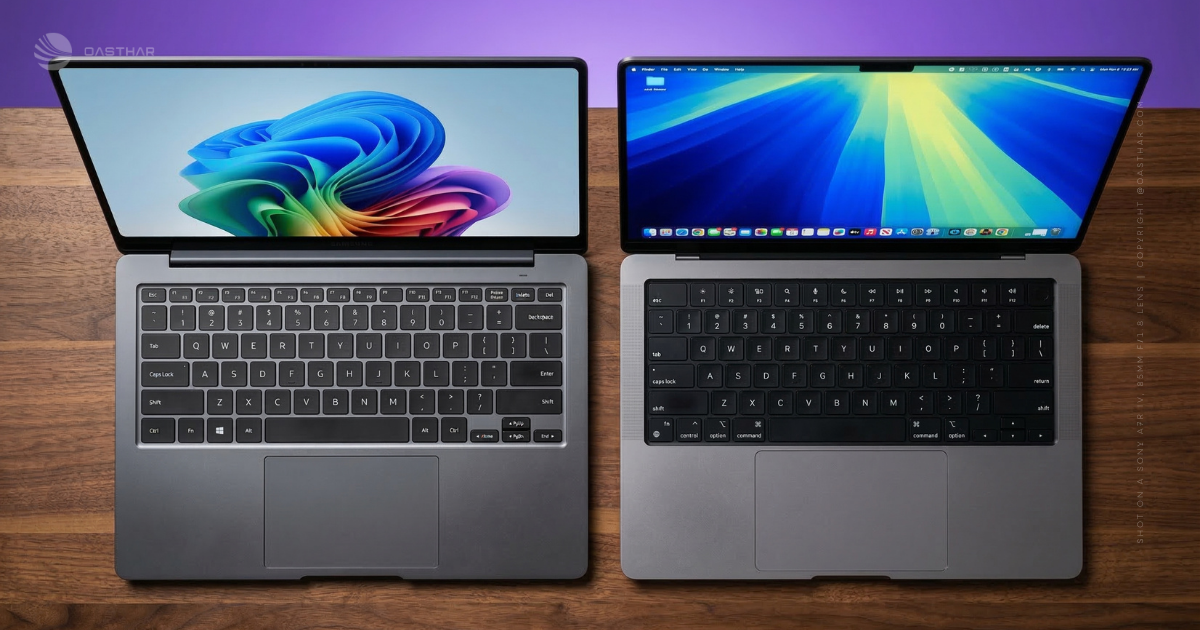
The Galaxy Book6 Pro feels like Samsung studied Apple’s homework and then chased thinness like it was a sport. You get a smooth aluminum shell, a sturdy feel, and a shocking spec for a 16-inch machine: 1.59kg and 11.9mm thin. That changes how you use it. You’ll actually carry it, not just move it from desk to couch.
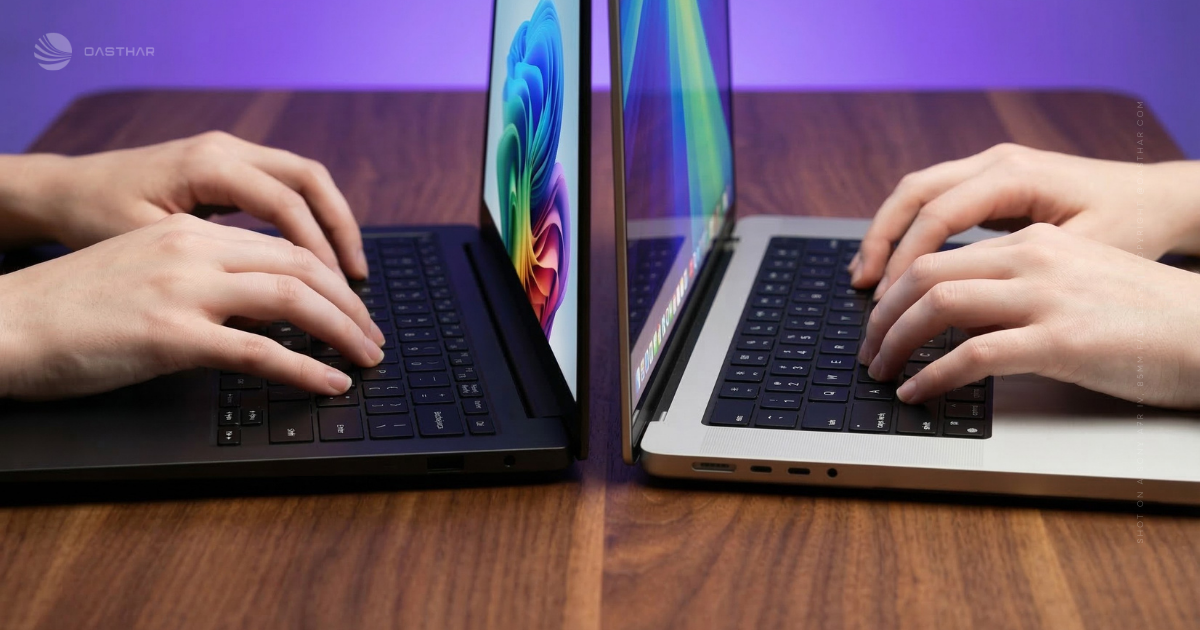
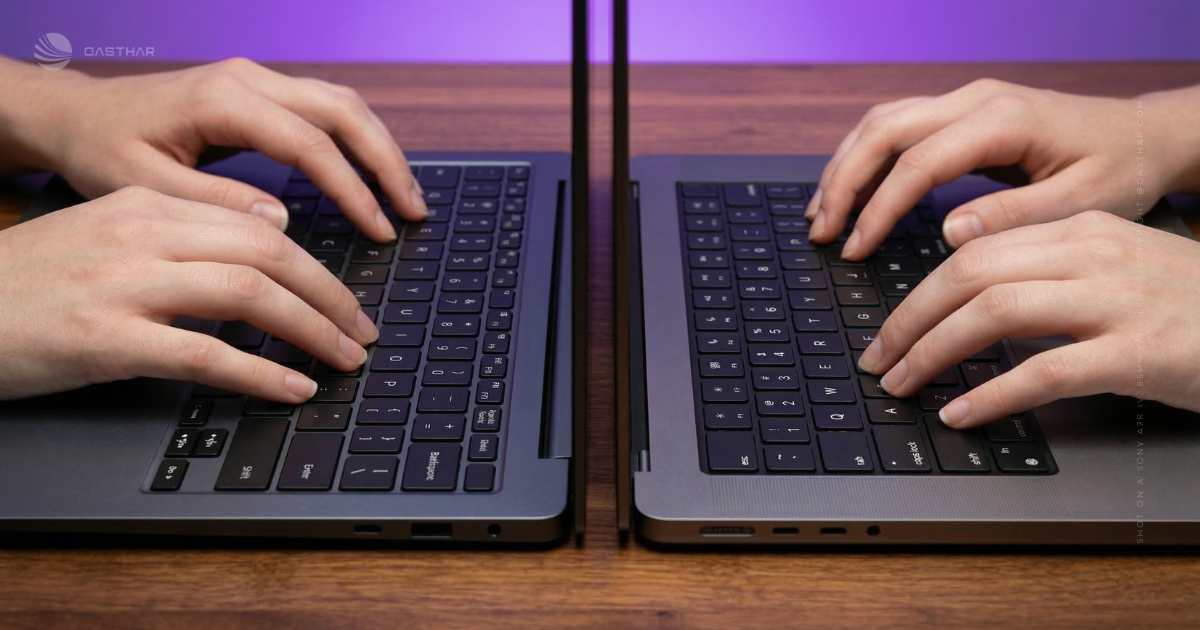
Samsung also reworked the deck. On the 16-inch model, it drops the number pad and centers a smaller 65 percent layout, then uses the space for upward-firing speaker grilles. The haptic trackpad is huge, and it’s tuned to feel slick and controlled.
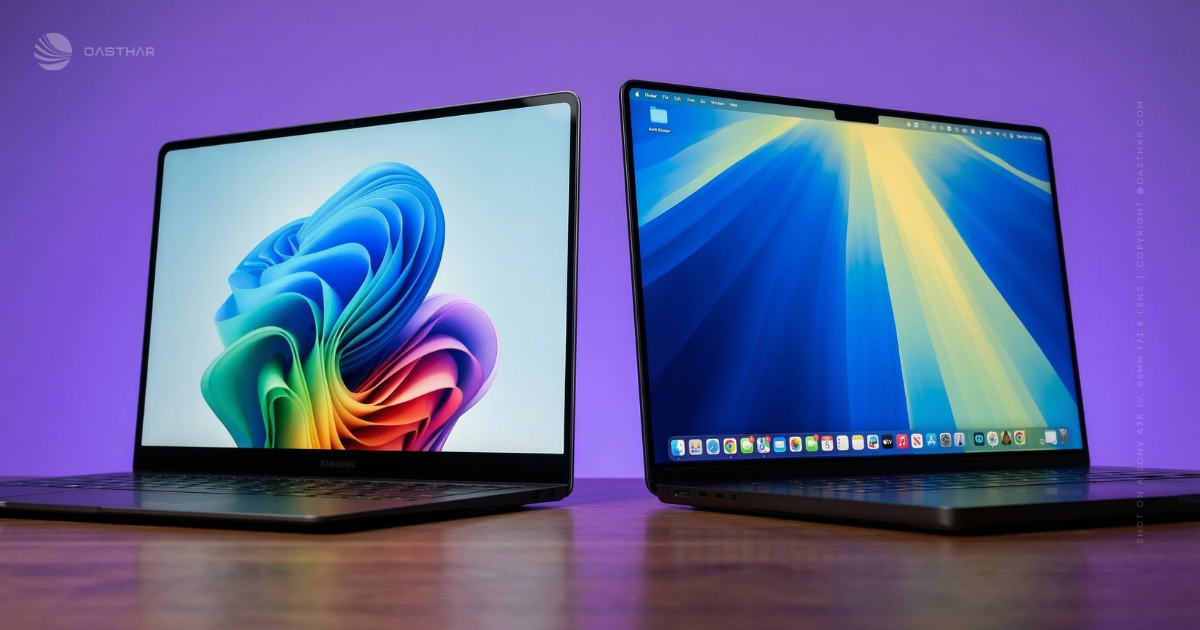
The MacBook Pro M4 sticks to Apple’s familiar aluminum minimalism. It’s the kind of laptop you can open one-handed, toss into a backpack, and trust in a busy commute. Still, it tends to feel heavier in hand than Samsung’s ultra-thin approach, and the review snippet you provided calls out a daily annoyance: no USB-A, which can push you into dongles.
If you commute with a backpack, Samsung’s weight wins. If you’re rough on gear and want the “boring but solid” vibe, Apple’s build still has a strong reputation.
Winner: Galaxy Book6 Pro, because a 16-inch laptop at 1.59kg and 11.9mm changes your daily carry more than you’d expect.
Display Quality
This is where the choice gets personal fast.
On the Galaxy Book6 Pro, you’re getting a 16-inch 2880 x 1800 Dynamic AMOLED 2X panel with 30Hz to 120Hz variable refresh. Because it’s OLED, blacks look truly black, contrast looks intense, and colors are wide. The measured numbers in your provided doc back that up: 100% sRGB, 100% DCI-P3, and 92% Adobe RGB coverage. Brightness also takes a step up versus the prior model, with a measured 1000 nits peak HDR and about 481.6 nits SDR.
Touch matters, too. It changes little moments, like scrubbing a timeline, pinch-zooming a photo, or tapping through a presentation while standing.
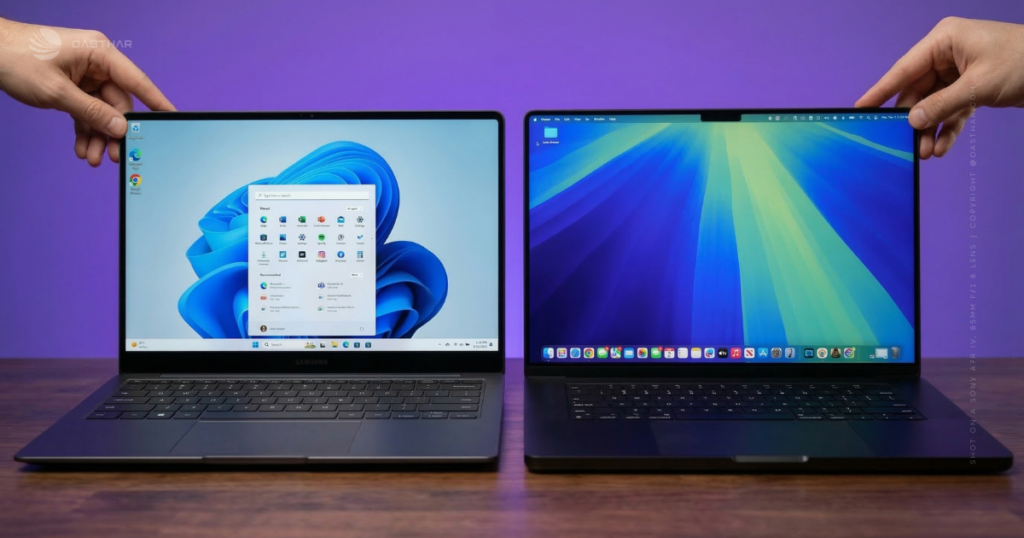
On the MacBook Pro M4 side, Liquid Retina XDR aims at a different trick: very bright HDR highlights. The tool results list up to 1600 nits and 120Hz ProMotion. You won’t get touch, but you do get an HDR-first display style that video editors often love.
Simple version: OLED wins on perfect blacks, XDR wins on punchy highlights.
For a broader take on Samsung’s “MacBook rival” angle, see Tom’s Guide’s hands-on: tested the Galaxy Book6 Pro and Ultra.
Winner: Tie, because OLED touch and XDR brightness are both excellent, you just have to pick which style matches your work.
Performance
The Galaxy Book6 Pro (in the reviewed configuration) runs Intel’s Core Ultra X7 358H with 16 cores and 16 threads, boosting up to 4.8GHz. In practice, that’s about staying responsive when your day gets messy, lots of tabs, Slack, exports, and a second screen plugged in. The bigger story is graphics. The integrated Intel Arc B390 (12 Xe3 cores) is a big jump over last gen iGPUs, with a reported 3DMark Time Spy score of 7546. Your doc also reports fast storage, around 7069 MB/s read and 5893 MB/s write.
Light gaming and creator work are realistic, but you have to tune settings like a PC person. Your source shows ray tracing at RT Ultra is not really playable on iGPU, unless you change settings and use upscaling. XeSS 3 and Multi Frame Gen can raise frame rates, but you still want a decent base FPS or it can feel laggy.
The MacBook Pro M4 family plays a different game. Tool results position M4 Pro and M4 Max as the path for heavy creative workflows, with higher-tier CPU and GPU configurations and Apple’s ecosystem tuned around pro apps. That usually means smoother long exports and better consistency under sustained workloads.
If you mainly do Office, browsing, photo edits, and occasional gaming, Samsung’s iGPU story is surprisingly strong. If you earn money from video work and you want predictable performance in macOS-first creative apps, Apple keeps the edge.
If you’re still shopping across the wider market, Oasthar’s Best laptops 2025 guide helps you sanity-check what you’re getting for the money.
Winner: Apple MacBook Pro M4, because it targets heavier creator workloads with higher-end chip options, even though Samsung’s iGPU leap is a real win for Windows ultrabooks.
Battery Life & Charging
Samsung’s numbers here are hard to ignore. The Galaxy Book6 Pro packs a 78Whr battery and hit 19 hours 50 minutes in a PCMark 10 video loop test at 150 nits. That’s “forget the charger” endurance for a lot of people. Charging is also straightforward: the included 65W USB-C charger got to 50% in 44 minutes, and a full charge took 92 minutes in the provided testing.
Samsung also suggests you can stretch it to two to three working days, depending on what you do. Treat that as a best-case, since OLED brightness and heavier apps can shift results fast.
For MacBook Pro M4, the tool results cite up to 24 hours video streaming, plus a 72.4Wh battery and different power adapters depending on configuration (70W or 96W). Even without your own measured test number in these sources, the positioning is clear: Apple sells this as an endurance machine for long travel and long editing sessions.
If you live away from outlets, battery claims aren’t enough. Look for a test that matches your brightness and workflow.
Winner: Tie, because Samsung has an excellent measured result in the provided sources, while Apple has the stronger stated max-life claim, and your winner depends on your workload.
Software & Ecosystem
On Galaxy Book6 Pro, you’re living in Windows 11, plus Copilot+ PC features (as supported by the Panther Lake platform). You also get Windows Studio Effects for your webcam, like background blur, auto-framing, and eye contact tools. Samsung layers on its own suite, including Galaxy Book Experience (SmartThings control, wallpapers), Samsung Studio (a built-in editor), and AI Select for tasks like translation and identifying items in photos.
The best parts can require a Samsung phone. Features like Transcript Assist and Chat Assist depend on your handset being connected, and the experience gets better the more you already own Galaxy stuff.
MacBook Pro M4 is macOS-first and comes with Apple Intelligence (per tool results). If you already use an iPhone or iPad, Apple’s ecosystem tends to feel cohesive, but it can also make switching later feel annoying.
For a useful ecosystem comparison framing (even though it’s a different Samsung model), Windows Central has a clear breakdown of the AI and platform angle: Samsung vs MacBook AI ecosystems.
Winner: Tie, because Windows plus Samsung phone features can feel great, while macOS plus Apple Intelligence is hard to beat if you already live in Apple’s app world.
Connectivity
Ports can decide your whole setup.
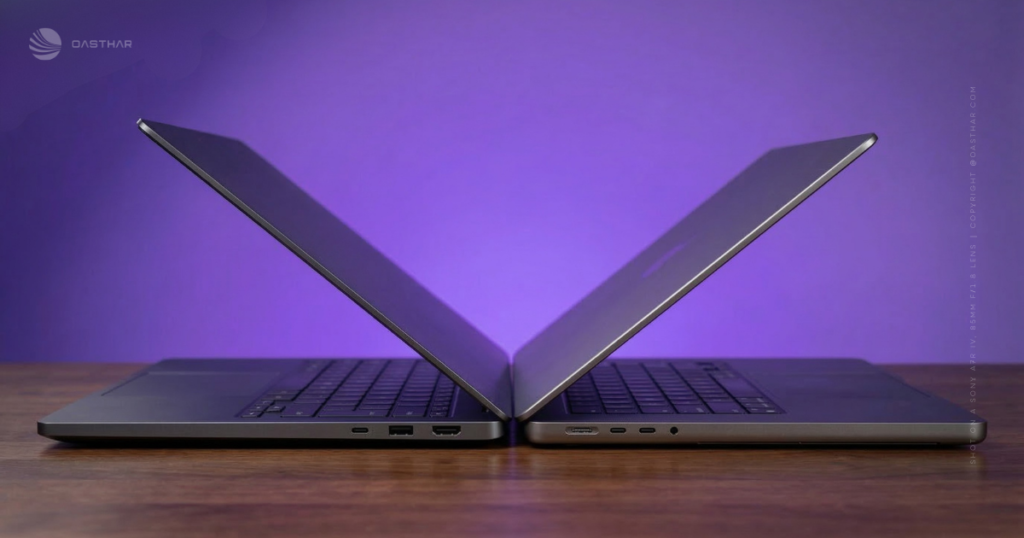
Galaxy Book6 Pro keeps things practical for a thin laptop: two Thunderbolt 4 USB-C ports, plus HDMI, USB-A, and a 3.5mm headphone jack. That HDMI port alone saves you from awkward conference room moments, and USB-A means your older mouse, mic, or flash drive still just works.
MacBook Pro M4 (per tool results) brings Thunderbolt 5, plus HDMI and an SDXC slot. Thunderbolt 5 gives you more bandwidth headroom for high-end docks and fast external storage, even though real-world gains depend on your gear. Wireless on Apple’s side is confirmed in the provided sources: Wi-Fi 6E and Bluetooth 5.3. For Galaxy Book6 Pro, Wi-Fi and Bluetooth are not specified in the provided sources, so you should confirm on the official spec page before buying.
If you shoot photo or video, the SDXC slot is a simple advantage. If you hate dongles and you use USB-A often, Samsung’s mix is easier.
Winner: Apple MacBook Pro M4, because Thunderbolt 5 plus SDXC is a creator-friendly combo, even though Samsung wins on USB-A convenience.
Cameras, Mic & Speakers
Samsung made a smart audio move this year. The Galaxy Book6 Pro shifts to a four-speaker array with some speakers firing upward through grilles next to the keyboard. In the provided review text, it’s described as one of the best Windows laptop audio setups tested, with more body than typical ultrabooks. That’s the kind of difference you hear during Netflix, YouTube, and even casual video edits.
On calls, Samsung leans on Windows Studio Effects to improve how you look. The sources don’t confirm camera resolution, so don’t assume.
MacBook Pro M4 gets a 12MP Center Stage camera (tool results) and is positioned with “studio-quality mics” in those same results. If you’re in Zoom all day, that camera spec matters, even if you still need good lighting.
Winner: Tie, because Apple’s camera spec is clearly stated, while Samsung’s speaker setup is a standout strength in the provided review.
Extra Features
Samsung’s biggest “extra” is simple: touch. If you like tapping through edits, scrolling long pages with your hand, or marking up content, it feels natural fast. The extra-large haptic trackpad also helps, and the Copilot+ and Samsung AI tools add convenience if you’ll actually use them.
MacBook Pro M4’s big extra is Apple Intelligence (tool results) inside macOS. That can matter if your work already lives in Apple’s ecosystem and supported apps.
Biometrics, stylus support, and other add-ons are not specified in the provided sources here, so check the exact configuration pages if those are deal-breakers.
Winner: Galaxy Book6 Pro, because touch plus Samsung’s app layer gives you more ways to interact, especially if you like hands-on control.
Price & Value
Price is tricky because configurations vary a lot.
For Galaxy Book6 Pro, the provided review lists a £2199.99 review price, and your tool results say some US configurations start around $1,599.99 on Samsung US. The big warning from the review is the price jump compared with the prior model. You’re paying for that ultra-thin chassis, upgraded screen brightness, stronger Panther Lake performance, and the bigger 78Whr battery.
For MacBook Pro M4, tool results list the 14-inch M4 Pro starting at $1999. Apple’s value pitch is sustained performance, long battery claims, and creator-friendly ports. The classic downside still applies: RAM and SSD upgrades can raise the price quickly.
A quick watch-out list before you hit checkout:
- Samsung: higher pricing than last year’s model (per the review), so compare deals carefully.
- Apple: be realistic about RAM and SSD needs now, since upgrades can cost a lot later.
If you want a nearby Windows alternative with a different port story, Oasthar’s Dell XPS 14 (2026) review is a good comparison point for how other thin laptops handle screens, battery, and dongles.
Winner: Galaxy Book6 Pro, because the US entry pricing cited in tool results can undercut the MacBook Pro M4 Pro starting point, if you don’t spec it into luxury territory.
Who is it for?
Choose Galaxy Book6 Pro if…
- You want Windows with Copilot+ PC support and familiar app flexibility.
- You care about an OLED touch display with 30Hz to 120Hz refresh.
- You want a 16-inch laptop that still travels well, thanks to 1.59kg weight and 11.9mm thickness (reviewed unit).
- Battery matters, and a 19h 50m measured result sounds like freedom.
- You like Samsung phone integration features, and you already own a Galaxy handset.
Choose MacBook Pro M4 if…
- You want macOS, plus Apple Intelligence in your daily workflow.
- You do heavy creative work and want M4 Pro or M4 Max options (per tool results).
- You want Liquid Retina XDR brightness up to 1600 nits (tool results).
- Your workflow benefits from Thunderbolt 5 and SDXC, especially for cameras.
- You trust Apple’s long battery claims, including up to 24 hours video streaming (tool results).
FAQs
Which one’s better for everyday work and multitasking?
If you want the easiest all-day workflow, the MacBook Pro M4 usually wins with stronger sustained performance and longer battery life. The Galaxy Book6 Pro stays snappy, especially for Windows-first tasks.
Which laptop lasts longer on battery in real use?
The MacBook Pro M4 is the safer bet, Apple rates it up to 24 hours with its 100Wh battery. The Galaxy Book6 Pro’s 67Wh battery typically lands around 10 to 15 hours.
Is the Galaxy Book6 Pro lighter than the MacBook Pro?
Yes, by a lot. The 14-inch Galaxy Book6 Pro is about 1.24 kg, while the 16-inch MacBook Pro M4 Pro is about 2.14 kg, so travel feels easier.
Do you get a touchscreen on both laptops?
Only the Galaxy Book6 Pro includes a touchscreen, which matters if you like tapping, scrolling, or quick annotations. The MacBook Pro focuses on trackpad and keyboard input.
Which display is better for photo and video color work?
MacBook Pro’s 16.2-inch mini-LED panel is the more creator-focused option, with high resolution and strong brightness. Galaxy Book6 Pro’s AMOLED touchscreen looks vivid and punchy.
Final Verdict
The Galaxy Book6 Pro vs Apple MacBook Pro M4 decision comes down to three things: OS, your preferred display style, and how heavy your workloads get. If you want Windows, an OLED touch screen, and a shockingly thin 16-inch you’ll actually carry, Samsung makes a strong case.
If you’re deep in macOS, you want creator-friendly ports like SDXC, and you expect long, sustained performance from Apple silicon, the MacBook Pro M4 line fits better. Battery looks great on both, but the “best” result depends on how you work and what you run. Before you buy, price the exact RAM and storage you need, then compare current deals for that configuration.
