

Can the Galaxy Book6 Pro replace a MacBook, or at least make you stop wishing you bought one? That’s the real question, especially if you’re coming from an older Windows laptop with loud fans and a dim screen.
In this review, you’ll get the practical stuff that matters: how thin and portable it feels, whether the OLED is usable in bright rooms, what Panther Lake performance looks like in everyday work, and how long the battery lasts when you’re not babying it.
You’ll also see where the high price makes sense, where it doesn’t, and why Samsung’s extra features matter more if you already live in the Galaxy ecosystem.
RELATED: LG C6 OLED Review (2026): Best 165Hz OLED Gaming TV?
Quick Review
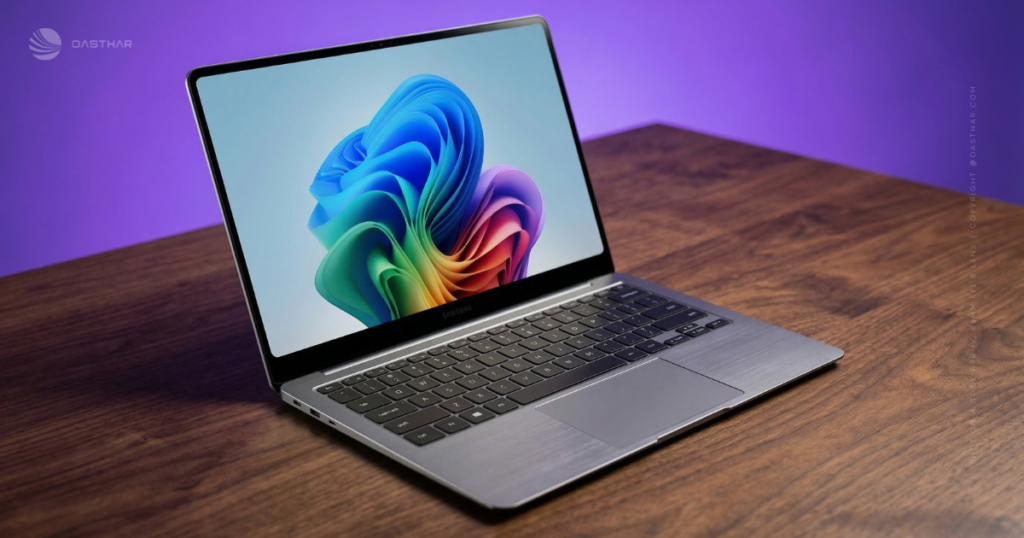
The Galaxy Book6 Pro is a premium Windows ultrabook that focuses on the basics you feel every day: a very thin chassis, a bright OLED touch display, strong battery life, and upgraded Intel integrated graphics. If you want a 16-inch laptop that doesn’t feel like a 16-inch laptop in your bag, this is one of the more convincing options in early 2026. The downside is simple, it got more expensive, and the port selection is only “good enough” for a lot of people.
Biggest pros
- Extremely thin and light for a 16-inch, around 11.9mm and about 1.59kg
- Dynamic AMOLED 2X 3K touch display, 120Hz, VRR (30 to 120Hz), anti-reflective, up to 1000 nits HDR
- Intel Core Ultra Series 3 (Panther Lake) options, including Core Ultra X7 358H
- Intel Arc integrated graphics (B390 cited), a meaningful jump for iGPU laptops
- 78Whr battery with excellent tested endurance (about 19 hours 50 minutes in a video loop test)
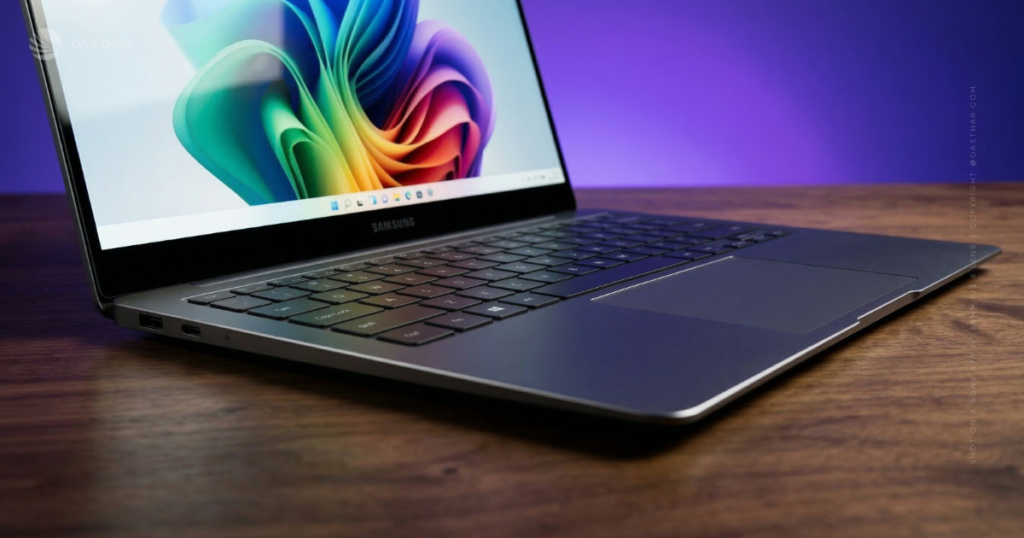
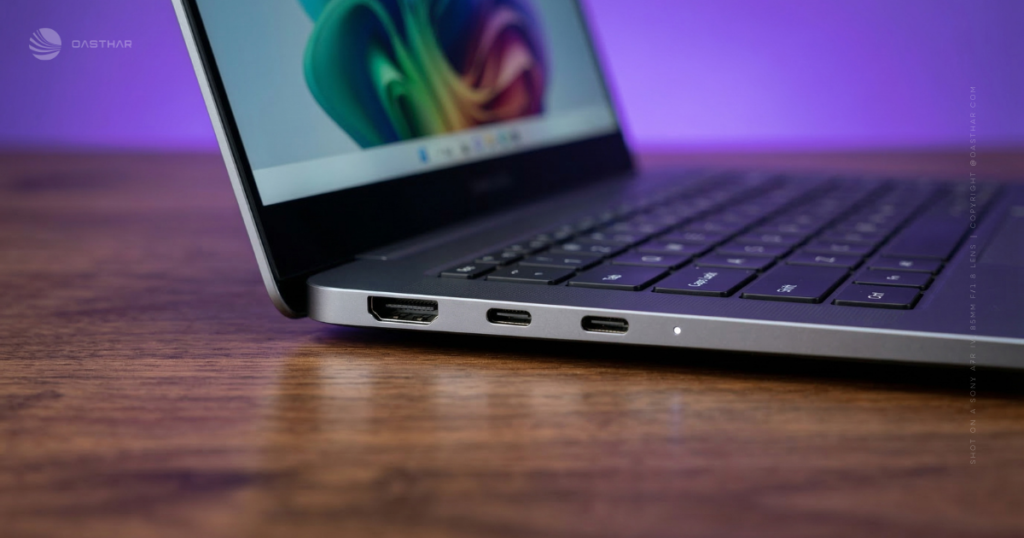
- Solid basics for ports: 2x Thunderbolt 4, HDMI, USB-A, 3.5mm
- Quad speakers on the 16-inch model, with Dolby Atmos support
Biggest cons
- Very expensive, with a noticeable year-over-year price jump in reviews
- Ports are fine, not generous, if you hate dongles
- Some Samsung and AI extras matter less without a Samsung phone
For another hands-on perspective, see the Tom’s Guide Galaxy Book 6 Pro review.
Specifications
Here are the highlights worth checking before you buy, since configuration and size choices matter.
| Spec | What you’re getting (from reported test and hands-on info) |
|---|---|
| Sizes | 14-inch and 16-inch models |
| Thickness | 14-inch: 11.6mm, 16-inch: 11.9mm |
| Weight | 16-inch: about 1.59kg (14-inch weight was cited as 1.23kg in hands-on coverage) |
| Display | Dynamic AMOLED 2X, 2880×1800, touch, anti-reflective, VRR 30 to 120Hz |
| Brightness | Up to 1000 nits peak in HDR, around 480 nits measured SDR in testing |
| CPU example | Intel Core Ultra X7 358H (Panther Lake), 16 cores, 16 threads |
| RAM | 16GB or 32GB LPDDR5X |
| Storage | Up to 1TB SSD mentioned, plus a second SSD slot on the 16-inch model (per hands-on notes) |
| Battery | About 78Whr |
| Ports | 2x Thunderbolt 4 (USB-C), HDMI, USB-A, 3.5mm audio |
| Wireless | Wi-Fi 7, Bluetooth 5.4 |
| Webcam | 1080p (FHD) |
| Audio | 16-inch: quad speakers with Dolby Atmos (14-inch: stereo speakers) |
| Charging | 65W USB-C adapter |
If you want a more design-focused early take, the Mark Ellis Galaxy Book6 Pro first impressions are a useful companion read.
Design & Build Quality
This laptop’s main trick is simple, it looks and feels like a premium machine, but it doesn’t punish you for choosing a bigger screen. At roughly 11.9mm thin for the 16-inch model, the Book6 Pro lands in that “wait, that’s a 16?” category the first time you pick it up.
The chassis feel is also what you want at this price. Reviews describe a smooth aluminum shell, with a fit and finish that pulls it closer to the MacBook vibe than older Samsung laptops managed.
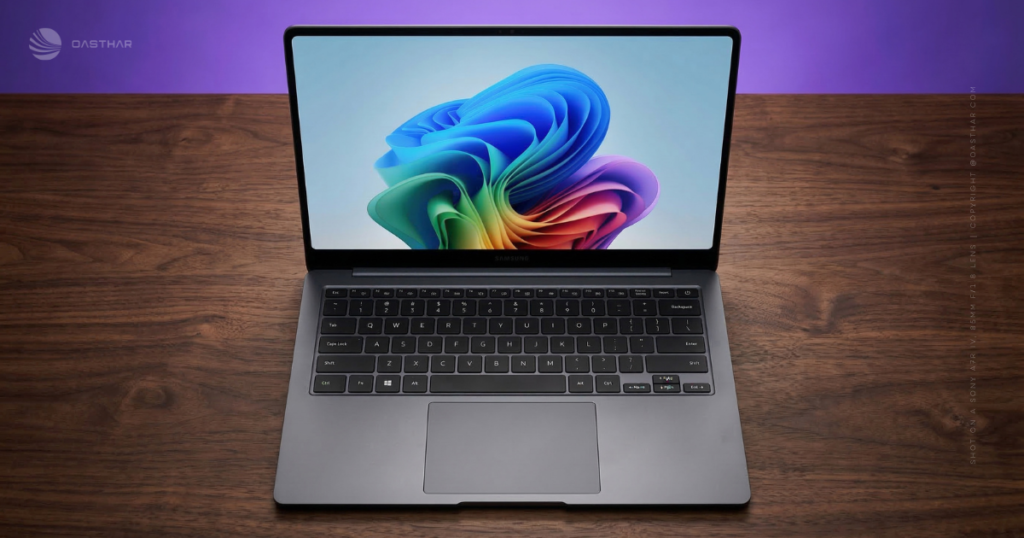
Samsung also changed the keyboard layout on the 16-inch version. You lose the number pad, the keyboard shifts to a centered layout, and the speaker grilles move up next to the keys. If you type all day, that centered layout feels more natural than reaching inward.
The tradeoff is still ports. You get the essentials, yet it won’t satisfy you if you rely on multiple USB-A devices or built-in card readers.
Keyboard and trackpad comfort for long work sessions
The typing feel is described as snappy with shorter travel. That can be great for speed, although it won’t win over everyone who likes deeper key press.
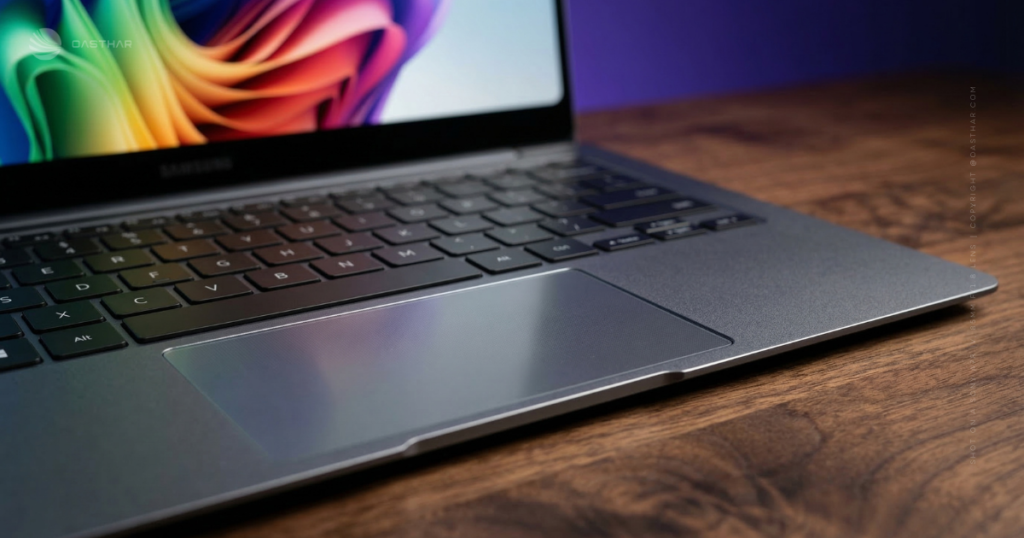
The bigger upgrade is the haptic trackpad. You get more consistent “click” feel across the surface, plus cleaner gesture control. In real use, that matters most when you’re bouncing between browser tabs, editing documents, and doing quick timeline scrubs in light video work. It’s the kind of thing you stop thinking about, which is the point.
Display Quality
The 16-inch Dynamic AMOLED 2X panel is the headline feature, and it earns it. You’re getting a 2880×1800 touch display with an anti-reflective coating and variable refresh rate from 30Hz up to 120Hz. Scrolling feels smooth, and battery doesn’t have to take the full hit when you’re reading or writing.
Brightness is the practical upgrade for 2026. With up to 1000 nits peak in HDR, plus measured SDR brightness around the high-400-nit range in testing, you’re not stuck hunting for shade the moment you sit near a window. OLED also gives you the usual benefits, deep blacks, high contrast, and that “ink on glass” look in darker scenes.
Color coverage in testing reads strong: 100% sRGB and 100% DCI-P3, plus Adobe RGB in the low-90% range. If you edit photos for web and social, that’s a comfortable place to be.
One caution: OLED can still show reflections, even with coatings, so you’ll care about brightness management in bright rooms. Also, if you leave the laptop maxed out all the time, don’t expect the same comfort you get at more moderate settings.
For more background on how OLED behaves in laptops, this Trusted Reviews OLED explainer adds helpful context.
Performance
The Galaxy Book6 Pro leans on Intel Core Ultra Series 3 (Panther Lake), with reviewed configs including the Core Ultra X7 358H. That chip is described as 16 cores and 16 threads, paired with fast SSD storage and up to 32GB of LPDDR5X RAM in tested units.
In day-to-day use, this is the kind of laptop that stays calm with real workloads: lots of browser tabs, Office apps, Slack, video calls, and a second screen. It also has more iGPU headroom than you might expect from an ultrabook.
The big story is the Intel Arc iGPU. Reviews cite the Arc B390 with 12 Xe3 cores, and a large jump in 3DMark Time Spy performance, with a reported score around 7546 in one test. Compared to older integrated results that lived in the 3000 to 4500 range, that’s not a tiny bump. It changes what “integrated graphics” means for casual creation and tuned gaming.
If you want a broader take on Panther Lake laptops from Samsung, this ZDNET Samsung Galaxy Book6 Ultra review helps frame where the Pro sits in the lineup.
How good is gaming on integrated Arc graphics?
Set expectations right and you’ll have more fun. You can play demanding games, but you’ll need smart settings.
In testing, Cyberpunk 2077 shows the limits. Higher resolutions and ray tracing settings push the iGPU too far, and RT: Ultra at 1080p is not realistic on integrated graphics. Once you drop settings and use Intel XeSS upscaling, results get more playable.
Intel also supports a newer XeSS flow with frame generation (XeSS 3 was discussed in testing notes). It can lift frame rates a lot, but it can also add latency. The best approach is simple: start with settings that give you a decent base frame rate, then use upscaling and frame gen as a boost.
Think of it like a sporty sedan, not a track car. It’s great for optimized 1080p gaming, not for brute-force max settings.
Battery Life & Charging
The Book6 Pro uses a roughly 78Whr battery, and the tested endurance numbers are excellent. One review measured about 19 hours 50 minutes in a PCMark 10 video loop battery test (at 150 nits). That’s the type of result that changes how you pack. You can travel without bringing the charger for every short trip, and you can often work two days before you panic.
Of course, your results will move with brightness, refresh rate, and workload. OLED at high brightness eats more power. Video calls and heavy multitasking do too.
Charging is also practical. With a 65W USB-C charger, one test reported about 44 minutes to reach 50%, and about 92 minutes for a full charge.
If you want the best battery day to day, cap brightness, let VRR do its thing, and check sleep settings before travel. Small tweaks add hours.
Software & Ecosystem
You’re on Windows 11 here, plus the new Copilot+ PC positioning that comes with modern NPUs. In the provided info, the NPU is rated around 50 TOPS, but it’s smarter to treat AI features as extras. Some tools are handy (like webcam effects), yet they won’t replace a good workflow.
Samsung’s ecosystem features are more concrete. If you use a Galaxy phone or tablet, you can use tools like Multi Control, Second Screen, and Link to Windows style features. In plain terms, you can drag files between devices, use a Galaxy Tab as a second monitor, and handle calls and texts on the laptop with less friction.
Samsung also bundles apps like Galaxy Book Experience, which acts like a hub for things such as SmartThings controls and other Samsung utilities. Some reports mention Samsung Studio (a basic video editor) and AI Select tools, plus phone-tied features like Transcript Assist and Chat Assist when your phone is connected.
If you want a different angle on the laptop and Intel’s Series 3 story, this T3 Galaxy Book 6 Pro hands-on is worth a look.
Connectivity
The safe facts are the ones you can verify on spec sheets: Wi-Fi 7 and Bluetooth 5.4 were cited in hands-on details.
Cellular is the tricky part. Built-in 5G is not confirmed in the provided sources, so don’t assume it’s there. If you need always-on connectivity, check the exact SKU in your region before you buy.
Webcam, Mics & Speakers
The webcam is listed as 1080p (FHD). That’s the baseline you want in 2026, and it pairs with Windows Studio Effects features referenced in testing notes, such as background blur, auto-framing, and eye contact adjustments.
The more surprising win is audio, at least on the 16-inch model. Reviews describe a redesigned speaker layout with a four-speaker array, including upfiring speakers near the keyboard deck, and Dolby Atmos support. The result is fuller sound than many thin Windows laptops manage.
If you watch YouTube, take calls, and play music while you work, you’ll notice this. The 14-inch model, by contrast, is cited as using stereo speakers, so don’t expect the same “big laptop” presence there.
Extra Features
Fingerprint login support is mentioned in hands-on impressions, and it’s still one of the best quality-of-life features on a daily driver.
Touchscreen support is also more useful than people admit. You’ll use it for quick scrolling, tapping UI elements, and signing PDFs without hunting for a mouse.
Storage expandability depends on size. Notes from hands-on coverage mention a second SSD slot on the 16-inch, while the 14-inch may not have that option.
Price & Value
This is the hard part. One review listed a review price of £2199.99, and multiple impressions mention a price increase versus last year’s model. US pricing varies by configuration and retailer, so you’ll want to compare the exact spec you’re buying.
What you’re paying for is clear: a premium OLED that gets bright enough to use outside, a very thin 16-inch body, strong battery, and a real jump in integrated graphics performance.
What you’re not getting is a “value” win. If you don’t care about the brighter OLED, the Panther Lake gains, or the Samsung ecosystem tools, last year’s model or a different ultrabook can feel like a smarter buy.
If you’re on the fence, look for discounts, bundles, or seasonal pricing. This laptop makes more sense when it’s not sitting at full launch price.
Who is it for?
The Galaxy Book6 Pro fits best when your priorities line up with its strengths, and you’re honest about the tradeoffs.
Buy it if…
- You want a portable 16-inch laptop that doesn’t feel bulky day to day.
- You care about a bright OLED for media, creative work, or bright rooms.
- You want long battery life, and you hate living on a charger.
- You use Galaxy devices and want Multi Control and Second Screen style perks.
- You want stronger iGPU performance for light gaming and casual creation.
Don’t buy it if…
- You need lots of built-in ports and hate dongles.
- You want the best value per dollar, above all else.
- You expect iGPU graphics to behave like a dedicated GPU in heavy games.
- You won’t use Samsung’s ecosystem features and don’t care about AI add-ons.
Buy it if you want a premium Windows laptop that feels close to a MacBook experience
You’re buying into the feel as much as the spec list. The thin aluminum build, the upgraded haptic trackpad, the centered keyboard layout on the 16-inch, and the strong speakers all push you toward that “nice to use” category. Add the OLED and the battery, and the day-to-day experience makes sense.
Skip it if you need more ports or better value per dollar
The basics are here, but it’s not a port party. Price is the bigger issue, though. If you’re shopping with a strict budget, the Book6 Pro is easy to cross off unless you find a deal or you truly want the OLED brightness upgrade.
FAQs
Is the Galaxy Book6 Pro really the thinnest 16-inch OLED?
At 11.9mm thick and about 1.59kg, you get an unusually slim 16-inch machine. It stays premium too, with an aluminum chassis that feels solid.
How good is the 16-inch Dynamic AMOLED 2X display?
You get a 2880×1800 OLED with 30Hz to 120Hz variable refresh. It’s bright (up to 1000 nits HDR), punchy, and color-rich for movies and edits.
What battery life can you expect in real use?
With a 78Whr battery, you can expect long runs. In testing, it hit 19 hours 50 minutes in a video loop, often stretching to two workdays.
Is Panther Lake performance a real step up this year?
Yes, you feel it in heavy multitasking and creative work. The Core Ultra X7 358H brings strong CPU speed, while the newer Intel Arc iGPU is much quicker.
Can you game on the built-in Intel Arc B390 iGPU?
You can play plenty of games at 1080p with smart settings. Ray tracing still hits limits, but XeSS upscaling and frame-gen options can lift frame rates.
Are the ports good enough for a “Pro” 16-inch laptop?
You get two Thunderbolt 4 USB-C, HDMI, USB-A, and a headphone jack. It’s usable, although a second USB-A or an SD card slot would help.
Does it work better if you also own a Samsung phone?
Yes, you’ll get more value with a Galaxy phone connected. Features like phone mirroring, transcript tools, and quick-reply helpers depend on that pairing.
Final Verdict
If you want a premium Windows ultrabook, the Galaxy Book6 Pro makes a strong case with its OLED display, thin build, and standout battery results. Panther Lake performance looks well matched to real work, and the Arc iGPU jump is meaningful for light gaming and creative tasks.
The 16-inch model’s quad speakers and haptic trackpad help it feel more “complete” than many ultrabooks. Still, the high price and only okay port selection keep it from being an easy recommendation for everyone. If you’re chasing the best experience in a portable 16-inch, it’s a great pick, if you’re chasing value, wait for discounts.
