

If you’re shopping AR glasses for gaming and movies, the ASUS ROG XREAL R1 vs Viture Beast XR choice comes down to one thing, speed or versatility. The ROG XREAL R1 is the better pick for pure gaming feel, thanks to its ultra-high refresh rate focus, while the Viture Beast XR tends to win on everyday viewing comfort and brightness-driven usability.
In this guide, you’ll get a clear specs check, then a straight read on design, image quality, and HDR style performance. After that, we’ll weigh motion handling, audio options, app support, and the connections you’ll actually use.
Finally, you’ll see which pair fits you best based on your devices, your budget, and what you do most, play, watch, or work.
RELATED: Xreal 1S vs Viture Beast: Which is Better?
Quick Summary
You’ll feel these differences in the first 10 minutes.
- Motion feel: ROG XREAL R1’s 240Hz focus is about cleaner fast pans and tighter response. Viture Beast XR tops out at up to 120Hz (with some features tied to updates), which still feels smooth, just less “monitor-like.”
- Brightness headroom: ROG is quoted around 700 nits, while Viture is quoted up to about 1,250 nits. That extra punch matters near windows and overhead lights.
- Sharpness bias: ROG is 1080p per eye, Viture is 1200p per eye. In real use, optics matter as much as pixels, so both can show edge artifacts depending on fit.
- Immersion size: ROG claims a 171-inch view at 57° FoV. Viture claims 174-inch at 58° FoV. The difference is small, but you can notice it in games and subtitles.
- Comfort and setup: ROG is 91g and aims for quick plug-and-play, with Bose-tuned audio and a dock offering DP 1.4 + dual HDMI 2.0. Viture adds a magnesium-aluminum frame, nine-level electrochromic dimming, SpaceWalker, 2D to 3D conversion, and 3DoF now with a path to 6DoF later.
Winner: Tie because it’s speed and switching on ROG, versus brighter XR tools on Viture.
Specifications
Here’s the cleanest side-by-side view using only stated specs and clearly described features from available coverage.
| Feature | ASUS ROG XREAL R1 | VITURE Beast XR |
|---|---|---|
| Resolution per eye | 1920 × 1080 | 1200p per eye |
| Display type | Sony micro-OLED | Sony micro-OLED |
| Refresh rate | Up to 240Hz | Up to 120Hz (via updates) |
| Peak brightness | About 700 nits (claimed) | Up to about 1,250 nits (claimed) |
| Field of view | 57° | 58° |
| Virtual screen size claim | Up to 171-inch | Up to 174-inch |
| Tracking | 3DoF | 3DoF (6DoF support mentioned for later) |
| Electrochromic dimming | Yes (3 levels, plus auto behavior described) | Yes (nine levels) |
| Audio tuning | Sound by Bose | Harman audio (mic support described) |
| Connectivity | USB-C | USB-C |
| Dock/adapter support | Control Dock: DP 1.4, dual HDMI 2.0 | HDMI via adapter (device-dependent) |
| Weight | 91g | Not stated |
| Price (US) | Not stated | $549 to $550 |
| Ship window | Not stated | March 2026 (shipping stated) |
Missing details that can matter: VRR is not stated for either, and formal HDR certification details are unclear in the info above. Those gaps won’t stop you from buying, but they affect expectations.
If you want more background on the ROG model’s positioning and early impressions, start with this ASUS ROG XREAL R1 review coverage.
Winner: Tie because this is a data check, not a quality verdict.
Design & Comfort
Comfort is where XR glasses either become a habit or end up in a drawer.
ROG XREAL R1 keeps it simple: 91g and built to stay wearable for long sessions. It also includes digital IPD adjustment, which can help you find the sharp “sweet spot” without fighting the fit. That matters when you read UI text or scan a minimap.
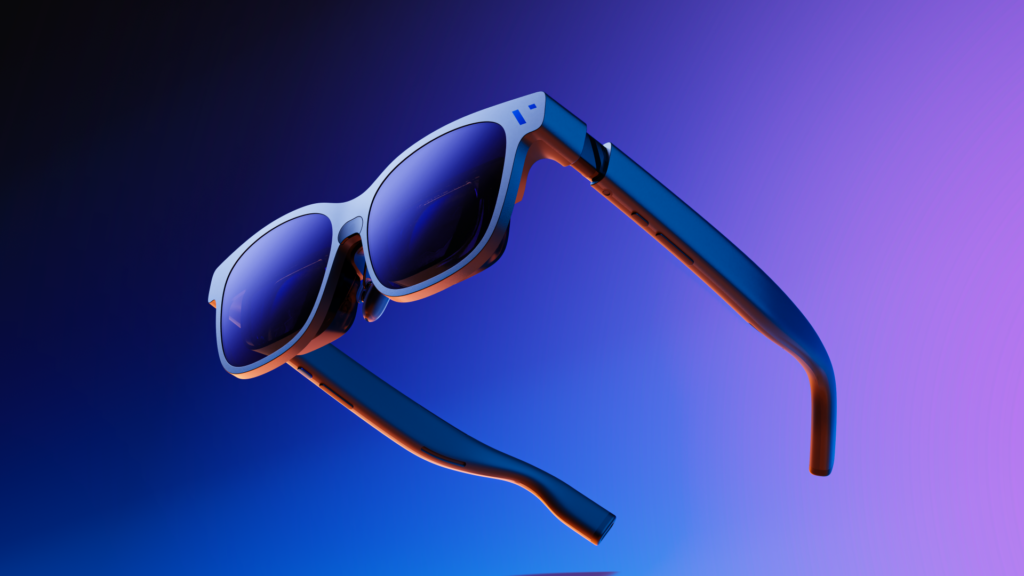
Viture Beast XR leans into fit options. It uses a magnesium-aluminum alloy frame and comes in two sizes with IPD ranges (regular 58 to 70mm, large 62 to 72mm). That sizing can save you from nose pressure and temple pinch, especially past the one-hour mark.
Dimming control differs a lot. ROG describes three manual tint levels, plus an auto behavior where the tint can ease up when you look away from an anchored screen. Viture gives you nine tint levels, so you can fine-tune comfort in bright rooms.
If you get headaches from XR glasses, it’s usually fit plus brightness, not raw resolution.
Winner: VITURE Beast XR because sizing options and nine-level dimming give you more ways to dial in comfort.
Image Quality
Both glasses chase the same illusion: a huge screen floating at a comfortable distance. The differences show up in text, edges, and color punch.
ROG XREAL R1 runs 1920 × 1080 per eye and targets gaming clarity. Early impressions also mention some font fringing in certain cases, which usually comes down to optics alignment and high-contrast text.
Viture Beast XR is described with 1200p per eye on Sony micro-OLED, and many notes call it strong for reading in the center. Some reports still mention edge chromatic aberration, which can show up on subtitles near the corners or small UI icons at the far left and right.
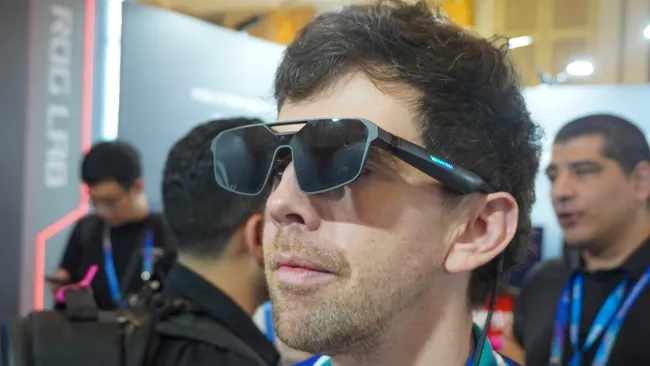
FoV and screen size claims are close: 57° and 171-inch on ROG, 58° and 174-inch on Viture. In practice, Viture can feel a touch more “cinema,” while ROG can feel more “gaming monitor,” depending on your fit.
For a detailed look at Viture’s display behavior and 3D features, see this VITURE Beast XR display glasses review.
Winner: Tie because ROG can feel cleaner for fast UI, while Viture tends to win on vivid cinema-style presentation.
Brightness & HDR
Brightness is the spec you notice when you stop gaming at night and start using these in real life.
ROG XREAL R1 is quoted around 700 nits, which is often fine indoors, especially if the dimming does its job. Still, bright overhead lights can wash out darker scenes.
Viture Beast XR is quoted up to about 1,250 nits, and that extra headroom helps more than you’d think. It lets you keep the image bold without cranking tint to the maximum every time you sit near a window.
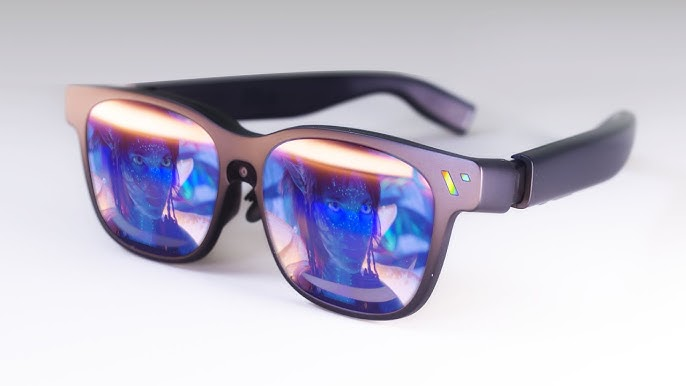
Be careful with HDR talk. Coverage around the ROG experience mentions HDR in the context of the newer gaming-first glasses category, but formal HDR specs and certifications are not clearly detailed in the info at hand. What you can say with confidence is that micro-OLED contrast plus higher brightness tends to make highlights look more convincing.
Winner: VITURE Beast XR because higher peak brightness gives you more usable setups in bright rooms.
Motion & Smoothness
Refresh rate is like windshield wipers. When it’s too slow, you still see the streaks.
ROG XREAL R1’s headline feature is 240Hz, and it’s paired with a claimed 2ms motion-to-photon latency in early coverage. That combo can make camera turns look cleaner and controls feel more direct, especially in shooters, racers, and rhythm games.
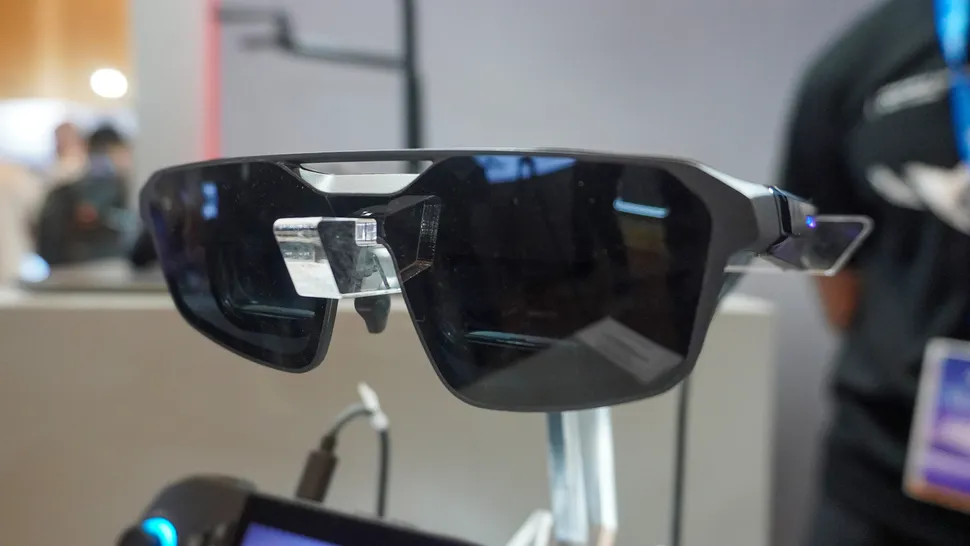
Viture Beast XR is positioned at up to 120Hz, with some behavior tied to post-launch updates. At 120Hz, most games already look smooth. The jump to 240Hz is about reducing blur during rapid motion and making small jitter less obvious.
Don’t assume VRR fills the gaps. VRR is not stated for either, so treat both as fixed refresh options until proven otherwise.
A simple test you’ll notice fast: scrolling a long menu in a fast-paced game. At 240Hz, it can look less smeared.
Winner: ASUS ROG XREAL R1 because 240Hz plus the latency claim is built for fast reaction gaming.
Audio Quality
Open-ear audio is convenient, but it’s never magic.
ROG XREAL R1 uses Sound by Bose tuning and aims for a wider, more “game-like” presentation than typical glasses speakers. For travel gaming or hotel movies, that can be enough without packing a headset.
Viture Beast XR uses Harman audio and is framed as part of the immersive experience, plus mic support is discussed for calls and general use. It’s still open-air, so expect sound leakage in quiet spaces.
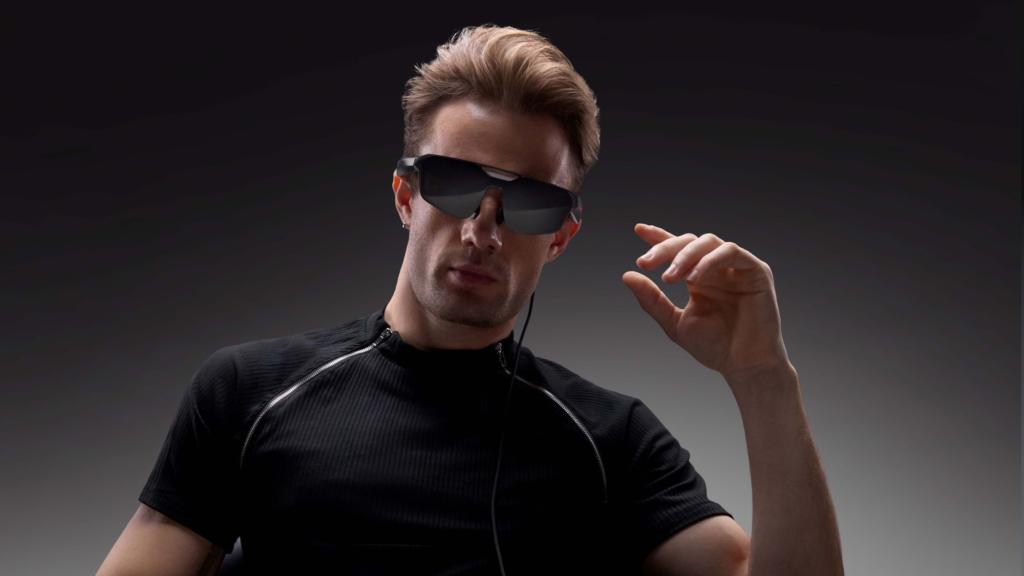
You’ll want earbuds in three cases: you’re on a loud flight, you share a room, or you care about ranked voice chat.
For broader context on how these “display glasses” fit the market right now, this piece on testing limitations and firmware timing is helpful: why some Viture Beast reviews weren’t final yet.
Winner: Tie because both are good for casual use, and your environment decides the rest.
Smart Features & Apps
This is where Viture and ROG feel like different product philosophies.
ROG XREAL R1 is meant to work as a wearable display without you managing an app stack. It supports Anchor Mode behavior (pin or follow style use) and 3DoF tracking for screen stability. 6DoF support is mentioned in the broader conversation around this class, but details are still light.

Viture Beast XR pushes harder into XR features. With the SpaceWalker app, you get support for spatial video and 3D photo viewing, plus 2D to 3D conversion with adjustable intensity. It also offers multiple viewing behaviors (often referenced as follow and anchor style modes). Some features rely on firmware updates, and early notes mention occasional screen drift in anchored scenarios.
If you want “more than mirroring,” software support matters as much as panel quality.
Winner: VITURE Beast XR because SpaceWalker and 2D-to-3D tools give you more you can do day to day.
Gaming Features
Gaming is the sharpest split in this matchup.
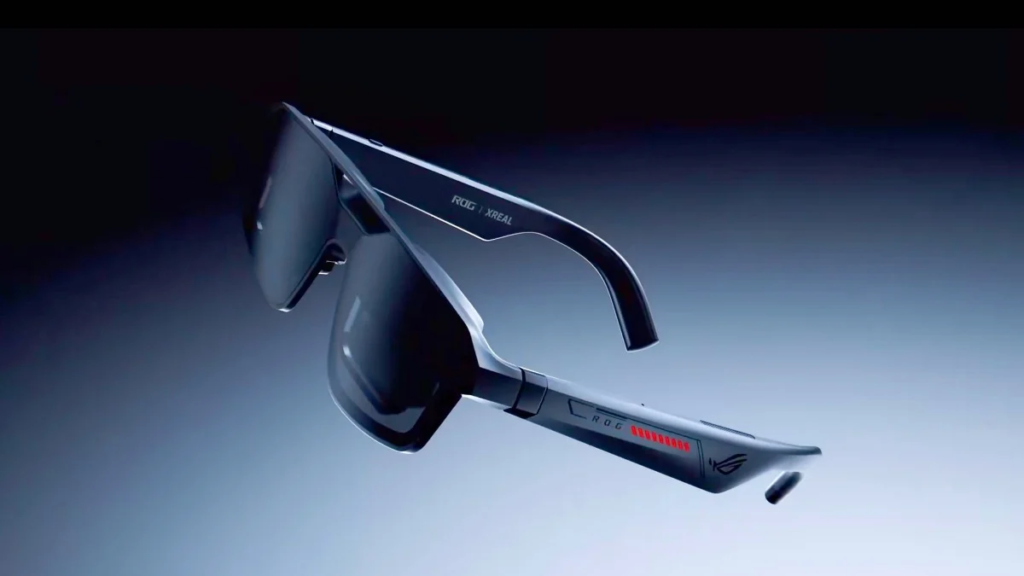
ROG XREAL R1 is tuned for high-frame play. The key pieces are 240Hz, the 2ms motion-to-photon latency claim, and the Control Dock for real setups. That dock supports DisplayPort 1.4 plus two HDMI 2.0 inputs, so switching between a console and PC can be far less annoying than the usual adapter pile. If you use a USB-C handheld that supports display output, direct connection stays simple too.
Viture Beast XR still works well for portable gaming. It connects over USB-C to compatible devices and is often discussed alongside handheld use, plus it adds XR perks like anchoring and 3D conversion for certain content. Just don’t assign it the same competitive edge unless your use case is more casual.
If you want an outside cross-check on how these glasses categories feel in hand, this CES-era faceoff write-up matches the general “gaming-first versus XR-first” framing.
Winner: ASUS ROG XREAL R1 because 240Hz plus the dock’s switching flexibility is built for serious multi-device gaming.
Connectivity & Ports
XR glasses live or die by the cable situation.
ROG XREAL R1 gives you two clean paths: USB-C direct to compatible devices, or the Control Dock when you want DisplayPort and HDMI inputs. If you bounce between sources, the dock is the difference between “swap a cable” and “rebuild your setup.”
Viture Beast XR also sticks to USB-C for power and video, and it supports HDMI through adapters depending on what you’re plugging in. It’s broad and practical, especially for laptops and phones that support DisplayPort over USB-C.
Here’s the gotcha you should plan for: these glasses draw power from your source device. Viture coverage calls out the need for splitters or external power for longer sessions, because heavy use can drain a handheld fast.
For a useful baseline on compatibility patterns in this product class, this hands-on XR glasses comparison is a solid reference point.
Winner: ASUS ROG XREAL R1 because the dock adds more built-in switching options with clear port specs.
Price & Value
Value is easier to judge when the price is real.
Viture Beast XR is priced around $549 to $550, with preorders in January 2026 and shipping stated for March 2026. That makes it straightforward to budget, and it lands soon enough that you’re not waiting half a year to finish your setup.
ROG XREAL R1 pricing has not been announced in the info available here, and availability is generally discussed around the first half of 2026. You’ll also see rough estimates floating around (often framed in the €600 to €700 range), but treat those as chatter, not a buy signal.
There’s also a second value angle: Viture has had feature items tied to updates, while ROG buyers may wait for final price and retail timing.
For another internal comparison angle that focuses on real-life trade-offs like brightness and stability, this Xreal and Viture glasses comparison can help you sanity-check priorities.
Winner: VITURE Beast XR because you can judge it today with a known price and near-term shipping.
Who Each Pair is Really For?
Don’t buy either based on one spec. Buy based on your routine.
Choose ASUS ROG XREAL R1 if you care most about:
- 240Hz smoothness when you play fast games
- Competitive gaming feel and the low motion-to-photon latency claim
- Console and PC switching through DP 1.4 and dual HDMI 2.0 on the dock
- Simple setup that feels more like a wearable monitor
- Bose-tuned audio for quick sessions without headphones
Choose Viture Beast XR if you care most about:
- Brighter viewing (up to about 1,250 nits claimed) for travel and bright rooms
- Richer XR features like SpaceWalker, spatial media support, and 2D to 3D conversion
- Nine-level dimming for finer light control
- Known price and March 2026 shipping so you can plan
- Sizing options and alloy frame for better odds of long-session comfort
Winner: Tie because it’s about matching the glasses to your habits, not crowning one champion.
FAQs
Which is better for fast gaming, R1 or Beast XR?
If you chase smooth motion, ROG XREAL R1 targets esports with 240Hz and 2ms motion-to-photon latency. Beast XR tops out at 120Hz, and some modes depend on updates.
Which one looks brighter in daylight, Beast XR or R1?
Viture Beast XR has the clear edge for brightness, reported at around 1,200 nits, so it holds up better in bright rooms. R1 brightness figures are less clear publicly.
Which XR glasses have sharper text for work sessions?
For spreadsheets and long reading, ROG XREAL R1 is positioned as the cleaner, more balanced option, with less edge distortion reported. Beast XR can look sharp, but edges may blur.
Do you need a dock to connect consoles and PCs?
ROG XREAL R1 includes a ROG Control Dock with DisplayPort 1.4 and dual HDMI 2.0, built for quick switching. Beast XR often uses USB-C DisplayPort, plus a dock for some devices.
How do refresh rates compare, 240Hz vs 120Hz?
ROG XREAL R1 is billed at 240Hz, built for ultra-smooth gameplay. Beast XR targets up to 120Hz, but some units run 60Hz by default until firmware settings or updates kick in.
Which feels lighter and easier to wear for travel?
If weight matters, ROG XREAL R1 is a standout at 91 grams, so it’s easier to keep on for longer. Beast XR focuses on comfort too, but weight isn’t the headline spec.
Which one has better audio built into the glasses?
ROG XREAL R1 includes Sound by Bose, tuned for spatial-style immersion. Beast XR audio varies by mode and fit, so you may prefer earbuds for consistent volume and privacy.
How big is the virtual screen, and does it differ much?
They’re close. ROG XREAL R1 claims up to a 171-inch view at about four meters with a 57-degree field of view. Beast XR markets a 174-inch theater-style view.
What features depend on firmware updates on Beast XR?
Beast XR’s promised upgrades include 120Hz and some advanced freedom modes, so your experience can change over time. You also may hit limited support for some immersive 3D apps.
Will either one drain your phone or handheld battery quickly?
Yes, especially Beast XR, since it pulls power from the connected device, so longer sessions often need a splitter or battery pack. R1 can also draw power, depending on your setup.
Final Verdict
If your top priority is the smoothest gaming feel and simple switching across PC and consoles, the ASUS ROG XREAL R1 fits that brief better. If you want the brightest picture in more places and you’ll actually use XR-style features like SpaceWalker and 2D-to-3D, the Viture Beast XR is the safer buy today.
Both can look great, but comfort and optics are personal, so fit still matters as much as specs. Before you commit, confirm your main device supports USB-C DisplayPort Alt Mode, and plan for power if you play long sessions. The best pick is the one you’ll use every week, not the one that wins a spec sheet.
