

Can a pair of glasses really give you a huge, smooth gaming screen anywhere you sit? The ASUS ROG XREAL R1 says yes, with a micro-OLED display, a claimed 240Hz refresh rate, and a frame that weighs about as much as a small snack.
This review stays practical. You’ll learn what the R1 is, what it does well (comfort, motion, image quality, audio), what it doesn’t (it’s still a tethered display), and where the ROG Control Dock fits into the story.
If you’re shopping in 2026, the goal is simple: figure out whether these replace a monitor for your life, or just add a “giant screen” option when you travel, couch game, or play in bed.
RELATED: ASUS ROG XREAL R1 vs Viture Beast XR: Which is Better?
Quick Review
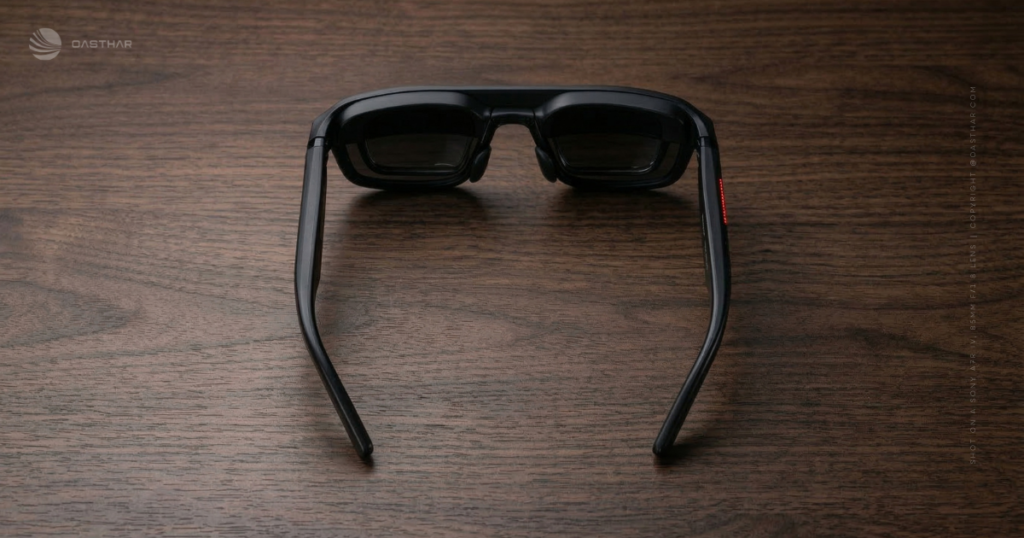
The ASUS ROG XREAL R1 are AR gaming display glasses built around Sony micro-OLED panels. You plug them into a device, then you see a virtual big screen floating in front of you. The headline features are easy to like: up to 240Hz, very low motion-to-photon latency (about 2 to 3ms), a 57-degree field of view, and a light 91 g design.
In real use, that mix points to one thing: motion. Fast camera pans look cleaner, and quick inputs feel tighter, especially if you already care about high refresh monitors.
The biggest tradeoff is also the most important buying detail. The “best” 240Hz experience can depend on your source device and, in many setups, the ROG Control Dock path. If you want a simple travel screen, you may run it lower than 240Hz and still be happy. If you’re chasing the full spec sheet, expect to plan your setup.
Specifications
Here’s the short list of specs that actually shape how the R1 feels day to day, based on CES 2026 reporting and the product announcement.
| Spec | What you get |
|---|---|
| Weight | 91 g |
| Display type | Sony 0.55-inch micro-OLED |
| Resolution | 1920 x 1080 (Full HD) |
| Refresh rate | Up to 240Hz |
| Field of view | 57 degrees |
| Virtual screen claim | Up to about 171 inches at 4 meters |
| Motion-to-photon latency | About 2ms (often cited as 2 to 3ms) |
| Audio | Sound by Bose (spatial audio) |
| Tracking | Native 3DoF |
| Connection | USB-C |
| Control Dock inputs | DisplayPort 1.4, dual HDMI 2.0 |
| Control Dock output | USB-C (to glasses) |
| Release window | First half of 2026 |
| Price | Not announced (as of Feb 2026) |
For the cleanest baseline on what ASUS and XREAL announced, start with the official partnership post: ROG XREAL R1 announcement details.
Design & Build Quality
Ninety-one grams doesn’t sound exciting until you wear something on your face for an hour. That low weight is the difference between “cool demo” and “I can actually finish a session.” Early hands-on impressions also point to better stability than many older AR glasses, meaning less sliding and fewer tiny re-adjustments to stay in the optical sweet spot.
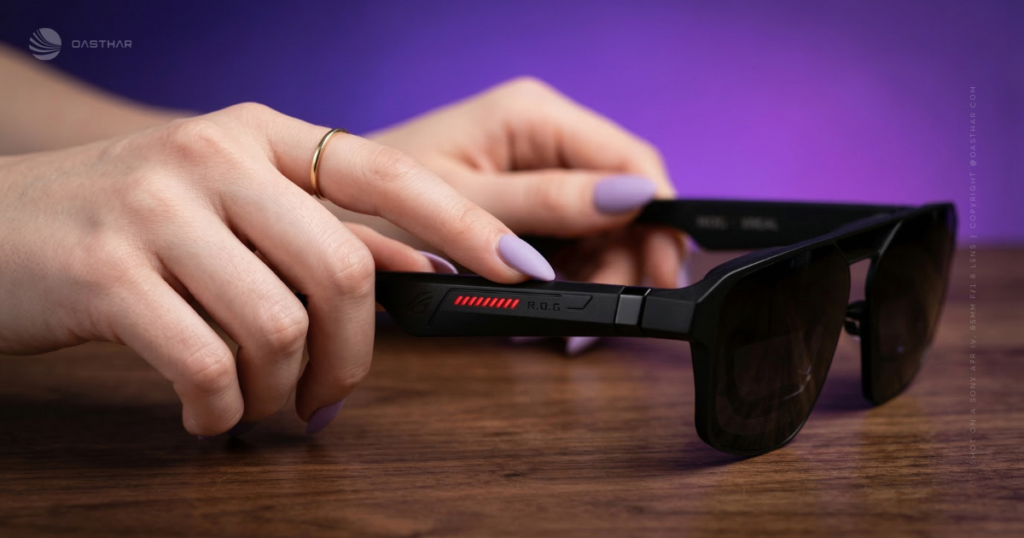
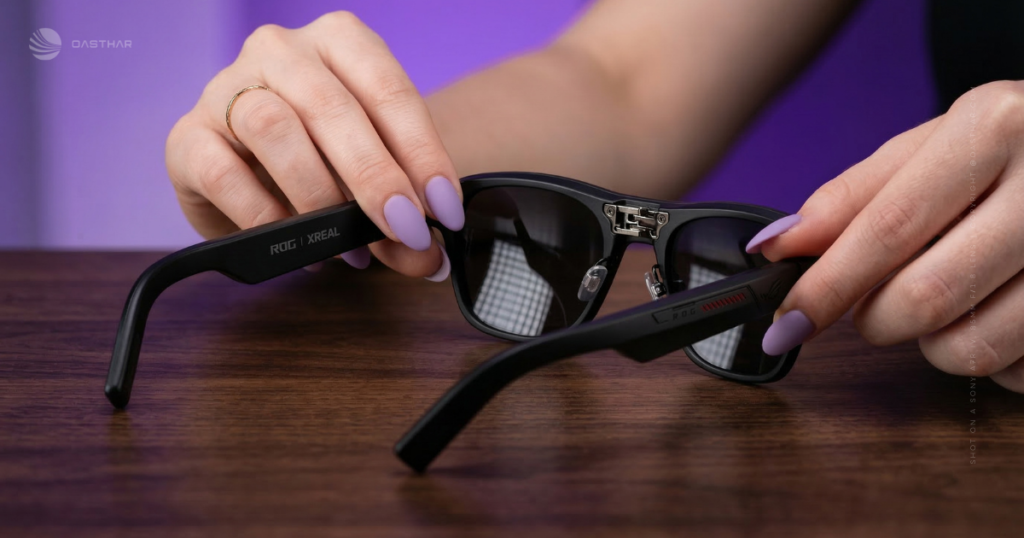
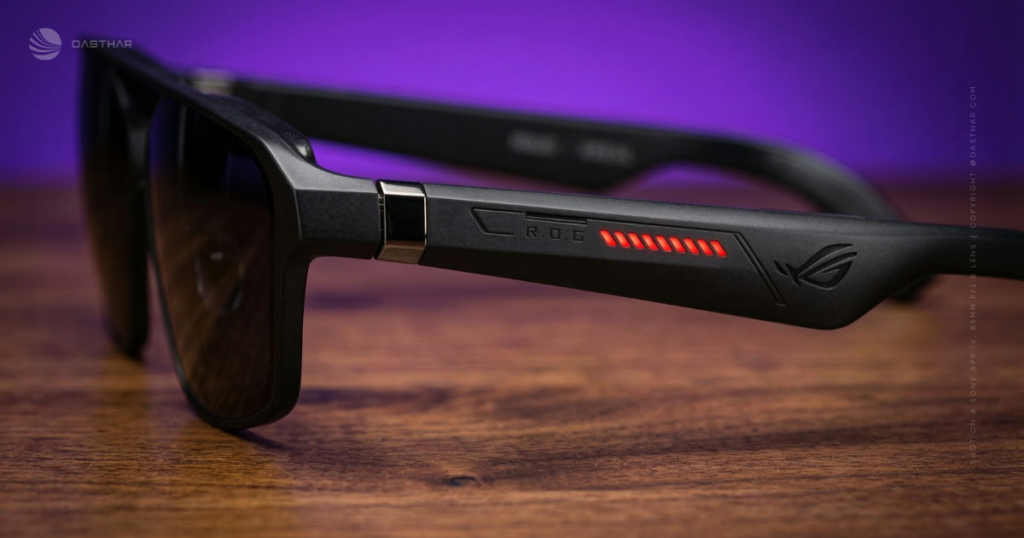
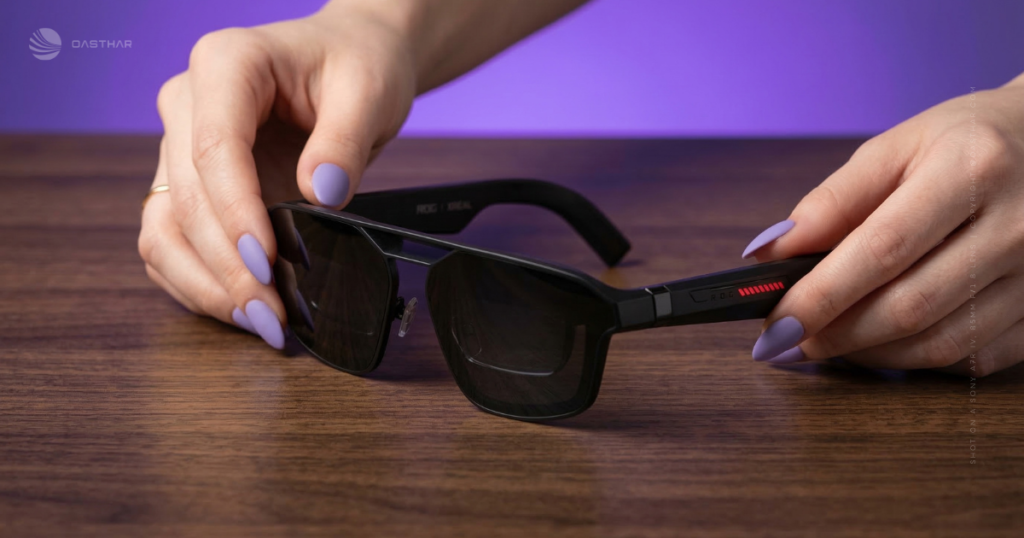
The styling is classic ROG: bold, a little sci-fi, and not pretending to be invisible. Some people will love that. Others won’t wear it outside, and that’s fine, because the R1’s best moments are often private anyway.
You also get electrochromic lenses, which matter more than they sound. Dimming your surroundings boosts perceived contrast and helps the screen hold up in brighter rooms. You still shouldn’t treat these like outdoor sunglasses for gaming in direct sunlight, but indoors and travel lighting are the real targets.
For another grounded CES take on comfort and optics, see this Tom’s Guide hands-on review.
Controls and screen placement feel like the make or break feature
The core appeal is almost silly in its simplicity: you get a giant screen, and you keep using your connected device normally. If you’re on a handheld or phone, your touchscreen still works. That matters, because it avoids the awkward “now what do I control?” problem that kills a lot of wearable display ideas.
With 3DoF tracking, the screen can stay anchored as you move your head. You can adjust the screen’s size and distance (the stuff you actually change mid-session). When anchoring feels stable, your neck relaxes. When it feels floaty, you quit early. The R1’s whole pitch depends on getting this part right.
Electrochromic dimming and auto transparency in real life
Dimming is great until you need to notice the real world. One smart detail shown in early demos is “auto transparency” behavior: when you look away from the anchored screen, the lenses ease up and let more of your surroundings through.
That sounds small, but it changes the vibe. You don’t have to lift the glasses to respond to a sound, check on someone, or just re-orient yourself. It’s also a more comfortable way to stay aware, especially if you’re gaming at home while other life happens around you.
Image Quality
Micro-OLED is the reason the R1 looks “premium” on paper. You can expect deep blacks, strong contrast, and punchy colors compared with many LCD-based wearable screens. At 1080p, small UI text and game HUD elements can look crisp, assuming you’re sitting in the sweet spot.
Color coverage has been reported at 107% sRGB in pre-release info, which usually translates to rich, lively color in games and streaming apps. If you mainly play stylized titles, vivid color helps the most. If you play darker horror or space scenes, OLED contrast is the bigger win.
The limit is also straightforward. This is not a 4K monitor on your face, and it won’t magically create detail that isn’t there. Fit also matters more than you want it to. A tiny slide down your nose can soften edges and increase eye strain, so comfort and stability are part of “image quality” here.
Brightness & HDR Performance
Brightness has been cited around 700 nits in early specs. In plain terms, that’s solid for indoor use and decent for travel, especially when you use lens dimming to cut ambient light. In a bright room with light walls, you’ll still notice that perceived black levels depend on how much outside light reaches your eyes.
HDR is where you should slow down and read the fine print. Some CES coverage talks about HDR support, but clear details on HDR standards and formats are not consistently listed in the public info yet. Treat HDR here as “potential compatibility” rather than a guarantee of TV-like highlight punch.
If HDR matters to you, plan to verify support with your specific device and apps before you commit. That one check can save you a lot of disappointment.
Motion & Upscaling
If you’ve never used a high refresh monitor, 240Hz can sound like a flex. In practice, it’s about motion clarity. Fast turns in shooters look cleaner. Racing games show less blur in scenery. Rhythm games feel more “locked in” because the display updates so often.
The other half is latency. Motion-to-photon latency is the delay between your movement and what you see. Reports put the R1 around 2 to 3ms, which is extremely low for something you wear on your face. You feel that as tighter control and less “laggy” head motion.
Upscaling is the area where expectations often get messy. The glasses do have onboard processing to manage the display signal and the virtual screen behavior, but there’s no confirmed spec that says you’re getting AI upscaling for low-res content. Assume you’re seeing a well-managed 1080p display, not a magic detail enhancer.
The 240Hz caveat, when you actually get the full benefi
Here’s the part you should treat as a buying rule, not trivia.
To get clean 1080p at 240Hz, early hands-on impressions suggest you may need the Control Dock and the right input path. Some direct USB-C setups can force tradeoffs.
The simple version: the glasses can do 240Hz, but your device has to feed it the right signal in the right way. In some demos, pushing 240Hz directly from certain devices reportedly reduced clarity or resolution. When you route through the dock (with HDMI or DisplayPort inputs converted to USB-C output), the “full quality” mode looks more consistent.
So if 240Hz is your main reason to buy, you’re not just buying glasses. You’re buying a setup.
Audio Quality
“Sound by Bose” is the kind of label you either ignore or roll your eyes at, until you try open-ear speakers that actually sound decent. The R1’s built-in audio is tuned for clarity and a wider, more spatial feel than laptop speakers. For casual play and movies, it’s likely enough that you won’t reach for headphones every time.
That said, open-ear audio stays open-ear audio. If you’re traveling, sharing a room, or playing competitive games where tiny sound cues matter, you’ll still want real headphones. Privacy is the big reason too. A late-night session feels different when you’re not filling the room with gunfire and menu clicks.
Smart Features & OS/App Support
The R1 are not a standalone headset. There’s no app store living inside the glasses, and you’re not replacing a VR system. Instead, think of them as a high-end wearable display that borrows your phone, handheld, console, or PC for apps and games.
Tracking is native 3DoF, which means head rotation tracking for screen anchoring. Some coverage also mentions 6DoF options, but that’s not presented as the default experience. If you care about room-scale movement, treat that as “extra” until ASUS and XREAL publish clearer guidance.
If you love plug-and-play tech, the best part is how little ceremony this requires. Connect, adjust, play. That’s the promise, and it’s the right promise.
Gaming Features
A big virtual screen is fun, but responsiveness is what decides if you keep using it. On paper, the R1 checks the right boxes for “serious gaming”: 240Hz capability, very low motion-to-photon latency, and a screen that can stay anchored with 3DoF tracking.
VRR support is not clearly listed in the confirmed public specs, so don’t assume it’s there. If VRR matters to you, wait for explicit confirmation.
Where this shines is the “I don’t want to sit at my desk” use case. Couch console play feels more private. Handheld gaming gets a screen that doesn’t cramp your posture. Bed gaming is the guilty pleasure scenario, because your hands rest while the screen stays huge.
What types of games benefit most from the ASUS ROG XREAL R1
High refresh matters most when motion is the experience.
- Competitive FPS and arena shooters: cleaner flicks, smoother tracking, less blur in fast turns
- Racing games: sharper scenery at speed, easier corner reads
- Fighting and rhythm games: timing feels more consistent when frames are plentiful
- Action games with fast camera pans: less smear in quick movement
Meanwhile, slower genres don’t demand 240Hz.
- Turn-based games and card battlers: the big screen helps, but refresh rate won’t change your life
- Story adventures: comfort and contrast matter more than maximum Hz
Connectivity & Ports
You basically have two ways to use the ASUS ROG XREAL R1.
First, you can connect over USB-C to compatible devices that support video over USB-C. This is the simplest travel setup: one cable, big screen, and you still use your device touchscreen normally.
Second, there’s the ROG Control Dock, which exists for people who want to connect consoles and desktops without living in adapter chaos. Confirmed ports include DisplayPort 1.4 and dual HDMI 2.0 inputs, with USB-C output to the glasses. CES reporting also describes quick switching between sources, which is exactly what you want if you bounce between PC and console.
If you want a second reference point on setup expectations and what to test, this internal guide is handy: ASUS ROG XREAL R1 review.
Price & Value
As of February 2026, pricing hasn’t been announced in the public sources. The release window is still described as the first half of 2026. So value has to be judged by what you’re really paying for: portability, comfort, motion performance, and dock flexibility.
Before you buy, ask yourself a few blunt questions:
- Will you use it more than your TV or monitor, or only on trips?
- Do you actually own devices that can output the modes you want?
- Are you buying it for 240Hz bragging rights, or for a giant screen anywhere?
For ongoing availability and roundup-style tracking, this page stays focused on the main points (even though it also discusses speculation you can ignore): release window and confirmed specs roundup.
Who is it for?
You’ll like the R1 most if your gaming life moves around your home, or travels with you. If you mostly play at a desk, a good monitor still wins for simplicity.
Buy if:
- You want a portable giant screen for handheld, couch, or bed gaming
- You care about high refresh motion, and you’ll plan your setup around it
- You like the idea of open-ear audio that doesn’t force headphones every session
Do not buy if:
- You want a standalone headset with its own apps and battery
- You expect 4K-level detail or monitor-like pixel density
- You refuse to deal with cables, docks, and device compatibility checks
If you’re curious about the brightness and color claims being discussed in pre-release coverage, this summary is a useful reference point: reported brightness and color coverage.
FAQs
Is the ROG XREAL R1 really 240Hz at 1080p?
Is the ROG XREAL R1 really 240Hz at 1080p?
What screen size do you actually see while wearing them?
You’re effectively looking at a virtual big screen, with reports citing up to about 171 inches at roughly four metres, depending on your fit and setup.
How much latency should you expect in real gameplay?
ASUS cites about two milliseconds motion-to-photon latency, meaning your movement-to-image delay should feel tight, which matters most in racers, fighters, and shooters.
Are they comfortable enough for long gaming sessions?
At around 91 grams, they’re light for AR glasses, and early hands-ons say the fit stays stable. Comfort still depends on your head shape and nose pads.
Do the electrochromic lenses help, or feel gimmicky?
They’re genuinely useful because they can dim your surroundings for focus, then reduce dimming when you look away, so you can see people or your room faster.
What devices can you plug the ROG XREAL R1 into?
You can use PCs, laptops, phones, and handhelds. For consoles and multi-device setups, the included Control Dock is built for quick switching and broad input support.
Do you need the Control Dock, or can you use USB-C?
You don’t always need the dock. For example, ROG Ally use is described as a simpler single USB-C connection, while consoles typically rely on the dock inputs.
What connections does the ROG Control Dock include?
You get DisplayPort 1.4 plus dual HDMI 2.0 inputs, then the dock converts that signal for the glasses, which helps if you bounce between PC and console.
Is brightness strong enough for daylight or bright rooms?
Reported brightness sits around 700 nits, so it’s not the brightest option. The dimming lenses help, but you’ll still want controlled lighting for best contrast.
When will it ship, and what price should you expect?
Early info points to a first-half, likely Q2 2026 release window, but pricing hasn’t been confirmed. Given the ROG and XREAL collab, expect premium positioning.
Final Verdict
The ASUS ROG XREAL R1 look like one of the most serious attempts yet at “wearable monitor for gamers.” You get a 91 g frame, a 1080p micro-OLED image with strong contrast, and standout motion specs with up to 240Hz and about 2 to 3ms latency. Sound is also treated like a real feature, thanks to Sound by Bose.
The deciding factor is your setup. If you’ll use the Control Dock and feed it the right signal, the R1 makes a strong case. If you want a no-thought, no-compromise replacement for a desk monitor, you should keep your expectations in check.
