

You can spot the resemblance right away, but Apple HomePod 2 vs Apple HomePod 1st Gen is not a repeat. The newer model keeps the same compact look, yet Apple has tightened the tuning, improved placement awareness, and made the speaker easier to live with day to day.
That said, if your first-gen HomePod still sounds good in your room, upgrading isn’t an automatic win. You need to weigh the cleaner bass, updated features, and better smart home support against the fact that the original already does a lot of the heavy lifting.
So which one gives you the better deal, and which one is the better buy for your setup?
RELATED: Apple HomePod 2 vs Google Nest Audio: Which is Better?
Quick Summary
The short version is simple. HomePod 2 keeps the same basic idea, a compact Apple speaker with big sound, but trims the size a bit, drops some hardware counts, and adds better software brains. You get Spatial Audio with Dolby Atmos, Matter, Thread, temperature and humidity sensors, a U1 chip, and newer Home features like Sound Recognition.
The first-gen HomePod still fights back with strong sound, seven tweeters, and six microphones. But its feature set is older, its power cable is fixed, and its smart-home role is more limited in 2026.
If sound is your only goal, the gap is smaller than you might expect. If you want a smarter, longer-lasting Apple speaker, the gap gets much wider.
Winner: Apple HomePod 2. You get more useful upgrades than the small hardware reductions suggest.
Specifications
If you want the fastest side-by-side view, this table does the job in seconds.
| Spec | HomePod 2 | HomePod (1st Gen) |
|---|---|---|
| Height | 6.6 inches | 6.8 inches |
| Width | 5.6 inches | 5.6 inches |
| Weight | 5.16 lb (2.3 kg) | 5.5 lb (2.5 kg) |
| Tweeters | 5 | 7 |
| Microphones | 4 | 6 |
| Spatial Audio with Dolby Atmos | Yes | No |
| Matter support | Yes | No |
| Thread support | Yes | No |
| Temperature and humidity sensors | Yes | No |
| U1 chip for Handoff | Yes | No |
| Detachable power cable | Yes | No |
| Launch price (US) | $299 | $349 |
The table tells you most of what matters. The original keeps higher driver and mic counts, but the newer model wins on features, convenience, and price at launch.
Winner: Apple HomePod 2. It gives you the stronger mix of modern features and lower launch pricing.
Design, Comfort & Build Quality
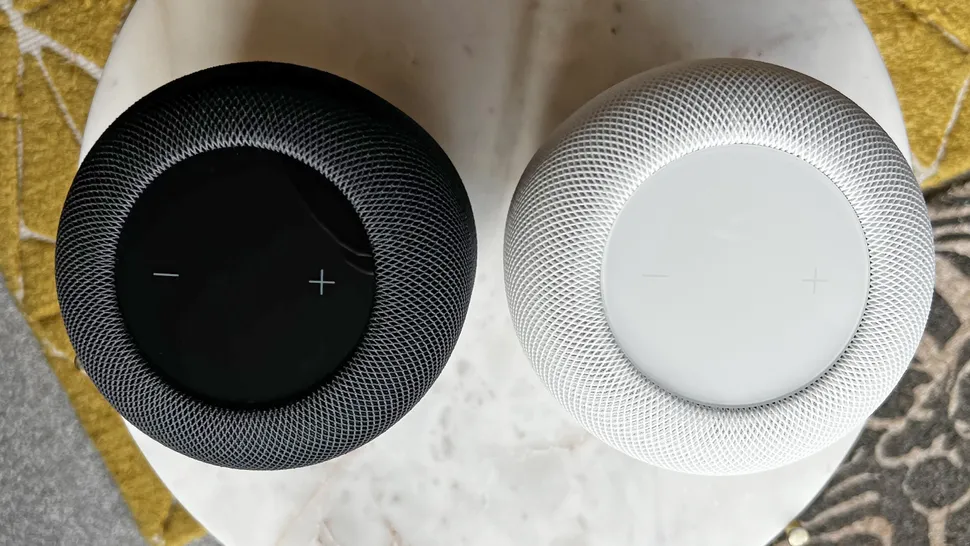
Put them side by side and the family resemblance is obvious. Same rounded cylinder, same mesh wrap, same touch surface on top. You won’t mistake one for a different product category.
Still, the second-gen speaker feels a bit more sorted. It’s slightly shorter, a bit lighter, and easier to move around the house.
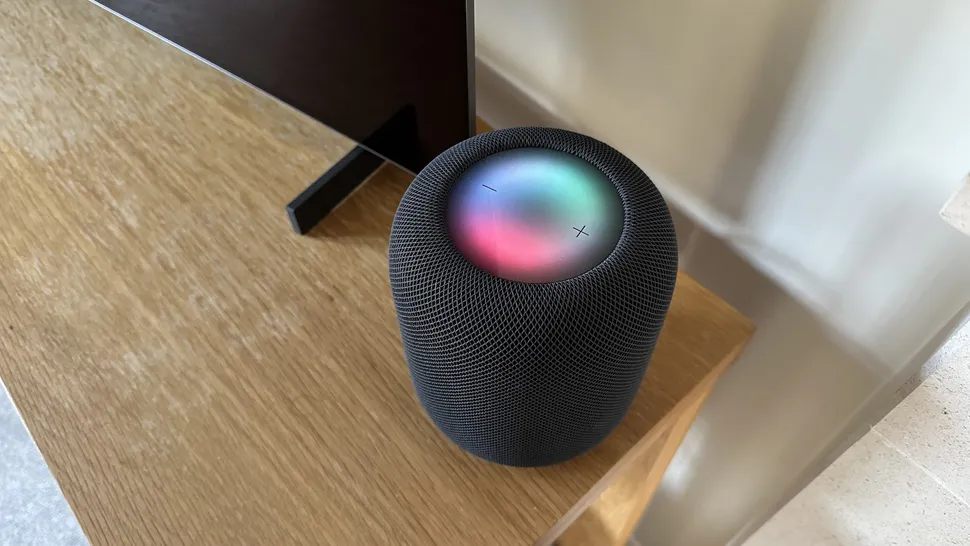
What changed in the second-generation shell
HomePod 2 adds a darker Midnight finish in place of Space Gray. The fabric weave also feels a little different, and the touch surface looks livelier because more of it lights up when Siri or playback controls kick in. The volume icons are always visible now, which is a small change that makes everyday use easier.
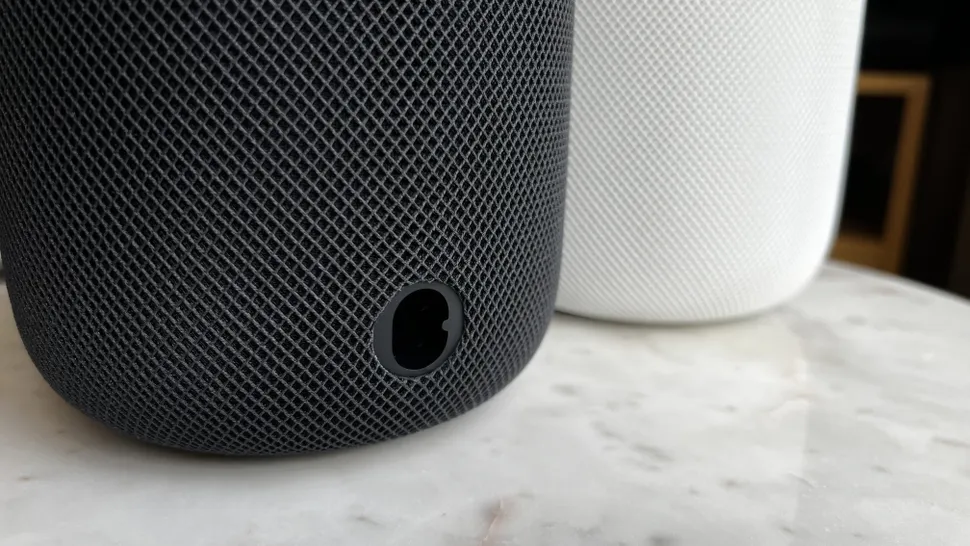
The bigger practical change is the cable. The old HomePod had a fixed cord. HomePod 2 gives you a detachable one, so swapping to a longer cable is finally straightforward. If you want more detail on the newer model’s design and behavior, our Apple HomePod 2 detailed review goes deeper.
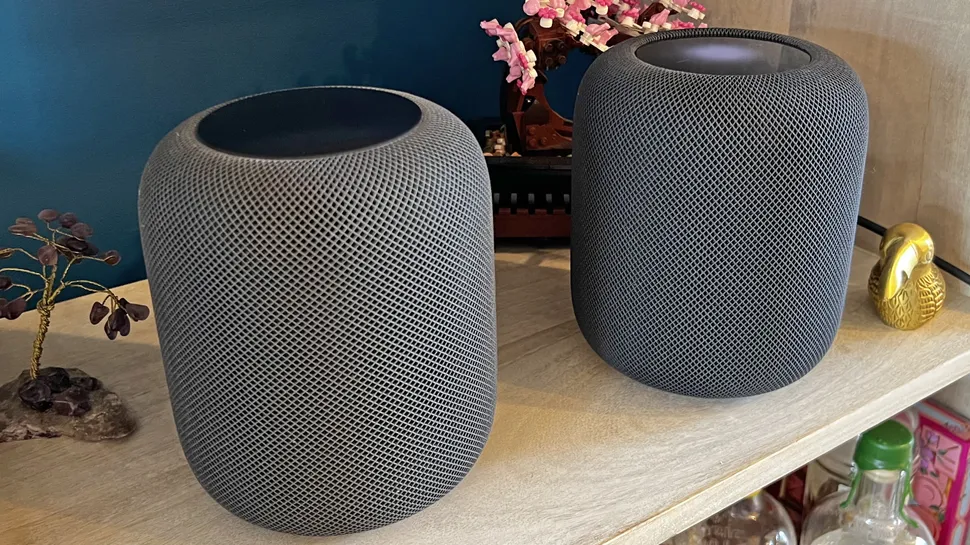
How the new base helps in real homes
The original gained a bad reputation for leaving ring marks on some wood surfaces, and it could feel less planted on certain shelves at higher volume. HomePod 2 has a revised base with better grip, so placement feels less fussy and less stressful.
That doesn’t sound exciting, but it matters once you start moving a speaker between a media console, kitchen counter, and bedside table.
Winner: Apple HomePod 2. The changes are subtle, but they make the speaker easier to live with every day.
Sound Quality
This is the section that decides the argument for most people. Both speakers sound big for their size. Both can fill a room better than most compact smart speakers. But they don’t sound the same.
The original HomePod is bold and heavy. Bass is a big part of its personality. HomePod 2 still hits hard, but it sounds more balanced and better organized. That’s the key difference.
Bass and low-end control
The first-gen model has that “wow” bass on first listen. On the right track, it sounds huge. On the wrong shelf, it can get a little thick. HomePod 2 keeps the low-end weight but reins it in better, so bass feels more connected to the rest of the mix.
That matters with bass-heavy songs, podcasts, and TV audio. You get punch without the speaker sounding swollen. What Hi-Fi’s HomePod comparison reached a similar conclusion, calling the newer model tighter and more refined.
Midrange, vocals, and treble detail
Vocals come through clearly on both, but HomePod 2 sounds more natural with speech and singing. The original can sound a bit more colored. The newer model is warmer in a cleaner way, not in a thicker way.
That also helps with spoken word. Podcasts and dialogue sound less boxed in, and busy tracks stay easier to follow.
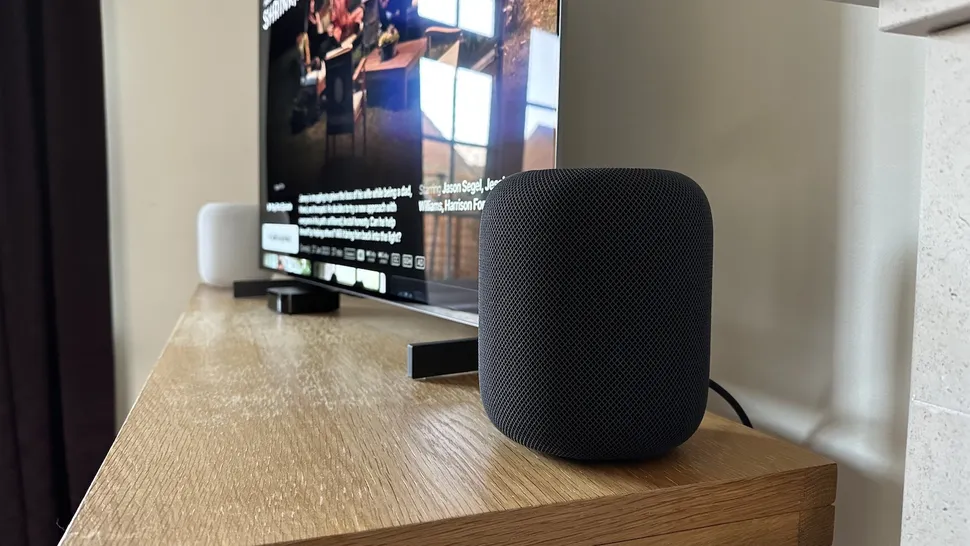
Stereo pairing and Dolby Atmos listening
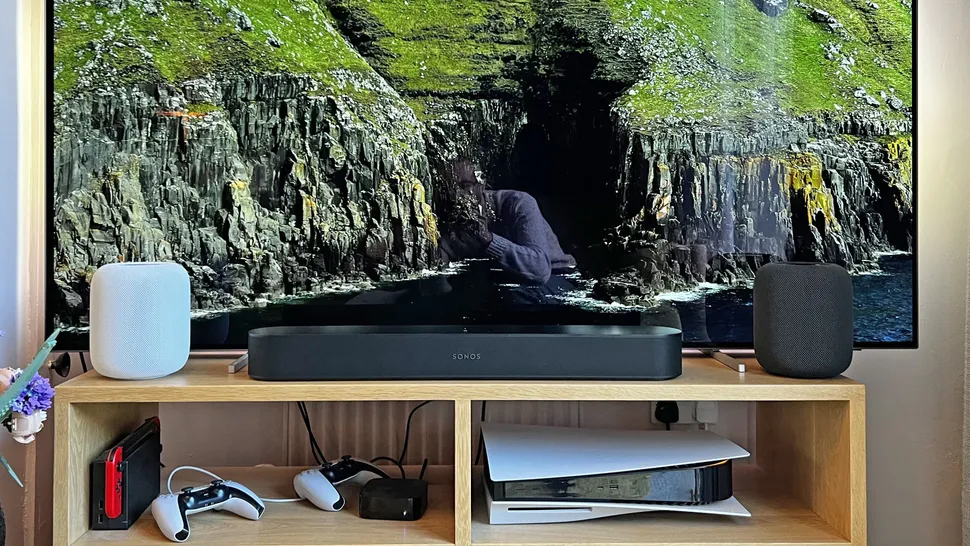
One HomePod is good. Two are where things get serious. Stereo pairing improves focus, width, and instrument placement on either generation, but HomePod 2 has the clear edge because it supports Dolby Atmos and Spatial Audio.
If you use Apple Music and Apple TV 4K, a pair of second-gen units makes much more sense than a single speaker. The original still sounds strong in stereo, but it can’t match the newer model for immersive playback.
Winner: Apple HomePod 2. The original is powerful, but the newer one is cleaner, smarter with bass, and better for stereo and Atmos.
Features & Smart Home Tools
Here the difference gets less subtle. Both speakers handle Siri, timers, intercom, calls, and multi-room playback. Both live neatly in the Home app. But HomePod 2 does more once your speaker becomes part of your house.
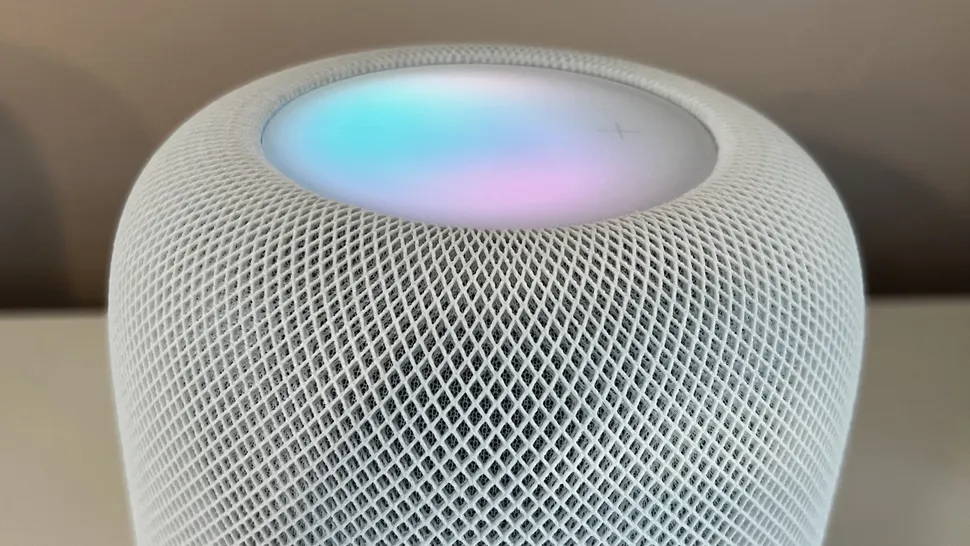
You get temperature and humidity sensors built in, so your speaker can trigger automations. It also supports newer home-aware tools, including Sound Recognition, which pushes it closer to hub territory than the original ever got.
Siri, Sound Recognition, and Home app controls
Siri works in familiar Apple fashion on both speakers. Setup is quick, voice pickup is strong, and basic requests are easy. HomePod 2 feels more current because it pairs those basics with sensor-driven routines and broader Home app usefulness.
The first-gen speaker is still fine if you mainly want music and voice commands. It feels more basic once you start building automations.
How Matter and Thread change compatibility
Matter and Thread are the big long-term upgrades. HomePod 2 can work as a Matter controller and Thread border router, which makes it easier to connect with newer smart-home devices from more brands.
If you’re buying for the next few years, that matters more than one extra tweeter or microphone count.
Winner: Apple HomePod 2. It is the better smart-home buy by a wide margin.
Connectivity & Controls
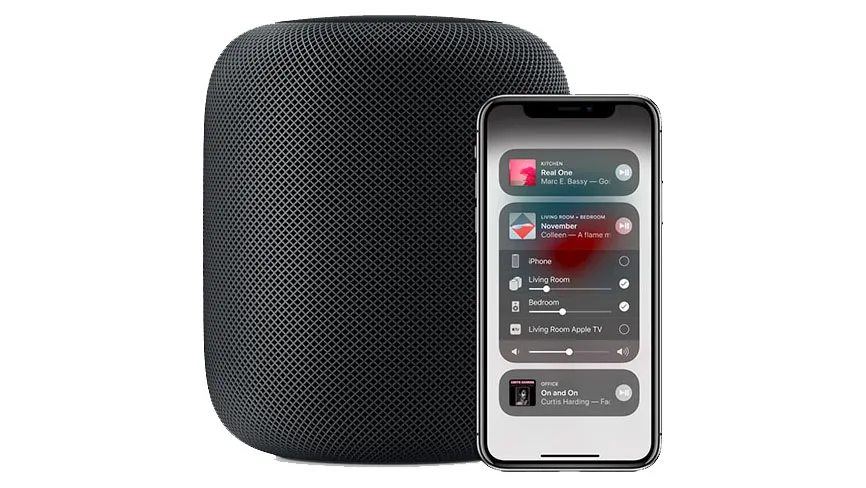
Apple made setup easy from the start, and both models keep that strength. You bring your iPhone close, follow a short on-screen flow, assign a room, and you’re done. It feels closer to setting up AirPods than setting up old-school speakers.
Both also rely heavily on AirPlay 2 and Apple Music. They use Wi-Fi and Bluetooth, but neither is a normal Bluetooth speaker you pair with anything and forget about.
How easy each model is to set up
For iPhone users, both are simple. HomePod 2 feels a touch more current because of its newer internals and U1-assisted handoff behavior, but the core experience stays quick on both.
Stereo pairing is also easy. Apple still does that part better than many rivals.
Why Apple users get the most value
This is where the tradeoff is clear. If you use an iPhone, Apple Music, Apple TV, and Home app devices, both speakers fit right in. If you don’t, they make less sense.
Voice control still leans hardest on Apple’s own services. Third-party music works, but often through AirPlay from your device instead of full native voice control. If that sounds limiting, this HomePod 2 versus Google Nest Audio breakdown shows what you gain and lose by picking a more open platform.
Winner: Tie. Both speakers are easy to set up, and both still make the most sense inside Apple’s ecosystem.
Room Performance
Placement changes the sound on both models more than most people expect. Put either speaker near a wall or in a corner and you usually get fuller sound. Move it into open space and the presentation shifts.
The difference is speed. HomePod 2 recalibrates fast when you move it. You can hear it adjust bass and balance almost in real time.
Why the newer HomePod adapts faster
With the second-gen speaker, the sound settles quickly when you move it close to a wall. Bass gets trimmed before it turns bloated, and the speaker sounds close to “set” by the time you put it down. That makes it easier to use in real rooms, not test labs.
The original also adapts, but not with the same polish or consistency.
Best spots for each speaker
Both speakers tend to work well on a shelf, console, kitchen counter, or corner table. You don’t need to obsess over exact toe-in or speaker stands. Let the HomePod do its room correction.
Still, if you can choose, a wall-adjacent spot usually gives the best balance of weight and control.
Winner: Apple HomePod 2. It reacts faster to placement changes and stays more consistent from room to room.
Price & Value
At launch, Apple made this easier than expected. HomePod 2 arrived at $299, while the original launched at $349. That already gave the newer model a value edge before you even looked at features.
Today, the older HomePod mostly survives as a used-market option. That’s where the math changes.
When the older HomePod still makes sense
If you find a first-gen unit for much less money, it can still be a smart buy. The sound is still strong, and if you already own one, grabbing a matching second unit for stereo can be more sensible than starting over.
It also makes sense if you want big Apple sound and don’t care much about Matter, Thread, or sensor-driven automations.
When the HomePod 2 is worth paying more
If you’re buying new, or close to new, HomePod 2 is the easy call. You get better long-term smart-home support, Atmos playback, a detachable cable, better room tuning, and newer hardware support in one shot.
Paying more for the old model only makes sense if the used price is unusually attractive.
Winner: Apple HomePod 2. The original only pulls ahead when the discount is large enough to outweigh its missing features.
Who Each HomePod Is Best for?
You shouldn’t force one answer on every buyer, because these speakers solve slightly different problems.
Choose HomePod 2 if:
- you want Dolby Atmos and Spatial Audio support for Apple Music or Apple TV 4K
- you care about Matter, Thread, and sensor-based smart-home routines
- you want the better-tuned, more controlled sound without giving up bass
Choose the 1st-gen HomePod if:
- you find one at a much lower used price
- you already own one and want a second for stereo
- you mainly care about strong Apple-centric sound and can live without newer smart-home features
Winner: Tie. Your best pick depends on whether you value newer features or a lower used price more.
FAQs
What changed most between HomePod 1 and HomePod 2?
The biggest changes are inside, not outside. You get a newer S7 chip, temperature and humidity sensors, Matter and Thread support, and sound detection for smoke or carbon monoxide alarms.
Does HomePod 2 sound better than the first generation?
It does, but the jump isn’t dramatic for every listener. You get cleaner bass, better balance, and stronger room correction, while the first-gen model still sounds excellent.
Is upgrading worth it for everyday music listening?
If music is your main use, the upgrade only makes sense if you want the newer feature set too. Pure sound quality alone won’t feel like a night-and-day change.
Should Apple users choose HomePod 2 over HomePod 1?
You should pick HomePod 2 if you’re buying today. It fits Apple Home better, supports newer smart-home standards, and gives you more room to grow later.
Can you pair a HomePod 2 with a first-gen HomePod?
No, not for stereo use. You need two matching HomePods for a proper pair, so a first-gen unit won’t team up with a HomePod 2.
Are the temperature and humidity sensors useful?
They are useful if you use HomeKit automations. You can trigger fans, dehumidifiers, or heating changes, but they won’t matter much if you only play music.
Does the first-gen HomePod still make sense today?
It still makes sense if you already own one and like it. For a new purchase, the second-gen model is easier to justify because it adds newer features and support.
Final Verdict
If you’re weighing Apple HomePod 2 against the 1st-gen HomePod, the biggest split is simple. The original still sounds big and impressive, but the newer model sounds more balanced and does far more around your home.
For most Apple users, HomePod 2 is the better all-around choice. It is easier to recommend because it adds Atmos, Matter, Thread, sensors, and faster room tuning without giving up the sound that made the original interesting.
The 1st-gen HomePod still has a lane. Buy it if you find it much cheaper, or if you’re expanding a system you already own. Otherwise, the second-gen model is the cleaner, smarter purchase.
