

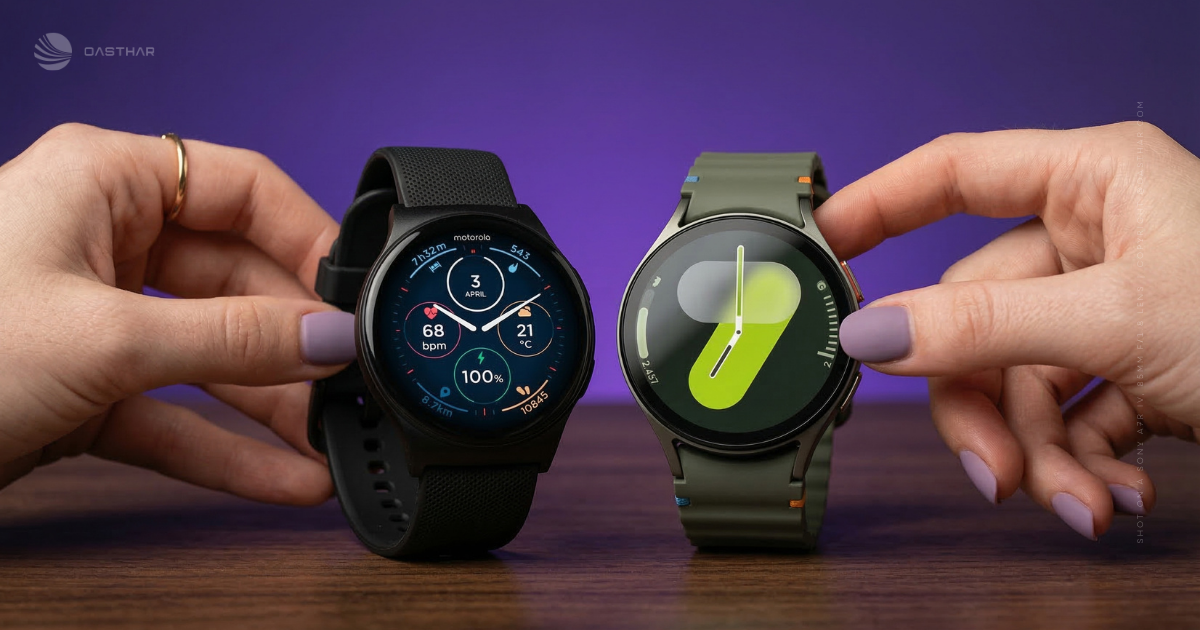
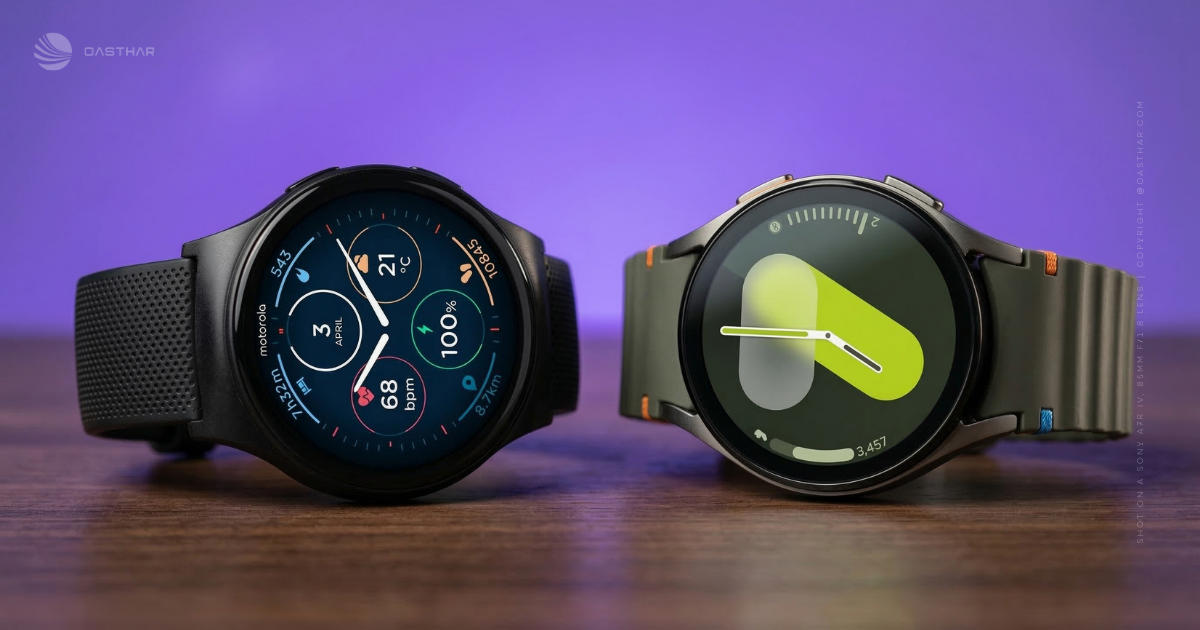
If you’re trying to pick a smartwatch that actually fits your day to day, Motorola Moto Watch vs Galaxy Watch 7 is a clean matchup: affordable wellness tracking on one side, a feature-rich Wear OS watch on the other. In most cases, the Galaxy Watch 7 is the better buy if you use a Samsung phone and want the most complete smartwatch experience.
Samsung’s Watch 7 feels like a classic round watch, runs Wear OS 5 with Samsung’s UI, and stays quick in real use thanks to a newer Exynos W1000 chip and 32GB storage. You also get deeper health tools, like body composition, ECG support, an AGEs-based metabolic metric, plus dual-band GPS, all wrapped in a Samsung Health app that’s easy to browse.
Meanwhile, Motorola’s Moto Watch wins on simplicity and price-friendly fitness vibes, especially with Polar-powered sleep and recovery style insights (ring-style goals, Nightly Recharge-style context). The trade-off is performance polish, GPS can be slow and drop out, and it won’t match Samsung’s app ecosystem, sensors, or overall smoothness.
RELATED: Motorola Moto Watch vs Google Pixel Watch 4: Which is Better?
Quick Summary
If you want a watch that feels like it “just stays on,” Moto Watch is the obvious vibe. Motorola’s Moto Watch is positioned around multi-day battery life (including a long-life always-on mode), plus Polar-powered sleep and recovery views that are easy to read.
Galaxy Watch 7 feels more like a small computer on your wrist, in a good way. In hands-on testing, it’s described as quick when scrolling notifications, controlling music, and bouncing between apps, helped by Samsung’s Exynos W1000 processor and Wear OS 5. You also get more advanced health features, including metrics like body composition and an AGEs-related index (measured during sleep), plus Samsung’s Energy Score for day-to-day readiness.
The trade-off is routine. Galaxy Watch 7 battery can drop fast with always-on display enabled, so you need to plan charging if you also want sleep tracking.
For more context on the Moto Watch’s strengths and weak spots, see this independent take from WIRED’s Moto Watch review.
Winner: Galaxy Watch 7, because most people want the broader smartwatch feature set and app support, even if it means charging more often.
Specifications
Here’s the fastest way to spot deal-breakers without reading a spec sheet like a novel.
| Spec | Motorola Moto Watch | Samsung Galaxy Watch 7 |
|---|---|---|
| Case sizes | 47 x 47 x 12 mm | 40 mm or 44 mm (case sizes listed in review) |
| Weight | 40 g | Not listed in sources |
| Display | 1.43-inch circular OLED | 1.3-inch (40 mm) or 1.5-inch (44 mm) |
| Resolution | Not listed in sources | 480 x 480 |
| Glass | Corning Gorilla Glass 3 | Not listed in sources |
| Case materials | Aluminum frame, stainless steel crown | Aluminum (described in review), exact grade not listed |
| Water and dust rating | IP68 | Not listed in sources |
| Battery life | Up to 13 days typical, up to 7 days with always-on display | Not listed as a claim, real use varies, always-on display can drain quickly in testing |
| Charging (example) | Not listed in sources | 4% to 75% in under 40 minutes (in testing) |
| OS | Custom OS (not Wear OS), Android 12+ phone required | Wear OS 5 with Samsung’s One UI layer |
| RAM and storage | 512MB RAM, 4GB storage | 2GB RAM, 32GB storage (about 21GB available out of the box) |
| GPS | Dual-frequency GPS | Dual-band GPS receiver |
| Connectivity | Bluetooth 5.3, Wi-Fi | Wi-Fi supported (version not listed), Bluetooth version not listed |
| NFC / LTE | No NFC, no LTE | LTE models are listed on some comparisons, see Versus LTE listing |
Takeaways you’ll feel day to day:
- Moto Watch wins on battery expectations, because you’re not budgeting charge time every night.
- Galaxy Watch 7 wins on storage and speed, which matters if you install apps and keep music offline.
- GPS is “serious” on both, but your experience depends on software and lock-on behavior, not just the label.
Winner: Galaxy Watch 7, because the hardware and OS headroom supports a wider range of “smartwatch” use.
Design & Build Quality
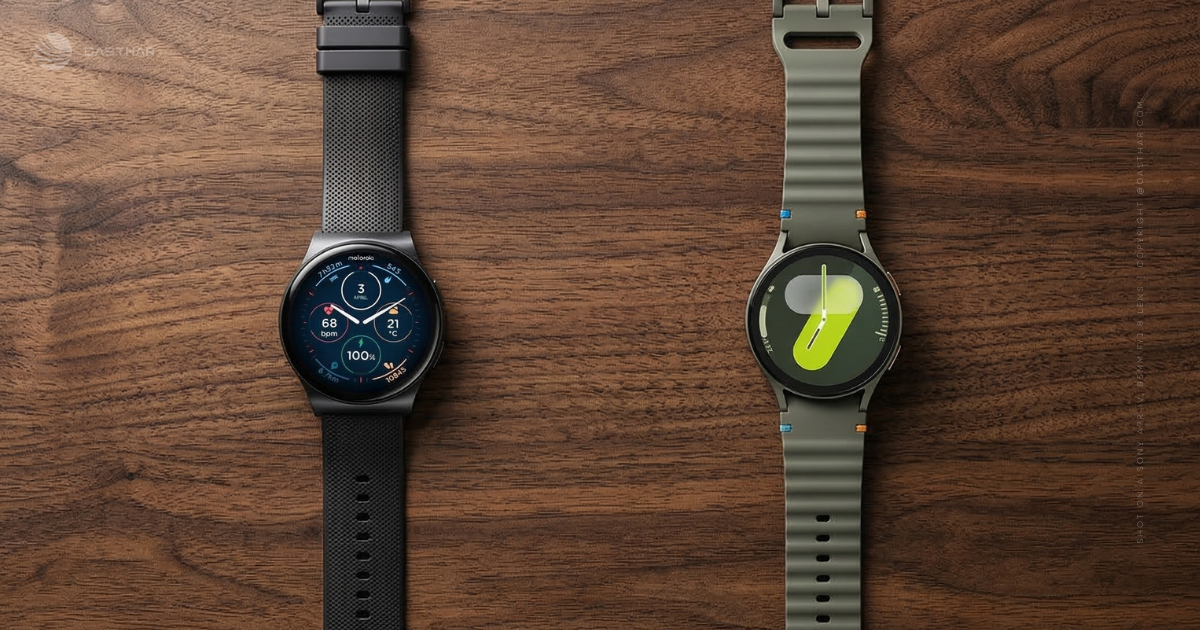
Moto Watch is big at 47 mm, but it’s also light for its size at 40 g, with an aluminum frame and a stainless steel crown. It uses standard 22 mm bands, which is quietly great. You can grab cheap third-party straps anywhere, and swapping looks doesn’t lock you into a brand-specific system.
Galaxy Watch 7 comes in 40 mm and 44 mm, and it sticks with Samsung’s flat, round design that reads more like a classic watch than a gadget. In the same review testing, the underside sensor bump was noticeable at first, especially at night, so comfort can take a week of adjustment if you’re sensitive to bulk.
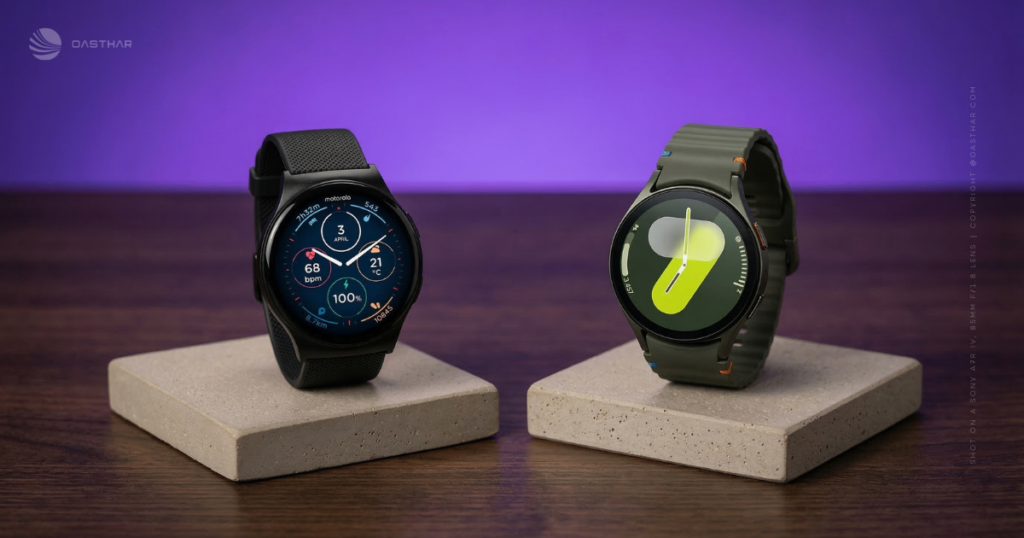
Band sizing matters too. Galaxy Watch bands are 20 mm (noted in many Watch accessory ecosystems, but not confirmed in the provided sources), so to stay strict with sources, the safest thing to say is this: Moto Watch’s 22 mm standard band support is confirmed, and Samsung’s band system details are not listed in the provided excerpt.
Water and scratch resistance
Moto Watch has an IP68 rating in the provided data, which points to strong dust resistance and water exposure protection in everyday life. Still, “IP68” doesn’t automatically mean worry-free swimming for every brand and warranty.
For Galaxy Watch 7, the provided review excerpt does not list water ratings or glass type, so you shouldn’t buy it assuming pool use unless you confirm the rating on the box or the product page for your exact model.
On scratch resistance, Moto Watch calls out Gorilla Glass 3, which is a known baseline, but not magic.
Winner: Motorola Moto Watch, because the 47 mm, lightweight build plus standard 22 mm bands make fit and customization easier to control.
Display Quality
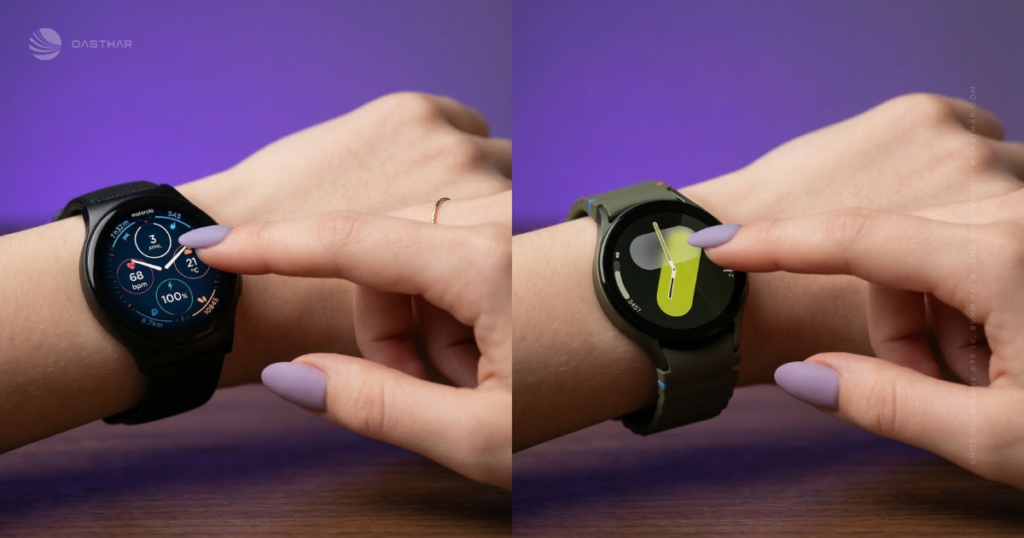
Moto Watch gives you a 1.43-inch OLED. That size helps, especially on workouts, where big numbers beat fancy animations. You also get an always-on option, and Motorola claims you can still see around a week with it enabled.
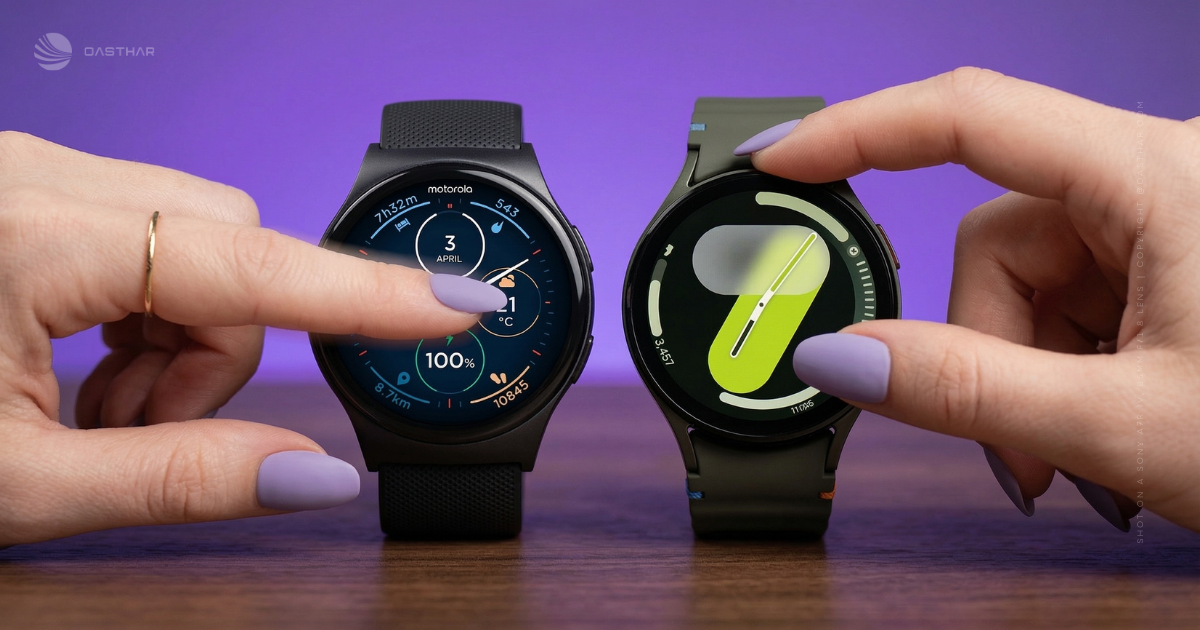
Galaxy Watch 7 uses a Super AMOLED panel (described as bright and easy to read in practice), with 480 x 480 resolution on both sizes. A key real-world detail from hands-on testing is that the smaller 40 mm model can still be very readable, because circular screens don’t “shrink” the same way a small rectangular display feels when it’s packed with text.
Always-on display is the big fork. Galaxy Watch 7 can feel fine without AOD, since raise-to-wake is quick. Turn AOD on, and battery can drop hard, which changes how you treat the watch.
If you want the “real watch” look of always-on display, you’re also choosing a charging routine, especially on Galaxy Watch 7.
Winner: Galaxy Watch 7, because text and UI clarity stay strong even on the smaller case, and the 480 x 480 display helps across apps.
Performance
Galaxy Watch 7 is the clear performance pick based on what’s actually listed. It runs Samsung’s Exynos W1000, with 2GB of RAM and 32GB of storage. In hands-on use, it’s described as fast when moving through notifications, starting workouts, and flipping between apps, and that matches what you’d expect from a newer wearable chip.
Moto Watch doesn’t list its processor in the provided sources, and it also doesn’t run Wear OS. That makes performance harder to “spec” and easier to explain: it’s doing fewer heavy things. No deep app catalog also means fewer background processes and fewer reasons for it to slow down.
If you mainly want a watch for fitness stats, sleep, and notifications, Moto Watch doesn’t need to be a rocket. If you want Spotify controls, Google apps, watch faces, and lots of quick interactions, Galaxy Watch 7’s smoother feel matters every hour.
Winner: Galaxy Watch 7, because the chip, memory, and app-focused OS translate to faster everyday interaction.
Battery Life & Charging
Moto Watch’s battery is the headline. The provided data says up to 13 days in typical use, and up to 7 days with always-on display enabled. That’s the kind of difference you feel immediately, because you stop thinking about charging. You also stop packing a charger for a weekend trip.
Galaxy Watch 7 is the opposite story. In extended testing, it could get through a day and night with always-on display off. Once always-on display was enabled, the battery could fall sharply during a normal afternoon out. Charging is not slow though. In the same testing, it went from 4% to 75% in under 40 minutes, which makes “top-up charging” realistic.
This isn’t just a numbers fight. It’s about how you live. If you hate charging, Moto Watch feels freeing. If you’re already used to daily charging (like many Apple Watch owners), Galaxy Watch 7 won’t shock you, but AOD can still force a second charge if you also track sleep.
For a deeper look at how Moto Watch tries to win on battery, see this Motorola Moto Watch full review.
Winner: Motorola Moto Watch, because multi-day battery changes your habits more than any single sensor does.
If you want sleep tracking
With Moto Watch, you can usually wear it all day and all night without planning. That’s the simple win of a long battery.
With Galaxy Watch 7, plan a short evening top-up if you use always-on display and want full sleep tracking. Also, note the comfort angle from testing: the minimum screen brightness and the sensor LEDs can feel bright at night for some people, so you might care as much about nighttime comfort as you do sleep metrics.
Software & Ecosystem
Galaxy Watch 7 runs Wear OS 5 (with Samsung’s interface on top), so you’re buying into a real app ecosystem. You can also swap from Bixby to Google Assistant, and in testing, Google Assistant handled simple questions directly on the watch while Bixby often pushed you back to your phone. Samsung also supports gesture controls like double tap, plus a “knock knock” shortcut that can open an app you choose.
Moto Watch is a different deal. It uses Motorola’s watch software and a companion app, and it’s Android-only (Android 12+ in the provided data). The upside is a cleaner experience and less app clutter. The big feature angle is Polar-powered health presentation, including sleep and recovery style insights that are meant to be easy to interpret.
If you’re cross-shopping Android watches, this related comparison can help you set expectations for Moto Watch’s “simple but long-lasting” approach: Moto Watch vs Pixel Watch 4 comparison.
Winner: Galaxy Watch 7, because Wear OS apps and Google Assistant support give you more ways to use the watch beyond fitness.
Connectivity
Both watches support Bluetooth 5.3 (listed in the provided Moto Watch data, and commonly listed for Galaxy Watch 7, but the Bluetooth version is not stated in the provided Galaxy excerpt). Both also support GPS, so you can track outdoor workouts without carrying your phone in your hand.
The separation happens with “leave your phone at home” features. Moto Watch does not have NFC for tap-to-pay and does not offer cellular service in the provided information. Galaxy Watch 7, on the other hand, is available in LTE variants in some listings, like this Galaxy Watch 7 LTE model listing, and that’s the kind of thing that changes errands and runs.
If you pay for coffee with your wrist, or you want calls and texts while your phone stays behind, the Watch 7 style of product fits that life better.
Winner: Galaxy Watch 7, because LTE options (by model) and broader smartwatch features better support phone-free moments.
Cameras, Microphones & Speakers
Neither watch lists a camera in the provided sources, so treat them both as camera-free.
Moto Watch includes a built-in microphone and speaker in the provided data, which supports hands-free calling when your phone is nearby. Galaxy Watch 7 also clearly uses audio hardware, because the review describes audible workout coaching and assistant responses, and it mentions vibration notifications.
One real-world quirk showed up in Galaxy Watch 7 testing: sometimes you feel a buzz, lift your wrist, and the notification card does not appear right away. You can still swipe to find it, but it’s a small friction point that can make the watch feel less “instant” than it should.
Meanwhile, Moto Watch’s simpler software can mean fewer surprises, but you also have fewer ways to manage notifications and behaviors compared to Wear OS.
Winner: Tie, because both cover calls and alerts, and the best choice depends on whether you value simplicity or control.
Extra Features
Galaxy Watch 7 plays in the advanced health space. In the provided review, it includes features like body composition, ECG support (listed as part of Samsung’s advanced metric set), an AGEs-related index that’s measured during sleep, sleep coaching with “sleep animals,” and a daily Energy Score that blends sleep and recent activity into a readiness-style number. It also auto-detects walks quickly and logs them without asking you to confirm, which is great when your hands are full.
GPS has a catch though. In the same testing, precise route mapping was off by default, and you have to enable location settings and “precise location” per workout type to get clean maps afterward.
Moto Watch focuses on Polar-powered health presentation. In the provided data, it tracks continuous heart rate and SpO2, sleep, stress, steps, calories, and recovery insights, plus dual-frequency GPS for pace and distance. The point is less “medical-style depth,” and more “daily guidance you’ll actually read.”
If you want broader context on today’s wearables and what counts as a good tracker, this 2026 roundup is a solid baseline: The Verge fitness tracker picks for 2026.
Winner: Galaxy Watch 7, because the sensor set and coaching features cover more health categories and do more with the data.
Accuracy and trust
In Galaxy Watch 7 testing, heart rate readings during the same workout tracked closely to an Apple Watch Series 9, and manual heart rate checks matched too. Sleep tracking was a little more “optimistic,” reporting more total sleep and much more deep sleep than Apple’s estimates, even when both watches saw similar wake patterns.
Moto Watch reviews have found the basics can line up well against other consumer devices for sleep, heart rate, and stress trends, although cheaper trackers often skew a bit generous. Also, some reviews flag GPS reliability as a weak point for outdoor training, so if you’re buying it for serious running maps, you should test it inside your return window.
Price & Value
Galaxy Watch 7 launched at $300 for the 40 mm model in the US (as reported in the review), and that price matters because it frames the Watch 7 as a true midrange smartwatch with a deep app platform and advanced sensors.
Moto Watch is listed at $149.99 in the US in the provided real-time data, and that’s the whole argument. At that price, you’re buying battery life, a big OLED screen, and Polar-powered insights, while accepting fewer apps and fewer “leave your phone behind” features.
If you want to sanity-check Galaxy Watch 7 positioning and test results from another lab, this resource is helpful: Which? Galaxy Watch7 review.
Winner: Motorola Moto Watch, because the known US price is far lower, and the feature set still covers what most people use daily.
Who Each Watch is For?
- Choose Moto Watch if…
- You hate charging and want multi-day battery life, even with always-on display.
- You want Polar-style sleep and recovery insights in a simpler app.
- You prefer a larger 47 mm watch with standard 22 mm bands.
- You use Android (Android 12+ in the provided data) and don’t care about Wear OS apps.
- Choose Galaxy Watch 7 if…
- You want Wear OS apps, faster performance, and deeper watch features.
- You care about advanced health metrics (like body composition and sleep apnea screening features mentioned in the review).
- You like Samsung Health’s presentation and automatic workout logging.
- You may want LTE (by model) and a more phone-free lifestyle.
Winner: Tie, because the right pick depends on whether battery life or smartwatch depth matters more to you.
FAQs
Which watch makes more sense if you hate charging?
If you want long battery life, you’ll usually prefer Moto Watch models that advertise around 10 days. Galaxy Watch 7 can drop fast, especially with always-on display.
Is Galaxy Watch 7 worth it if you don’t use Samsung?
You’ll still get strong Wear OS apps and solid tracking, but some headline health features (like ECG and blood pressure) can be limited to Samsung phones.
Which one tracks fitness more accurately for walks and runs?
Galaxy Watch 7 tends to feel tighter for tracking, it can auto-log walks quickly, and it adds dual-band GPS. Moto Watch models cover basics, but GPS varies.
How do the health features compare for sleep tracking?
Galaxy Watch 7 adds sleep apnea risk detection and extra sleep coaching tools. Moto Watch models can offer Polar-powered sleep insights in Motorola’s app, which many find easy.
What’s the real price difference between Moto Watch and Watch 7?
Moto Watch 120 pricing commonly lands around $80 to $100. Galaxy Watch 7 launched at $300 for the 40mm model, so you’re paying for a higher tier.
Which watch feels faster and smoother day-to-day?
Galaxy Watch 7 has an upgraded Exynos W1000 chip, and it generally feels snappy when jumping between notifications, workouts, and apps. Budget Moto Watch models feel simpler.
Will always-on display change your buying decision here?
Yes, if AOD matters, Galaxy Watch 7 can drain quickly with it enabled. If you want the screen always lit without stress, prioritize the model with proven endurance.
Final Verdict
If your biggest pain is charging, Moto Watch fixes that fast. You’ll wear it more because it stays ready, and Polar-powered health views keep things readable. On the other hand, if you want a real smartwatch with apps, smoother performance, and a deeper health feature set, Galaxy Watch 7 is the better fit. Just go in knowing always-on display can turn battery into a daily concern, especially if you also sleep track.
Winner: Depends, because your charging tolerance and app needs decide this more than any single spec.
