

You’re probably choosing between price and polish, and that’s exactly what Motorola Moto Watch vs Google Pixel Watch 4 comes down to. The Moto Watch leans on Polar-style tracking, including a ring-based activity view and a Nightly Recharge read on sleep quality, while the Pixel Watch 4 bets on Fitbit depth and tighter Android integration. In most cases, Pixel Watch 4 is the better all-around pick, but Moto Watch can be the smarter buy if you just want the basics done well.
Sleep and heart-rate trends matter, so accuracy can’t be a guess. Moto Watch tracking lines up closely with wearables like Oura in sleep and stress, even if it can run a bit generous, but its GPS can be slow and prone to dropouts on outdoor workouts. Pixel Watch 4 tends to feel more consistent for day-to-day smartwatch use, and its health metrics generally track in the same neighborhood as Oura too, although calorie burn can read high during workouts.
Next, you’ll get a clean breakdown of specs, design, display, speed, battery and charging, software, and connections, plus the mic and speaker stuff that actually affects calls and workout cues. Then we’ll close with price and value, who each watch fits best, and a straight final verdict.
RELATED: Motorola Moto Watch vs Galaxy Watch 7: Which is Better?
Quick Summary
If you only remember five things, make it these.
- Charging routine: Moto Watch is built for week-plus stretches (up to 13 days with always-on display off). Pixel Watch 4 is closer to every 1 to 2 days, depending on settings and workouts.
- Outdoor readability: Pixel Watch 4’s display hits up to 3,000 nits, so it stays readable in harsh sun. Moto Watch’s OLED is sharp, but brightness numbers aren’t confirmed.
- Smartwatch depth: Pixel Watch 4 runs Wear OS (with Gemini on-wrist options), so apps and Google features go deeper. Moto Watch focuses on essentials, not an app store lifestyle.
- Safety and freedom: Pixel Watch 4 offers optional LTE and satellite SOS (LTE model required). Moto Watch has no cellular option.
- Health focus: Moto Watch uses Polar-powered sleep insights (including a Nightly Recharge-style status). Pixel Watch 4 leans on Fitbit, with a broad set of sensors and familiar daily readiness-style guidance.
For broader Pixel Watch 4 context and pricing positioning, see CNET’s coverage in Pixel Watch 4 vs Galaxy Watch 8 spec showdown.
Winner: Tie, because Moto Watch wins on battery and price, while Pixel Watch 4 wins on features and safety options.
Specifications
Here’s a quick table of what’s confirmed, and what isn’t.
| Spec | Motorola Moto Watch | Google Pixel Watch 4 |
|---|---|---|
| Sizes | 47 mm case (reported) | 41 mm or 45 mm |
| Weight | 40 g (reported) | Not confirmed |
| Display | 1.43-inch OLED, 464 x 464 | Actua 360 display (domed look), peak brightness up to 3,000 nits |
| Glass | Gorilla Glass 3 | Gorilla Glass 5 |
| Water resistance | IP68 | 50 m water resistance (as referenced in review coverage) |
| Battery life | Up to 13 days (AOD off), about 7 days (AOD on, reported) | About 40 hours on 45 mm with AOD on (review testing varies) |
| Charging | Fast charging (details not confirmed) | New magnetic dock, about 20% to 100% in ~40 minutes (reviewed) |
| OS and phone support | Motorola Watch app, Android only (Android 12+) | Wear OS (version referenced as Wear OS 6 in coverage) |
| Storage/RAM | 4 GB storage, 512 MB RAM (reported) | Not confirmed |
| Cellular | No LTE | Optional LTE (pricing tiers referenced), satellite SOS needs LTE model |
| NFC payments | Not confirmed | Not confirmed in provided sources |
| Repairability | Not confirmed | Display and battery replaceable (repair-friendly design noted) |
Specs are only useful when they match your habits. For most people, battery life, screen brightness, and LTE availability shape the daily experience more than raw sensor lists.
Winner: Google Pixel Watch 4, because the repairability and display improvements are clear, confirmed upgrades that affect everyday use.
Design & Build Quality
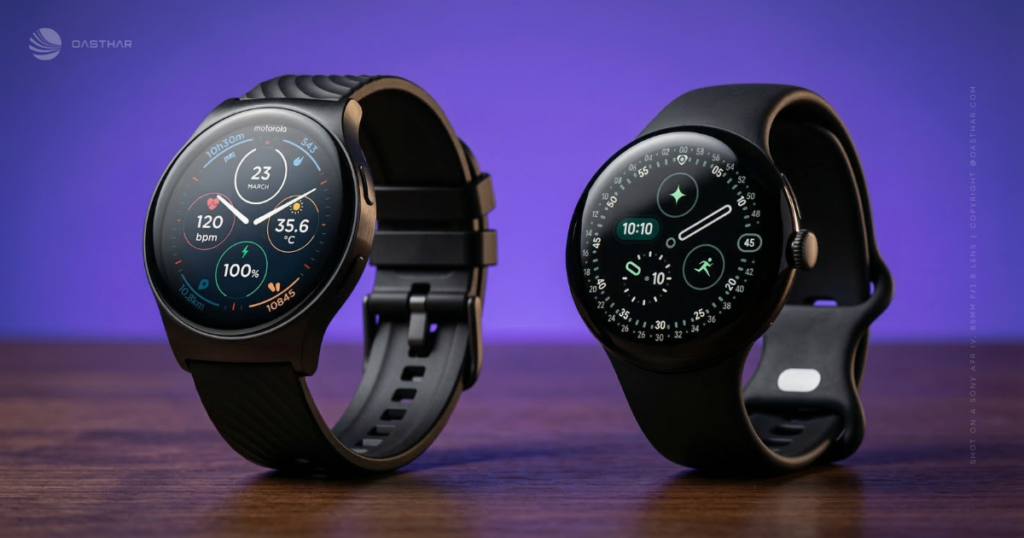
Moto Watch goes for classic and simple: a 47 mm case, an aluminum frame, a stainless crown, and standard 22 mm bands. That last part matters more than it sounds, because band shopping becomes cheap and easy.
Pixel Watch 4 sticks with Google’s familiar round design, now with a more edge-to-edge feel on the face. You also get two case sizes (41 mm and 45 mm), which is a real win if you hate oversized watches.
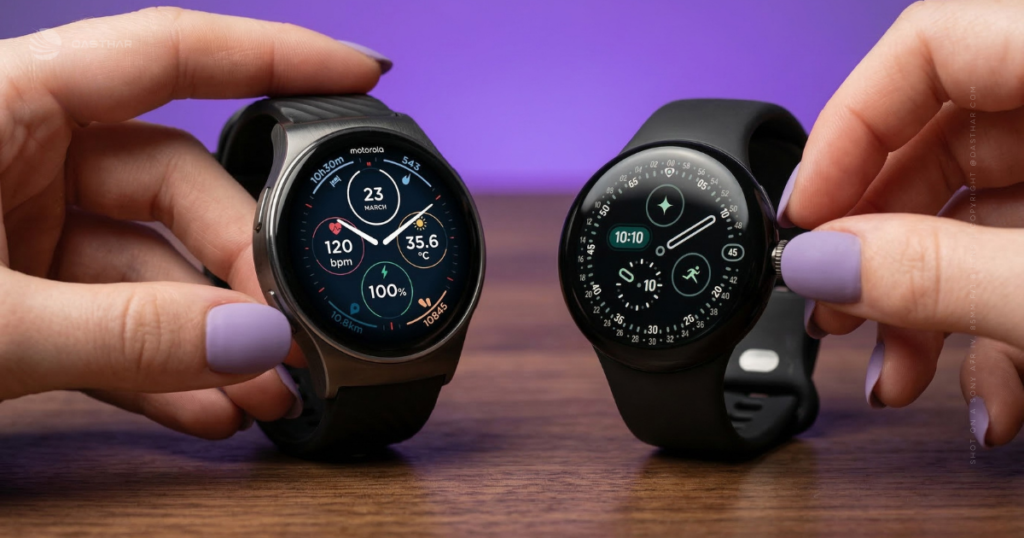
Durability is a mixed bag. Pixel Watch 4 still uses Gorilla Glass 5, and reviewers warn it can scratch. The save is that Google made the watch repairable, including battery and display replacement. Moto Watch uses Gorilla Glass 3 and IP68, but repairability details weren’t confirmed.
If you care about easy strap swaps and a big, traditional look, Moto Watch fits. If you want a smaller size option and a better plan for accidents, Pixel Watch 4 fits.
Winner: Google Pixel Watch 4, because repairability reduces the long-term risk even if scratches still happen.
Display Quality
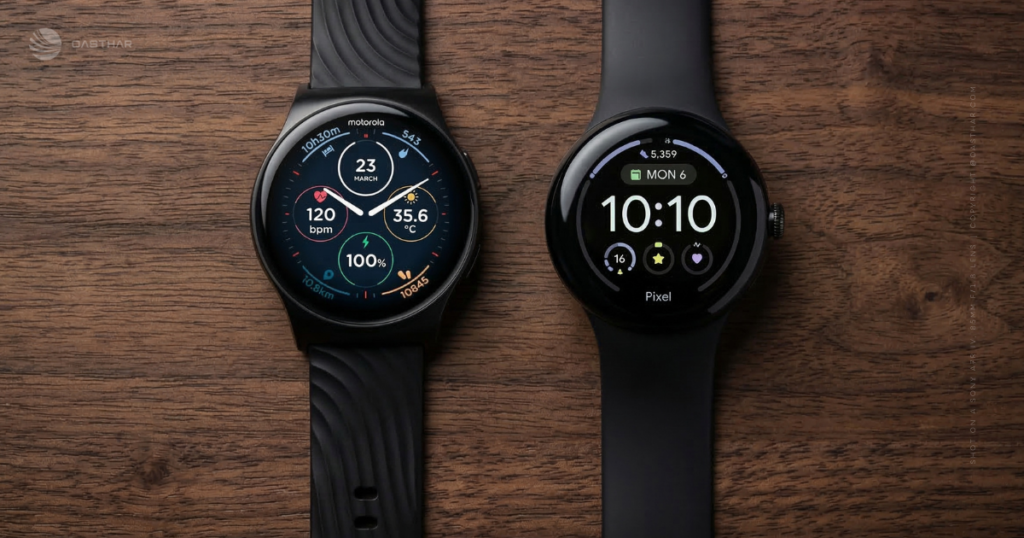
Both watches use OLED-style screens, which usually means deep blacks and strong contrast. In plain terms, text and icons pop, and watch faces look rich.
Moto Watch’s confirmed display detail is straightforward: 1.43-inch OLED at 464 x 464. It should look sharp at normal viewing distance, especially for stats and notifications.
Pixel Watch 4 is the one built for the sun. The display is rated up to 3,000 nits, and the domed presentation plus tighter bezels make it feel more immersive in motion. That matters when you’re running, commuting, or checking a timer outside.
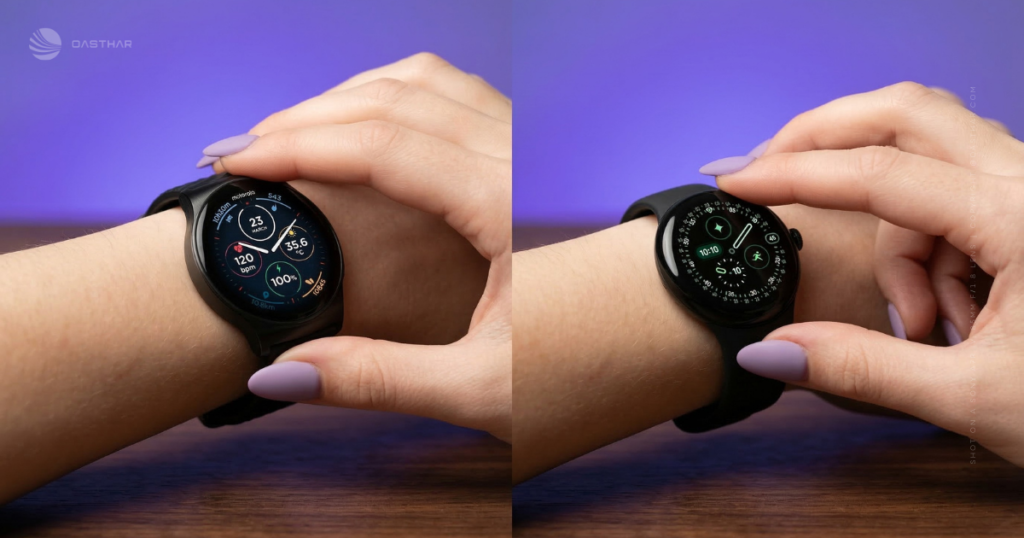
Because Moto Watch brightness isn’t confirmed, you shouldn’t assume it competes here. Think of it like headlights, both cars drive, but one is safer at night.
Winner: Google Pixel Watch 4, because its brightness advantage is confirmed and easy to feel outdoors.
Performance
Pixel Watch 4 uses the Qualcomm Snapdragon W5 Gen 2 (called out in coverage), and the general tone from reviewers is “solid,” not a dramatic leap year to year. You get smooth animations, quick access to Fitbit, and a watch that feels like an extension of your Android phone.
Moto Watch is harder to pin down, because the processor wasn’t disclosed in the review coverage provided. Reported memory is modest (512 MB RAM, 4 GB storage), which matches the product’s simpler feature set.
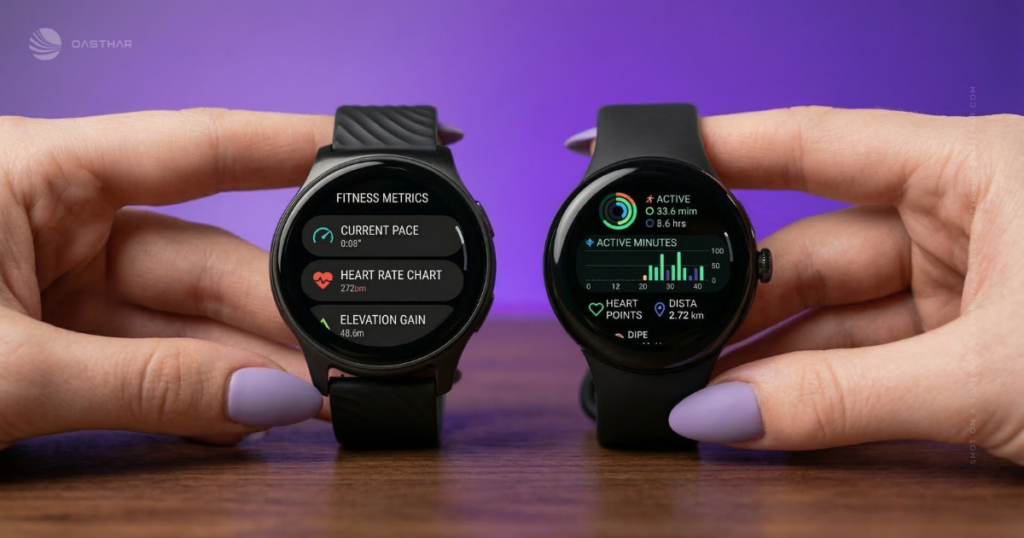
The practical performance story is GPS. Moto Watch reviews flag slow satellite lock and dropouts during outdoor activities, including missing chunks of distance and frequent “lost satellite” alerts. That’s the kind of annoyance that can ruin run tracking fast.
For a deeper take on Moto Watch trade-offs (including what you give up without Wear OS), see Android Central’s Moto Watch review.
Winner: Google Pixel Watch 4, because the platform responsiveness is stronger, and Moto Watch’s GPS complaints are a real drawback for outdoor training.
Battery Life & Charging
Moto Watch is the battery pick, full stop. Reported claims put it at up to 13 days with always-on display off, and about 7 days with always-on enabled. That’s “charge once a week,” or less, for many people.
Pixel Watch 4 battery life is respectable for a full smartwatch, but it’s not in the same category. Review testing suggests you can approach Google’s 40-hour claim on the 45 mm model with always-on display on, especially on lighter days. Results can swing depending on workouts and settings.
Charging is where Pixel Watch 4 claws back convenience. The new magnetic dock is easier to attach, and reviewers saw roughly 20% to 100% in about 40 minutes. That’s a real “shower and coffee” top-up.
If you hate thinking about chargers, Moto Watch changes your week. If you hate waiting on chargers, Pixel Watch 4 improves the routine.
Winner: Motorola Moto Watch, because multi-day battery life is its defining advantage.
Software & Ecosystem
Pixel Watch 4 is the richer smartwatch. It runs Wear OS (referenced as Wear OS 6 in coverage), integrates tightly with Fitbit, and replaces Google Assistant with Gemini. The standout trick is Raise to Talk, where lifting and turning your wrist can activate Gemini without the wake word.
Still, Pixel Watch 4 isn’t perfect. Reviewers call out missing basics like a “wake screen on notification” option, plus haptics that can feel too weak, meaning you might miss alerts.
Moto Watch takes a simpler approach. The Motorola Watch app uses ring-style daily goals (active minutes, steps, calories), and the Polar partnership adds more meaningful sleep context than you’d expect at the price. It’s also Android-only, which is a hard stop if you carry an iPhone.
If you want a bigger smartwatch ecosystem, Pixel wins. If you want the basics presented cleanly, Moto Watch holds up.
For more on Moto Watch’s Polar-powered positioning, you can also read the Motorola Moto Watch review.
Winner: Google Pixel Watch 4, because Wear OS app depth and on-wrist Gemini tools make it feel smarter day to day.
Connectivity
Pixel Watch 4’s big connectivity advantage is freedom. Optional LTE lets you stay connected without your phone, and the LTE model supports satellite SOS in emergencies (as referenced in review coverage). That can matter on hikes, road trips, or any time you don’t trust cell coverage.
Moto Watch sticks to the basics: Bluetooth 5.3 and dual-frequency GPS (L1 + L5) are part of its reported spec set, but it has no cellular option. Wi-Fi appears in some published specs, yet NFC support was not confirmed in the provided sources.
In real life, this section is about three questions: Do you want to leave your phone at home, do you want pay-by-wrist, and do you want an emergency fallback? Pixel Watch 4 is built for that first and third question.
If you want a compare-style reference point for the two product families, this Pixel Watch 4 vs Moto Watch Fit compare page can help you sanity check listings (just verify details against official specs before buying).
Winner: Google Pixel Watch 4, because LTE and satellite SOS change what the watch can do without your phone.
Cameras, Mic & Speakers
Neither of these watches is a spy gadget. No camera was confirmed for either.
Moto Watch includes a built-in microphone and speaker for hands-free calls, plus audio feedback during workouts (as referenced in Moto Watch coverage). That’s the right expectation: simple calling, basic audio cues, and notification sounds.
Pixel Watch 4 supports on-wrist voice features like Gemini, which implies a mic and speaker setup that can handle voice interaction. Reviewers also mention haptics can feel too light, so you may rely more on the screen than vibrations alone.
If calls are your priority, Pixel Watch 4’s LTE option can matter more than speaker tuning. If you only take calls near your phone, Moto Watch covers the basics.
Winner: Google Pixel Watch 4, because LTE expands calling and safety scenarios beyond “phone nearby.”
Extra Features
Moto Watch’s standout is sleep context at a budget price. Polar-powered sleep tracking factors in total sleep time, interruptions, and recovery-style guidance, producing a Nightly Recharge-style status you can interpret quickly. In comparisons, reviewers found no big gaps versus an Oura Ring for sleep, heart rate, and stress trends, though Moto Watch can read a bit generous on sleep minutes and steps.
Pixel Watch 4 leans into Fitbit as the “daily briefing” approach. Coverage mentions ECG support, irregular rhythm checks, skin temperature, skin conductance, cardio load, HRV, and daily readiness-style guidance. Reviewers also report solid alignment with Oura on heart rate and sleep trends, with one consistent caveat: calorie burn estimates during workouts can run high compared to more conservative trackers.
If you want health insights that stay simple, Moto Watch surprises. If you want a deeper sensor stack and more health features in one place, Pixel Watch 4 has the edge.
If you’re also comparing other battery-forward wearables, the OnePlus Watch 3 review is a useful reference point for what “big battery” looks like in a more premium tier.
Winner: Google Pixel Watch 4, because the confirmed sensor set and Fitbit depth are stronger for serious health tracking.
Price & Value
Moto Watch’s reported US price is $149.99, and it’s built to feel like a deal: big screen, long battery, Polar-backed sleep, and call support without the Wear OS cost or battery drain.
Pixel Watch 4 pricing in coverage starts at $349 (41 mm, Wi-Fi) and goes up to $499 (45 mm, LTE). You’re paying for the full smartwatch experience: a brighter screen, deeper Fitbit integration, optional LTE, satellite SOS (LTE model), and a design that’s now repairable if you crack a display or wear down a battery.
Value comes down to how you think. If you want battery per dollar, Moto Watch is hard to beat. If you want features per dollar, Pixel Watch 4 justifies the jump better than most.
Winner: Motorola Moto Watch, because the battery and Polar sleep features are aggressive at $149.99.
Who is it for?
You don’t need an overall winner, you need the right match.
- Choose the Motorola Moto Watch if…
- You want multi-day battery and hate charging routines.
- You want credible sleep insights (including recovery-style status) without paying flagship prices.
- You like standard 22 mm bands and easy strap swaps.
- You use Android and don’t care about a big app catalog.
- Choose the Google Pixel Watch 4 if…
- You want Wear OS apps and Google services that feel like a “phone on your wrist.”
- You need a screen that stays readable outside, and 3,000 nits matters to you.
- You want LTE and the extra safety of satellite SOS (LTE model required).
- You care about repairability, because cracked glass happens.
Winner: Tie, because each watch nails a different buyer profile.
FAQs
Which watch fits you better, Moto Watch or Pixel Watch 4?
If you want long battery and simple tracking, pick Moto Watch. If you want Wear OS apps, Fitbit depth, and tighter Android features, Pixel Watch 4 fits better.
How big is the battery life gap in real use?
Moto Watch can last up to 13 days (about 7 with always-on). Pixel Watch 4 targets about 30 to 40 hours with always-on, longer with saver modes.
Which one gives you more accurate fitness and sleep tracking?
Pixel Watch 4’s Fitbit tracking is consistent, with solid heart rate and sleep alignment versus rings, although workout calories can read high. Moto Watch’s Polar sleep is strong too.
Do you get Google apps and smart features on Moto Watch?
No, Moto Watch doesn’t run Wear OS, so you miss things like full Google app support. Pixel Watch 4 runs Wear OS and adds Gemini, plus deeper phone integration.
What’s the price difference, and what do you give up?
Moto Watch sits around $149.99, while Pixel Watch 4 pricing starts at $349 and reaches $499 for larger LTE. You’re mainly paying for Wear OS, Fitbit, and premium extras.
Which watch is better for GPS runs, walks, and outdoor workouts?
Pixel Watch 4 supports dual-frequency GPS and tends to be dependable. Moto Watch also lists dual-frequency GPS, but real-world reports mention slow lock and occasional dropouts.
Final Verdict
Moto Watch is the easy pick if you want long battery life and a low price, and you’re fine with simpler software and no LTE. Pixel Watch 4 is the better pick if you want the full Wear OS experience, a much brighter display, optional cellular freedom, and a deeper Fitbit sensor set.
If you run outdoors and care about GPS reliability, Moto Watch’s reported satellite dropouts are a serious concern. If you want a watch that can help when your phone isn’t around, Pixel Watch 4’s LTE and satellite SOS support matter.
Your best move is to decide what you’ll notice every day: charging frequency, outdoor readability, and whether you want apps or just essentials.
Winner: Depends on your priorities, because battery-and-price buyers should pick Moto Watch, while feature-and-safety buyers should pick Pixel Watch 4.
