

Is the Motorola Moto Watch the rare budget smartwatch you can wear for days, track workouts with confidence, and still pay less than a night out? The Motorola Moto Watch makes that bet, and it does it by focusing on battery life and fitness basics instead of chasing every smartwatch trick.
Your real buying question is simple: do you want long battery life and strong health tracking more than a big app library and deep Google features? That trade shapes almost everything about this watch, from software to accuracy.
Below, you’ll get a practical breakdown: a specs table, comfort and build, display quality, day-to-day speed, battery and charging, Moto OS limits (no Wear OS), what Polar’s involvement means for health metrics, and who should actually buy it.
RELATED: Motorola Moto Watch vs Galaxy Watch 7: Which is Better?
Quick Review
If you want a watch you can charge once and basically forget about, the Motorola Moto Watch is built for you. Motorola claims up to 13 days with raise-to-wake, or around 7 days with always-on display enabled. That’s the headline, and it’s the kind of number that makes typical 1 to 2-day smartwatches feel needy.
On your wrist, it doesn’t feel “cheap.” You get a 1.43-inch OLED screen, a metal body, and a rotating crown that makes basic navigation easier when your fingers are sweaty. You also get dual-frequency GPS (L1 + L5) and Polar-backed health features like sleep and recovery-style insights.
The misses are real, though. It’s Android-only (Android 12+), it doesn’t run Wear OS, and you shouldn’t expect a huge app library. Early testing also suggests GPS lock can be slow or spotty, and peak heart rate can lag behind a chest strap during hard intervals.
For a deeper long-battery angle, see this Motorola Moto Watch review.
Best for: Android users who want battery life and fitness tracking more than apps.
Specifications
Here are the confirmed specs that actually affect daily use.
| Spec | Motorola Moto Watch |
|---|---|
| Display | 1.43-inch OLED, 464 x 464 |
| Case size | 47 x 47 x 12 mm |
| Weight | 35 g |
| Materials | Aluminum case, stainless steel rotating crown, Gorilla Glass 3 |
| Water and dust rating | IP68 |
| Band size | 22 mm |
| Compatibility | Android 12+ only |
| Connectivity | Bluetooth 5.3, dual-frequency GPS (L1 + L5) |
| Sensors | PPG heart rate, SpO2, accelerometer, gyroscope, compass, ambient light |
| Battery claims | Up to 13 days (raise-to-wake), up to 7 days (always-on display) |
| Charging | Fast charge claim (about a day of power in ~5 minutes, per Motorola) |
| Price and availability | Listed at $150 in US coverage, pricing varies by market |
If you want a quick sanity check on the $150 positioning and what Motorola is aiming for, CNET’s early coverage frames it as a strong value in its price class: Moto Watch feels like a steal at $150.
Design & Build Quality
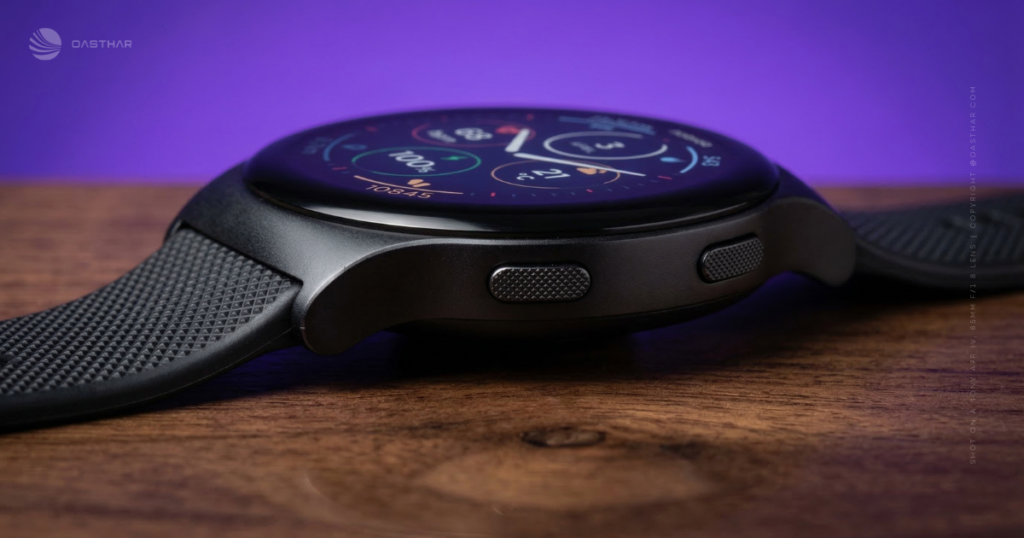
The first thing you’ll notice is the size. A 47 mm case looks bold, especially on smaller wrists. Still, it’s also surprisingly light at 35 g, so it wears more like a slim sports watch than a chunky metal dinner plate.
The materials help it punch above budget territory. You get an aluminum case, a stainless steel crown, and Gorilla Glass 3 on top. In daily life, that combination matters most when you bump door frames, scrape past zippers, or toss your hand on a desk without thinking.
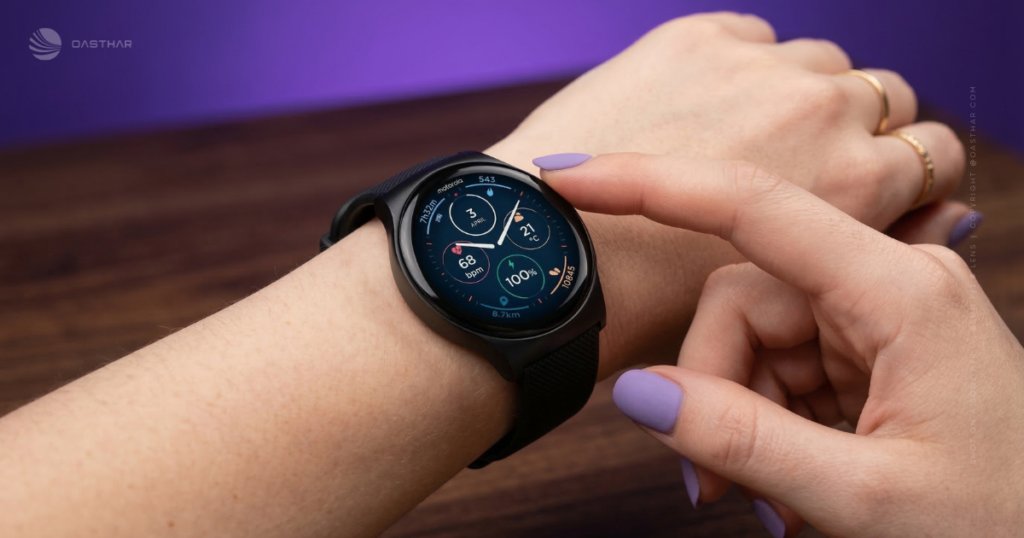
The rotating crown is a small win that adds up. It gives you a reliable way to scroll without jabbing the screen, which is handy in the gym or out in the cold.
IP68 is practical, but it’s not magic. It should handle sweat, rain, and brief submersion. It’s still smart to avoid hot tubs, steam, and saltwater abuse, because heat and chemicals tend to find the weak points.
Band swapping is refreshingly normal. The watch uses 22 mm bands and supports third-party options, so you can go sporty for workouts and less sporty for work without getting locked into a brand-only strap wall.
Display Quality
The 1.43-inch OLED panel with 464 x 464 resolution is the kind of screen you’ll appreciate every time you glance down. Text stays crisp, workout stats look clean, and the contrast helps in mixed lighting. Indoors, it’s easy. Outside, face design matters, so pick higher-contrast watch faces if you care about quick readability.
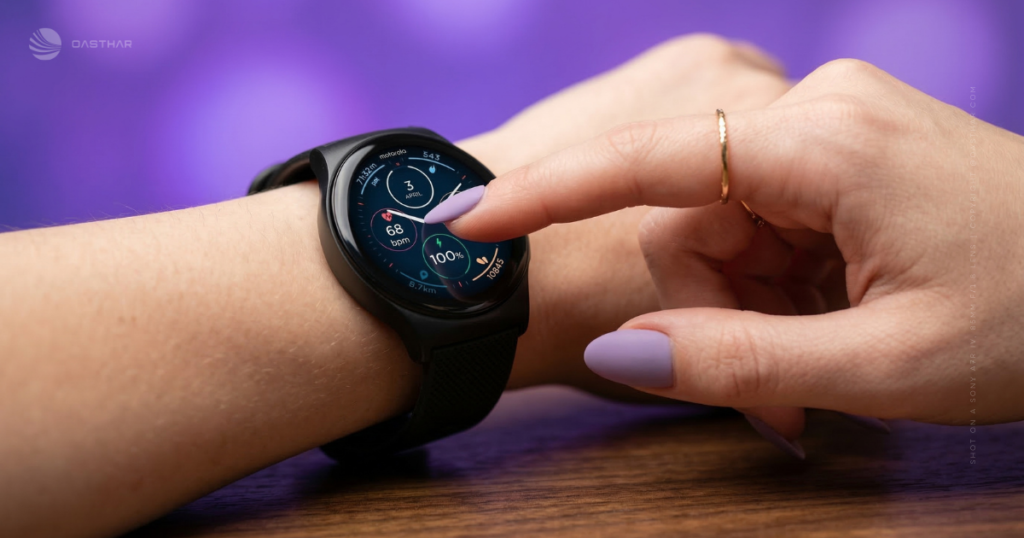
Always-on display changes the vibe. With AOD on, it feels more like a real watch, because time is always there. The cost is battery, and Motorola’s own estimate drops to about 7 days with AOD enabled.
One real-world detail from early impressions: the screen and buttons can feel too sensitive at times. If you’ve ever accidentally paused a workout on a touchscreen watch, you already know the frustration. Use the screen lock during workouts and tighten the fit slightly above your wrist bone so the sensor stays stable.
Performance
This watch runs Motorola’s own software, not Wear OS. That’s both the point and the warning label. You’re buying a watch that’s meant to do the basics well: check stats, start workouts, read notifications, and move on.
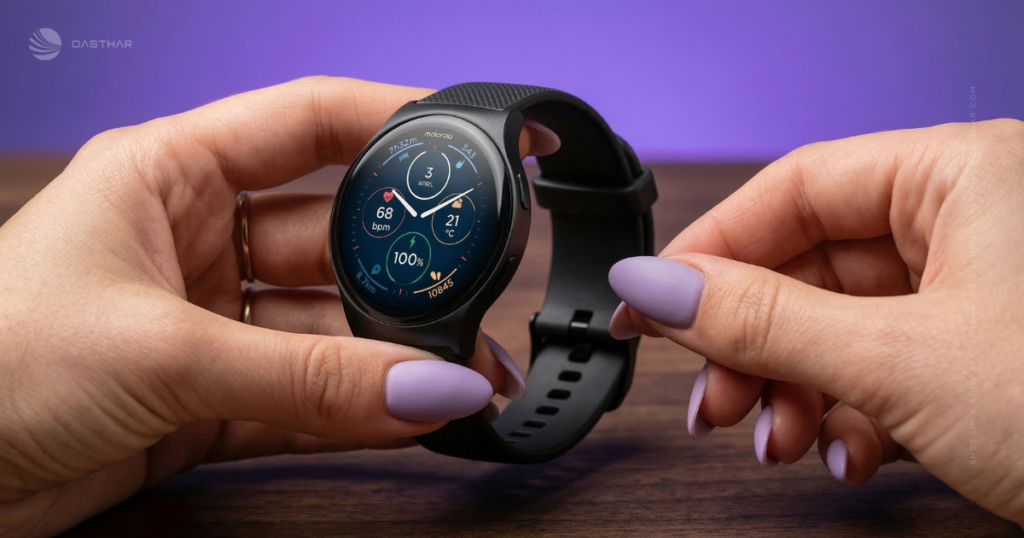
For everyday actions, you should expect decent responsiveness: swiping through screens, opening a workout, checking heart rate, and scrolling with the crown. It’s not trying to be a tiny phone, and it won’t act like one.
Where you need to keep expectations in check is “smartwatch stuff.” Without Wear OS, you’re not getting the same app ecosystem, deep Google integrations, or that endless menu of third-party add-ons.
Fitness performance has two known caveats from early reviews: GPS can take time to connect, and heart rate tracking can struggle when intensity spikes. One test noted the watch took a few minutes to line up with a chest strap, then stayed closer at steady effort, but missed peak highs during harder bursts. WIRED also calls out GPS frustrations in real outdoor use: Motorola Moto Watch review.
Battery Life & Charging
Battery life is the core reason this watch exists. Motorola rates it at up to 13 days with raise-to-wake, and up to 7 days with always-on display. If those numbers even get close in your routine, you stop thinking about chargers, which is the best smartwatch feature nobody brags about.
Your habits will decide which number you live in. Always-on display, frequent GPS workouts, and high screen brightness will drain faster. Long outdoor runs with GPS are the big one. GPS is expensive, and dual-frequency GPS can be even more demanding when it’s active.
Motorola also claims fast charging, including roughly a day of power from about 5 minutes. Treat that as something you confirm early, not a promise you build your life around.
A simple first-week test helps. Track battery drop on a normal day, then track it on a GPS workout day. If the slope looks scary, adjust AOD and brightness first, because those are usually the easiest wins.
Software & Ecosystem
Compatibility is the hard line: the Moto Watch supports Android 12+ and does not support iPhone. If you’re on iOS, this review ends here, because the watch won’t fit your setup.
On Android, you get the practical essentials: notifications on your wrist, basic health dashboards, workout modes, alarms, timers, and the daily “keep moving” style goals. Polar’s influence shows up in how sleep and recovery are presented, with more context than raw numbers.
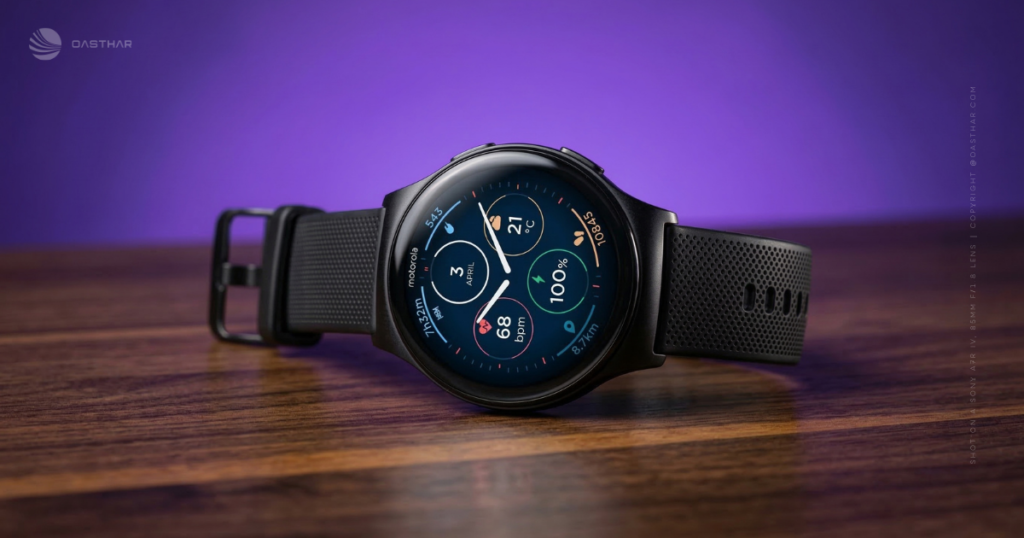
The bigger limitation is still the same. Because it doesn’t run Wear OS, you’re living in Motorola’s smaller app world. For some people, that feels clean. For others, it feels like missing the entire point of a smartwatch.
Motorola also positions the watch inside a broader ecosystem. The company has talked about Smart Connect and a wider “Moto Things” direction, where devices play nicer together. It also teased future alignment with a Qira AI platform across Lenovo PCs and Motorola devices. What matters for you right now: there are no confirmed watch-specific AI features yet, but Motorola is clearly hinting at smoother cross-device notifications and task flow later.
Connectivity
The confirmed basics are solid: Bluetooth 5.3 for phone pairing and dual-frequency GPS (L1 + L5) for outdoor tracking. Dual-frequency GPS is meant to help in tricky areas like city streets or tree cover, because it can improve positioning compared to single-band GPS.
What you should not assume: Wi-Fi support, NFC payments, LTE or cellular service, offline music storage, or any other “leave your phone behind” feature set. Those items are not clearly confirmed in the provided sources, so treat them as unknown until you see them listed for your region.
In real life, that means you’ll still depend on your phone for many smart features. The watch is best as a companion, not a replacement.
If you want another perspective on the overall smartwatch tradeoffs here, Android Central’s take is blunt about expectations: Moto Watch review.
Cameras, Mic & Speakers
There’s no camera here, which is fine because wrist cameras remain awkward in public.
You do get a built-in mic and speaker, which matters for call handling when your phone is nearby. Even if you rarely take full calls on a watch, speaker and mic support also helps with audio cues during workouts.
One funny downside from real-world GPS complaints is that audio alerts can get repetitive. If the watch loses satellite signal during a run, you’ll hear about it. That’s useful once, then annoying the fifth time.
Extra Features
This watch’s personality is fitness-first, even if it’s dressed like an everyday smartwatch. You get the modern baseline: heart rate, SpO2, stress-style signals, and sleep tracking. You also get Polar-backed presentation that’s meant to turn raw data into something you can act on.
Sleep is a good example. Instead of only showing hours, the Polar-style approach factors in sleep quality and interruptions and turns it into a recovery-style status. In at least one comparison, sleep and stress-style readings didn’t look wildly off next to a higher-end reference device, although the Moto Watch could be a bit generous. That’s a common behavior in cheaper wearables, so use it for trends, not perfection.
Heart rate is similar. For steady workouts, it can be useful and consistent. During high-intensity bursts, wrist sensors often lag. Early testing suggests this watch can take a few minutes to “catch up,” and it may not hit the same peak numbers you’d see from a chest strap. If you train by strict zones or do interval work, that’s the gotcha.
GPS is the other big story. Dual-frequency sounds premium, and it can be. Still, early notes point to slow satellite lock and occasional dropouts in outdoor runs. If your route map matters, pay attention during your return window.
Use this watch to track habits and steady effort. Be cautious if you need perfect peaks and perfect maps.
Price & Value
Value depends on what you think you’re buying. If you think you’re buying a full smartwatch, the limitations will annoy you. If you think you’re buying a battery-first fitness watch with smart extras, the price starts to make more sense.
In US coverage, the watch has been listed at $149.99 on Motorola’s site, and that price is a big part of the pitch. In other markets, pricing varies, and you may see lower listings depending on region and retailer. The only honest move is to judge it against what you get: an OLED screen, premium-leaning materials, long battery claims, Polar-backed health features, and dual-frequency GPS.
The trade is clear. You’re paying less partly because Moto OS keeps the app world smaller, and Android-only support shrinks the audience. If those aren’t problems for you, the watch can feel like a bargain.
Who is it for?
You’ll like the Moto Watch most if your priorities match its personality.
Buy if:
- You hate charging and want a watch that can last many days (raise-to-wake use).
- You want fitness tracking first, including sleep and recovery-style insights with Polar influence.
- You want a nice screen and solid build without paying flagship prices.
- You run or walk outdoors and want dual-frequency GPS on paper, as long as you can tolerate some early GPS quirks.
Don’t buy if:
- You want Wear OS apps and deep Google integrations on your wrist.
- You use an iPhone, because Android 12+ support is the requirement.
- You demand perfect GPS tracks on every run, given early reports of slow lock and dropouts.
- You need accurate peak heart rate for intervals and sprint work, where chest straps still win.
- You dislike large watches, because 47 mm wears big.
FAQs
Is the Moto Watch 2026 really a two-week battery?
In normal raise-to-wake use, you can expect up to about 13 days, or closer to a week with always-on display. It beats most Wear OS watches on stamina.
What do you give up for that big battery life?
You trade away Wear OS extras, meaning no app store, no Google Maps, and no Google Assistant. You’re mostly getting strong basics, not a mini phone.
How good is the Polar fitness tracking on this watch?
You get Polar-style metrics like sleep stages and recovery style summaries (including Nightly Recharge). In comparisons, readings can run a bit generous, but they’re generally consistent.
Is heart-rate accuracy reliable during hard runs and intervals?
For steady efforts, it can track well after it settles. During spikes, tests showed it may lag a chest strap, sometimes underreporting max heart rate.
Does the dual-frequency GPS fix outdoor tracking problems?
It supports dual-band GPS on paper, but real use can still frustrate you. Satellite lock can feel slow, and some runs may show dropouts or missing segments.
Should you buy it if you want a true smartwatch?
If you want deep apps, payments, and tight Google integration, you’ll feel boxed in. If you want calls, notifications, and long battery for $150, it fits.
Final Verdict
If you buy the Motorola Moto Watch for one reason, make it battery life, because that’s where it stands apart. You also get a premium-leaning build and a clean OLED screen at a price that stays approachable. Polar-backed health tracking adds useful context, even if the sensors still have the usual wrist-based limits. The biggest compromise is Moto OS: no Wear OS, fewer apps, and Android-only support. For another angle on style versus real-life quirks, see this Moto Watch review with Polar integration notes.
If you’re a fitness-first Android buyer who wants long battery on a budget, this watch fits. If you’re a smartwatch power user, you’ll probably feel boxed in.
