

You like gadgets, but you don’t want another screen that drags you into endless apps and alerts. The TCL Note A1 NXTPAPER is built for the opposite, it’s a notes-first tablet that tries to keep you on task while still giving you a fast, full-color experience.
In this in-depth review, you’ll see how the 11.5-inch NXTPAPER Pure display (2200 x 1440) holds up in real use, with a 120Hz refresh rate and a matte, anti-glare finish. You’ll also get a practical take on the included T-Pen Pro, from its 8,192 pressure levels to its low-latency feel, and whether it actually feels closer to paper than a typical LCD tablet.
You’ll also see the trade-offs tested, not excused. The software is designed to be locked down and focus-first, which can be perfect for studying and writing, but limiting if you expect a normal Android tablet. And because it’s LCD, you’ll want to weigh battery expectations against true e-ink devices, even with an 8,000mAh cell and 33W charging.
RELATED: Best Budget Tablets 2025
Finally, you’ll get a reality check on performance for light work, since the Helio G100 and 8GB RAM are built more for reading, notes, and docs than heavy multitasking.
TCL Note A1 NXTPAPER specs at a glance
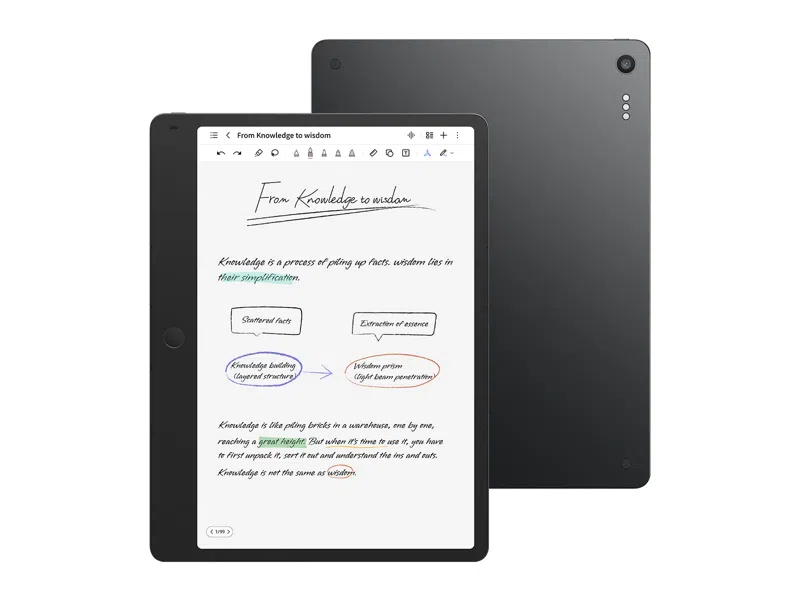
If you just want the hard numbers before you decide whether the TCL Note A1 NXTPAPER fits your workflow, this quick spec sheet gives you the essentials. Think of it as the “label on the box”, it won’t tell you everything about feel and software, but it does show what kind of device TCL built: a paper-like, notes-first tablet with unusually smooth visuals for this category.
Key specs
| Spec | TCL Note A1 NXTPAPER |
|---|---|
| Display | 11.5-inch, 2200 x 1440, 3:2 |
| Refresh rate | 120Hz |
| Brightness | 300 nits |
| Color support | 16.7M colors |
| Processor | MediaTek Helio G100 |
| Memory | 8GB RAM / 256GB storage |
| Battery and charging | 8,000mAh, 33W |
| Thickness and weight | 5.5mm, 500g |
| Stylus | T-Pen Pro, 8,192 pressure, dual tips, eraser, haptics, <5ms |
| Audio | 2 speakers, 8 mics |
| Connectivity | Wi‑Fi ac, Bluetooth 5.3, USB‑C 2.0 OTG, GPS |
| OS | Custom Android 15 |
| Cameras | 13MP rear (front camera not clearly listed in early specs) |
For a second source on the core hardware setup, compare listings like Liliputing’s spec rundown or the official TCL product page.
What these specs mean in daily use
- Reading and PDFs feel natural: The 11.5-inch 3:2 panel suits documents better than widescreen tablets, and 300 nits plus a matte, anti-glare approach is built for bright rooms.
- Handwriting keeps up with you: 120Hz and sub-5ms stylus latency are about reducing that “ink trailing behind” feeling when you write fast.
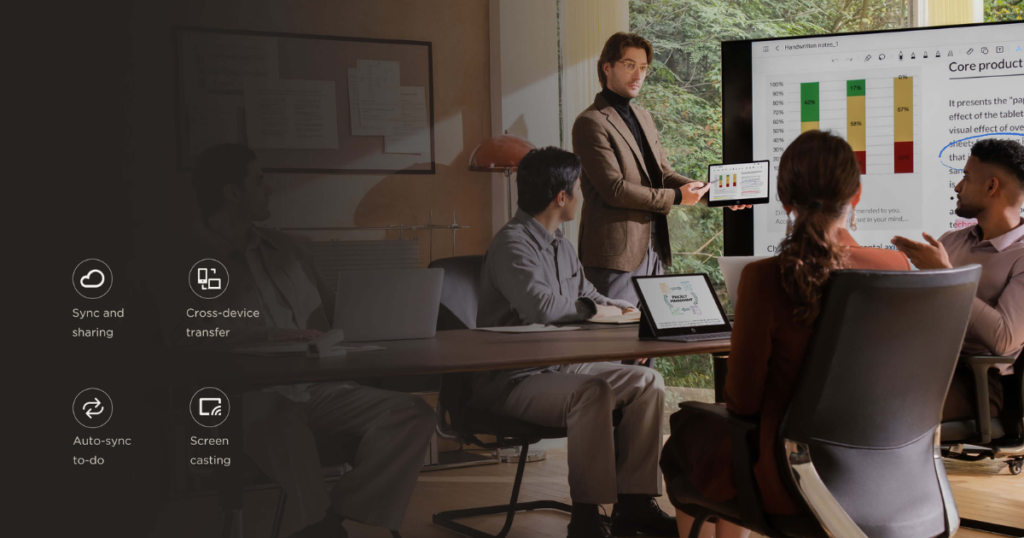
- Meetings are a real use case: The 8-mic array is there for clearer voice capture, which matters if you rely on recordings and transcripts.
- Expect focus-first performance: Helio G100 with 8GB RAM is plenty for notes, reading, and light work, but it’s not aimed at heavy creative apps or gaming.
Design and build quality
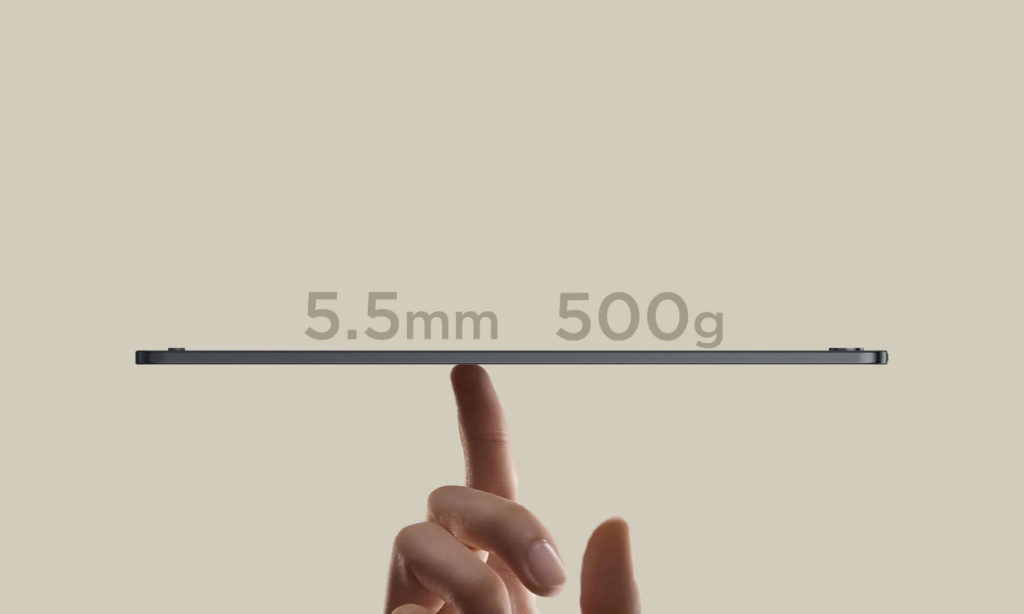
The TCL Note A1 NXTPAPER feels like it was designed around one simple reality: you’re going to hold it a lot. The aerospace-grade aluminum body has that cool, dense feel you expect from premium gear, but it stays practical because it’s just 5.5mm thin and about 500g. In your hand, it reads more like a sturdy notepad than a chunky tablet.
That thinness also shapes how you use it. The wider side bezel gives you a safe place for your thumb, so you can grip it without constant accidental touches. Add the 3:2 screen and documents feel more natural, PDFs sit taller, lines of text look less cramped, and you scroll less compared to wider 16:10 tablets. It’s a small spec that makes a big difference once you’re annotating slides or marking up a contract.
On the practical side, you get USB-C for charging and data, plus pogo pins for accessories like a keyboard case. On a desk, the tablet sits neatly and feels stable for quick note bursts, and the corners have small grippy touches so it does not skate around as easily.
The honest trade-off is rigidity. A body this thin can feel a bit less confidence-inspiring than thicker tablets, and you’ll likely want a case if you toss it in a bag daily. For a quick look at the early hardware impressions, see PCMag’s hands-on coverage at CES 2026 in PCMag’s Note A1 preview.
Buttons, shortcuts, and the focus-first layout
That wide side panel is not just for grip, it’s part of the workflow. When you’re holding the TCL Note A1 NXTPAPER one-handed, your thumb naturally lands on the customizable home button, so common actions are always one press away. The idea is simple: reduce the steps between “I have an idea” and “it’s saved.”
In day-to-day use, these quick actions matter most:
- Jump home instantly when you need to switch notebooks.
- Create a new note fast (often mapped to a double-press), so you don’t hunt through menus.
- Start a voice note (often mapped to a long-press), useful when you’re walking or your hands are busy.
This layout also helps left-hand and right-hand comfort. Because the grip bezel is a dedicated holding zone, you can swap hands during long reading sessions without changing how you interact with the screen. It’s the same logic as a paper notebook’s margin, it gives your hand a place to rest while your brain stays on the page. For more detail on the focus-first approach and the Note A1’s design intent, see Expert Reviews’ first look.
If you’re a student, you’ll like how quickly you can capture lecture points. If you’re in meetings, that one-button recording feels like a safety net. If you commute, the one-handed grip and fast note actions are the difference between “I’ll remember later” and “it’s already written down.”
Display quality
NXTPAPER Pure is the core reason the TCL Note A1 NXTPAPER feels different from a normal LCD tablet. You get a matte, anti-reflective, paper-textured screen and a fast 120Hz refresh rate, so writing and scrolling feel immediate, not smeary like many e-ink note tablets. It’s still an LCD, though, so you should expect more battery draw than e-ink and a less “printed page” look in harsh sun, especially with the 300-nit ceiling. The upside is color, which makes highlights, diagrams, and book covers more useful, and the 3:2 shape helps documents (and split view) feel less cramped.
Writing feel and latency
The first thing you notice is traction. The NXTPAPER Pure surface has a gentle “tooth,” so your pen tip doesn’t skate like it does on a glossy iPad-style panel. It’s closer to writing on a fresh notepad than on glass, which makes your handwriting look more controlled, especially when you’re jotting fast bullet points.
Latency is the bigger win. With the included T-Pen Pro rated at under 5ms and the display running at 120Hz, the ink stays glued to your pen. When you underline a paragraph or scribble in the margin, you don’t get that distracting gap where your brain waits for the line to catch up. That smoothness also helps when you flip pages or scroll long PDFs, it feels responsive instead of “stutter then jump.”
The stylus supports 8,192 pressure levels, which matters in plain ways:
- Light pressure gives you thin, softer strokes for quick notes.
- More pressure makes thicker lines that read like a marker, great for headings or diagram arrows.
For a notes-first tablet overview that matches this focus, see CNET’s coverage of the device as a notes-first tablet with a 120Hz display.
Glare and fingerprints
The matte anti-reflective layer is what makes the TCL Note A1 NXTPAPER comfortable in real rooms. Under overhead lights, you’re not fighting a mirror-like reflection the way you often do with glossy tablets. That means you can sit near a lamp, work at a bright kitchen table, or take notes in a meeting room without constantly tilting the screen to “find the angle.”
There is a trade-off: matte finishes can look slightly softer than glass, especially on tiny text or fine lines. Most of the time, it’s a worthwhile swap because your eyes relax faster. And because the coating reduces smudges, fingerprints are less obvious than on bare glass, so the screen stays cleaner between wipes.
Brightness is the limiter. At 300 nits, it’s solid indoors and in shaded spots, but outside in direct sun you’ll still want to crank brightness and position yourself carefully (LCD is still LCD, even with good glare control).
For day-to-day reading comfort, use this quick setup:
- Eye comfort mode when you read for long stretches (warmer tone, less harsh).
- Auto color temperature so whites don’t look icy under cool LEDs.
- Lower brightness at night to keep the matte texture from looking “hazy.”
Expert Reviews also calls out the anti-reflective approach and paper-like intent in its first look at the Note A1.
Performance and software
The TCL Note A1 NXTPAPER feels quick where it counts because the hardware and software both push you toward one job: reading, writing, and organizing. The MediaTek Helio G100 plus 8GB RAM is plenty for dense PDFs, big notebooks, web research, and email, and it keeps page turns and pen strokes feeling immediate on the 120Hz screen. You can bounce between a PDF, a notebook, and a browser without the tablet acting like it needs a break.
Where you should set expectations is anything “heavy.” Don’t buy this thinking you’ll do serious video editing, run high-end creative suites, or play demanding games for hours. It’s not that the Note A1 is slow, it’s that TCL didn’t build it as a general entertainment tablet.
Software is the bigger story. You’re on a custom Android 15-style experience that doesn’t feel like regular Android, and that’s on purpose. App installs are limited (no traditional app store experience), and you get a small, productivity-focused set of tools (including Microsoft Edge for browsing and Microsoft-style AI helpers for summaries and writing). Some people will love the locked-down vibe because it kills distraction loops. Others will hate it because you can’t just install whatever you want. If you want a spec confirmation and positioning context, see coverage like Notebookcheck’s Helio G100 breakdown.
Split View and note workflows
Split View is one of the few features here that can change your day, because it mirrors how you already work on paper. You put a PDF, slide deck, or ebook on one side, then keep a notebook open on the other. The 11.5-inch 3:2 screen helps, since documents don’t feel squeezed the way they can on wide tablets.
A practical setup looks like this: you’re reviewing a project brief in PDF form, underlining key lines with the pen, while your notes panel stays ready for action items and questions. You aren’t flipping back and forth, and you aren’t losing your place, which is where time usually disappears.
For lectures and meetings, the workflow gets even better if you record audio while you write. The 8-mic array is a real productivity feature here because cleaner capture usually leads to more usable transcripts later (less “muffled room noise,” more actual words). You can finish the session with:
- A written outline you created in real time
- A full audio record as backup
- A transcript you can search and skim
Keep it grounded, though. Transcription and summaries can mishear names, numbers, and technical terms. Treat them like a smart assistant, not a court stenographer, and do a quick review before you share or act on the notes. For more on the device’s multitasking and positioning, Android Authority’s launch coverage lines up with this focus-first idea.
AI tools
The AI tools on the TCL Note A1 NXTPAPER are most useful when you treat them like a first pass. In real life, that usually means three things.
First, you’ll use transcription plus quick summaries after a long voice note. If you record a 40-minute lecture, turning it into short bullet points makes review less painful. The win is speed, not perfection, you still need to scan for errors, missing context, or mixed-up speakers.
Second, you’ll use writing help to clean up rough drafts. If your meeting follow-up email reads like scattered thoughts, AI can tighten it into something you’d actually send. A good habit is to keep your intent, then edit the tone and facts yourself.
Third, you’ll use translation when you need to share notes across a team, or when your sources are mixed-language.
Two rules keep you out of trouble:
- Don’t paste sensitive info (personal data, client details, passwords, private financials).
- Always skim the output, especially names, dates, and numbers.
Think of AI summaries as a table of contents for your brain, helpful for orientation, but not a replacement for reading what matters.
Battery life, charging, audio, and connectivity
With the TCL Note A1 NXTPAPER, day-to-day stamina is mostly a story about the screen. You’re getting an 11.5-inch LCD with a paper-like matte finish and a 120Hz mode, so it will never sip power like true e-ink tablets. Still, the 8,000mAh battery is big enough that, in light use (reading, handwritten notes, short web lookups), you can reasonably expect multi-day life, often in the 3 to 4-day range before you start hunting for a charger. Turn up brightness, spend hours in Split View, or live inside color-heavy PDFs, and that window tightens fast.
Charging is refreshingly straightforward: 33W wired charging over USB-C gets you back in action quickly, but there’s no wireless charging, so this is a “plug it in at your desk” device, not a “drop it on a pad” one. If you want the cleanest spec confirmation, the official TCL Note A1 NXTPAPER page is the best anchor.
Audio is practical, not cinematic. The two speakers are fine for voice notes, podcasts, and reference videos, but don’t expect deep bass or room-filling sound. The more important part is the 8-microphone array, because it’s what makes recordings and transcription feel like a real workflow, not a gimmick.
Connectivity covers the basics: Wi‑Fi ac, Bluetooth 5.3, USB‑C 2.0 OTG, and GPS. What you don’t get matters too: no NFC, and USB-C is not high-speed, so big file moves will feel slower than on tablets with faster USB standards.
Recording meetings and lectures
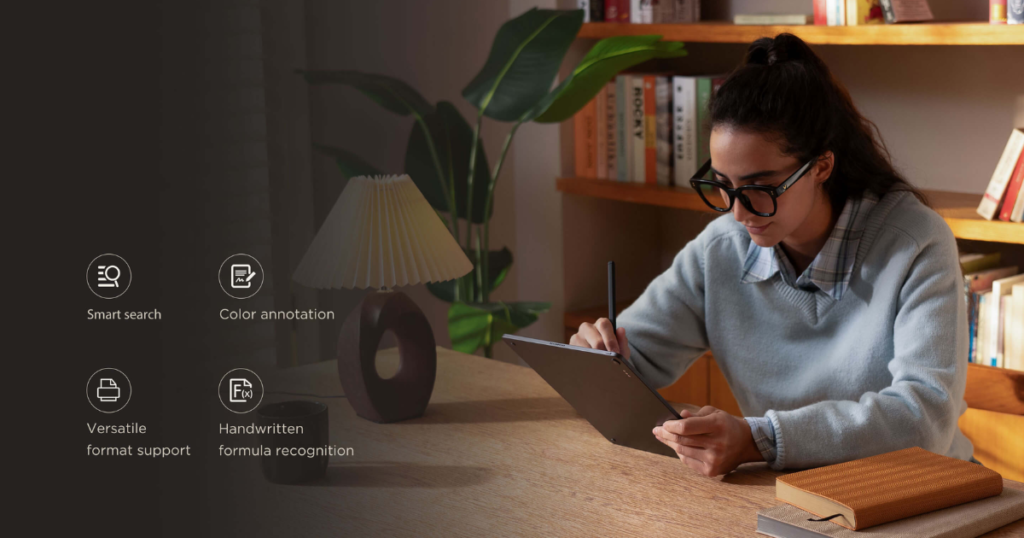
A realistic win looks like this: you’re in a lecture, you open a notebook, then you start an audio recording before the slides get dense. The 8 mics give you a better shot at capturing voices across a room, which matters because cleaner audio usually means a cleaner transcript a few minutes later. Once the transcription is done, you can turn it into study notes by pulling out definitions, formulas, and “this will be on the exam” moments, then summarizing into a tight page you can actually review on a flight.
A few placement habits make a bigger difference than any spec sheet:
- Keep the tablet closer to the speaker than to you when possible (front row beats back row).
- Reduce keyboard-case clatter and desk taps, those spikes can confuse speech-to-text.
- Confirm recording permissions and local rules, especially in meetings, because consent policies vary by school, workplace, and region.
Treat transcripts like a smart assistant, not a perfect record. You’ll still want to scan for misheard names, dates, and numbers before you turn them into flashcards or share them with your group.
Stylus and note apps
The TCL Note A1 NXTPAPER lives or dies by its pen, and the included T-Pen Pro is what makes the device feel like a purpose-built notebook instead of “an Android tablet you can write on.” You get 8,192 pressure levels for line variation, plus a dual-tip design that behaves like a real pencil: write with one end, then flip it to erase. That sounds simple, but it changes your pace, you correct mistakes without breaking focus or hunting for an on-screen tool.
The other standout is haptic feedback. The pen’s internal motor changes the feel depending on the tool you pick (think: a tighter buzz for “pencil,” a different response for “marker”). Compared to cheaper passive styluses that just slide on glass, this adds a tiny “drag” cue that helps your hand slow down and control letters, shading, and highlights.
On the app side, you’ll care about basics done well: notebooks for separation (work, school, personal), tags for cross-linking topics, and practical exports (commonly PDF for sharing marked-up docs). Sync also matters. TCL’s Toolbox is positioned as a no-subscription way to move notes across devices, a clear contrast to rivals that lock cloud sync behind a paid tier (see the TCL Note A1 NXTPAPER product page for the official positioning).
The “inspiration” capture tool
The “Inspiration Space” tool is one of those features you don’t appreciate until you’re mid-task and your brain is juggling ten tabs. On the TCL Note A1 NXTPAPER, you can circle anything on-screen (a paragraph, an image, a chart, a quote) and save it into a dedicated inspiration area. It’s like ripping out a clean page from a magazine and pinning it to a corkboard, except you don’t lose context.
What makes it useful for real work is that each saved piece keeps a link back to the original source, so you can jump back later and verify the details, pull a fuller quote, or continue reading where you left off. That “breadcrumb trail” is what stops inspiration boards from turning into a dead pile of clippings.
Two quick ways you’ll use it:
- Planning a project: Circle competitor pricing, UI patterns, or feature lists while researching, then group them in one place before you write your plan.
- Collecting study snippets: Circle definitions, formulas, and key slides from PDFs, then review the highlights as a rapid pre-exam pack (with sources attached so you can double-check).
Price, value, and competitors
Pricing is the first reality check with the TCL Note A1 NXTPAPER. Early access is tied to crowdfunding, where you’ll see pricing around $419 for pre-order, then a more normal $549 retail once it lands more widely. Availability also varies by country, with broader rollout expected late February 2026 in some regions (so it may feel “announced” for a while before it is easy to buy).
The value pitch is simple: you’re paying for a paper-like, anti-glare color screen that still runs at 120Hz, plus an included pen and a distraction-limited software setup. If your biggest problem is focus, it can feel like buying back hours of attention.
Where it doesn’t make sense is when you want a “do-everything” tablet. A regular iPad or Samsung Tab will run circles around it for app choice, games, and creative suites. True e-ink devices still win on battery endurance and that printed-page vibe, but they’re slower, and some ecosystems charge extra for cloud sync. For broader category context, you can sanity-check your shortlist against roundups like ZDNET’s note-taking tablet picks.
TCL Note A1 vs Kindle Scribe vs iPad vs Galaxy Tab S9 FE
You’re basically choosing between four personalities: a focused digital notebook (Note A1), an e-reader-first notepad (Scribe), and two general tablets (iPad and Samsung). Here’s the practical snapshot.
| Category | TCL Note A1 NXTPAPER | Kindle Scribe | iPad (10th gen) | Galaxy Tab S9 FE |
|---|---|---|---|---|
| Screen type/refresh | Matte color LCD, 120Hz | E-ink, slower refresh | Glossy LCD, fast | LCD, fast |
| Pen in box | Yes (T-Pen Pro) | Sometimes bundle-dependent | Usually no | Often yes (market-dependent) |
| Apps | Limited, productivity-first | Kindle + basics | Best app library | Flexible Android apps |
| Best for | Notes + reading without distractions | Reading for hours, markup | Everything, including creative apps | Android flexibility + media |
| Biggest downside | Not true e-ink, fewer apps | Slow UI for heavy notes | Glare, pen costs extra | Not as paper-like |
| Typical price range | $419 pre-order, $549 retail | Around $549+, color models more | Often around $449 to $549 | Varies by storage and sales |
If you want one sentence guidance: the Note A1 makes sense when you want paper feel without e-ink lag, and you’re okay trading app freedom for focus (a dynamic also highlighted in Pocket-lint’s early look).
Who should buy the TCL Note A1 NXTPAPER?
The TCL Note A1 NXTPAPER makes the most sense when you want paper feel and speed, but you also want fewer ways to get distracted. You’re getting a matte, anti-glare 11.5-inch LCD with a 120Hz refresh rate, plus a pen that’s built for handwriting (8,192 pressure levels and low latency). That combo is rare in this category, and it’s why the Note A1 can feel closer to a “serious notebook” than a normal tablet.
The trade-off is just as clear: it’s a focus-first device, not an open-ended Android playground. TCL’s software choices (a stripped-down, productivity-led setup, per early coverage like CNET’s notes-first overview) are the whole point. If you fight distraction loops, that’s a feature. If you want total freedom, it’s friction.
Here’s the quick filter that usually makes the decision for you:
- Buy it if: you’re a student taking lecture notes (and recording them), a writer who drafts longhand, a meeting-heavy worker who lives in PDFs and transcripts, a reader with eye strain who wants matte comfort, or you simply want fewer distractions than a typical tablet.
- Skip it if: you’re a gamer, a creator who needs pro-grade apps (video, 3D, advanced art tools), you want full Google Play freedom with zero limits, or you’re chasing true e-ink battery life (the LCD can’t compete with weeks-long endurance).
Decision guide: Pick the TCL Note A1 NXTPAPER if your top priorities are paper-like feel, smooth pen input, and staying focused. Skip it if app freedom and entertainment matter more than distraction control. If you mainly want “a Kindle but with endless battery,” look at true e-ink instead.
TCL Note A1 NXTPAPER FAQ
What makes the TCL Note A1 feel “paper-like” if it isn’t E Ink?
You’re getting an LCD panel with a matte, anti-reflective NXTPAPER Pure finish that cuts glare and adds friction, so writing feels closer to pen on paper than on a glossy tablet. The trade-off is simple: since it’s not E Ink, it’s still an LCD, so battery life won’t match the most efficient e-readers.
Is 120Hz actually useful for note-taking, or just a spec flex?
For handwriting, 120Hz is practical. It helps ink look steadier while you write, and it can reduce the “draggy” feel some tablets have when fast strokes don’t keep up. You also avoid typical E Ink issues like slow refresh and ghosting, which matters if you annotate a lot or switch between pages quickly.
Can you install any Android apps, or is the Note A1 locked down?
It runs a heavily customized Android build that’s meant to keep you focused, so you shouldn’t buy it expecting a wide-open app tablet. TCL has highlighted built-in productivity tools and integrations (including Microsoft apps, Edge, and Copilot), and some coverage suggests you may be able to add certain apps like YouTube, but the core pitch is a notes-first, distraction-reduced setup, not an iPad-style app library.
How good is the included T-Pen Pro for real writing and sketching?
It’s built for handwriting: 8,192 pressure levels, very low stated latency (reported as under 5ms in early specs), dual tips including an eraser, plus haptic feedback that changes based on the tool you pick. In daily use terms, you can expect cleaner line control for notes, diagrams, and light sketching than you’d get with a basic capacitive stylus.
What should you know about price, availability, and the biggest trade-offs?
Pricing has been reported around €549 in Europe, with Kickstarter pledges shown around $437 (shipping collected later, and shipping limited to select countries). The big trade-offs are clear: you gain a thin 5.5mm, 500g notes tablet with an 11.5-inch 3:2 display and 8,000mAh battery, but you give up some app freedom, and the LCD will likely draw more power than E Ink during long reading sessions.
Conclusion
The TCL Note A1 NXTPAPER is at its best when you treat it like a modern paper notebook that happens to be fast. Your top wins are clear: the paper-like matte NXTPAPER Pure display cuts glare and feels comfortable for long sessions, the 120Hz refresh keeps page turns and pen strokes smooth, and the T-Pen Pro plus focus-first software makes handwriting, Split View, and voice-to-text feel like one connected workflow.
You also need to accept the limits. App choice is restricted by design, the Helio G100 is mid-range so it’s not built for heavy creative work, and the LCD approach means brightness and battery won’t match true e-ink readers, even with an 8,000mAh battery.
If you’re a student, a meeting-heavy professional, or a reader who wants focus with color and speed, you’ll love it.
If you need full app freedom, maximum outdoor brightness, or weeks-long battery life, pick a conventional tablet or a true e-ink option instead.
Thanks for reading, if you end up buying the TCL Note A1 NXTPAPER, what will you use it for first, lecture notes, work meetings, or a personal reading stack?