

Buying an LG C6 OLED in 2026 isn’t as simple as picking your size and checking out. LG’s C-series still sits in the sweet spot (below the G6, above the B-series), but this year there’s a twist that can change what you get for your money.

The 42-inch to 65-inch LG C6 models stick with a more traditional WOLED panel, while the 77-inch and 83-inch versions (often labeled C6H) step up to a brighter Primary RGB Tandem panel paired with Hyper Radiant Color tech. That split matters for brightness, color punch, and how well the TV holds up in a sunny living room.
RELATED: Best Televisions
This review focuses on real use: movies, sports motion, 165Hz gaming, glare, and value. Pricing is still settling in early 2026, so value here leans on launch estimates and last-gen context.
LG C6 OLED specs at a glance
Before you get excited about “C6” as a single product, lock in this idea: panel tech depends on size this year. Here’s the quick spec view you should keep handy while shopping.
| Spec | LG C6 OLED (2026) |
|---|---|
| Sizes | 42, 48, 55, 65, 77, 83 inches |
| Resolution | 4K (3840 x 2160) |
| Panel type | WOLED (42 to 65), Primary RGB Tandem OLED (77, 83) |
| Refresh rate | Up to 165Hz |
| HDR formats | Dolby Vision, HDR10, HLG |
| Processor | Alpha 11 AI Processor Gen 3 |
| Smart OS | webOS 26 |
| HDMI | 4x HDMI 2.1 |
| Gaming | VRR, ALLM |
What the split means in plain terms:
- Brightness isn’t equal across sizes: the 77-inch and 83-inch models are positioned for a larger jump in HDR impact than the smaller sizes.
- Color volume should scale with the panel: the C6H’s Tandem structure plus Hyper Radiant Color is built to keep bright colors looking rich, not washed out.
- Double-check the exact model and size before you buy, because “LG C6 OLED” on a listing can hide major differences.
For ongoing spec tracking and launch window reporting, see PC Guide’s C6 release info, and for a database-style overview, FlatpanelsHD’s LG 2026 lineup coverage is useful.
Design and setup
Unboxing the LG C6 OLED feels like most modern OLEDs: the panel is impressively thin, then it thickens around the electronics “backpack” on the rear. That backpack matters for two reasons: wall clearance and cable bends. If you wall-mount, plan for a mount that leaves enough room for HDMI cables to route cleanly without sharp angles.
On a stand, placement is mostly about stability and ventilation. You don’t need a huge gap behind the TV, but you do want enough space that cables aren’t pressed flat against the wall. If you’re shopping smaller sizes and want a sense of how a compact OLED fits real furniture setups, this older but still practical size guide can help frame it: 48 to 50-inch TV buying guide.
Day-to-day, webOS 26 is the bigger story than the chassis. With the Alpha 11 Gen 3 processor, the TV should feel quick when you jump between apps, open settings, or swap inputs. First setup is straightforward, but don’t skip the basics: run the screen fit check, set your room brightness, and turn on any pixel care options early so they’re working in the background from day one.
Picture quality
If you’re coming from an LED TV, the first thing you’ll notice is how OLED handles black. The LG C6 OLED can shut off pixels completely, so dark scenes don’t look like gray fog. That’s the foundation for OLED’s contrast advantage, and it’s still the C-series superpower for film nights.
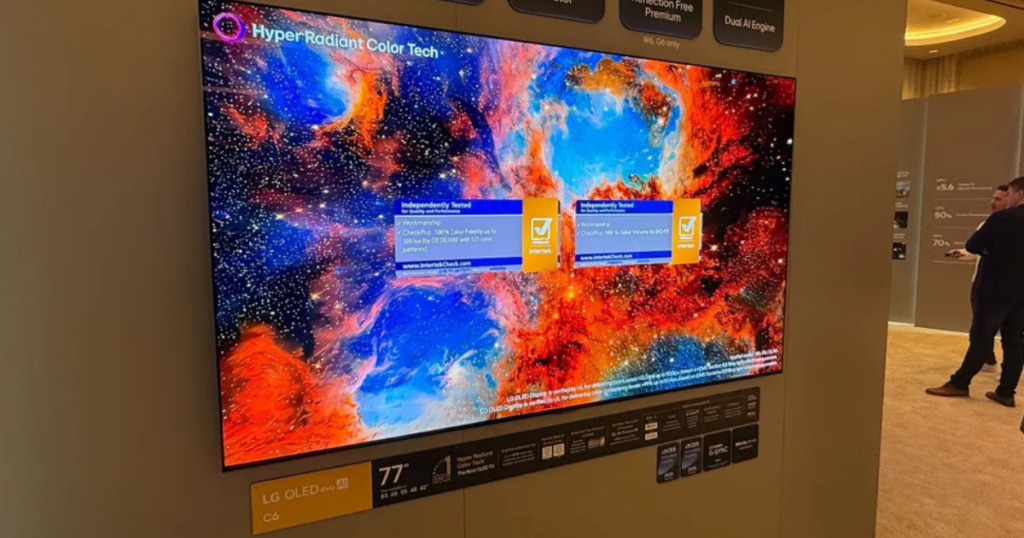
Shadow detail is where things get interesting. With strong processing, you want dark scenes to keep texture (a black coat should still look like fabric, not a blob). Early hands-on coverage suggests the Alpha 11 Gen 3 is doing more of the heavy lifting this year, which should help with near-black stability and upscaling. What you’ll actually feel is less “crunchy” compression in streaming shows, plus cleaner edges on older HD content. If you want a broad rundown of what’s known so far, TechRadar’s LG C6 overview is a solid reference.
Brightness: highlights vs full-screen scenes
Brightness talk gets messy because OLED brightness isn’t one number. You have:
- Small highlights (like sunlight glinting off metal in HDR)
- Full-screen brightness (like a bright snowy field filling the frame)
OLED can push intense highlights, then ABL (Automatic Brightness Limiter) may pull the whole image down when the screen becomes mostly bright. In real viewing, that means a vivid HDR sparkle can look amazing, but a full white hockey rink can look a bit dimmer than a top Mini-LED.
What to expect from 42 to 65-inch LG C6
For smaller sizes, the story is refinement. LG has talked about brightness gains versus C5 in these conventional sizes, and early reporting frames it as a more modest improvement than the big-screen models. You should expect strong contrast, excellent viewing angles, and that classic OLED “depth,” with brightness help coming mainly from processing and tuning.
What to expect from 77 and 83-inch LG C6H
This is the version that can change your buying decision. The C6H models use a Primary RGB Tandem panel and Hyper Radiant Color. Early reports tied to CES 2026 briefings suggest a much higher HDR ceiling on these sizes, with some coverage pointing to HDR peaks in the same neighborhood as last year’s brighter premium sets (figures around the 2,000-nit range are being discussed in early reporting, but you should treat them as pre-review claims until retail samples are tested). The practical outcome is simple: HDR should pop harder in a bright room, and saturated colors should hold together better when the TV is fighting daylight.
HDR formats, tone mapping, and quick picture mode tips
You get Dolby Vision and HDR10, which covers most streaming and disc needs. Dolby Vision tends to be the “set it and relax” option because it carries scene-by-scene guidance, while HDR10 relies more on the TV’s tone mapping choices.
Simple, no-drama setup tips:
- For movies at night, start with a Cinema-style mode and keep motion smoothing low.
- For daytime viewing, switch to a brighter preset and consider raising peak brightness while keeping color temperature natural.
For first impressions from a show-floor perspective, What Hi-Fi’s LG C6 hands-on gives useful context on why the size split is the headline.
Gaming performance
The LG C6 OLED stays one of the easiest TVs to recommend for gaming because it doesn’t make you play port roulette. You get four full HDMI 2.1 inputs, so you can run a PS5, Xbox Series X, a gaming PC, and a soundbar without constant cable swapping.
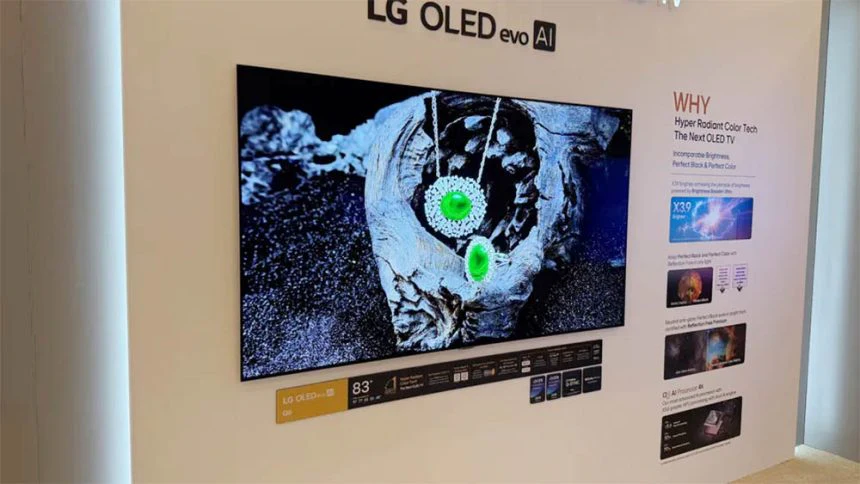
The big spec bump is up to 165Hz. Most console players won’t hit 165Hz (120Hz is the common ceiling today), but PC players can benefit right away in esports titles and lighter shooters where high frame rates are realistic. The difference you feel is smoother motion and clearer tracking when you flick quickly across the screen.
VRR (Variable Refresh Rate) is the feature that saves you from stutter and tearing when frame rate swings. ALLM (Auto Low Latency Mode) helps by kicking the TV into a low-lag game mode when a console boots.
Practical checks that prevent most “why doesn’t it feel smooth?” moments:
- Turn on the TV’s Game Optimizer or game mode preset.
- Confirm VRR is enabled on both the TV and your console or GPU control panel.
- Use a certified Ultra High Speed HDMI cable, and make sure you’re plugged into the right HDMI port if your gear has port-specific limits.
Dolby Vision gaming support is a nice extra when it works well with your setup. Ultra-competitive players might still chase the absolute lowest measured input lag, but for most people, the C6 should feel quick and responsive.
Audio and sound
Built-in speakers are still the weak link on most ultra-thin TVs, and early hands-on impressions for the LG C6 OLED haven’t spotlighted major audio upgrades. In daily use, you can expect clear dialogue at moderate volume, then the limits show up during action scenes: bass is light, the soundstage feels smaller, and loud moments can get a bit strained.
If you care about movies and games, plan on an audio upgrade. Two paths cover most needs:
- Budget soundbar: better dialogue clarity, wider sound, cleaner volume at night.
- Soundbar with a subwoofer: the simplest way to get real impact for explosions, engine noise, and music.
Use HDMI eARC so your TV can pass higher-quality audio formats to your sound system and keep control simple with one remote.
Connectivity and smart features
Four HDMI 2.1 ports is more than a spec flex. It’s the difference between a tidy setup and a constant unplugging routine. If you own a console and plan to add a soundbar, you can still keep extra ports open for a streaming box, a PC, or a future upgrade.
eARC is the other “real life” feature. It makes your soundbar connection more reliable, and it reduces sync headaches. If you’ve ever had voices not match lips, you already know why that matters.
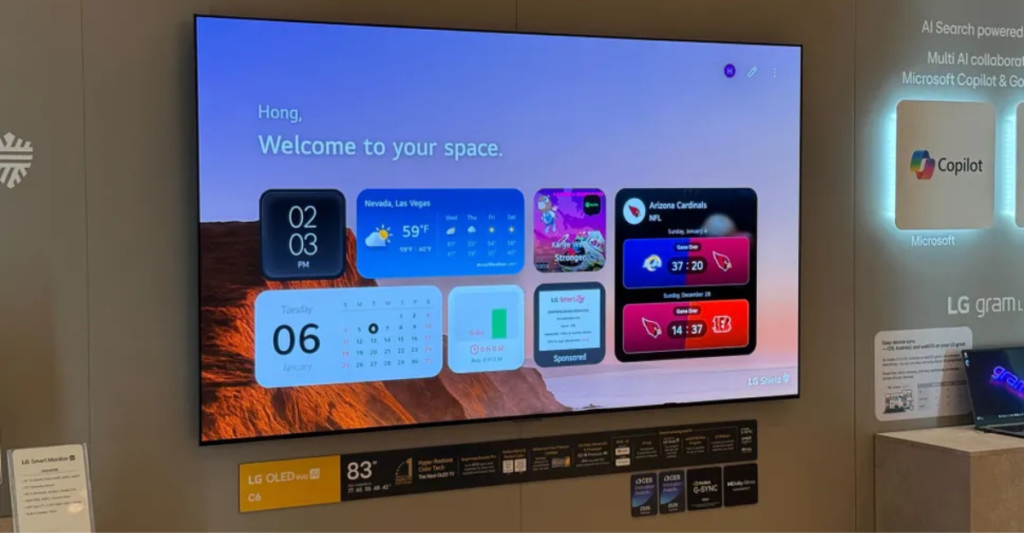
On the smart side, webOS 26 is designed around fast access to inputs, apps, and quick settings. You’ll spend most of your time doing three things: launching streaming services, switching inputs, and adjusting picture mode based on time of day. The Alpha 11 Gen 3 processor should keep navigation snappy and also enables more AI-driven picture tools (things like content-aware tuning and motion adjustments). The key is to use these tools when they help, not because they exist. If a setting makes faces look unnatural, turn it off and move on.
Price and value
As of February 2026, official pricing isn’t fully settled everywhere, but early expectations track close to the C5’s launch pricing. A common estimate you’ll see (USD) looks like this:
- 42-inch: $1,399
- 48-inch: $1,599
- 55-inch: $1,999
- 65-inch: $2,699
- 77-inch: $3,699
- 83-inch: $5,399
Treat those as estimates, not promises. Early adopters usually pay more, and TV pricing can swing hard once bundles and seasonal promos hit.
Your value decision comes down to size:
If you’re buying 42 to 65 inches, last year’s C5 can be the smarter buy if it’s heavily discounted. The smaller C6 models bring the new processor and 165Hz support, but they don’t get the Tandem panel jump. If you don’t need 165Hz and you mainly watch movies and streaming, a cheaper C5 can deliver most of the OLED experience for less.
If you’re buying 77 or 83 inches, the C6H is the real step forward. That’s where the Primary RGB Tandem panel and Hyper Radiant Color are meant to justify paying closer to launch pricing.
For another sanity check on timing and price expectations, ecoustics’ CES 2026 coverage is helpful context.
LG C6 OLED vs key rivals, what you gain or give up
If you’re cross-shopping, you’re probably looking at one of three directions: QD-OLED, premium Mini-LED, or a value Mini-LED.
Samsung S95D (QD-OLED) often wins on color volume in bright HDR, and its anti-glare approach can be a strong fit for sunlit rooms. The trade-off is price and, depending on your space, how you feel about Samsung’s tone mapping choices.
Sony Bravia 9 (Mini-LED) is built for brute-force brightness and strong movie processing. Mini-LED can look more consistent in full-screen bright scenes, where OLED may dim due to ABL. The trade-off is that blooming can still happen around bright objects on dark backgrounds, even on great sets.
Hisense U8N (Mini-LED value) is the “lots of brightness for the money” option. You give up some refinement, but you can get a punchy HDR look without paying OLED prices.
A simple rule works: pick the LG C6 OLED if you care about gaming flexibility and dark-room movie contrast. Pick a brighter Mini-LED, or an OLED with stronger glare control, if your room is sunlit all day.
If you want another OLED reference point from the same site, see this Sony Bravia 8 II QD-OLED review.
Who should buy the LG C6 OLED
You should buy the LG C6 OLED if you fit one of these profiles:
- You watch a lot of movies in a darker room and want true black with clean shadow detail.
- You game often and want four HDMI 2.1 ports, VRR, ALLM, and a high refresh ceiling.
- You’re shopping 77 or 83 inches and want a near-flagship style upgrade without stepping up to LG’s G-series pricing.
You should skip it, or at least shop carefully, if this sounds like you:
- Your living room is extremely bright and you hate any dimming in big bright scenes.
- You’re chasing the best deal and can get a much cheaper C5 in the size you want.
- You run static content for hours (news tickers, always-on HUDs) and you won’t use the TV’s protections.
Two practical ownership habits that lower retention risk:
- Vary your content (don’t leave the same channel or HUD on for long stretches).
- Use the built-in pixel care and screen shift tools, and avoid max brightness for static use.
LG C6 OLED FAQ
What’s the difference between LG C6 and C6H models?
C6 and C6H mostly differ by panel and size. The 42-inch to 65-inch C6 uses WOLED, while 77-inch and 83-inch are C6H with Primary RGB Tandem.
Which LG C6 sizes are WOLED, and which are RGB Tandem?
You get WOLED on 42-inch, 48-inch, 55-inch, and 65-inch. You get RGB Tandem OLED on 77-inch and 83-inch, sold as the C6H variant.
Does every LG C6 support 165Hz, VRR, and ALLM?
Yes. Across the range, you get 165Hz, VRR, and ALLM, plus four HDMI 2.1 ports, so you’re set for PS5, Xbox Series X, and PC gaming.
Is the C6H noticeably brighter than the regular C6?
Yes. The standard C6 gets a smaller brightness lift, while the C6H adds a four-layer Tandem panel plus Hyper Radiant Color Tech for stronger HDR impact.
Is LG C6 a good TV for PS5, Xbox, and PC gaming?
Yes. You get HDMI 2.1 bandwidth features, very low response time, and support for VRR formats like G-SYNC and FreeSync Premium, plus a 165Hz ceiling for PCs.
What processor does the LG C6 use, and why care?
It uses the Alpha 11 Gen 3 processor. LG claims big jumps in CPU and GPU speed, plus a stronger NPU, which should help upscaling and tone mapping.
Conclusion
The LG C6 OLED keeps the C-series formula that works: strong OLED contrast, top-tier gaming support, and a faster processor that should make everyday use feel smooth. The part you can’t ignore is the size split. The biggest picture upgrade is tied to the 77-inch and 83-inch C6H models, where the Primary RGB Tandem panel and Hyper Radiant Color are meant to deliver a more dramatic HDR jump.
If you’re buying 42 to 65 inches, decide based on price, because a discounted C5 may be the better value. If you’re going big, the C6H is the standout to watch.
Your next step is simple: pick your room brightness, lock your size, then decide if you really need 165Hz before you pay early-2026 prices.